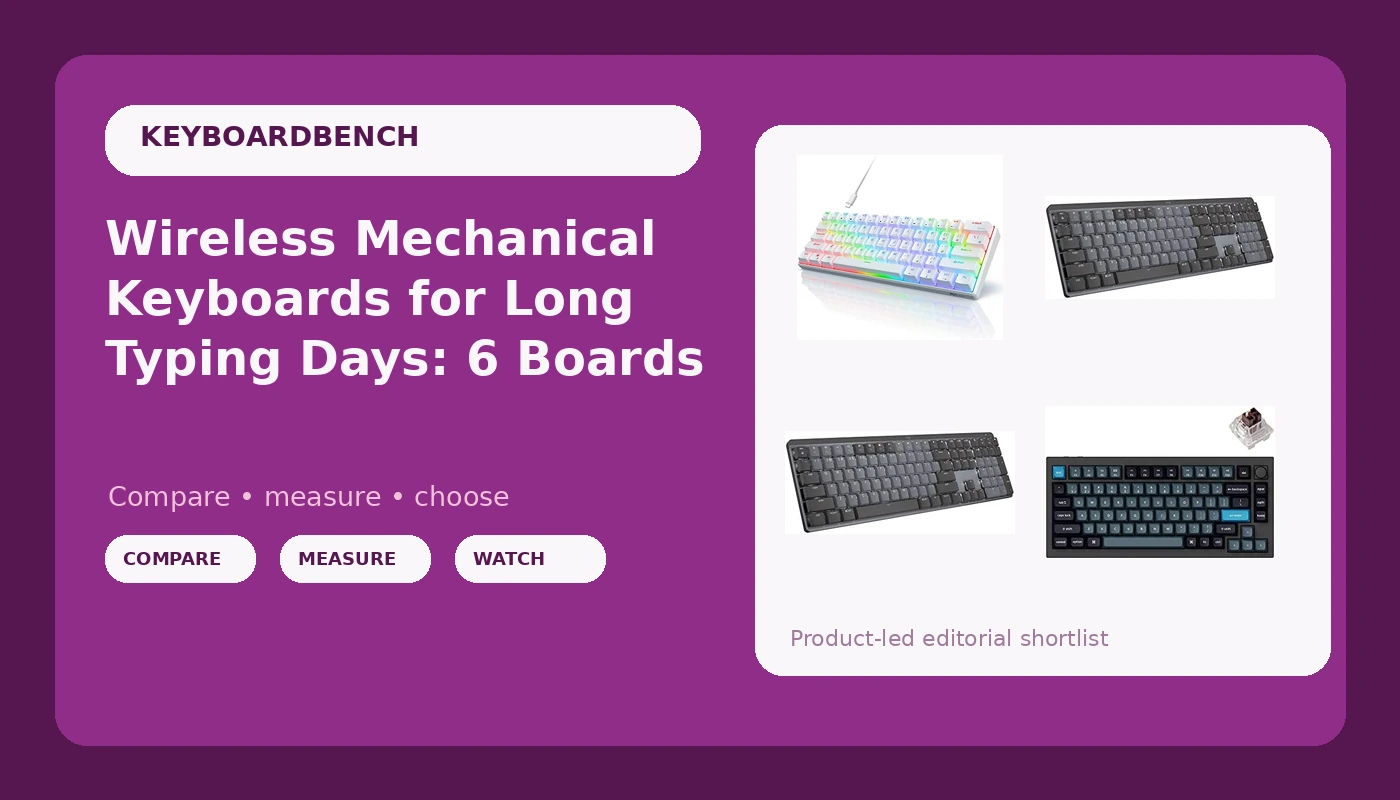
Wireless mechanical keyboards in 2026 come in more shapes than most buyers expect. A compact 60% wired board, a tri-mode 75% with a knob, a full aluminum custom, and a slim low-profile office keyboard all get sold as the best wireless mechanical keyboard for somebody, and the differences between them matter far more than the label on the box. This guide covers six specific boards and explains which one fits which desk, whether you write code for eight hours a day, split your time between a Mac and a Windows machine, or just want keys that feel better than the membrane slab that came with your computer.
Related: How to Fix Stabilizer Rattle Without Buying New Stabilizers
Quick answer
The Keychron Q1 Pro Wireless Custom Mechanical Keyboard is the strongest fit for daily typing and coding because it pairs a full aluminum case with a 75% layout, QMK and VIA programmability, Bluetooth and wired connectivity, RGB lighting, and hot-swappable Keychron K Pro Brown switches. Choose the Logitech MX Mechanical Wireless Illuminated Keyboard Tactile instead when you want a slim low-profile board for office work and have no interest in firmware tinkering.
Wireless mechanical keyboards worth comparing
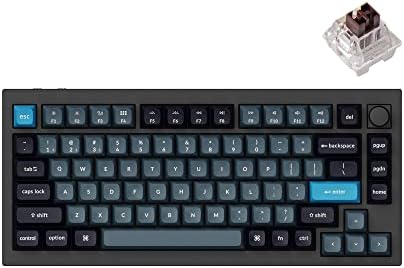
Keychron Q1 Pro Wireless Custom Mechanical Keyboard, QMK/VIA Programmable Full Aluminum 75% Layout Bluetooth/Wired RGB with Hot-swappable Keychron K Pro Brown Switch Compatible with Mac Windows Linux
A full aluminum 75% board with QMK and VIA programmability, Bluetooth and wired modes, RGB backlighting, and hot-swappable Keychron K Pro Brown tactile switches, with Mac, Windows, and Linux compatibility.
Visit on Amazon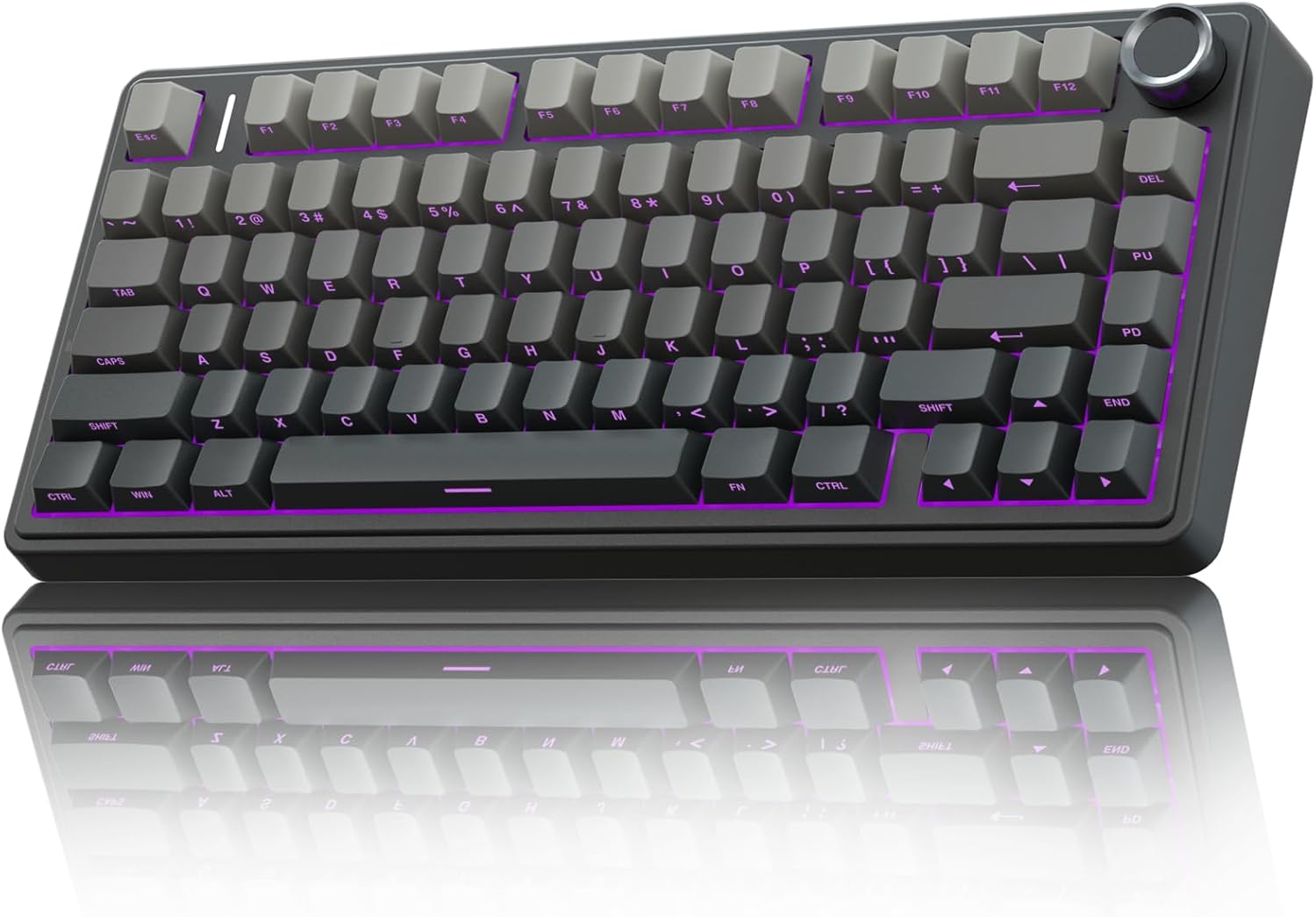
AULA F75 Pro Wireless Mechanical Keyboard,75% Hot Swappable Custom Keyboard with Knob,RGB Backlit,Pre-lubed Reaper Switches,Side Printed PBT Keycaps,2.4GHz/USB-C/BT5.0 Mechanical Gaming Keyboards
A 75% hot-swappable board with a control knob, RGB backlighting, pre-lubed Reaper switches, side-printed PBT keycaps, and three connection modes: 2.4GHz wireless, USB-C, and Bluetooth 5.0.
Visit on Amazon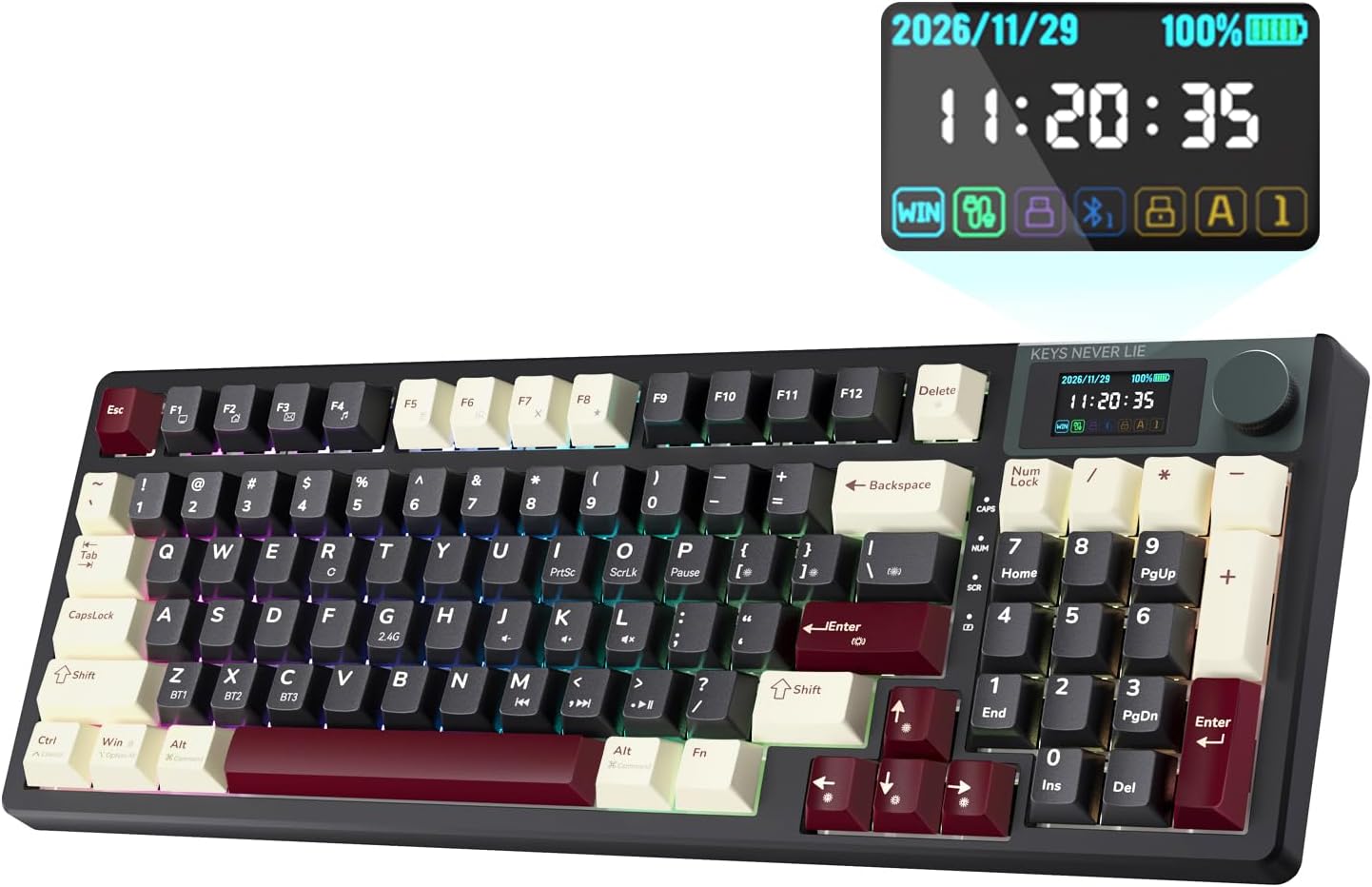
KEMOVE K94 Wireless Mechanical Keyboard, QMK/VIA, LCD Screen & Metal Knob
Check current Amazon price
A wireless mechanical keyboard with QMK and VIA support, plus an LCD screen and a metal knob for on-board control without opening software.
Visit on Amazon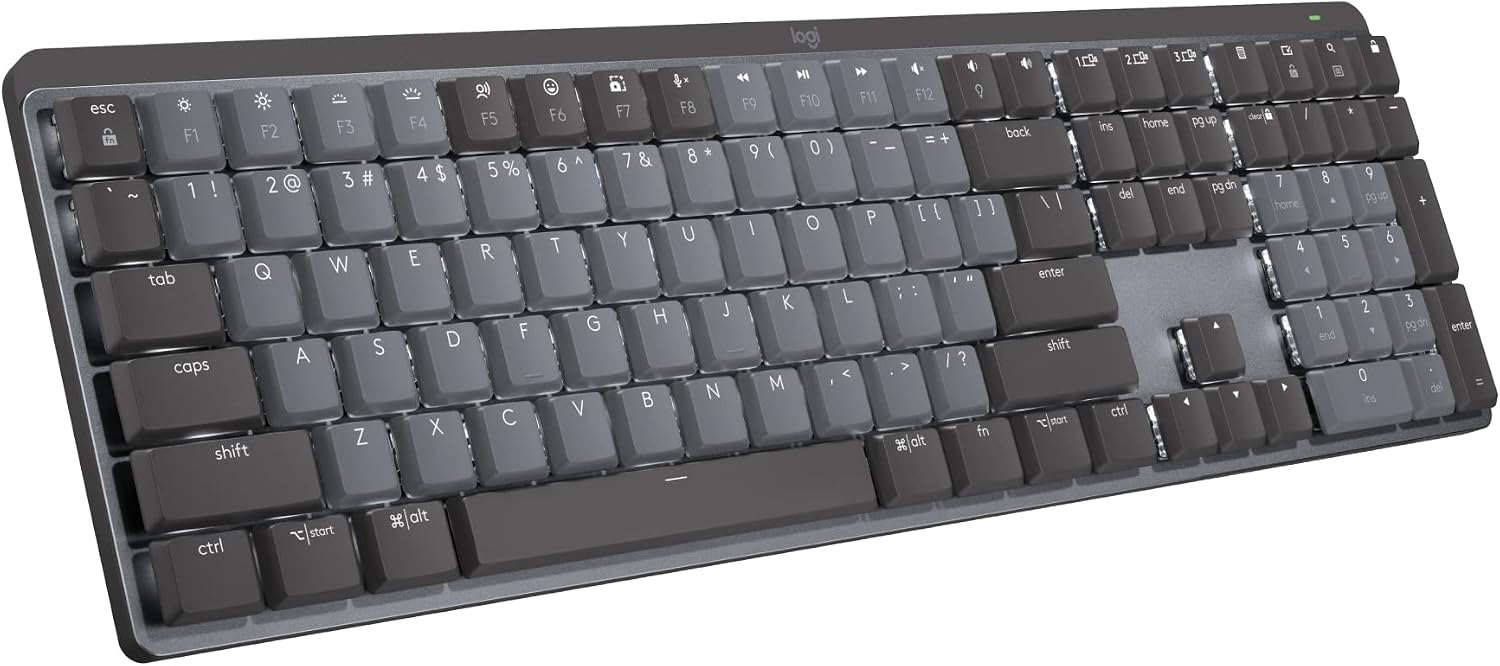
Logitech MX Mechanical Wireless Illuminated Keyboard Tactile - Graphite
A low-profile wireless illuminated keyboard with tactile switches in a graphite finish, built for slim desks and long typing sessions.
Visit on Amazon
Logitech MX Mechanical Wireless Illuminated Performance Keyboard Clicky
The clicky version of Logitech's low-profile wireless illuminated keyboard, for typists who want an audible click at every keypress.
Visit on Amazon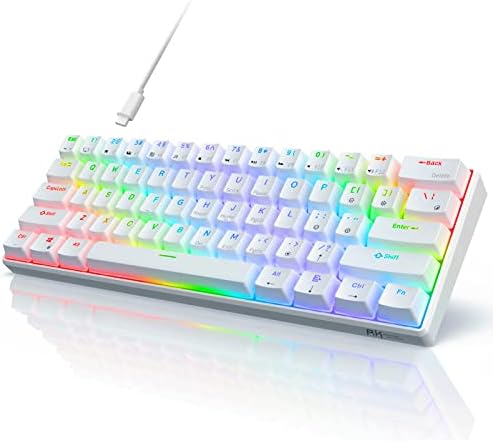
RK ROYAL KLUDGE RK61 Wired 60% Mechanical Gaming Keyboard, Compact PC Game Keyboards with QMK/VIA Programmable RGB Backlit, Hot Swappable Custom Keyboard for Win/Mac, Pre-lubed Red Switch, White
A wired 60% board with QMK and VIA programmability, RGB backlighting, hot-swappable sockets, and pre-lubed Red linear switches in a white finish.
Visit on AmazonPrices and availability may change. Check the retailer for current details.
How these products were compared
This guide compares layout and footprint, connectivity and charging, switch type and hot-swap support, firmware and software, and case and keycap materials. Product names, images, and retailer links are matched to the same verified product, so every card points to the board described in it.
Layout decides how much desk space you give up and whether you keep arrow keys, a function row, or a number pad. Connectivity decides whether you charge a battery or plug in a cable, and whether one board can serve a laptop and a desktop at the same time. Switch type decides how the board sounds and feels under your fingers, and hot-swap sockets decide whether changing that later is a five-minute job or a soldering project. Firmware decides how much control you get over layers, macros, and lighting, and whether that control lives in an app or in your browser. Case and keycap materials decide how the board ages: an aluminum chassis and PBT keycaps hold up differently than plastic and thin stock caps.
How to choose the right wireless mechanical keyboard
Start with size rather than switches, because size is the decision you cannot undo. A 60% board like the RK61 drops the function row, the arrow cluster, and the number pad, which keeps your mouse hand close but moves arrows and function keys onto a second layer you have to learn. A 75% board like the Keychron Q1 Pro or the AULA F75 Pro keeps the function row and arrow keys in a footprint that still leaves room for a mouse. If you spend your day in a spreadsheet, look at a wider key count instead, because no amount of layer programming makes a missing number pad pleasant for data entry.
Switch feel is personal, and it transfers worse from one person to another than any other spec. Linear switches such as the pre-lubed Red switches in the RK61 travel smoothly with no bump at the actuation point, which is why they show up in so many gaming boards. Tactile switches such as the Keychron K Pro Brown add a bump you can feel without the noise of a click, which is the safer choice for a shared office. Clicky switches, which is what the Logitech MX Mechanical Clicky uses, add an audible click on every press; some typists find that feedback satisfying, and everyone within ten feet of them will have an opinion. If you are not sure yet, buy hot-swap, because then the wrong switch costs you one set of switches instead of a whole keyboard.
Connectivity is where the wireless part actually gets decided. The AULA F75 Pro covers all three common modes, with 2.4GHz wireless for low-latency work, USB-C for wired use, and Bluetooth 5.0 for pairing with a laptop or tablet. The Keychron Q1 Pro splits its time between Bluetooth and wired. The KEMOVE K94 is wireless as well, with QMK and VIA support plus an LCD screen and a metal knob for changes you would rather make without launching software. The Logitech MX Mechanical models are wireless and illuminated, aimed at people who want a slim board rather than a programmable one. Only the RK61 is wired, and it makes that trade in exchange for a very small footprint.
Firmware is the last fork in the road. QMK and VIA, which the Keychron Q1 Pro, the KEMOVE K94, and the RK61 all support, let you remap keys, build layers, and change lighting in a browser without an account or a background service. If that sounds like fun, it is the most future-proof option on this list, because you can rebuild the layout around whatever you actually type. If it sounds like homework, a board with sensible factory defaults and dedicated media or knob controls will serve you better, and you should weight that more heavily than any spec sheet bragging.
Keychron Q1 Pro Wireless Custom Mechanical Keyboard
The Keychron Q1 Pro is a 75% board with a full aluminum case, which is the single biggest reason it sits at the top of this list. Aluminum changes how a board sounds and how it feels to type on: less flex, less hollow ring, and a weight that keeps it from sliding around a desk. It runs QMK and VIA for remapping and layers, supports both Bluetooth and wired connections, has RGB backlighting, and ships with hot-swappable Keychron K Pro Brown tactile switches, so the tactile bump is there from day one and you can change it later without soldering. Keychron also lists compatibility with Mac, Windows, and Linux, which matters if you move between operating systems.
The trade-offs are real. An aluminum 75% board is heavier than a plastic one, so it is a desk keyboard rather than something you toss in a bag. It still has no number pad, so anyone doing heavy numeric entry should look elsewhere. And QMK and VIA are a genuine learning curve: if you want to plug in a keyboard and never think about layers again, you are paying for capability you will not use. For a board you type on every day and expect to keep for years, though, that combination of case material, hot-swap sockets, and open firmware is hard to argue with.
Alternatives to consider
The AULA F75 Pro is better suited to buyers who want a 75% layout with a knob, three connection modes, and side-printed PBT keycaps out of the box, while the KEMOVE K94 is a stronger fit when you want QMK and VIA support plus an LCD screen and a metal knob for quick adjustments on the board itself.
The Logitech MX Mechanical Tactile and the Logitech MX Mechanical Clicky cover a different kind of buyer entirely: low-profile, illuminated, wireless boards for people who want a slim keyboard for office work and do not care about remapping layers. The tactile version is the quieter, more neutral choice, and the clicky version is for anyone who wants audible confirmation at every keypress.
The RK61 covers the small-and-simple end of the list. It is a wired 60% board with QMK and VIA support, RGB, hot-swappable sockets, and pre-lubed Red linear switches, and its compact footprint makes it the natural pick for a narrow desk or a setup where the keyboard shares space with a mouse and a notepad.
Day-to-day use and maintenance
Most of what keeps a mechanical keyboard pleasant over years is cleaning and a little restraint. Keycaps collect skin oil and dust faster than you expect, and pulling them for a soak in warm water with a drop of mild soap restores the texture, especially on PBT caps like the side-printed set on the AULA F75 Pro. Let them dry completely before they go back on. For the case, a soft brush or a can of compressed air handles crumbs and dust between switches, and a microfiber cloth handles the aluminum on the Keychron Q1 Pro.
If your board is hot-swap, treat the sockets with respect: use a proper switch puller, pull straight up, and avoid rocking the switch side to side, because bent pins and damaged sockets are the most common way people break a board that was working fine. Wireless boards want battery habits too, so charge them before they die rather than leaving them plugged in permanently if you can avoid it, and check the manufacturer's guidance for your specific model. If a stabilizer rattles, that is usually a tuning problem rather than a defect, and lubing the stabilizer is the standard fix. Before you remove keycaps or switches, confirm your exact model supports it, since not every keyboard on this list is hot-swap.
Buying checklist
- Measure your desk space and decide whether you can live without arrow keys, a function row, or a number pad.
- Choose a switch type based on how you actually type, not on which one has the loudest fans online.
- Confirm that the exact model you are ordering is hot-swap if you ever want to change switches.
- Check whether the board supports QMK and VIA if remapping and layers matter to you.
- Read the cleaning, battery, and warranty instructions for the specific model before you buy.
- Verify the current price, availability, and return terms on the retailer page.
Final recommendation
Choose the Keychron Q1 Pro Wireless Custom Mechanical Keyboard when you want one board to type on every day, with an aluminum case, a 75% layout, hot-swappable tactile switches, and open firmware you can grow into. Choose the Logitech MX Mechanical Wireless Illuminated Keyboard Tactile when you want a slim, low-profile wireless board for office work and would rather not think about layers or keymaps at all. If you want the smallest footprint on the list, the RK61 is the compact wired option, and if three connection modes and a knob matter more than an aluminum case, the AULA F75 Pro is the one to compare against the top pick. When the specs do not point to a clear winner for how you type, spend the difference on switches you actually want instead of on a board that only looks different.