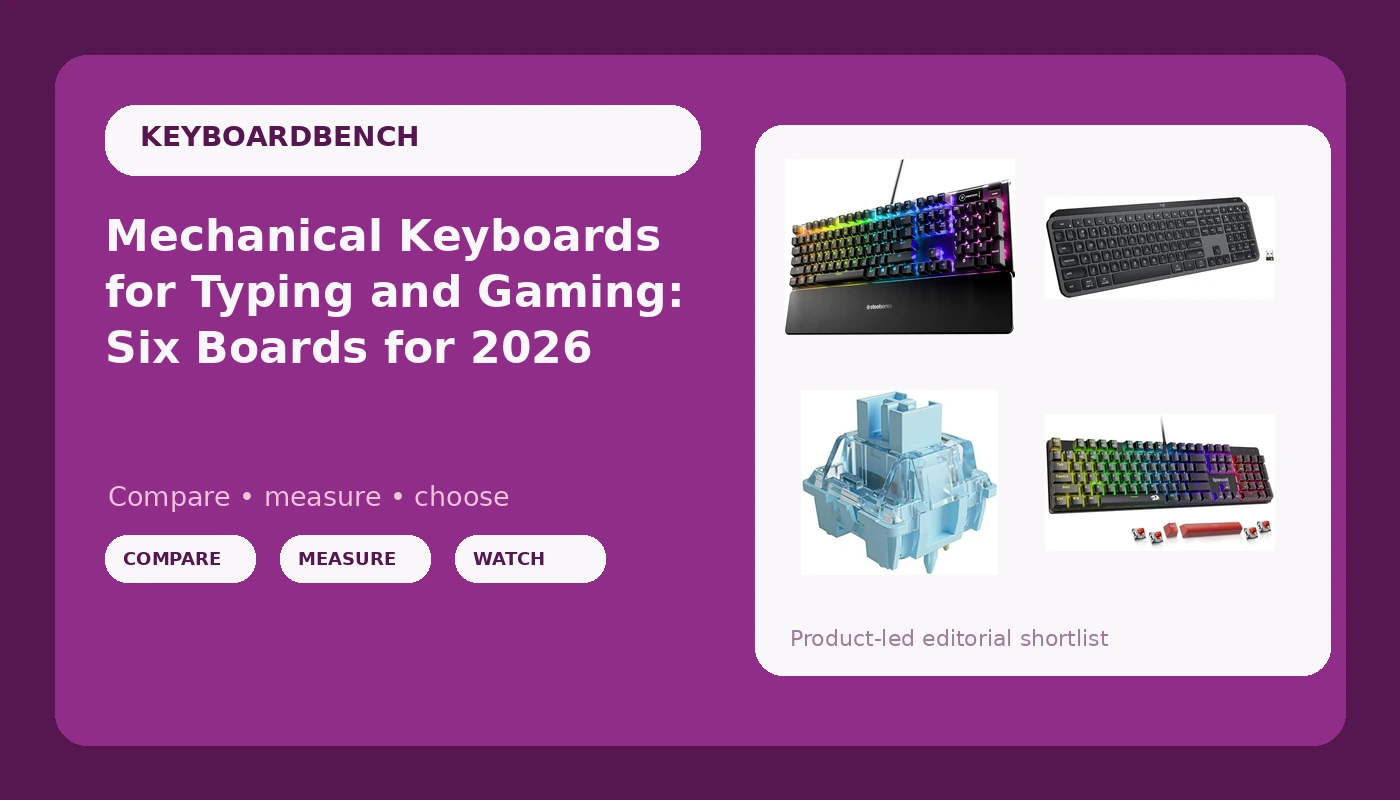
Shopping for mechanical keyboards for typing and gaming means sorting through three different product categories that all get shelved together: full-size wireless boards, compact wired boards, and switch packs you buy to change how a board you already own feels. That overlap is the problem this guide solves. Instead of ranking by price tag, it groups six specific products by what they actually do well, so you can match a board to the way you work and play. The picks below run from a hot-swappable budget wired board to a low-profile wireless keyboard built for quiet offices, and each entry lists the features that matter rather than a marketing slogan.
Related: Hot-Swap Keyboards Under $100: What Actually Matters
Quick answer
The Redragon Mechanical Gaming Keyboard Wired is the strongest fit for most people who want one board for typing and gaming because it combines hot-swappable Red switches, double-shot PBT keycaps, anti-ghosting, and a wired connection with no battery to manage. Choose the Logitech MX Keys S Wireless Keyboard Low Profile Fluid Precise - Graphite instead when you want a quiet, low-profile wireless board for long workdays and do not need mechanical switches or hot-swap support.
Mechanical keyboards worth comparing
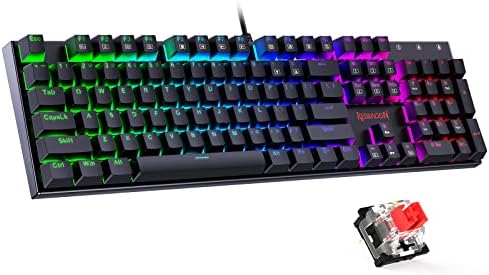
Redragon Mechanical Gaming Keyboard Wired, 11 Programmable Backlit Modes, Hot-Swappable Red Switch, Anti-Ghosting, Double-Shot PBT Keycaps, Light Up Keyboard for PC Mac
Wired mechanical board with hot-swappable Red switches, 11 programmable backlit modes, anti-ghosting, and double-shot PBT keycaps. Works with PC and Mac.
Visit on Amazon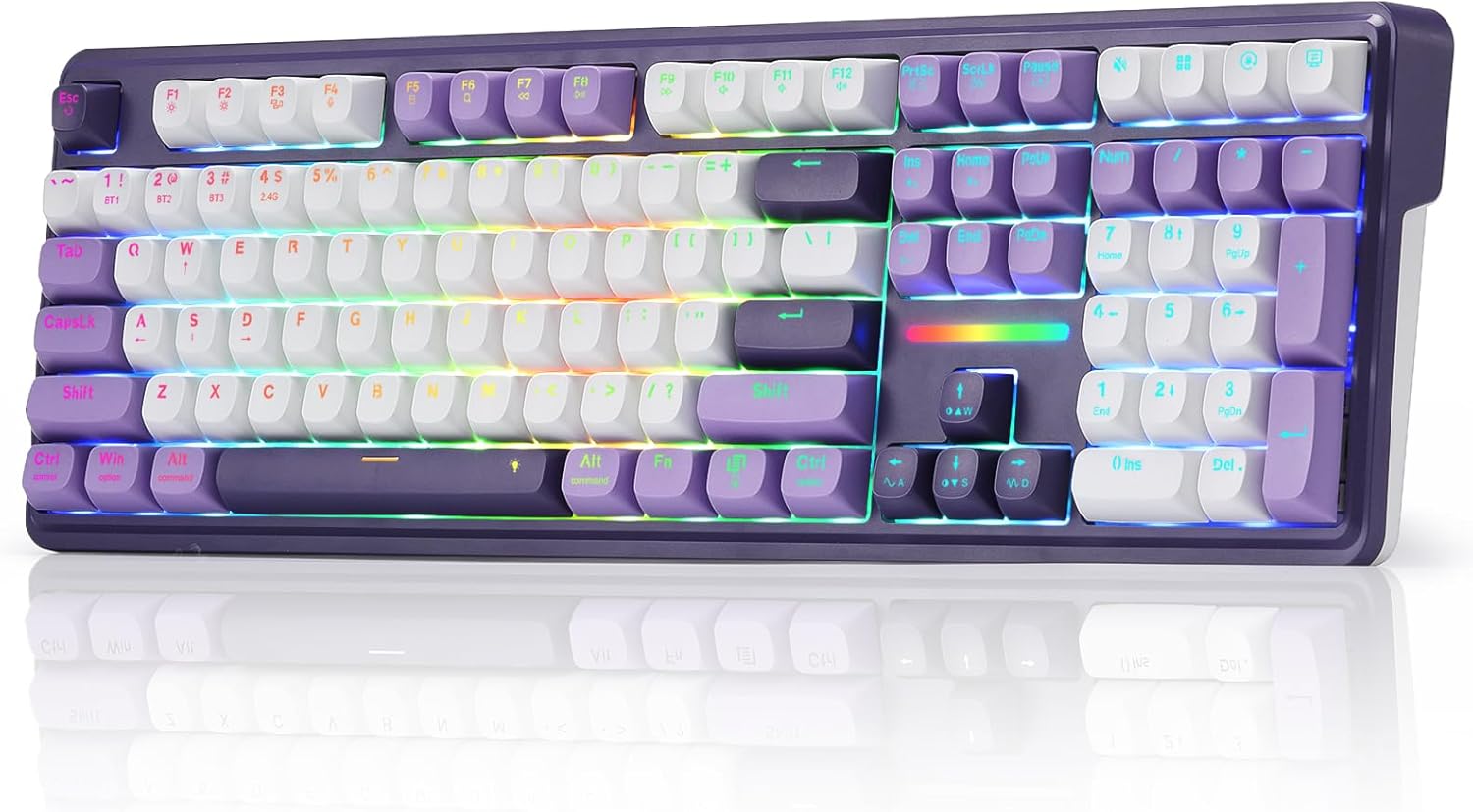
Redragon K745 PRO Wireless 108-Key Gasket RGB Gaming Keyboard, 4 Hotkeys
Wireless full-size 108-key board with a gasket mount, RGB lighting, and four dedicated hotkeys.
Visit on Amazon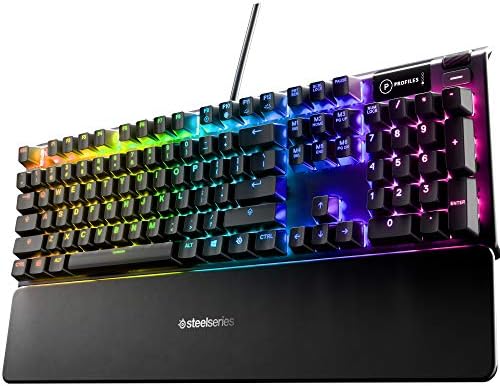
SteelSeries USB Apex 5 Hybrid Mechanical Gaming Keyboard, Per-Key RGB Illumination, Aircraft Grade Aluminum Alloy Frame, OLED Smart Display (Hybrid Blue Switch)
Hybrid mechanical keyboard with per-key RGB, an aircraft grade aluminum alloy frame, an OLED smart display, and Hybrid Blue switches.
Visit on Amazon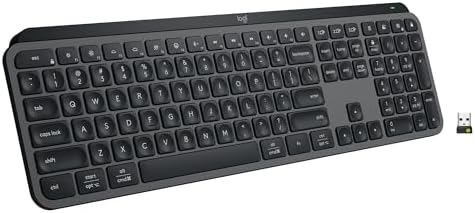
Logitech MX Keys S Wireless Keyboard Low Profile Fluid Precise - Graphite
Low-profile wireless keyboard in graphite, built for fluid and precise typing rather than mechanical switch feel.
Visit on Amazon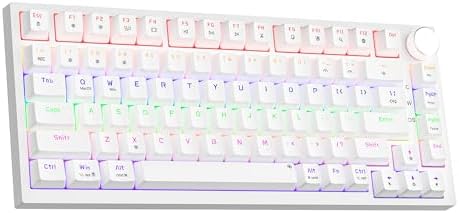
Newmen GM326 Mechanical Keyboard,75% Percent Gaming Keyboard,Wired Keyboard
Wired 75 percent mechanical keyboard with a compact layout that frees desk space for the mouse.
Visit on Amazon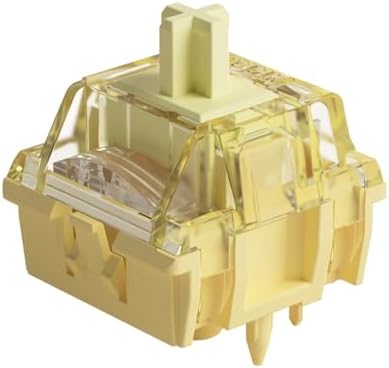
Akko V3 Creamy Blue Pro Keyboard Switch with Dustproof Stem for Mechanical Gaming Keyboard, 5-Pin 45gf Pre Lubed Tactile Key Switches (45pcs)
Five-pin, 45gf pre-lubed tactile switches with dustproof stems, sold in a 45-piece pack for hot-swap boards.
Visit on AmazonPrices and availability may change. Check the retailer for current details.
How these products were compared
This guide compares switch type and feel, frame and mounting construction, keycap material, connectivity, and layout size and programmability. Product names, images, and retailer links are matched to their product records so that every card points to the product shown, and each claim in a card summary traces back to the manufacturer description rather than to a marketing claim invented for this page.
Nothing here is presented as hands-on lab testing. Where a feature is listed, it is a documented spec: hot-swappable switches, double-shot PBT keycaps, a gasket mount, an aluminum alloy frame, a 75 percent layout, or a 45gf tactile switch weight. Use the retailer link on each card to confirm the current price, availability, and return terms, since those change far more often than the hardware does.
How to choose the right keyboard
Start by deciding whether you actually want mechanical switches. Four of the six products here are mechanical boards, one is a hybrid mechanical design, and one is a low-profile wireless keyboard. Mechanical switches give you a distinct actuation point, replaceable keycaps, and in most cases the option to swap switches later. A low-profile wireless board trades that feel for a shorter travel distance and a quieter, flatter typing experience that many people prefer for long document work and shared offices.
If you do go mechanical, hot-swap support is the feature worth prioritizing. A hot-swappable board lets you pull a switch with a tool and push in a different one, no soldering involved. That single feature turns a keyboard into a platform: you can start with the stock switches, decide later that you want something heavier or more tactile, and change the board's character for the cost of a switch pack. Boards without hot-swap lock you into whatever the factory installed.
Keycap material is the second thing to check, and it is easy to overlook. Double-shot PBT keycaps resist the shiny, greasy wear that shows up on cheaper ABS caps after months of daily use, and the double-shot process means the legends are molded rather than printed, so they do not rub off. This matters more to the long-term feel of a board than whether the case is plastic or aluminum, because your fingers touch the caps every single day.
Layout comes next. A full-size 108-key board keeps the number pad, which is genuinely useful for spreadsheets and data entry but pushes your mouse further to the right. A 75 percent layout drops the number pad and squeezes the arrow and function keys into a compact footprint, which gives your mouse arm more room on a narrow desk. There is no universally correct answer, only a correct answer for your desk and your work. If you are weighing compact boards, our hot-swap keyboard breakdown walks through where the savings usually come from.
Finally, think about connectivity and switch weight. Wired boards never need charging and never drop a connection mid-sentence, but they add a cable to your desk. Wireless boards clean up the desk and let you move the keyboard between a laptop and a monitor, at the cost of remembering to charge. On weight, 45gf tactile switches like the Akko set below sit in the middle of the range: light enough for fast typing, heavy enough that you feel the bump on every keypress.
Redragon Mechanical Gaming Keyboard Wired, 11 Programmable Backlit Modes, Hot-Swappable Red Switch, Anti-Ghosting, Double-Shot PBT Keycaps, Light Up Keyboard for PC Mac
This is the board that covers the most ground for the most people. It is wired, so there is no battery to manage and no wireless polling to think about. It is hot-swappable, so the switches that ship with it are a starting point rather than a life sentence. It uses double-shot PBT keycaps, which is the keycap construction that holds up best under daily typing. It also lists anti-ghosting, which matters when you are holding movement keys and pressing others at the same time, and 11 programmable backlit modes for anyone who wants lighting without installing a separate application.
The trade-off is straightforward: no wireless option, and the stock Red switches are linear, meaning there is no tactile bump at the actuation point. Linear switches are smooth and quiet-ish, and plenty of people prefer them for gaming, but if you want a pronounced bump or a click, you will be swapping switches or choosing a different board. It also supports PC and Mac, so it works with either ecosystem, but it is still a full-size board, which means a wider footprint on the desk.
Alternatives to consider
The Redragon K745 PRO Wireless 108-Key Gasket RGB Gaming Keyboard, 4 Hotkeys is better suited to anyone who wants a clean wireless desk setup in a full-size layout, while the SteelSeries USB Apex 5 Hybrid Mechanical Gaming Keyboard is a stronger fit when you want per-key RGB, an aircraft grade aluminum alloy frame, and an OLED smart display for on-board status information.
The Logitech MX Keys S Wireless Keyboard Low Profile Fluid Precise - Graphite covers the quiet-office case: low-profile keys, wireless freedom, and a typing feel aimed at fluid and precise input rather than mechanical actuation. The Newmen GM326 Mechanical Keyboard,75% Percent Gaming Keyboard,Wired Keyboard covers the small-desk case, trading the number pad for a 75 percent footprint that leaves more room for mouse movement. The Akko V3 Creamy Blue Pro Keyboard Switch covers the upgrade case: five-pin, 45gf pre-lubed tactile switches with dustproof stems, sold in a 45-piece pack for boards that support hot-swap.
Note that the Akko pack is switches, not a keyboard. It is in this guide because it is the cheapest way to change how a hot-swap board feels, and because a 45-piece pack is a reasonable starting quantity for a compact board or a partial swap. If you are buying it for a full-size 108-key board, plan on more than one pack.
Day-to-day use and maintenance
Mechanical boards reward a small amount of routine care. Dust settles between the keycaps and into the switch housing, so a soft brush or a can of compressed air used at an angle every few weeks keeps the plate and the gaps clean. If you eat at your desk, shake the board out regularly and wipe the keycaps with a lightly dampened cloth, then dry them before putting them back.
On a hot-swap board, keycaps and switches come off without soldering. Use a proper keycap puller rather than a screwdriver, pull straight up, and keep the removed caps in a container so they do not scatter. If you swap switches, use a switch puller that grips both tabs evenly, pull vertically, and check that no pins are bent before seating a new switch. Pre-lubed switches like the Akko set do not need additional lubrication out of the box, and adding more than the factory applied can make a switch feel sluggish.
For wireless boards, keep the charging cable somewhere convenient and top up before a long workday rather than after the low-battery warning. If a board has an OLED display or RGB lighting, those features draw power, so turning brightness down extends the time between charges. Wired boards need almost no attention beyond keeping the cable from bending sharply at the connector, which is where most keyboard cables eventually fail.
Buying checklist
- Measure your desk and decide whether you want a full-size layout or a compact 75 percent footprint.
- Choose switch feel based on your normal use, not an occasional edge case: linear for smooth, tactile for a bump you can feel.
- Confirm the exact model includes hot-swap support if you plan to change switches later.
- Check the keycap material, and prefer double-shot PBT if you type for hours every day.
- Decide between wired reliability and wireless convenience before you compare anything else.
- Read the cleaning and maintenance instructions, especially for pre-lubed switches and wireless charging.
- Verify the current retailer price, availability, and return terms before ordering.
Final recommendation
Choose the Redragon Mechanical Gaming Keyboard Wired, 11 Programmable Backlit Modes, Hot-Swappable Red Switch, Anti-Ghosting, Double-Shot PBT Keycaps, Light Up Keyboard for PC Mac when you want one board that handles typing and gaming, keeps the option to change switches open, and does not ask you to think about a battery. Choose the Logitech MX Keys S Wireless Keyboard Low Profile Fluid Precise - Graphite when quiet, low-profile wireless typing matters more than mechanical switch feel. If neither fits, the full-size wireless Redragon, the aluminum-framed SteelSeries, and the compact Newmen each cover a narrower case, and the Akko switch pack is the upgrade path once you already own a hot-swap board.