Budget mechanical keyboards stopped being a compromise a while ago, and that is exactly why picking one got harder. The cheap boards of a decade ago had soldered switches, hollow plastic cases, and stabilizers that pinged on every space bar. Today the same money buys hot-swap sockets, programmable firmware, and a choice of layouts that runs from a 68-key board that disappears into a backpack to a full-size desk anchor with a number pad. This guide looks at six products that arrived in the same batch, compares them on layout, switch type, programmability, and hot-swap support, and explains which one fits which kind of desk. If you type for a living, these differences matter far more than whatever the box says about gaming.
Related: How to Lube Keyboard Switches Without Ruining Them
Quick answer
The Keychron V6 Wired Custom Mechanical Keyboard Knob Version is the strongest fit for all-day typing and programming because it pairs a full-size layout with QMK/VIA programmability and hot-swappable Keychron K Pro Brown switches. Choose the MageGee Portable 60% Mechanical Gaming Keyboard instead when you want a compact 68-key board that travels in a laptop bag.
Mechanical keyboards worth comparing
Layout is the first real fork in the road, so the grid below runs from the most desk-hungry board to the smallest, with two supporting items at the end. Every card links to the exact product named above it.
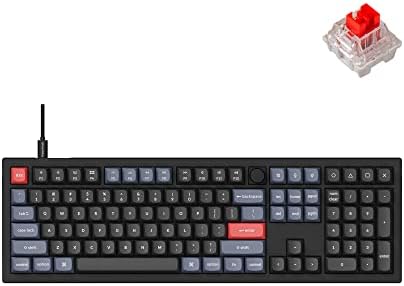
Keychron V6 Wired Custom Mechanical Keyboard Knob Version, Full-size QMK/VIA Programmable Macro with Hot-swappable Keychron K Pro Brown Switch Compatible with Mac Windows Linux Black (Non-Transparent)
A full-size wired board with a rotary knob, QMK and VIA programmability, and hot-swappable Keychron K Pro Brown switches. Compatible with Mac, Windows, and Linux, and the non-transparent black case keeps it looking like office equipment rather than a light show.
Visit on Amazon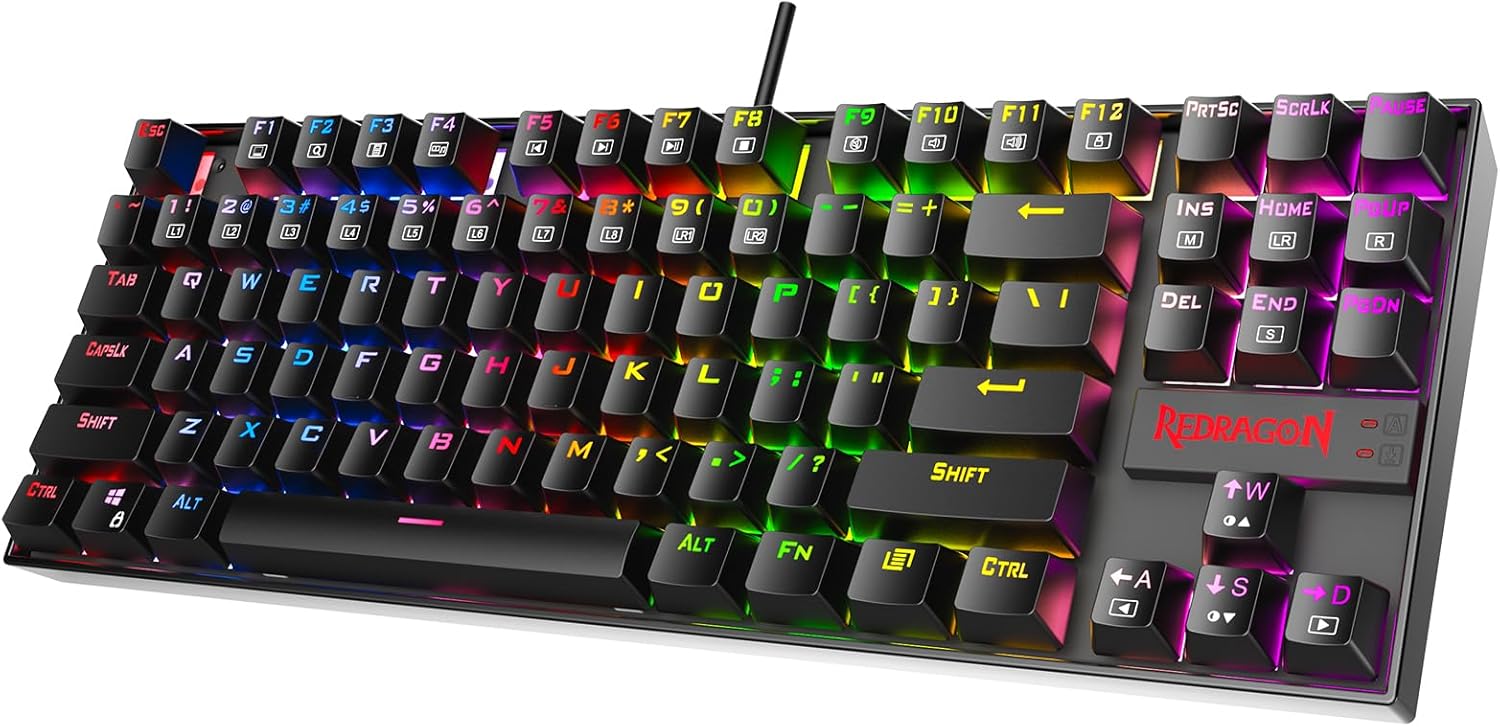
Redragon K552P Mechanical Gaming Keyboard TKL with 18 Backlight Modes, Hot-Swappable Red Switches, 87-Key Compact Ergonomic Design, N-Key Rollover & Software Programmable Macro - RGB, Black
A compact 87-key tenkeyless board with hot-swappable Red switches, 18 backlight modes, N-key rollover, and software-programmable macros. It keeps the arrow keys and drops the number pad, which frees up desk space for a mouse.
Visit on Amazon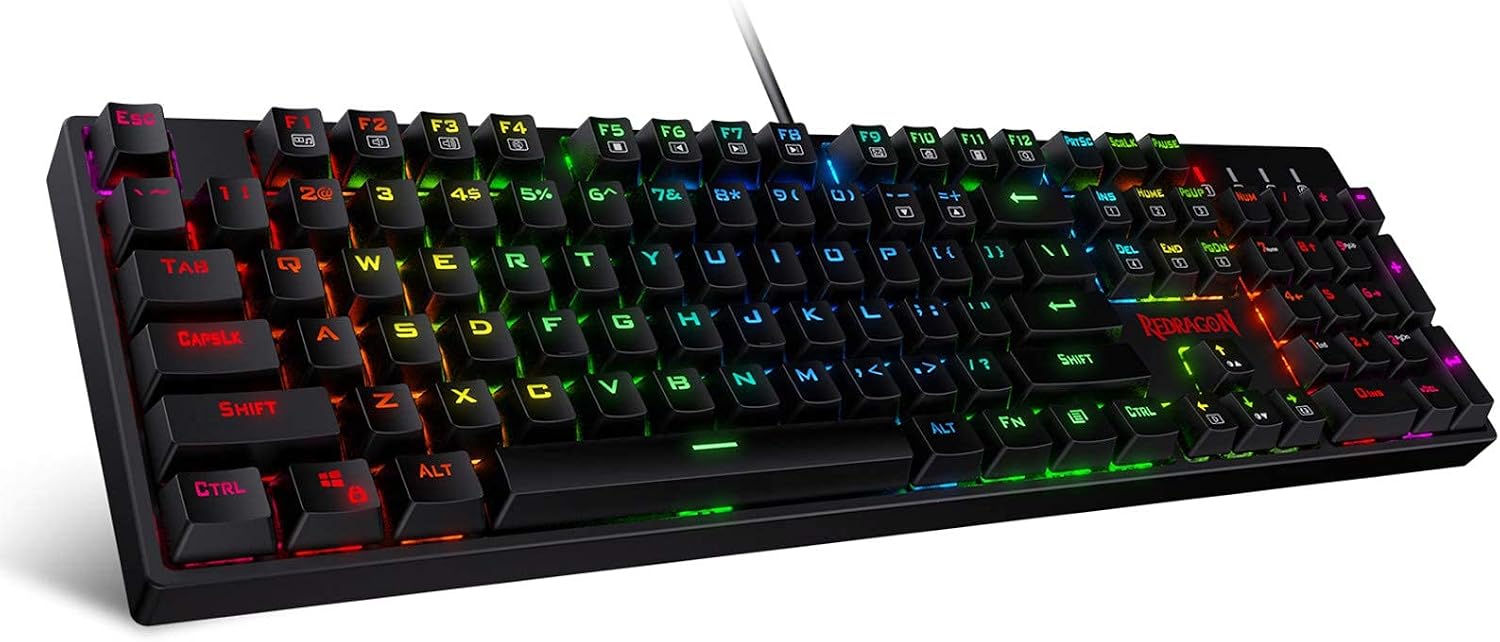
Redragon K582 Wired RGB Mechanical Gaming Keyboard, 104-Key Standard Layout
A wired 104-key board in the standard full-size layout with RGB lighting. Nothing about the key positions will surprise anyone who has used a desktop keyboard before, including the number pad.
Visit on Amazon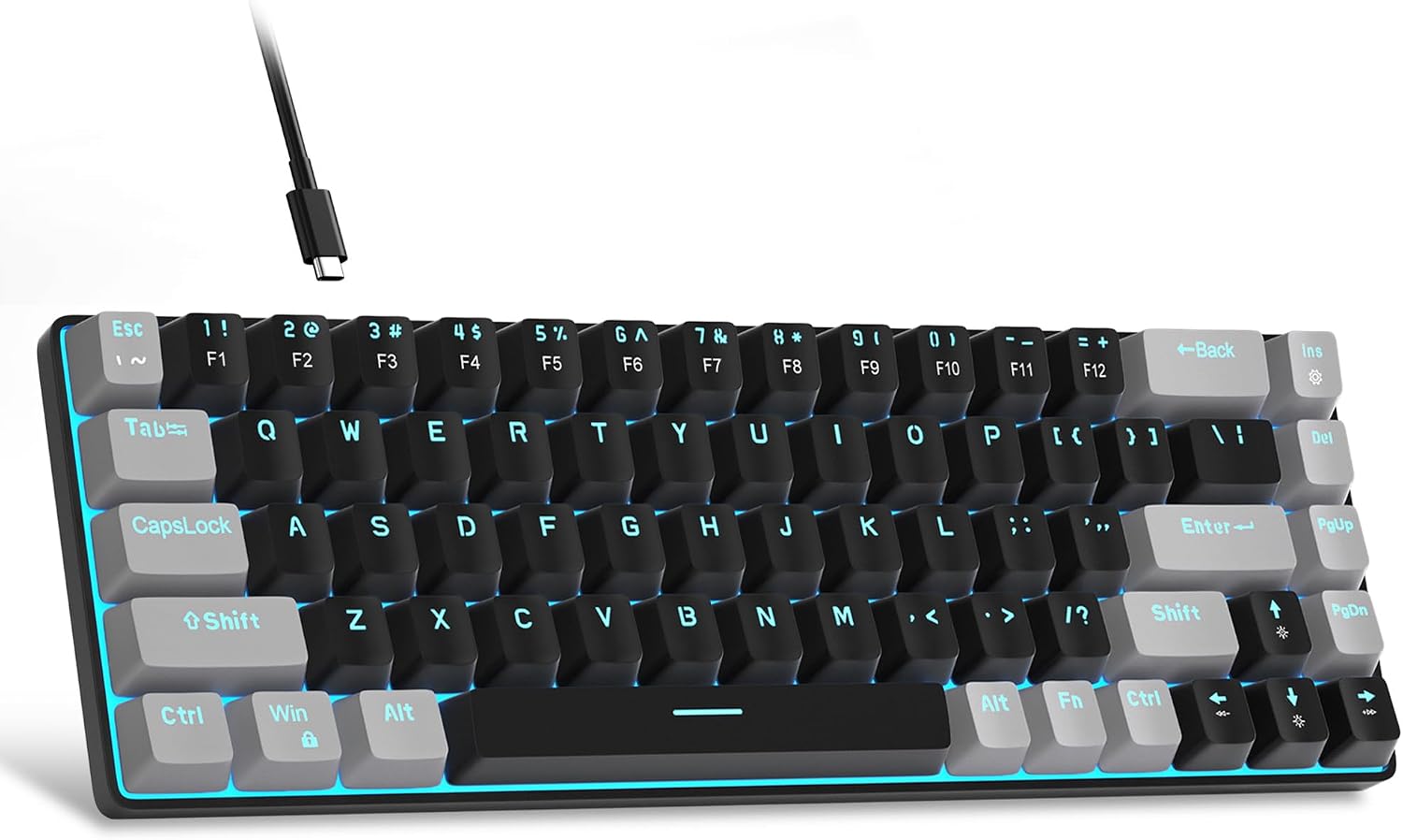
MageGee Portable 60% Mechanical Gaming Keyboard, MK-Box LED Backlit Compact 68 Keys Mini Wired Office Keyboard with Red Switch for Windows Laptop PC Mac - Black/Grey
A 68-key compact board with LED backlighting and Red switches, built for portability. Wired connection and support for Windows, laptops, PC, and Mac make it a straightforward travel or small-desk option.
Visit on Amazon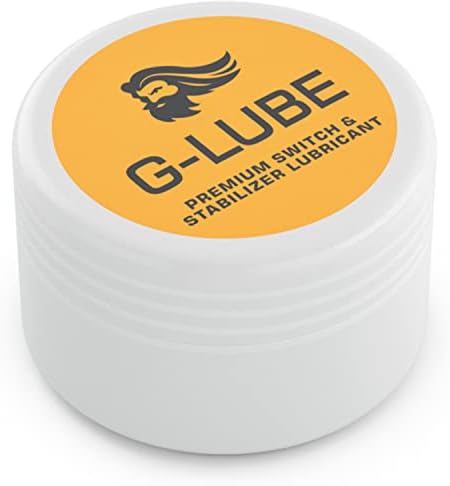
GLORIOUS G-Lube Keyboard Switch Lubricant
A switch lubricant for smoothing out key travel and quieting scratchy switches. It is the upgrade path for a board you already own rather than a replacement for one, and it only matters if your switches can come out.
Visit on Amazon
The Woobles Crochet Kit for Beginners (Fred the Dinosaur)
A beginner crochet kit, not a keyboard. It is listed here because it appeared in this batch of products, and it is worth knowing that up front so nobody clicks through expecting keycaps.
Visit on AmazonPrices and availability may change. Check the retailer for current details.
How these products were compared
This guide compares layout size and key count, switch type and whether switches are hot-swappable, programmability through vendor software or QMK/VIA, platform compatibility with Windows, Mac, and Linux, and what each item actually contributes to a keyboard setup. Product names, images, and retailer links are matched by ASIN so that every card points to the product shown above it.
Nothing here is presented as hands-on testing of these specific units. The comparisons come from the verified product data on each listing, which is why the summaries stick to what the manufacturer states rather than impressions. No current price is printed anywhere in this article, because pricing on this category moves constantly. Use the button on any card to confirm today's price, availability, and return terms before you buy.
How to choose the right keyboard
Start with the layout, not the switch. A full-size 104-key board like the Redragon K582 keeps the number pad, which matters if you enter figures all day, but it also pushes your mouse hand further right. A tenkeyless board such as the Redragon K552P drops the number pad and keeps the arrow and function clusters, which is the sweet spot for most people who split their day between typing and a mouse. A 68-key compact board like the MageGee MK-Box removes the function row and the arrow cluster from the standard position too, so it is best for a laptop bag or a desk where space is genuinely tight, and it comes with a learning curve for anyone who lives in spreadsheets.
Then think about switch type. Linear Red switches, which the Redragon K552P and the MageGee MK-Box both use, travel straight down without a bump and suit fast, repeated keystrokes. Tactile Brown switches, like the Keychron K Pro Brown in the V6, give you a small bump at the actuation point, which many typists find easier to trust without bottoming out every key. Neither is better in the abstract, and the honest answer is that switch feel is personal. What is not personal is hot-swap support: if the board has it, you can change your mind later without a soldering iron, and both the Keychron V6 and the Redragon K552P list it.
Programmability is the third fork. QMK and VIA, which the Keychron V6 supports, let you remap keys and build layers that live on the board itself, so your layout travels with the keyboard instead of living in a driver on one machine. Vendor macro software, which the Redragon K552P offers, is usually easier to start with but ties your custom layout to a specific computer and a specific install. If you plan to carry one board between a work laptop and a home desktop, on-board programmability saves you real time. If you just want a couple of macro keys for one machine, it does not matter much.
Keychron V6 Wired Custom Mechanical Keyboard Knob Version
The V6 is the pick here because it checks the boxes that are hardest to add later. It is full-size, so nothing is missing and nothing needs a layer to reach, and it includes a rotary knob that can be mapped to volume, zoom, or whatever else you assign it in VIA. It runs QMK and VIA firmware, which means remapping happens on the board rather than through a background app, and it lists hot-swappable sockets under the Keychron K Pro Brown switches, so a switch change is a pull-and-push job. Keychron ships this version in a non-transparent black case with compatibility across Mac, Windows, and Linux, and the wired connection means no battery to think about.
The trade-offs are the ones that come with the format. A full-size board takes up real desk space and sits further from your mouse hand than a TKL. The non-transparent case is understated by design, so if you want to see the switches through the chassis, this is not the version for you. It is also wired only, which is a benefit for latency and a drawback for cable management. If none of those bother you, this is the board that is least likely to need replacing in a year.
Alternatives to consider
The Redragon K552P Mechanical Gaming Keyboard is better suited to a smaller desk or a mixed typing and gaming setup, since the 87-key layout keeps the arrows and drops only the number pad, and it adds hot-swappable Red switches, 18 backlight modes, N-key rollover, and software-programmable macros. The Redragon K582 Wired RGB Mechanical Gaming Keyboard is a stronger fit when you want the familiar 104-key standard layout with RGB lighting and do not need programmability or hot-swap sockets to get there.
The MageGee Portable 60% Mechanical Gaming Keyboard, the GLORIOUS G-Lube Keyboard Switch Lubricant, and the The Woobles Crochet Kit for Beginners cover three different things. The MageGee is the travel and small-desk option, with a 68-key footprint, LED backlighting, Red switches, and a wired connection that works with Windows, Mac, and laptops. G-Lube is a maintenance item for a board whose switches can be removed, useful for smoothing scratchy travel or quieting a switch you already like. The crochet kit is a beginner craft project and not a keyboard at all, so treat it as a separate purchase and not a substitute for anything above.
Day-to-day use and maintenance
Most of what makes a budget board feel cheap shows up in the first week of real use. Stabilizers are the usual culprit: the space bar, shift keys, and enter key are the ones with wire stabilizers, and they are the first place a rattle or a metallic ping appears. On a hot-swappable board you can address that without soldering, though it does mean opening the case or removing the plate assembly depending on the design, and you should check the manufacturer's instructions before you start pulling anything apart. Keycaps also tell you a lot about build quality. Thin, glossy caps feel worse under your fingers than the case material suggests, and a cap swap is often the cheapest way to make a board feel more expensive than it is.
If you go the lubricant route, less is more. Over-lubricating switches makes them feel sluggish and can mute the tactility you bought the switch for in the first place. Apply sparingly, work in small batches, and test a few switches before you commit to the whole board. Keep liquids away from the keyboard while you work, unplug the board before opening it, and let anything you lubricate settle before you reassemble. For cleaning, a soft brush and a keycap puller handle most of it; the dust that collects between switches is best removed dry.
Buying checklist
- Measure your desk space and decide whether you actually use a number pad.
- Choose a layout (full-size, tenkeyless, or 60%) based on daily use rather than one occasional task.
- Confirm that the exact model includes hot-swap sockets if you want to change switches later.
- Decide whether you need QMK/VIA-style on-board remapping or vendor software is enough.
- Read the cleaning and maintenance instructions before you open anything.
- Verify the current retailer price, availability, and return terms using the link on the product card.
Final recommendation
Choose the Keychron V6 Wired Custom Mechanical Keyboard Knob Version when you want one board that does everything: full-size layout, QMK/VIA programmability, a rotary knob, and hot-swappable Keychron K Pro Brown switches with Mac, Windows, and Linux support. Choose the Redragon K552P Mechanical Gaming Keyboard when desk space is tighter and you want hot-swappable Red switches, a tenkeyless layout, and programmable macros for less commitment. Choose the MageGee Portable 60% Mechanical Gaming Keyboard when portability is the priority, and add the GLORIOUS G-Lube Keyboard Switch Lubricant only if your switches can be removed and you want to tune the feel you already have. If the verified product data does not support a meaningful difference between two boards for your use case, that is your signal to pick on layout and price and stop reading reviews.