Related: How to Lube Stabilizers Without Ruining Them
Every pitch for a wireless mechanical keyboard promises the same three things: thock, battery life, and a board that works on both Windows and Mac. Two of those are usually marketing. The third is the one that matters, because a wireless mechanical keyboard you cannot type on for eight hours a day is a paperweight with backlighting.
I write code for a living, which means a keyboard gets more hours of my day than any other object I own. So I judge boards the same way every time: two weeks of daily typing, a stabilizer rattle test with the board sitting on a hard desk, and a switch feel comparison done with my eyes closed. No unboxing impressions. No sound test recorded through a phone microphone. No gaming claims I cannot back up with actual gaming sessions.
The four products below cover the whole spread of what people actually ask me about: a wireless board with a screen and a knob, a budget 60% board that checks most of the hobby boxes, a low-profile office keyboard for people who never wanted a mechanical in the first place, and the cheapest tool in the hobby, which stops you from buying the wrong switches.
A Wireless Board With a Screen and a Knob: KEMOVE K94
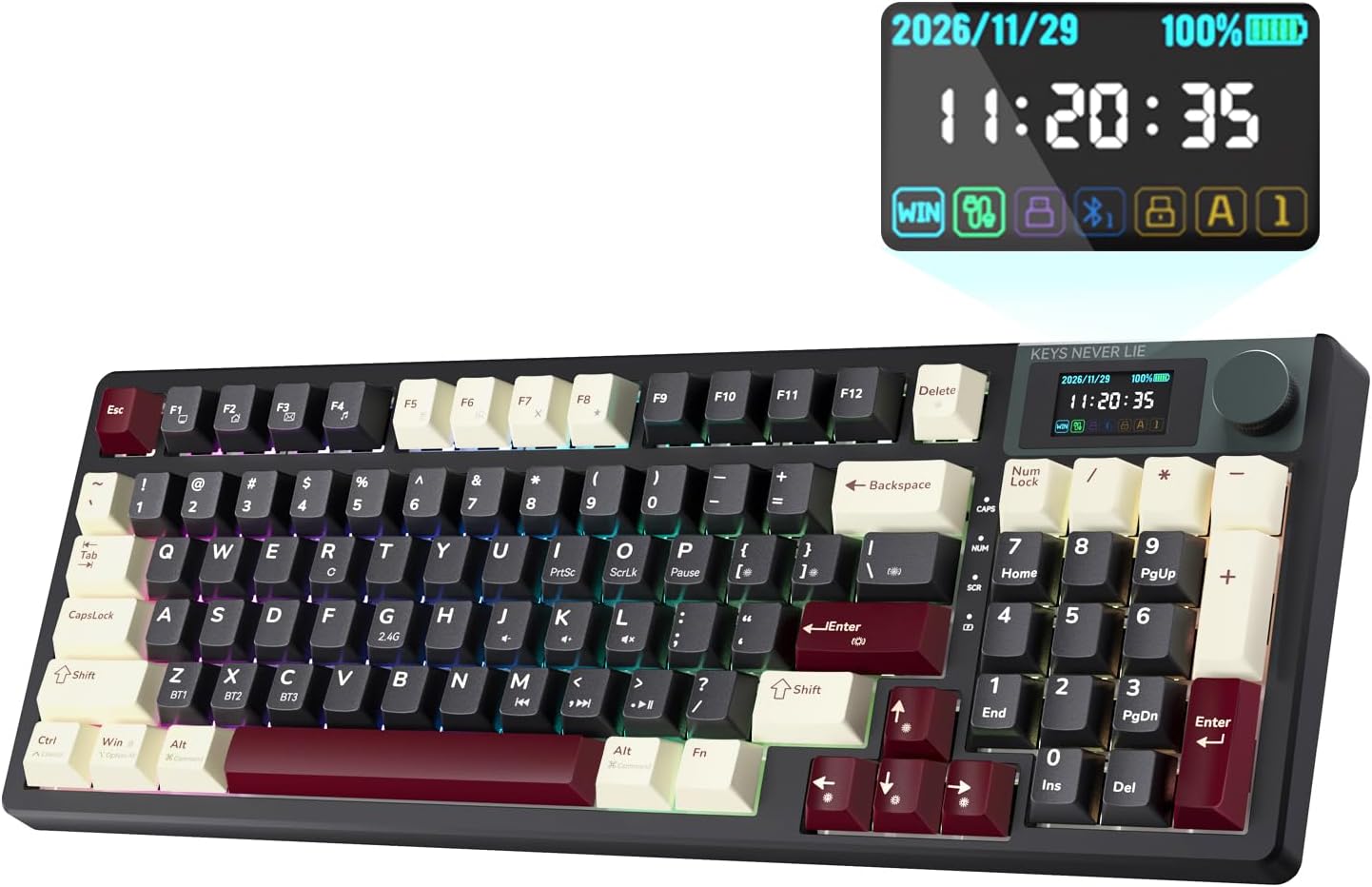
The KEMOVE K94 is the one I point at when someone wants a single wireless board that handles the everyday jobs without a dongle and without a vendor app that wants an account before it will let you change the RGB. QMK and VIA support is the reason. It means you remap keys in a browser tab, you keep your layout when you move to a new machine, and you are not locked into software that may or may not exist in three years.
The LCD screen and the metal knob sound like gimmicks until you live with them. The screen is where battery and connection state live, which matters more on a wireless board than any spec sheet number, because a board that dies mid-sentence is a board you stop trusting. The knob is where volume and scrolling end up, and once you have one you will reach for it constantly.
Two things I would confirm on the listing before ordering. First, whether the switches are hot-swap. In 2026 that is non-negotiable for me, and a wireless board that traps you with one switch type forever is a hard sell. Second, how it handles sleep and wake, because a wireless board that takes two seconds to wake up every time you look away from your screen is a wireless board you will end up plugging in.
The Budget 60%: HITIME x XVX M67
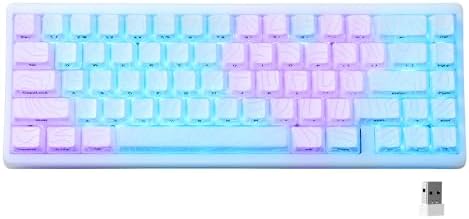
The M67 is where the hobby's vocabulary shows up in the product name: hot swappable, gasket mount, tri-mode, QMK and VIA, RGB, Windows and Mac. Read past the marketing and there is a real feature list here for a budget board.
Hot-swap is the big one. Pull the switches, push in new ones, no soldering iron, no ruined PCB, no shipping a board across the country to someone with better hands than yours. Gasket mount is the other one. It changes how the plate sits in the case, which softens the typing feel and pushes the sound toward the deep, rounded thock people chase. Sound is half the board and half your desk, so do not expect the same result on a glass table as on a desk mat.
Tri-mode means wired, 2.4GHz, and Bluetooth, and that matters more than people admit. The 2.4GHz dongle is for the desk where latency matters. Bluetooth is for the laptop bag. The cable is for the day the battery dies, which will happen, and which is why I test battery behavior like I test switches.
Then there is the layout. This is a 60% board. No dedicated arrow keys, no function row, no numpad. Everything you need lives on a layer, which is fine once your fingers learn it and infuriating for the first week. If you use arrow keys constantly, buy a 65% or 75% instead. If your desk is small and you mostly type, a 60% is a lot of board in very little space.
The Quiet Alternative: Logitech MX Keys S Mac
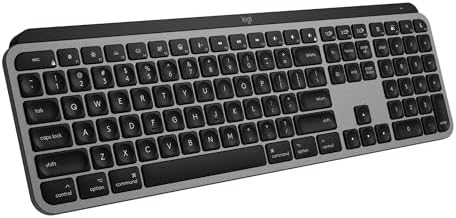
This is not a mechanical keyboard, and I am not going to pretend it is. It is a low-profile scissor board, and it is in this comparison for a reason: a lot of people searching for a wireless keyboard do not actually want a mechanical one. They want quiet keys, a Mac layout that matches what is printed on their laptop, and backlighting that turns on when their hands get close.
If that is you, say so out loud before you spend money on a hot-swap board you will never open. There is no stabilizer rattle to fix here because there are no mechanical stabilizers. There is no lube to buy, no switch tester to consult, no group buy to wait six months for. The typing feel is flat and consistent, which is exactly what some people want and exactly what sends others back to linears.
The honest trade is this. You give up the whole point of the hobby, which is that the board is yours to change. You get a board that is quiet in an office, pairs with multiple machines, and needs no explanation when a coworker asks why your keyboard sounds like that.
The Cheap Tool That Prevents an Expensive Mistake: Akko 16-Key Switch Tester
Sixteen switches in an acrylic frame, and it is the most useful thing in this article. Switch feel is personal. Anyone who tells you a switch is objectively the best one is selling something or repeating a forum post. The only way to know whether you want a smooth linear, a bumpy tactile, or a loud clicky is to put your fingers on all three and stop reading about them.
Type on each one for a full minute, not five seconds. Five seconds tells you nothing, because every switch feels fine for five seconds. A minute tells you whether the bump is in the right place, whether the spring weight fights your pinky, and whether the sound will still be charming in hour six of a workday. Then type on your current board again and see whether you notice the difference. If you do not, save your money.
I would also use a tester to check sound with your eyes closed. Sound is half of what people call feel, and it is the part switch reviews leave out most often. If a switch sounds hollow in a tester, it will sound hollow in a board.
How I test a wireless board
Two weeks of daily typing. That is the minimum, and it is not negotiable. A board has to survive a full work week of code, Slack, and documentation before I have an opinion about it. Unboxing videos are not reviews.
The stabilizer rattle test comes next. I put the board on a hard desk, no mat, and press the spacebar and the shift keys at the edges and the center. Cheap stabilizers ping. It is the fastest way to tell a budget board from a good one, and it is the first thing I would fix on any board that rattles, because lube is cheap and rattle is the difference between a board you like and a board you tolerate.
Then the switch comparison. Same paragraph of text, same board, eyes closed, two switch types back to back. If I cannot feel the difference, the difference does not matter.
And battery behavior. How many days of real work does one charge cover? Does it sleep when I walk away, and how long does it take to wake up? Wireless is a feature right up until the battery dies mid-sentence, and that is when a board gets demoted to the drawer.
Reference table: what each of these actually is
| Board | What it is | Connection and firmware | Why it is on this list |
|---|---|---|---|
 Visit on Amazon → KEMOVE K94 |
Wireless mechanical board with an LCD screen and a metal knob | Wireless, QMK and VIA remapping | The everyday board that covers the most jobs |
 Visit on Amazon → HITIME x XVX M67 |
Hot-swap 60% mechanical board, gasket mount, tri-mode | Wired, 2.4GHz, Bluetooth, QMK and VIA | Budget thock, with the layout compromise spelled out |
 Visit on Amazon → Logitech MX Keys S Mac |
Low-profile scissor keyboard, not mechanical | Wireless | Quiet typing for people who never wanted a mechanical |
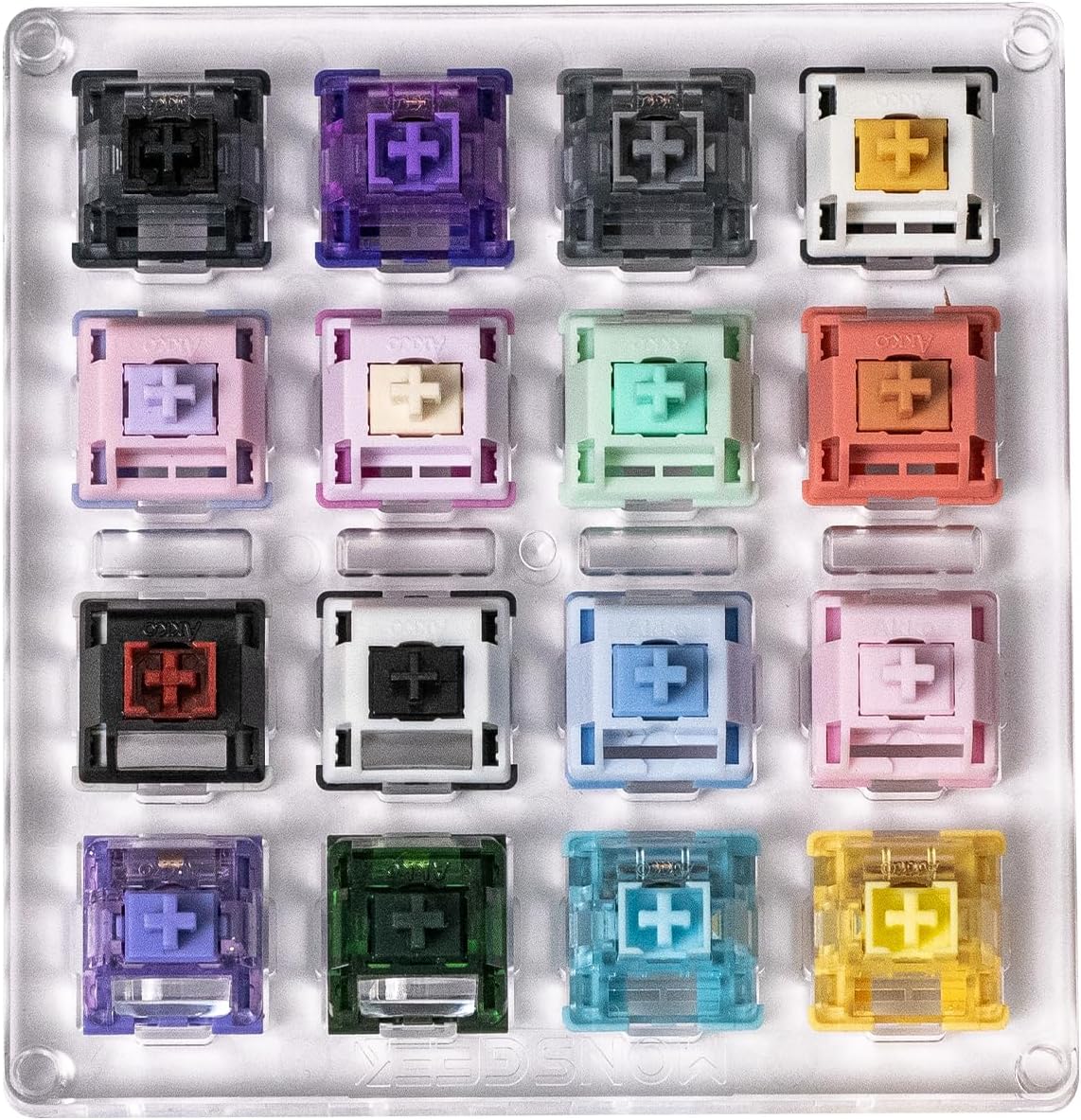 Visit on Amazon → Akko 16-Key Switch Tester |
A switch tester, not a keyboard | None | The cheapest way to avoid buying the wrong switches |
Analysis: what the specs actually tell you
Hot-swap is the spec that decides whether a board has a second life. If the switches are soldered, the board is what it is forever. If they are not, you can change the feel in ten minutes for the price of a switch set, and you can fix a dead switch without a soldering iron. In 2026 this should be standard, and a board without it needs a very good reason.
QMK and VIA matter for a different reason: they are the difference between a keyboard and a keyboard you own. Vendor software that wants an account to change your lighting is a pet peeve of mine, and it is also a risk, because that account and that app are only as durable as the company behind them.
Gasket mount is the sound and feel spec. It does not make a board faster or more accurate. It makes the typing feel less rigid and pushes the sound toward the deep, rounded tone people describe as thock. If you type in a shared space, remember that a gasket-mounted board with the wrong switches is still loud. The mount is not a silencer.
Layout is the spec people ignore and then regret. A 60% board is wonderful on a small desk and miserable if you live in spreadsheets. A low-profile board is wonderful in a quiet office and disappointing if you wanted to swap switches. Decide which of those you are before you compare anything else.
And keycap quality tells you more than the case material. Cheap caps feel worse than cheap cases, and caps are the part your fingers actually touch.
Should you buy the KEMOVE K94?
Yes, if you want one wireless board that does the everyday jobs and you value remapping without an account. The screen and the knob are the kind of features that stop being novelties after a week. Just confirm the socket type on the listing if hot-swap is on your must-have list, and pay attention to how it wakes from sleep, because that is where wireless boards quietly fail.
Should you buy the HITIME x XVX M67?
Yes, if you want a small board with hot-swap sockets, a gasket mount, and tri-mode wireless without paying aluminum-tier money. Be honest about the 60% layout first. If you need arrow keys every few minutes, this board will fight you, and no amount of thock will fix that. If you mostly type and your desk is small, it earns its place.
Should you buy the Logitech MX Keys S Mac?
Yes, if you want quiet, low-profile typing with a Mac layout and you have no interest in opening a keyboard ever. No, if any part of you wants to swap switches, tune stabilizers, or chase a sound. That person should buy a hot-swap board and a switch tester instead.
Should you buy the Akko 16-Key Switch Tester?
Yes, before you buy any of the others. It is the smallest purchase in this guide and the one most likely to change your mind. Switch feel is personal, and the tester is how you find out what your fingers want instead of guessing from a review.
The bottom line: a wireless mechanical keyboard is only worth it if it survives a work week and lets you change your mind later. Hot-swap, a solid mount, and firmware you control cover most of that. The rest is feel, and feel is yours to decide.