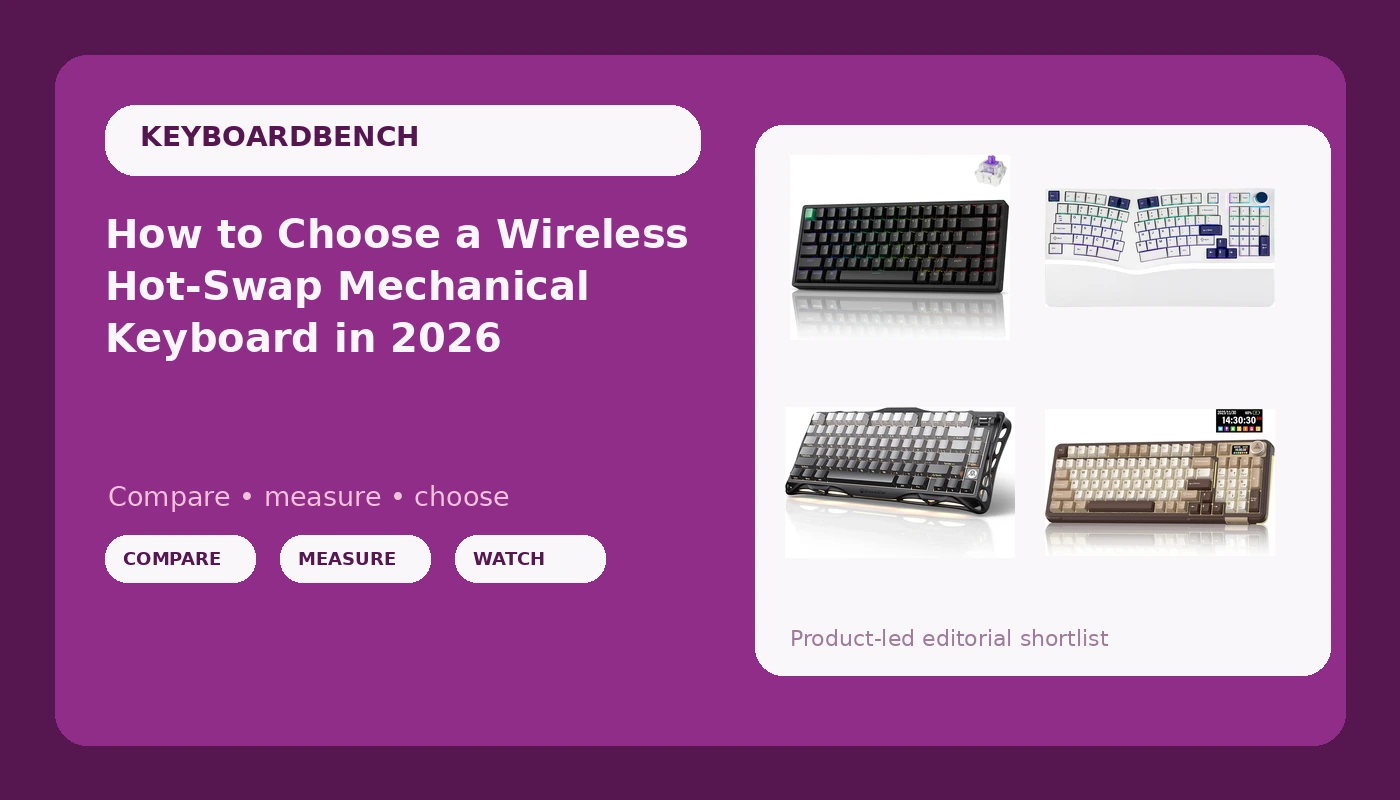
Shopping for a wireless hot-swap mechanical keyboard in 2026 means sorting through four genuinely different design philosophies that all get described with the same handful of marketing words. One board in this group runs magnetic switches with rapid trigger, another splits into an ergonomic Alice layout with a near-full-size footprint, a third trims down to 75 percent, and a fourth piles on an LCD screen and a metal knob. Those differences matter far more than any single spec sheet line, because the feature you will notice every day is the one that matches how you actually type and play.
Related: Hot-Swap Switches Explained: What You Can Change and What You Cannot →
Quick answer
Match the board to the job, not to the biggest feature list. The Keychron K2 HE Rapid Trigger is the option here built around magnetic switches and adjustable actuation, which suits someone who wants one board for both gaming and typing. The MechLands Feker Alice98 is the only ergonomic Alice-style layout in this group, so it wins when wrist angle is the problem. The GravaStar Mercury K1 is the compact 75 percent choice for small desks. The SOLAKAKA A99 Pro is the feature-dense all-rounder, with an LCD screen, a metal knob, a gasket structure, and tri-mode wireless. Confirm current switch options and stock on each listing before you commit.
4 useful options
| Model | Best fit | What stands out |
|---|---|---|
| Keychron K2 HE Rapid Trigger Wireless Magnetic Custom Keyboard | Gaming and typing on one board | Magnetic switch design with rapid trigger, wireless |
| SOLAKAKA A99 Pro Mechanical Keyboard with LCD Screen & Metal Knob | Buyers who want the longest feature list | LCD screen, metal knob, gasket structure, tri-mode wireless |
| MechLands Feker Alice98 Ergonomic 98 Keys Custom Mechanical Keyboard | Ergonomic typing posture | Alice-style angled layout with a 98-key footprint |
| GravaStar Mercury K1 75% Wireless Mechanical Gaming Keyboard RGB Backlit | Small desks and travel | 75 percent layout, wireless, RGB backlighting |
The analog option: Keychron K2 HE Rapid Trigger Wireless Magnetic Custom Keyboard
The trade-off with magnetic switches is ecosystem lock-in. Because these switches are read by sensors rather than by a metal contact closing, the replacements you can drop in are usually magnetic switches of the same family, not the wide world of standard mechanical switches. If you already own a drawer of linears and tactiles, that drawer does not follow you here. What you get in exchange is the ability to change how far the key travels before it registers, and rapid trigger behavior that resets the moment you release instead of at a fixed reset point.
The feature-dense option: SOLAKAKA A99 Pro Mechanical Keyboard with LCD Screen & Metal Knob
An LCD screen and a knob sound like gimmicks until you have used a board where brightness, connection mode, and volume live on the hardware instead of in a desktop app. The counterargument is complexity: more on-board controls mean more firmware to learn, and a display adds a component that a plain board does not have. The gasket structure and hot-swap sockets are the parts that matter most long term, because they affect how the board sounds and whether you can change switches without soldering. It is listed for both Windows and Mac, which matters if you switch machines during the day.
The ergonomic option: MechLands Feker Alice98 Ergonomic 98 Keys Custom Mechanical Keyboard
Ergonomics is the one category where you cannot fake the benefit with a spec sheet. An Alice layout angles the two halves of the keyboard so your forearms do not have to rotate inward, which is the posture complaint most people bring to a keyboard upgrade. The cost is muscle memory: touch typing on a split layout takes days or weeks to relearn, and the space bar and modifier positions are not where your hands expect them. If you share the keyboard with anyone else, expect them to hate it for a while. The 98-key footprint means you keep the number pad that a 75 percent board drops.
The compact option: GravaStar Mercury K1 75% Wireless Mechanical Gaming Keyboard RGB Backlit
The 75 percent format is the compromise most people land on after trying a 60 percent and missing the arrow keys. You lose the number pad, so spreadsheet work and numeric entry shift to the top row or an external pad. In return, your mouse hand gets several extra inches of travel, which is why the layout dominates gaming setups. The trade-off to weigh honestly is whether you actually use a number pad daily. If you do, this board will annoy you within a week, and the 98-key ergonomic option or a full-size board makes more sense.
Prices and availability may change. Product images, names, and retailer links are matched to verified listings. No current price, rating, stock status, or measured result is stated here without current evidence.
Magnetic switches, rapid trigger, and what analog input changes
A standard mechanical switch is a binary device. The stem travels down, a metal leaf closes a circuit, and the keyboard reports a keypress at one fixed point. A magnetic switch replaces that contact with a magnet and a sensor, so the board knows how far the stem has moved, not just whether it has passed a threshold. That single change unlocks everything the "HE" and "rapid trigger" language refers to.
Adjustable actuation is the first benefit. You can set a shallow actuation point for fast inputs or a deeper one to avoid accidental presses while typing. Rapid trigger is the second: instead of resetting at a fixed distance on the way up, the key resets as soon as it starts moving upward, so repeated presses register faster. That is a real advantage in games that reward quick taps, and it is also a feature you can simply turn down when you are writing code.
The catch is that analog boards are their own ecosystem. Magnetic switches generally need a board designed for them, and the reverse is true as well, so a magnetic board is not a general-purpose hot-swap platform for every switch you own. Firmware also matters more than usual here, because the actuation settings live in software. If you want one keyboard that does both gaming and typing, analog is the most interesting option in this group. If you want to swap in whatever tactile switch you fall in love with next year, a conventional hot-swap board is the safer bet.
Layout, key count, and why 75 percent and 98 keys behave differently
Layout is the decision that outlives every other spec. A 75 percent board keeps the function row and arrow cluster but removes the number pad, which shortens the keyboard by several inches. A 98-key layout compresses a number pad and navigation keys into a footprint close to a tenkeyless board, so you keep the numpad without the full-size width. An Alice layout adds a second variable on top of key count: the two halves are angled and separated, which changes your wrist angle but also changes where your thumbs land.
The mistake buyers make is treating these as cosmetic choices. They are not. Removing the number pad changes how you enter numbers every single day. Rotating the halves changes how you type for the first week. Before you compare switch types or backlighting, decide which keys you refuse to give up and how much desk width you are willing to surrender.
A simple order of operations for narrowing this down:
- Decide whether you need a number pad, because that single answer eliminates half the market.
- Decide whether you want analog or magnetic switch features, or whether standard mechanical switches are enough.
- Decide whether ergonomics is a goal or just a nice word, since an Alice layout is a real relearning commitment.
- Confirm the connectivity matches your machines, checking for Bluetooth, 2.4GHz, and USB-C as needed.
- Read the listing carefully for switch options, keycap material, and whether the switches are hot-swappable.
What to verify on the listing before you buy
- Switch type and whether replacements are standard mechanical switches or a magnetic-only family.
- Connectivity modes and how many devices each board can pair with, especially if you move between a laptop and a desktop.
- Layout and key count, measured against the desk space you actually have rather than the space you wish you had.
- Whether the board ships with the switches and keycaps you want, or whether you are budgeting for replacements immediately.
- Firmware and software requirements, including whether configuration needs an account or works entirely on the hardware.
Which option should you choose?
Choose the Keychron K2 HE Rapid Trigger Wireless Magnetic Custom Keyboard when you want adjustable actuation and rapid trigger, and you are comfortable staying inside the magnetic switch ecosystem. Choose the SOLAKAKA A99 Pro Mechanical Keyboard with LCD Screen & Metal Knob when you want hot-swap sockets, a gasket structure, and on-board controls including a display and dial, across Bluetooth, 2.4GHz, and USB-C. Choose the MechLands Feker Alice98 Ergonomic 98 Keys Custom Mechanical Keyboard when wrist angle is your main complaint and you still need a number pad. Choose the GravaStar Mercury K1 75% Wireless Mechanical Gaming Keyboard RGB Backlit when desk space is the constraint and you never touch a numpad.
The limitation worth naming: none of these distinctions tell you how a board will sound or feel under your fingers, and switch feel is personal. Reading a spec sheet will get you to the right category, but only daily use will tell you whether you made the right call. Buy from a listing with a return window you can live with.
The bottom line
The four boards here are not variations on one product, they are four answers to four different questions. Analog magnetic switches answer "can one keyboard do gaming and typing?" A gasket-mounted hot-swap board with a screen and a knob answers "how much control do I want on the hardware?" An Alice layout answers "why do my wrists hurt?" A 75 percent board answers "where did my desk go?" Pick the question you are actually asking, confirm the switch type and layout on the current listing, and ignore the rest of the feature list until you have.