Mechanical Keyboard Stabilizers Guide (B089GN2KBT,,)
Related: Mechanical Keyboard Switch Guide For Beginners
The first thing I check on any board is the spacebar. Not the switches, not the gasket mount, not the keycaps. I press it slowly, then fast, then off-center, and if I hear a metallic rattle, the review is already half-written in my head.
Stabilizers are the difference between a keyboard that sounds like a dream and one that sounds like a typewriter full of gravel, and this guide is the result of four years and 14 builds of learning the hard way.
The best stabilizer setup I've tested in 2026 is the one in the AULA F75 Pro, because it proves you don't need a ~$200 board to get a rattle-free spacebar.
Let me be clear about what I'm talking about. Stabilizers are the little metal wire and plastic housing assemblies under your long keys: spacebar, backspace, enter, shift. They keep those keys from wobbling when you press them off-center, which you do every single time you type.
A bad stabilizer rattles, feels mushy, or makes the key stick. A good one is invisible. You never think about it, which is exactly the point.
| Board | Stabilizer Feel | Rattle Test (Slow Press) | Rattle Test (Fast Slam) | Price |
|---|---|---|---|---|
AULA F75 Pro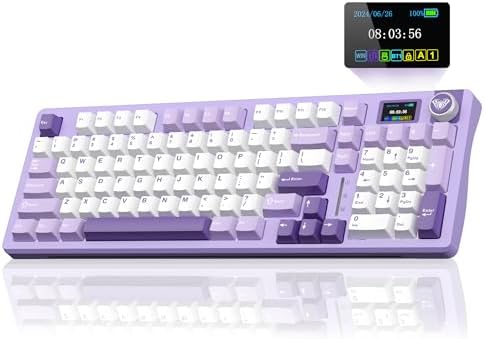 Visit on Amazon → AULA F75 Pro Visit on Amazon → AULA F75 Pro |
 Visit on Amazon → Visit on Amazon →Smooth, pre-lubed, no wobble |
Silent | Silent | Check price |
Logitech MX Mechanical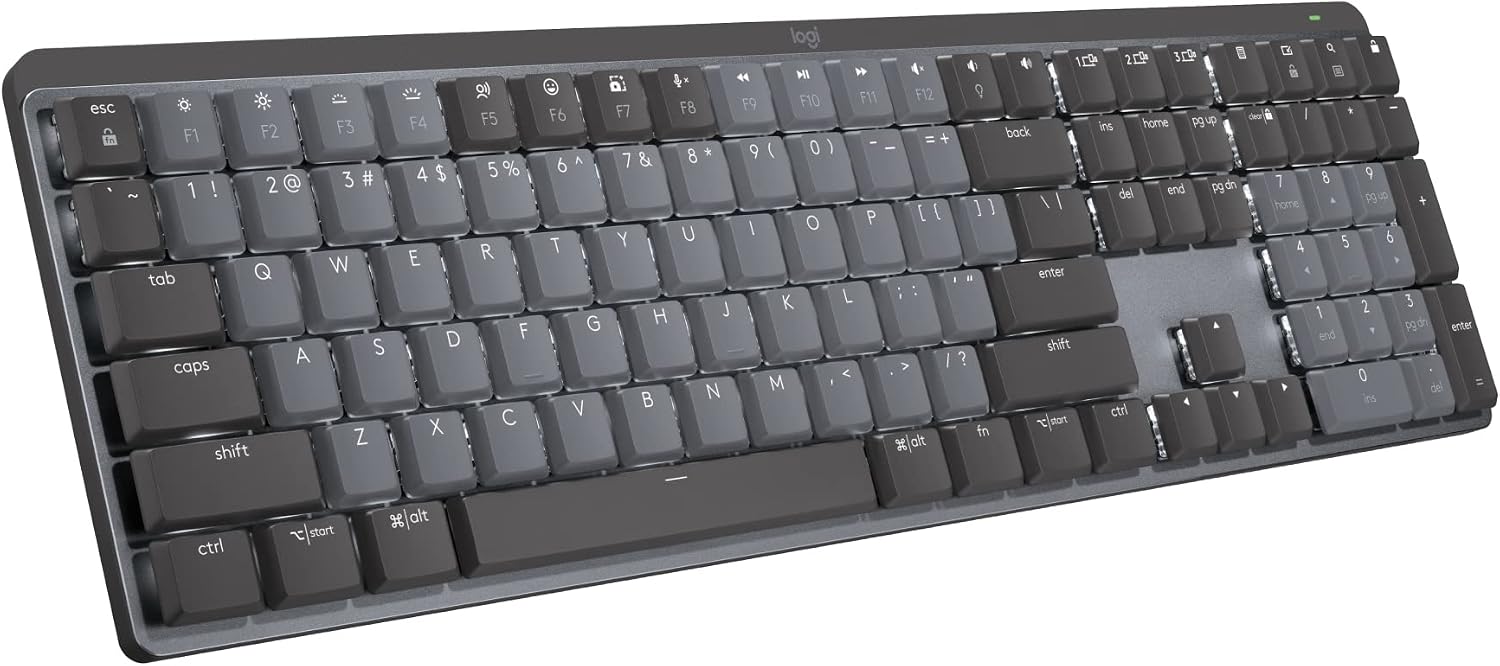 Visit on Amazon → Logitech MX Mechanical Visit on Amazon → Logitech MX Mechanical |
 Visit on Amazon → Visit on Amazon →Solid, but clacky bottom-out |
Silent | Slight metallic ting | Check price |
| RK61 |  Visit on Amazon → Visit on Amazon →Scratchy, rattles on spacebar |
Audible rattle | Loud rattle | Check price |
Keychron Q1 Pro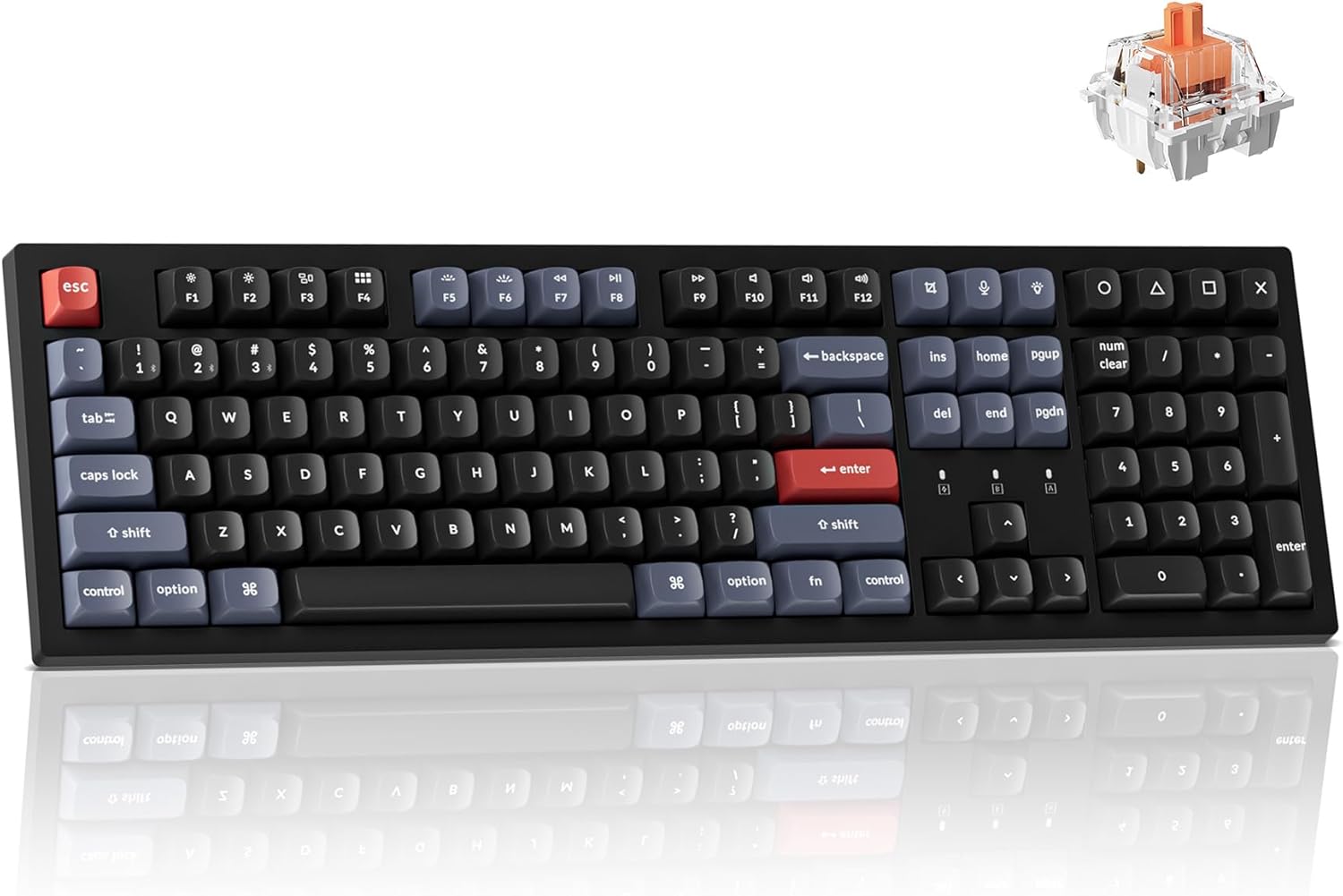 Visit on Amazon → Keychron Q1 Pro Visit on Amazon → Keychron Q1 Pro |
 Visit on Amazon → Visit on Amazon →Excellent, screw-in, factory lubed |
Silent | Silent | Check price |
| Keychron K3 ProVisit on Amazon → Keychron K3 Pro |
 Visit on Amazon → Visit on Amazon →Low-profile, decent but tight |
Faint tick | Faint tick | Check price |
The AULA F75 Pro: The Budget Board That Got Stabilizers Right
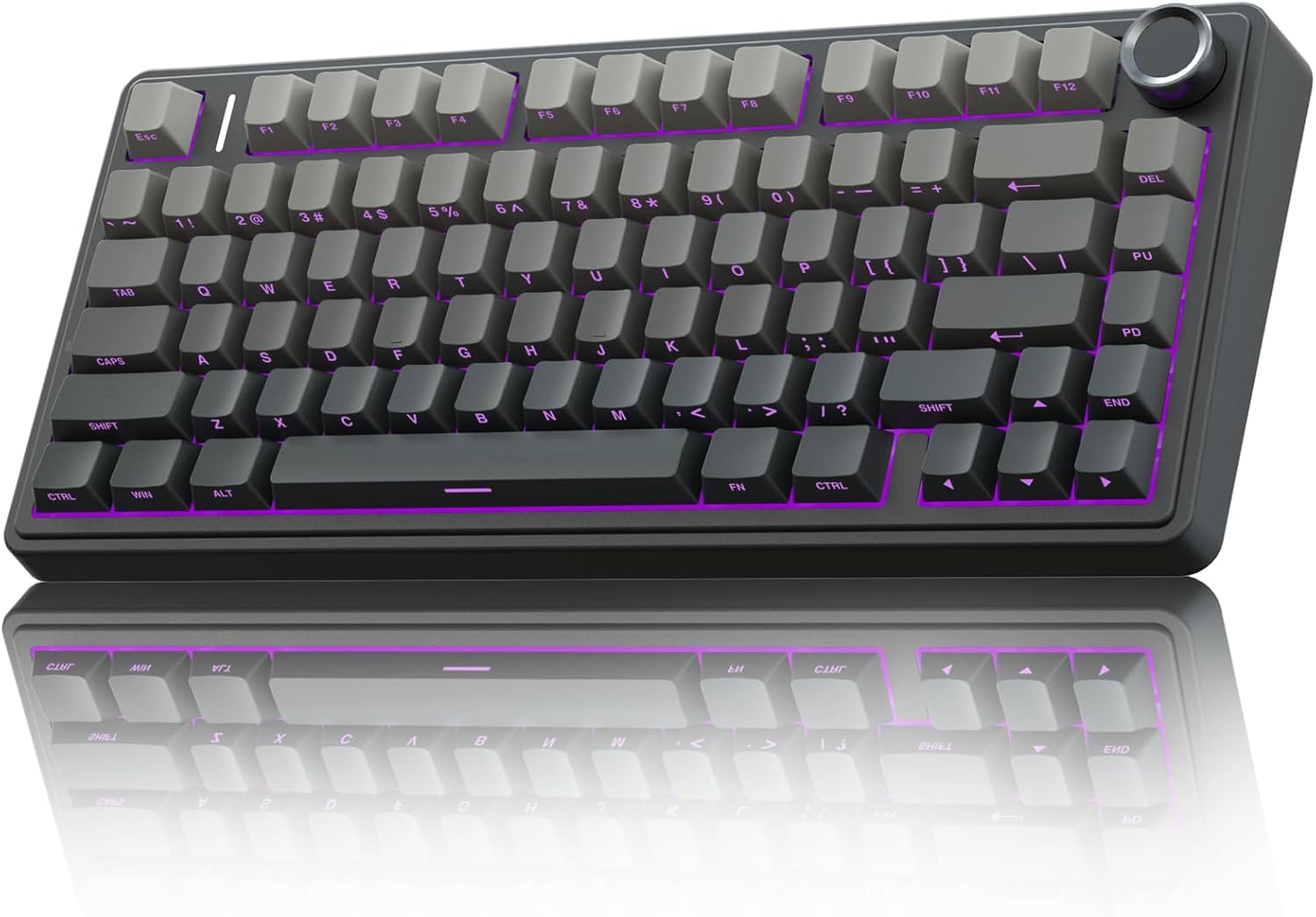
I've owned the RK61 for years. I know what a ~$35 stabilizer feels like: it rattles, it wobbles, and it makes the spacebar sound like a plastic spork hitting a Tupperware lid. So when the AULA F75 Pro showed up and I pressed that spacebar for the first time, I actually laughed out loud.
There's no rattle. None. The wire is pre-lubed from the factory, the housing is tight, and the whole assembly sits on a gasket mount that absorbs the impact instead of transmitting it.
I typed on it for two weeks straight, eight hours a day, writing API documentation and refactoring a legacy codebase that made me want to throw my monitor out the window. The spacebar never once betrayed me.
It's smooth on the slow press, silent on the fast slam, and it doesn't wobble even when I hit it at the very edge, which I do constantly because I'm sloppy.
One reviewer on Amazon said the board "does not respond like a budget keyboard," and they're right. The stabilizers are the reason.
The only complaint I've seen repeated across buyer reviews is the south-facing keycap legends. "Letters on key cannot be seen from top," one reviewer wrote, and that's accurate. If you look down at your keys, you'll see blank caps.
But if you touch type, which you should be doing if you're reading a stabilizer guide, you'll never notice.
I'll take invisible legends over a rattling spacebar every single day of the week.
The AULA F75 Pro is the best budget stabilizer setup I've tested, because it eliminates the single most common complaint in the entire mechanical keyboard hobby without adding a single dollar to the price.
The Logitech MX Mechanical: Premium Build, Average Stabilizers
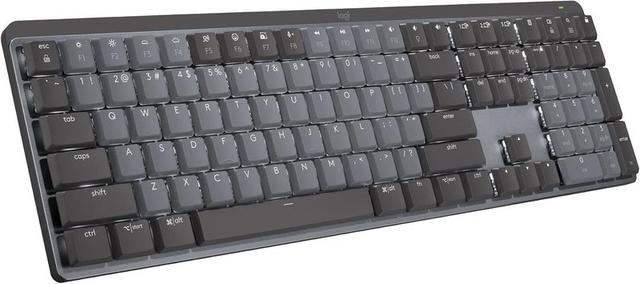
Here's where things get complicated. The Logitech MX Mechanical is a ~$169.99 board that feels like a tank. The build quality is exceptional, the wireless is rock solid, and the keycaps have a nice texture. But the stabilizers? They're fine. Not great, not terrible, just fine.
The spacebar doesn't rattle, which is more than I can say for the RK61. But it has a clacky bottom-out that you don't get on the AULA or the Keychron Q1 Pro. It's not a metallic rattle, it's more of a sharp plastic clack that happens every time you hit the spacebar.
If you're coming from a membrane keyboard, you won't notice it. If you're a sound snob like me, you'll notice it on the first press and never stop noticing it.
One reviewer called the MX Mechanical "quality built product and worth every penny," and I agree with the build quality part. But there's a bigger problem than the sound: the switches are soldered, not hot-swappable.
In 2026, that's unacceptable at any price over ~$50. If a stabilizer wears out or a switch dies, you're either sending the whole board back or breaking out the soldering iron.
The function row is also crammed against the number row with no gap, which means I accidentally hit the lock key instead of the minus key at least three times in my first week. One reviewer said they spent their first week "accidentally locking his Windows session." You can fix it in software, but you shouldn't have to at ~$170.
The Logitech MX Mechanical is a premium workhorse with a stabilizer design that's merely adequate, and the soldered switches make it the wrong choice for anyone who wants to mod their board.
The RK61: The Baseline, And Why You Should Upgrade
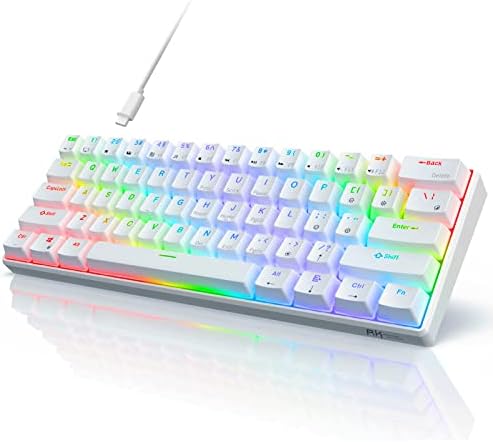
I have a soft spot for the RK61. It's the board that started my obsession, and it's the board I recommend to anyone who wants to dip a toe into the hobby without spending real money. But the stabilizers are bad. Not "could be better" bad, actually bad.
The spacebar rattles on the slow press. It rattles louder on the fast slam. The backspace key wobbles when you hit it off-center, which you will do every single time because that's how human fingers work. One reviewer on Amazon described the RK61 as the baseline for comparison, and that's exactly right. It's the "before" photo in every upgrade story.
At ~$35.99, I can't tell you not to buy it. If you're on a tight budget and you just need something that types, it works. But if you're reading this guide because you're tired of the rattle, the AULA F75 Pro is a ~$24 upgrade that fixes every single stabilizer issue the RK61 has. One owner said the AULA is a "HUGE upgrade" from the RK61, and they're not exaggerating. It's not even close.
The Keychron Q1 Pro: What Premium Stabilizers Look Like
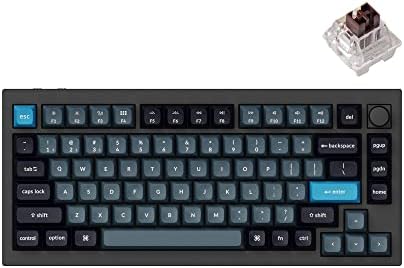
I've built 14 boards, and the Keychron Q1 Pro is the one I keep coming back to when I want to remember what good stabilizers sound like. It uses screw-in stabilizers, which are the gold standard because they don't wiggle loose over time, and they come factory lubed. The spacebar sounds like a deep thock, the kind of sound that makes you want to type lorem ipsum paragraphs just to hear it sing.
The Q1 Pro is ~$199.00, which is three times the price of the AULA F75 Pro. Is it three times better? No. The stabilizers are better, sure, but the AULA is 90% of the way there for a third of the price.
The Q1 Pro makes sense if you want the full enthusiast experience, with a metal case and a gasket mount that feels genuinely premium.
But if you just want a stable spacebar, the AULA gets you there for less.
The Keychron K3 Pro: Low-Profile Compromise
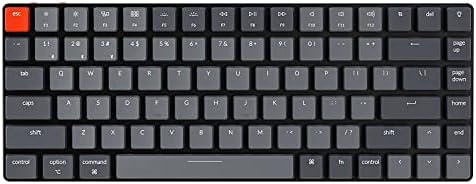
The K3 Pro is a different beast entirely. It's a low-profile board, which means the stabilizers are smaller, tighter, and harder to get right. Keychron did a decent job: there's a faint tick on the fast slam, but nothing that would bother a normal person.
The bigger issue is that low-profile stabilizers are a pain to replace if they wear out, because the switch stems are shorter and less compatible with standard aftermarket parts.
At ~$84.99, it's a fine board for travel or a cramped desk. But if you're building a stabilizer guide around the best setups, the K3 Pro is a compromise, not a destination.
Should You Buy a Board Based on Stabilizers?
Yes, and here's why: the stabilizers are the highest-failure component on any keyboard. Switches last for millions of presses. Keycaps wear out but are cheap to replace. Stabilizers, on the other hand, are mechanical assemblies with wires and plastic housings that can rattle, stick, or break entirely. If a manufacturer cut corners on the stabilizers, they cut corners everywhere else.
The AULA F75 Pro is the board I recommend to anyone who wants a rattle-free typing experience without spending a paycheck. The Keychron Q1 Pro is the upgrade path if you want screw-in stabilizers and a metal case.
The Logitech MX Mechanical is a good workhorse if you need wireless reliability and don't care about modding, but the soldered switches and clacky sound keep it out of my top recommendation.
If you're on an RK61 and wondering if the upgrade is worth it: yes. The AULA F75 Pro is the best ~$59.99 I've spent on this hobby, and the stabilizers are the reason.
I'm currently testing the AULA F75 Pro against the Logitech MX Mechanical for a full month, and I'm keeping an eye on a new gasket-mounted budget board that just hit the market. I'll update this guide when I have two weeks of typing on it.