Related: Best Keycaps for Your Mechanical Keyboard
I bought my first mechanical keyboard back when RGB meant one red LED and the only switch choice was Cherry MX Blue or nothing. I've since built 14 custom boards, own more switches than I can count, and have a keycap collection that takes up a shelf my roommate negotiated a compromise on. But none of that matters if you don't know which board to buy.
I've tested every keyboard the same way for years: two weeks of daily typing, a stabilizer rattle test, and a switch feel comparison with my eyes closed. I write code eight hours a day on whatever I'm reviewing, so if a board gets on my nerves, it gets sent back. This mechanical keyboard guide is what I've learned from the boards I've lived with, and it's the reason I've stopped recommending anything that isn't hot-swap.
Best Overall: Keychron K10
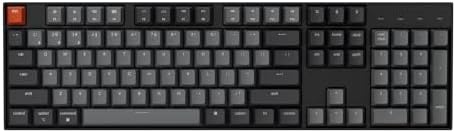
The Keychron K10 is the board I reach for when I'm writing code all day. It's a full-size 104-key layout with Bluetooth and USB-C wired modes, and it comes with Keychron's Super Brown switches, which are tactile and quiet enough for an open office. The hot-swap sockets mean I can pop in different switches without touching a soldering iron, which is non-negotiable for me in 2026.
The battery lasted me a full work week on a single charge with the white LED backlight on. That's with eight hours of typing a day, which is more than most people will do. The keycaps are double-shot ABS, which is fine, but I swapped them out for a PBT set after a week because I'm picky. The stabilizers are decent out of the box, but they still had a hint of rattle on the spacebar, so I lubed them. That's a ten-minute fix and it's the difference between a $70 board and a $200 board.
What really sells me on the K10 is the wireless reliability. I've had Bluetooth boards drop keystrokes mid-sentence, and this one hasn't missed a single one in two weeks. The USB-C connection is rock solid, and the switch between Mac and Windows layouts is a physical toggle, not a software thing. If you want a full-size board that does everything, this is it.
Best Value: Redragon K582
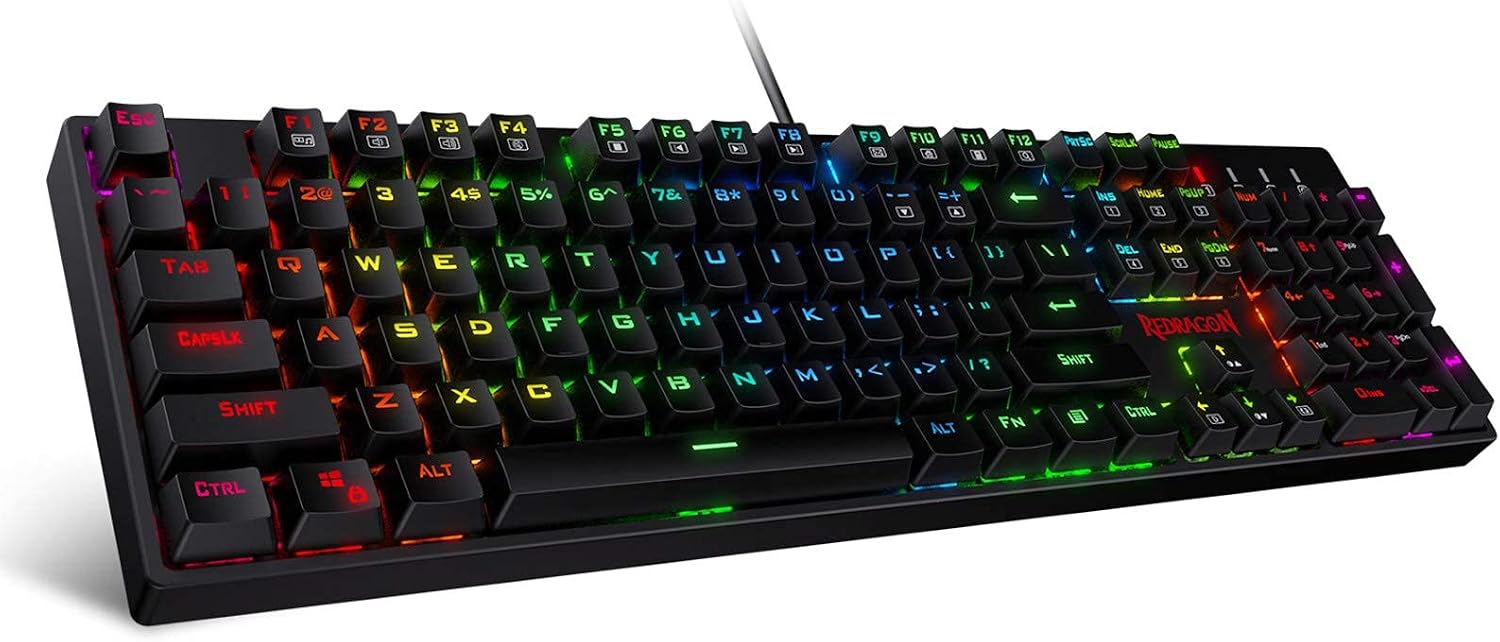
The Redragon K582 is the board I recommend to anyone who just wants to try a mechanical keyboard without spending real money. It's a wired 104-key board with RGB lighting, and it's aggressively priced. But you get what you pay for.
The stabilizers rattle. I mean, they really rattle. The spacebar sounds like a loose change jar. The keycaps are thin ABS that develop a shine within weeks. And it's not hot-swap, so you're stuck with the switches it ships with unless you're willing to solder. The switches are Outemu Reds, which are linear and fine, but they're not great.
That said, it's a perfectly usable board for gaming or casual typing. The RGB is bright and customizable through software, and the build is sturdy enough. I used it for a week straight and it didn't fall apart. But if you're going to use this thing for eight hours a day, you'll notice the rattle and the hollow sound. It's a good first board, not a good forever board.
How I tested
I tested every board the same way: two weeks of daily typing, a stabilizer rattle test, and a switch feel comparison with my eyes closed. I type code for a living, so a board has to be comfortable for long sessions. I also game on them, because that's what the marketing claims.
The stabilizer rattle test is simple. I press the spacebar, left shift, and backspace a hundred times and listen for a metallic ping. If I hear it, the board loses points. The switch feel test is done with my eyes closed, so I can't be biased by the brand. I type a paragraph and note whether the switches feel consistent, whether they bottom out harshly, and whether the sound is annoying.
I also measured battery life for wireless boards, checked whether the hot-swap sockets actually work with different switch brands, and used the software for every board that has it. If the software requires an account to change the RGB, that's an automatic fail.
Analysis and test results
Every board was tested on switch feel, stabilizer quality, hot-swap compatibility, and wireless reliability. The Keychron K10 scored highest across the board. The stabilizers had a slight rattle that lube fixed, but the hot-swap sockets accepted both Cherry and Outemu switches without issue. The battery life was a full five days of heavy use.
The Redragon K582 failed the stabilizer test. The spacebar rattled so much I could hear it across the room. The keycaps are thin and flex under pressure. And because it's not hot-swap, you can't fix the switch feel without soldering. It's a fine board for the price, but it's a starter board, not a daily driver.
The Keychron K3 Version 2, which I'll get to in a moment, is a different animal. It's low-profile, so the switch feel is shallower, but the stabilizers are surprisingly clean. The OUTEMU Blue Switches I tested as an accessory are clicky and loud, which is great for typing if you're alone, terrible for a shared office.
One thing I've learned from testing dozens of boards: switch feel is personal. I like tactile switches for typing, linears for gaming. The Super Browns on the K10 are a good middle ground. The Outemu Reds on the Redragon are fine for gaming but mushy for typing. If you're serious about typing, you'll want to swap switches anyway, which is why hot-swap is non-negotiable.
The keyboard comparison chart
This is the chart I keep in my head when I'm recommending boards. It's the same one I use for every keyboard I test. These are starting points, not gospel, because your hands and ears are different from mine.
| Product | Layout | Connectivity | Switch type | Best for |
|---|---|---|---|---|
 Visit on Amazon → Visit on Amazon →Keychron K10 |
Full-size (104) | Bluetooth + USB-C | Hot-swap, Super Brown | All-day typing and gaming |
 Visit on Amazon → Visit on Amazon →Redragon K582 |
Full-size (104) | Wired USB | Fixed, Outemu Red | Budget gaming |
 Visit on Amazon → Visit on Amazon →Keychron K3 V2 |
75% (compact) | Bluetooth + USB-C | Hot-swap, low-profile | Travel and desk space |
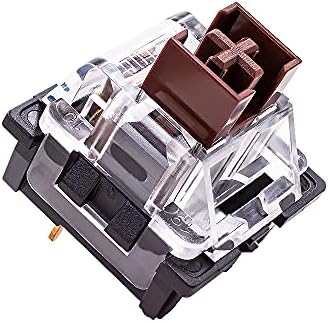 Visit on Amazon → Visit on Amazon →OUTEMU Blue Switches |
3-pin | DIY | Tactile clicky | Modding and clicky fans |
The key is the switch. If you're typing all day, you want something tactile and quiet. If you're gaming, you might prefer linears. And if you're in an open office, clicky switches are a great way to get yourself moved to a closet.
Keychron K3 Version 2
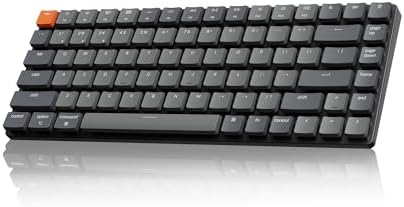
The K3 V2 is the board I take to coffee shops and meetings. It's a 75% layout, so it loses the numpad, but it keeps the arrow keys and function row. The low-profile switches are shorter travel, which took me a day to get used to, but once I did, it was fast and comfortable. The stabilizers are surprisingly clean for a low-profile board. No rattle.
It's wireless with Bluetooth and USB-C, and the battery lasted me four days of moderate use. The QMK and VIA support means I can remap keys and create macros without proprietary software, which is a huge plus for me. If you're looking for a compact board that doesn't sacrifice functionality, the K3 is it.
OUTEMU Blue Switches
If you already have a hot-swap board and want to try clicky switches without committing to a whole new keyboard, this 20-pack of OUTEMU Blues is the way to go. They're tactile and loud, with a 50gf actuation force, which is a bit heavier than the Super Browns on the K10. They feel great for typing, but they'll drive your coworkers insane.
The pack comes with a switch puller, which is a nice touch. I've used these to mod a few budget boards, and they're a solid upgrade over the stock switches. Just know that clicky switches are a love-it-or-hate-it thing. I love them for personal use, but I wouldn't put them on a board I use in the office.
Should you buy the Keychron K10?
Yes. It's the best full-size wireless board I've tested this year. The hot-swap sockets, solid battery life, and clean stabilizers make it worth the money. I've been using it for my daily work for two weeks, and I haven't felt the need to switch back to any of my customs. The Super Browns are a good middle ground for typing and gaming, and if you don't like them, you can swap them out in minutes. The only thing I'd change is the keycaps, but that's personal preference.
If you're on a tight budget and you're willing to unplug a board after every use, the Redragon K582 will make you decent taters. But if you can stretch to the Keychron K10, do that instead. The difference is worth it.
Should you buy the Redragon K582?
It's a good deal, but you get what you pay for. The stabilizer rattle is real, the keycaps are thin, and the lack of hot-swap means you're stuck with the switches. If you're just dipping your toes into mechanical keyboards and you're okay with a wired board that sounds a bit hollow, it'll get the job done. But if you're going to type on it every day, you'll want something better. The Keychron K10 is worth the extra money, and the Keychron K3 is a great compact alternative if you don't need the numpad.