Most keyboard shopping advice starts with switches and never reaches the decision that actually determines whether a board fits your desk. Layout does. A 60 percent board deletes the numpad, the arrow cluster, and the function row, then rebuilds all of it on layers you reach with a modifier key. For some people that means a cleaner desk and less hand travel. For others it means a week of fighting muscle memory. This guide compares six products that shoppers looking for a hot-swap 60% mechanical keyboard tend to see side by side: three compact boards, two Logitech G413 variants in full size and tenkeyless, and one small tub of switch lube that addresses the most common complaint about budget stabilizers.
None of these are customs, and none of them pretend to be. They are the boards people actually buy first: wired, prebuilt, and spread across a wide band of layouts and switch types. The comparison here is on layout and footprint, switch character, hot-swap support, backlighting, and how easy each one is to service later. Prices move constantly, so every card sends you to the retailer for the current number instead of quoting one here.
Related: Linear vs Tactile vs Clicky Switches, Explained
Quick answer
The Redragon K617 Wired 60% Compact Hot-Swap RGB Gaming Mechanical Keyboard is the strongest fit for most people shopping this list because it is the only board here that names hot-swap sockets, so you can change switches later without soldering. Choose the Logitech G413 SE Full-Size Mechanical Gaming Keyboard instead when you want a full-size layout with a dedicated numpad and no layer learning.
Compact and full-size mechanical keyboards worth comparing
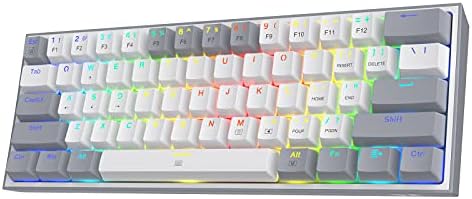
Redragon K617 Wired 60% Compact Hot-Swap RGB Gaming Mechanical Keyboard
A 60 percent wired board with hot-swap sockets, per-key RGB, and a compact footprint that frees up room for the mouse. Hot-swap is the reason it leads this list: changing switches becomes a pull-and-press job rather than a soldering project.
Visit on Amazon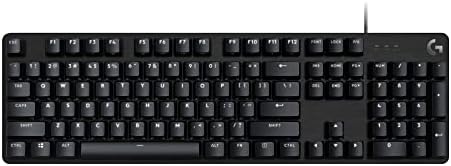
Logitech G413 SE Full-Size Mechanical Gaming Keyboard - Black
A full-size board that keeps the numpad, arrow cluster, and function row, so nothing moves to a layer. This is the pick for number entry, spreadsheet work, and anyone who does not want to relearn a compact layout.
Visit on Amazon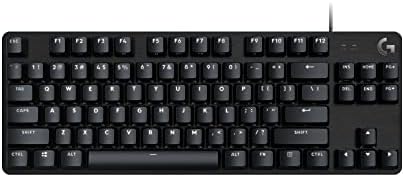
Logitech G413 TKL SE Mechanical Gaming Keyboard - Black
The same G413 line in a tenkeyless shell: arrow keys and function row stay, the numpad goes. A middle step between a full-size board and a 60 percent one, and the safest choice if you are unsure about going compact.
Visit on Amazon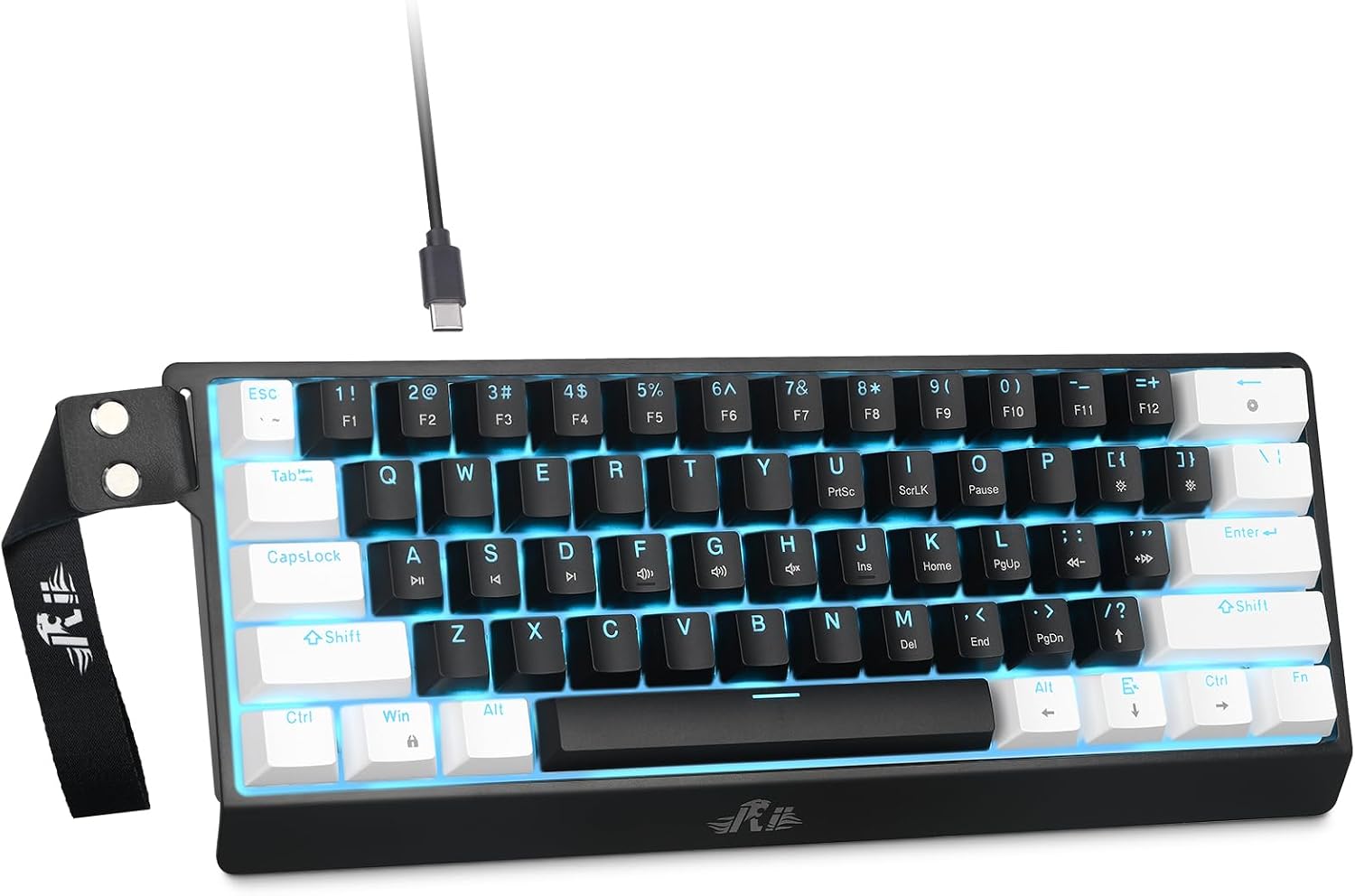
Rii 60% Wired Mechanical Keyboard, Linear Red Switch for Office, Gaming
A compact wired board with linear red switches, which travel straight down with no click mechanism, making them easier to live with in a shared office than a clicky switch. A straightforward entry point if you already know you want 60 percent.
Visit on Amazon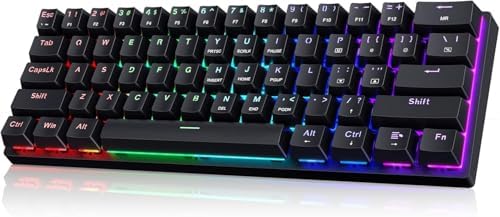
60% Wired Mechanical Gaming Keyboard with Blue Switches, LED Backlit
A compact wired board with clicky blue switches and LED backlighting. Blue switches add an audible click and a tactile bump at the actuation point, which some typists love and everyone in the same room will hear.
Visit on Amazon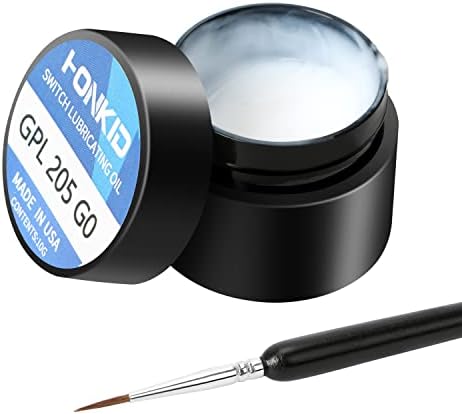
HONKID Keyboard Switch Lube GPL 205G0 0.35 oz,Mechanical Keyboard Keycaps Lubricant Lubes Stabilizer Lubricating
A 0.35 oz tub of GPL 205G0 lubricant intended for switches, stabilizers, and keycaps. This is the inexpensive fix for the rattle and scratchiness that budget boards ship with, and the one item here that can improve a board you already own.
Visit on AmazonPrices and availability may change. Check the retailer for current details.
How these products were compared
This guide compares layout and footprint, switch type and whether the board is hot-swap, backlighting, the presence or absence of a numpad and arrow cluster, and long-term serviceability, including whether replacement switches or stabilizer lubricant are part of the purchase. Product names, images, and retailer links are matched by ASIN so that every card points to the product shown.
Nothing here is presented as a measured lab result. Where a claim depends on how a board feels after weeks of daily typing, that is a judgment you should make yourself, with the return window in mind.
How to choose the right mechanical keyboard
Start with layout, because it is the only choice you cannot undo later. If your work involves regular number entry, a full-size board with a numpad is the lowest-friction option. If you mostly write code or prose and want the mouse closer to your right hand, a tenkeyless board removes the numpad while leaving the arrow keys and function row exactly where your hands expect them. A 60 percent board goes further and removes all of it, which is why it feels great on a narrow desk and frustrating for the first week. There is no universally correct layout, only a layout that is wrong for your hands.
Switch type is the second decision, and it is the one people overthink. Linear switches such as the red switches on two boards here travel straight down with no click and no bump. Clicky switches such as the blue switches on the compact board here add an audible click and a tactile bump at the actuation point. Neither is meaningfully faster while typing. If you share a room or spend the day on calls, the clicky board will be a problem. If you type alone and like the feedback, it will not be. Our breakdown of linear, tactile, and clicky switches goes deeper if you are still deciding.
Then check hot-swap support. Hot-swap means the switches sit in sockets rather than being soldered to the circuit board, so you can pull them out and press in replacements with a switch puller. On a board without it, changing your mind about switches means desoldering every joint. In 2026 there is little reason for a budget board to skip it, and only one product in this roundup advertises it. Finally, decide how much backlighting you need and how much software you are willing to install to control it.
Stabilizers are the part nobody mentions until they hear the rattle. On a long key like the spacebar, the stabilizer wires are what keep the key level, and on budget boards they are usually the source of the metallic ping that makes an inexpensive board sound inexpensive. Lubricating them is a short job with the right grease and the single largest sound improvement available on a prebuilt. That is why a tub of lube appears in this roundup next to the boards. Our stabilizer tuning walkthrough covers the process.
Redragon K617 Wired 60% Compact Hot-Swap RGB Gaming Mechanical Keyboard
The K617 is the board to point a first-time compact buyer toward, and the reason is in the name. Hot-swap sockets make the switch decision reversible. If you buy it with one switch type and decide months later that you want something heavier or lighter, you buy a set of switches, pull the old ones, press in the new ones, and you are finished in under an hour with no soldering iron involved. That flexibility is worth more on a budget board than on an expensive one, because budget boards are exactly the ones people outgrow.
It is also a 60 percent board, which is the trade-off. You get a small footprint and a lot of desk back, and you give up the dedicated arrow keys, function row, and numpad. Those functions still exist, but they live on layers. Some people adapt in a day, and some never do. The board is wired only, so there is no battery to manage and no wireless mode to troubleshoot, which is either a feature or a limitation depending on how you feel about cables.
Alternatives to consider
The Logitech G413 SE Full-Size Mechanical Gaming Keyboard is better suited to anyone who uses a numpad daily, since it keeps the full layout and moves nothing to a layer, while the Logitech G413 TKL SE Mechanical Gaming Keyboard is a stronger fit when you want the arrow keys and function row intact but still want the mouse closer to the board.
The Rii 60% Wired Mechanical Keyboard and the 60% Wired Mechanical Gaming Keyboard with Blue Switches cover the entry end of the compact market with two different switch characters, linear red versus clicky blue, so the choice between them comes down to whether you want feedback you can hear. The HONKID GPL 205G0 lubricant handles a different job entirely: it is the maintenance item that quiets the stabilizers on any of these boards, including one you already own.
Day-to-day use and maintenance
Budget boards rarely fail because the switches die. They get noisy because the stabilizers dry out or were never lubricated well to begin with, and they get grimy because dust and crumbs find their way between the keycaps. A few habits keep a board pleasant for years.
First, if the spacebar and shift keys rattle, lubricate the stabilizers before blaming the switches. A small amount of GPL 205G0 on the stabilizer housing and wire ends is the standard fix, and a 0.35 oz tub is far more than a single board needs. Second, pull the keycaps every few months and clear the plate with a soft brush or compressed air. Third, if your board is hot-swap, do not yank switches with pliers; a proper switch puller grabs the housing and protects the socket. Fourth, keep drinks away from the desk, because liquid damage is the one failure mode that lube and cleaning cannot undo.
One caveat on lubricating: use it sparingly. Over-lubricated switches feel sluggish, and lubricant in the wrong part of a stabilizer can make a key sticky rather than quiet. Follow the product's own instructions and apply less than you think you need.
Buying checklist
- Measure the space between your keyboard and your mouse; a full-size board consumes several inches that a 60 percent board gives back.
- Choose a layout based on how often you use a numpad and arrow keys, not on how a board looks in photos.
- Confirm that the exact model you are buying is the one with the features you want, since the G413 line ships in both full-size and tenkeyless versions with similar names.
- Check whether the board is hot-swap if you plan to change switches later, because a soldered board turns that into a project.
- Read the cleaning and lubrication instructions before applying anything to the switches or stabilizers.
- Verify the current retailer price, availability, and return terms before ordering, and keep the packaging until you have typed on the board for a few days.
Final recommendation
Choose the Redragon K617 Wired 60% Compact Hot-Swap RGB Gaming Mechanical Keyboard when you want a small board and the freedom to change switches without soldering. Choose the Logitech G413 SE Full-Size Mechanical Gaming Keyboard when a numpad and a conventional layout matter more than desk space. If you are not sure which side of that line you fall on, the tenkeyless G413 TKL SE is the compromise, and the two entry-level 60 percent boards are the least expensive way to find out whether a compact layout suits you. Add a tub of stabilizer lube whichever you pick, and revisit the switch question only after the board has been on your desk long enough for the novelty to wear off.