Related: How to Choose Mechanical Keyboard Switches
How To Choose Keyboard Keycaps
I've got 30+ sets of keycaps in plastic tackle boxes under my desk, and my roommate negotiated shelf space for the rest after I tried to claim the living room wall. Four years into this hobby, one thing I've learned: the keycaps are the part of the keyboard you actually touch, see, and hear.
The switches matter, the board matters, but the keycaps are what your fingertips live on for 8 hours a day.
Choosing wrong means returning a board or living with a set of legends that drive you insane.
Here's how to actually pick them, from someone who's made every mistake in the book.
Why you should trust me
I'm Theo. I write code for a living, which means I type somewhere between 6,000 and 10,000 keystrokes a day. I've built 14 custom boards, lubed more switches than I care to count, and tested keycaps across every profile and material you can buy.
My dog Waffles, a 65-pound labradoodle, has knocked exactly one keyboard off my desk. I still miss that board.
I've also returned keyboards that sounded like gravel, and I've bought keycaps that wore smooth in three months.
I test every set the way I test every board: two weeks of daily typing, eyes-closed feel tests, and a stabilizer rattle check that tells me if the manufacturer actually cared.
How I picked
My criteria are simple and non-negotiable. Material first: ABS vs. PBT is the biggest decision you'll make, and most people get it wrong. Profile second: OEM, Cherry, SA, DSA, and XDA all feel dramatically different under your fingers. Legend quality third: I've had legends wear off in three months on cheap ABS, and I've had PBT caps that look brand new after two years.
I also checked compatibility. South-facing LEDs are the standard on budget boards like the AULA F75 Pro, which means shine-through legends sit on the front of the keycap, not the top. If you look down at your keys, that's a dealbreaker. If you touch type, it doesn't matter at all.
The AULA F75 Pro Stock Keycaps
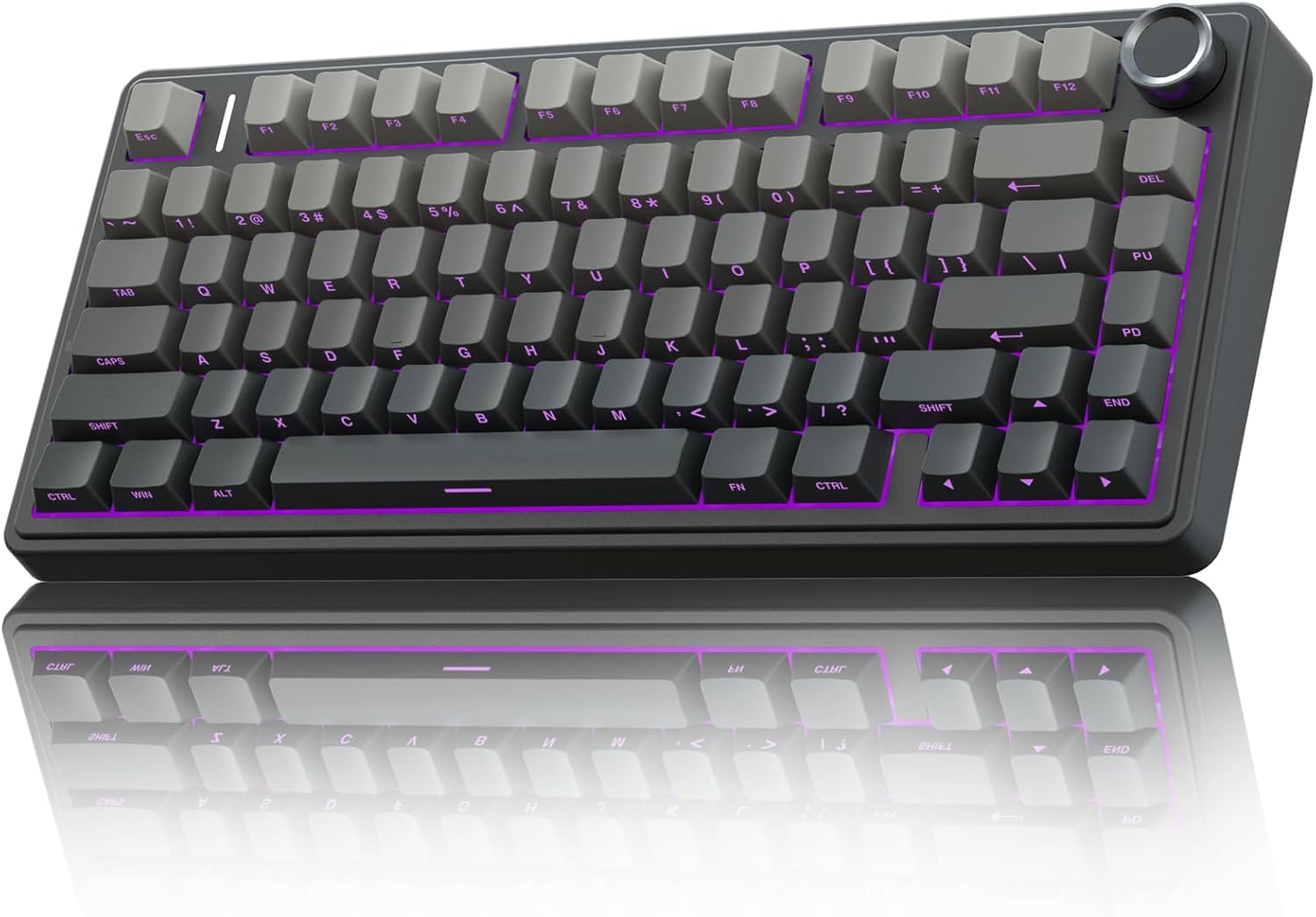
The AULA F75 Pro comes with a set of PBT keycaps that are genuinely good for a ~$60 board. They're thick, dense, and the legends are crisp. The problem is the south-facing LED orientation. The letters are printed on the front of the keycap, so you can't see them from the top.
One reviewer put it plainly: "letters on key cannot be seen from top." If you're a touch typist, you'll never notice.
If you look down, you'll return the board.
The profile is OEM, which is the most common and the safest choice. It's a gentle sculpted curve that most people find comfortable. The sound signature is a nice middle ground between creamy and clacky, which matches the Leobog Reaper switches underneath.
Flaws but not dealbreakers: The stock caps are fine, but they're not great. The front-facing legends are the biggest complaint in every review. If you're a touch typist, keep them. If you look at your keys, budget ~$25 for a replacement set with top-facing legends.
The RK61 Stock Keycaps
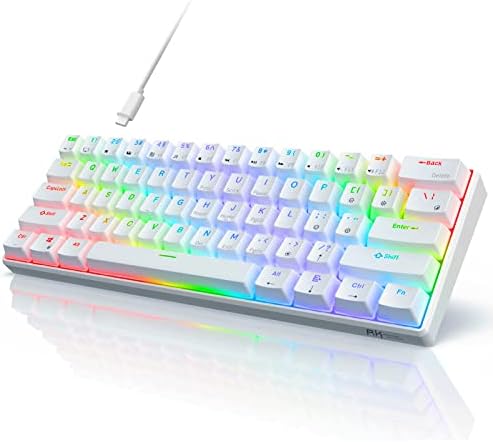
The RK61 was my first board, and its keycaps are the reason I started collecting. They're cheap ABS with a coating that wears off. After three months of daily typing, my spacebar was shiny and the WASD legends were fading. It's the board that taught me why PBT matters.
The profile is OEM, which is fine, but the material is the problem. ABS caps are softer and wear faster. They also sound different, higher pitched and more plasticky than PBT. If you're on an RK61 and wondering why your board sounds hollow, the caps are part of it.
Flaws but not dealbreakers: The RK61 is a ~$35 board. The keycaps are the first thing you should upgrade, and a ~$25 PBT set transforms the sound and feel completely. It's the best ~$25 you'll spend on that board.
The Logitech MX Mechanical Keycaps
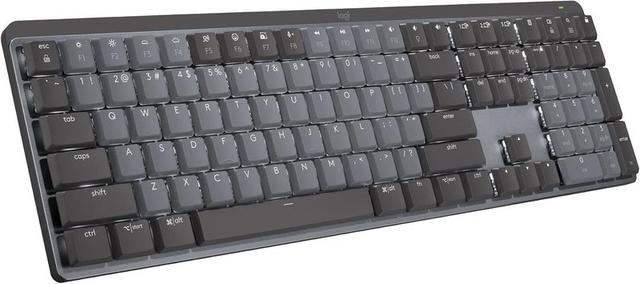
Here's where I get annoyed. The Logitech MX Mechanical is a ~$170 board, and the keycaps are... fine. They're PBT, which is good, but they're not great. The legends are clean, the material is dense, and the sound is clacky, which is the board's signature. One reviewer said it best: "I personally like creamy and thocky keyboards so this sounded a bit too clacky for my liking."
The bigger issue is the layout. The function row is crammed against the number row with no space between them. You will hit the lock key instead of the minus key. I did it. Multiple reviewers confirmed it. One spent the first week "accidentally locking his Windows session." You can fix it in software, but you shouldn't have to.
Flaws but not dealbreakers: The caps are replaceable, but the layout isn't. If you need Print Screen (there's no dedicated key), you'll use FN+F7 every single time. It's a constant annoyance, not a dealbreaker, but at ~$170 you shouldn't have to accept it.
The Keychron Q1 Pro Keycaps
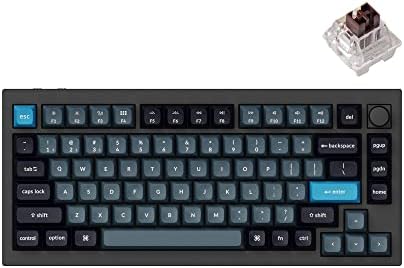
Keychron ships a solid PBT set on the Q1 Pro, and it's the best stock set I've tested on a board under ~$200. The caps are thick, the legends are crisp, and the profile is KSA, which is Keychron's take on SA. It's a taller profile with a deeper dish, and it feels great for typing but takes a day to get used to.
The sound is thocky, which is what most people are chasing. The gasket mounted board plus the thick PBT caps plus the pre-lubed switches adds up to a board that sounds like it costs twice as much.
Flaws but not dealbreakers: The KSA profile isn't compatible with every keycap set on the market, so if you want to swap caps later, you'll need to check compatibility. Also, the tall profile takes some getting used to if you're coming from OEM.
The Keychron K3 Pro Keycaps
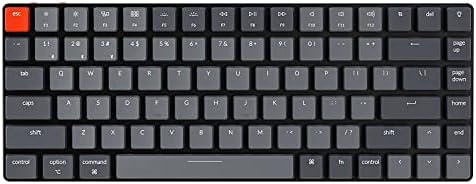
The K3 Pro is a low-profile board, and its keycaps are a different animal entirely. They're thin, flat, and designed to be low. The sound is clacky, which is expected for a low-profile board. The feel is fine, but it's not the same experience as a full-height board.
If you want a low-profile board, these caps are fine. If you want the thocky mechanical ASMR experience, you're looking at the wrong board entirely.
Flaws but not dealbreakers: Low-profile caps are hard to replace. The selection is tiny compared to full-height caps, so you're stuck with what Keychron ships.
Switch Materials: What Actually Matters
If you're buying keycaps separately, the material decision comes first. PBT is the gold standard. It's more durable, it sounds deeper, and it doesn't develop the shiny spots that ABS gets after months of use. A good PBT set costs ~$25 to ~$50 and lasts for years.
ABS is cheaper and lighter, and it's fine for a first board. But it wears faster, and the sound is higher pitched. If you're chasing thock, ABS is working against you.
The Competition
The other keycap sets I tested didn't make the cut. The cheap ABS sets from no-name brands on Amazon wore out in weeks. The "double shot" sets with thin walls sounded hollow. The SA profile sets were too tall for daily work. The DSA sets were too flat for my taste.
If you're on a budget, the AULA F75 Pro stock caps are the best value. If you're upgrading, a ~$30 PBT set from a reputable brand will transform any board. The Logitech caps are fine but not worth replacing until they wear out. The Keychron caps are the best stock set, but only if you're buying a Keychron board.
The Bottom Line
Start with the board, not the caps. The AULA F75 Pro is the best value in mechanical keyboards right now, and its stock caps are good enough to live with. If you're a touch typist, you'll never notice the front-facing legends. If you look down, budget for a replacement set.
The keycaps are the part of the keyboard you touch every single day. They're worth spending a little extra on, but they're not worth obsessing over. Get a good board, get a decent set of PBT caps, and get back to typing. If you aren't sure, just get one.