Related: Best Budget Hot-Swap Keyboards for Typing All Day
I write code for eight hours a day, and I have built enough boards to know that most keyboard advice skips the only question that matters: what does the thing feel like under your fingers at hour six? This mechanical keyboard reference chart is my attempt to answer that on one page. It covers layout sizes, switch weights, hot-swap sockets, and the four pieces of hardware I would actually put on a desk or in a parts drawer in 2026.
None of it is gospel. Switch feel is personal, and "best" is a lie until you know whether you type or game. But the categories do not lie. Once you know that a 45gf linear and a 60gf tactile are different tools for different hands, shopping gets a lot faster.
I run every board through the same routine: two weeks of daily typing, a stabilizer rattle test, and a switch comparison with my eyes closed. Hot-swap is non-negotiable. A board that cannot take a different switch is a board I will not recommend in 2026.
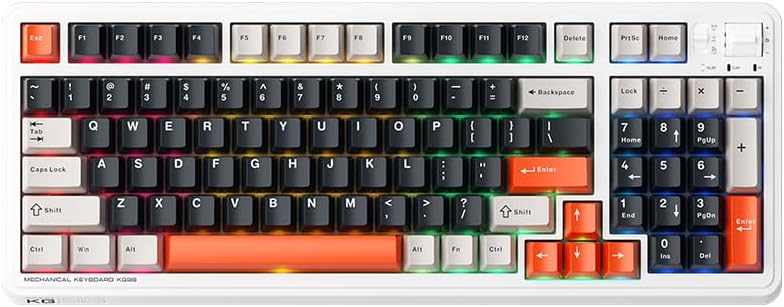
The Machenike KG98: a numpad without the full-size footprint
98 keys is the layout I hand to anyone who does spreadsheet work or types numbers all day but does not want a two-foot plank on the desk. You keep the numpad. You lose the dead space that a full-size board makes you pay for in desk real estate.
The KG98 checks the boxes I care about. It is wireless, so the desk stays clean and you are not routing a cable around a monitor stand. It is hot-swap, which means the stock switches are a starting point rather than a permanent commitment. And it has RGB, which is not my thing, though I own a board with it, so I am not going to lecture anyone about taste.
What to check first: the stabilizers. Stabilizer rattle is the difference between a board that feels expensive and one that does not, and it is the first place budget boards cut corners. Tap the spacebar and the shift keys. If they ping, a little lube on the stabilizer wires fixes most of it, and replacement stabilizers are cheap. That single fix does more for how a board feels than any switch upgrade.
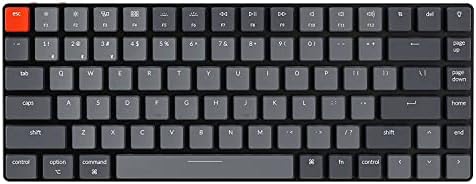
The Keychron K3 Version 2: the ultra-slim one
The K3 is a 75 percent board with 84 keys, and it is the one I point at when someone wants a mechanical keyboard that does not look or feel like a mechanical keyboard. Ultra-slim body, white backlight, Bluetooth or USB wired, and it ships with low-profile optical red switches.
Two things to understand before you buy. First, low-profile optical switches are their own ecosystem. The hot-swap here is for Keychron's low-profile optical switches, so do not expect to drop a standard MX switch into it, and do not expect the switch set below to fit it. Second, the slim profile changes the typing feel. Shorter travel, less of a wall to hit at the bottom. Some people love that, some people hate it. Type on it for a week. If you stop noticing the keyboard, it is good.
The Mac and Windows layout support is a genuine convenience if you move between a work laptop and a personal machine, which is most of us.
EPOMAKER Creamy Jade: the switch swap that changes everything
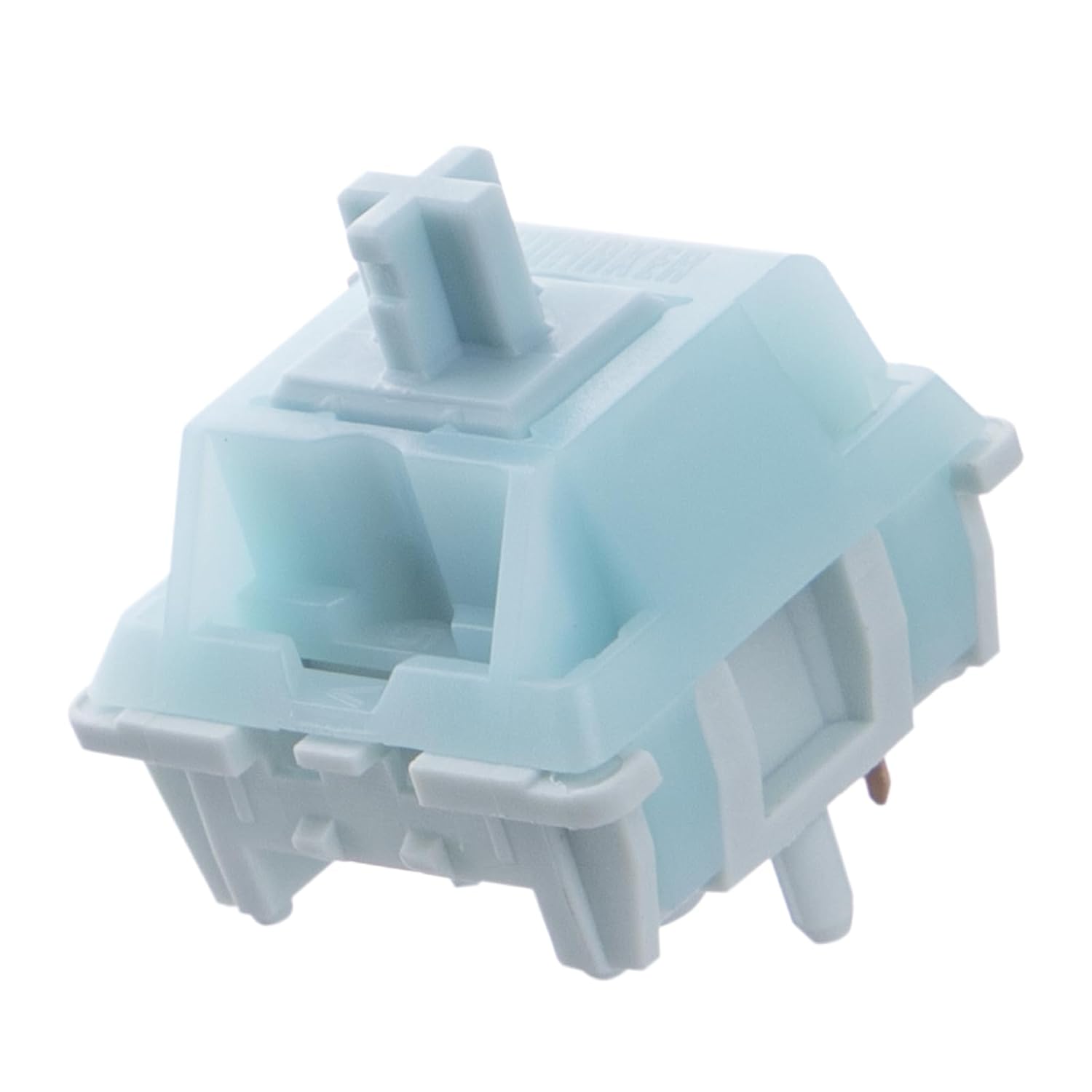
Switches are the cheapest way to make a keyboard feel like a different keyboard. The Creamy Jade set is 100 linear switches at 45gf, pre-lubed from the factory, with a PC/PA66 housing and a POK stem, and they are 5-pin and MX-compatible.
45gf is on the light end. Light linears feel fast and smooth, and this is the switch I would hand a first-time swapper, because there is nothing to fight. Pre-lubed means you do not have to open 100 switches and paint each one, which is the part of the hobby that turns a weekend into a month.
The 5-pin detail matters more than people expect. Five-pin switches have two extra plastic legs that hold them steady in the PCB, so they sit straighter and sound more consistent across the board. Three-pin switches work fine in a 5-pin socket. The reverse is not true unless you clip the legs off. If you are putting these into a hot-swap board with MX-compatible sockets, they drop in. If you are putting them into the K3 above, they do not, because that board takes low-profile optical switches.
A 100-piece set covers a 98-key board with two spares, which is the other reason the KG98 and this set pair up so well.
TWTADE micro tact switch kit: the drawer item
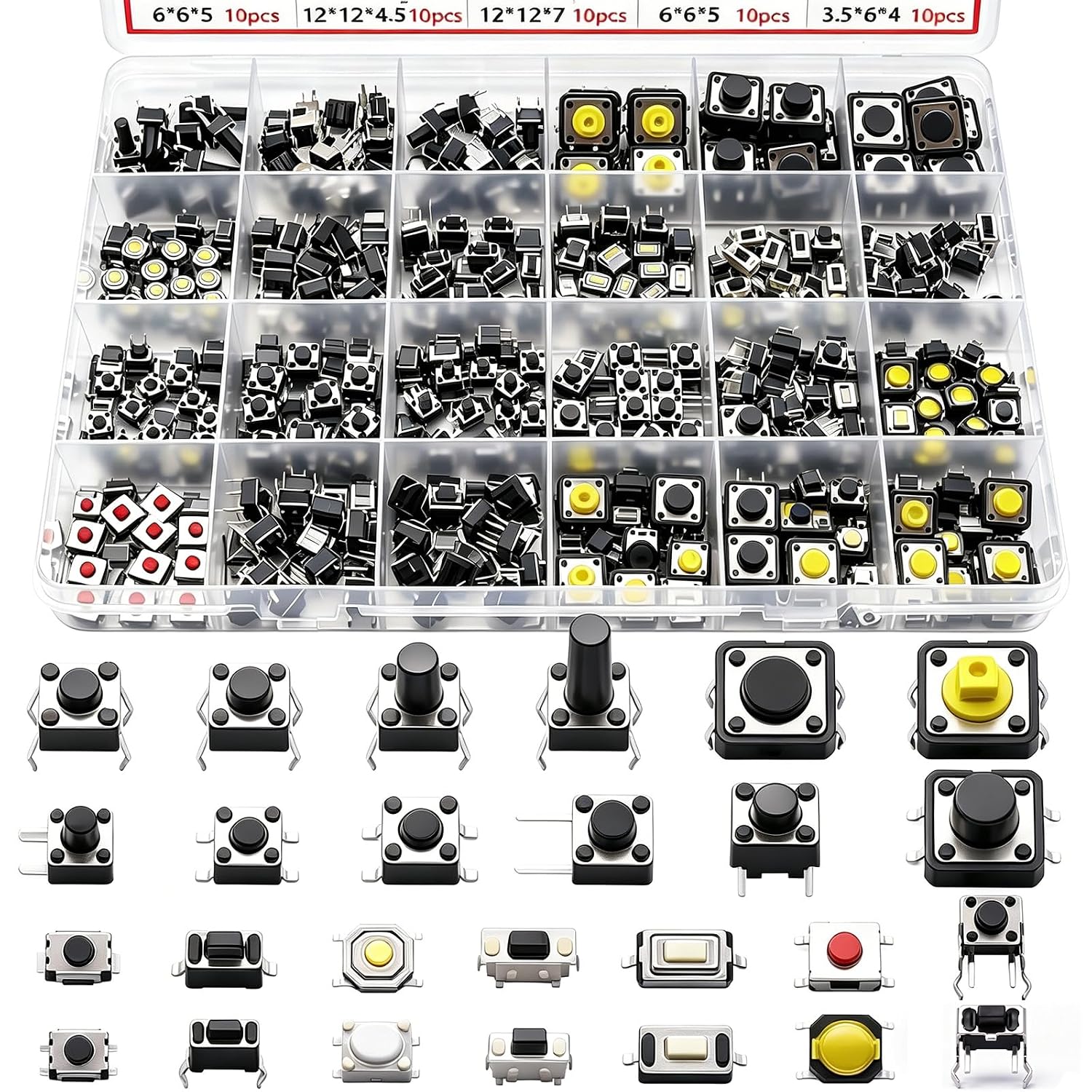
This is not an upgrade, and I want to be honest about that. It is 260 micro momentary tactile push buttons in 26 values, spanning 2-pin, 3-pin, and 4-pin footprints. If you are shopping for a keyboard to type on, this is not it.
What it is: the kit that saves an evening. A reset button on an older board stops clicking, a macropad build needs a small switch, a project needs something smaller than anything on a keyboard. Momentary means the switch closes only while you hold it, which is exactly what a reset or function button does. Every modder's drawer should have one of these before the day it is needed.
What a board has to survive before I recommend it
Two weeks of daily typing. Not an afternoon, not a weekend. Two weeks of writing code on it for eight hours a day, because the first hour on any keyboard is a lie. New switches feel novel. Week two is when you find out whether your hands are tired.
Stabilizer rattle. I tap every stabilized key and listen for the metallic ping. A rattly spacebar is the most common complaint about budget boards and the easiest thing to fix, which is why it comes up in every entry above.
Hot-swap. Soldering is a hobby, not a requirement. A board you cannot change switches on is a board you eventually replace instead of tune.
The blind test. I swap between two switch sets with my eyes closed and try to describe the difference out loud. If I cannot describe it, the difference does not matter, no matter what the spec sheet says.
Sound. Any switch opinion that skips sound is not a switch opinion. Sound is half keyboard and half desk, which is why two people can type on the same board and describe it completely differently. Trust your own ears over any review, including this one.
The mechanical keyboard reference chart
This is the chart I keep open while shopping. Specs come from the listings; the "what it is for" column is my read after living with boards in each category.
| Pick | Layout and format | Switch situation | What it is for | Price |
|---|---|---|---|---|
 Visit on Amazon → Machenike KG98 |
98 keys, wireless, RGB | Hot-swap, MX-compatible | Numpad work without full-size width | $99.99 |
 Visit on Amazon → Keychron K3 Version 2 |
75 percent, 84 keys, ultra-slim, Bluetooth or wired | Low-profile optical red, hot-swap for optical only | Slim typing, travel, Mac and Windows | Check current Amazon price |
 Visit on Amazon → EPOMAKER Creamy Jade |
Switch set, 100 pieces | 45gf linear, 5-pin, pre-lubed, MX-compatible | Swapping switches on an MX hot-swap board | $19.99 |
 Visit on Amazon → TWTADE micro tact switch kit |
260 pieces, 26 values | Micro momentary tactile, 2-pin, 3-pin, 4-pin | Repairs, macropads, DIY projects | $13.99 |
| Under 45gf | Switch weight | Very light linear | Fast, floaty feel; easy to overshoot | Not a product |
| 45 to 50gf | Switch weight | Light linear | All-day typing, first switch swaps | Not a product |
| 55 to 62gf | Switch weight | Medium linear or tactile | Typists who want feedback under the finger | Not a product |
| 65gf and up | Switch weight | Heavy tactile or clicky | Deliberate, loud typing; tiring for long sessions | Not a product |
| 3-pin versus 5-pin | Socket and switch | 5-pin fits both, 3-pin fits 3-pin sockets | Check your board before buying switches | Not a product |
| Stabilizers | Every board | Wire stabilizers under space, shift, enter, backspace | Rattle test this before anything else | Not a product |
Reading the chart
Layout is the first decision, not switches. The KG98 and the K3 solve the same problem from opposite ends: one keeps the numpad and accepts a wider body, the other throws out the numpad and everything else it can to stay thin. Decide how you enter numbers before you read a single switch review.
Switch weight is the second decision, and it is the one people get wrong because they buy for the first hour instead of the sixth. Under 45gf feels quick and slightly floaty, which is great for gaming and less great for a long document. The 45 to 50gf band is the safest place to start, which is exactly where the Creamy Jade set sits. Medium weights in the 55 to 62gf range give you something to push against, and heavy switches past 65gf are a deliberate choice that gets tiring by Friday afternoon.
Compatibility is where money gets wasted. The Creamy Jade set is 5-pin and MX-compatible, so it fits a hot-swap board with MX sockets, and the KG98 is that board. It does not fit the K3, because the K3 uses low-profile optical switches with their own mount. Buying switches for a board that cannot take them is the most common mistake in this hobby, and it is an easy one to avoid once you know the socket type.
Pre-lubed switches are the best value in the hobby. Factory lube is not as good as a careful hand lube, but it is most of the way there for a fraction of the effort, and effort is the real currency here.
Wireless is a feature until the battery dies mid-sentence. Every wireless board in this chart is worth owning, but treat the cable as part of the product, not an accessory you will never touch.
Low-profile versus standard profile
Low-profile boards like the K3 trade key travel for thinness. The result is a shorter, flatter typing feel that some people describe as laptop-like in the good way and some describe as laptop-like in the bad way. There is no chart row that settles this. You have to type on one for a week.
The practical cost is switch choice. Standard MX switches, including the Creamy Jade set, do not fit a low-profile optical board, so a low-profile purchase is closer to a closed system. Buy one because you want the thin body, not because you plan to tinker.
Why the parts kit belongs in a drawer
Nobody's first keyboard purchase should be a bag of 260 micro switches. But the moment a reset button stops clicking, or you decide to build a macropad for a few macros, the difference between an evening project and a week of shipping delays is whether that drawer already has the right footprint in it. It is a cheap insurance policy against your own future projects.
Should you buy the Machenike KG98?
Yes, if you want a numpad without a full-size footprint. The 98-key layout keeps the number pad and drops the dead space, and wireless plus hot-swap means you are not locked into the switches it ships with. Put the Creamy Jade set in it and you have a completely different keyboard for very little extra money.
Tap the spacebar and the shift keys before you commit. Stabilizer rattle is the one thing that separates a board that feels expensive from one that does not, and if you hear it, lube the stabilizers. That is a ten-minute fix, not a reason to return the board.
Should you buy the Keychron K3 Version 2?
Yes, if you want a mechanical board that does not announce itself. The 75 percent, 84-key body is ultra-slim, it runs Bluetooth or USB wired, and the Mac and Windows layout support makes it an easy pick if you move between a work laptop and a personal machine.
Just go in with your eyes open. The hot-swap is for low-profile optical switches, so the switch set in this chart will not fit, and the short travel is a taste thing rather than a universal upgrade. Type on it for a week. If you stop noticing the keyboard, it is good.