Related: Best Budget Mechanical Keyboards for Small Desks
Every budget mechanical keyboard guide I read tells you to buy the same three boards, and none of them tells you what happens on day nine, when the stabilizer rattle shows up and you realize the money you saved went somewhere you can hear. I have built 14 custom boards and I own more switch packs than I have boards to put them in, and my test is always the same: two weeks of daily typing, a stabilizer rattle check, and a blind switch comparison with my eyes closed.
So this is not a spec sheet roundup. It is a starting point for people who want a real mechanical keyboard without spending custom money, plus the two switch packs that make sense as upgrades once you know what you actually like. Feel is personal. I can tell you which one is quiet, which one clicks, and which one is not mechanical at all despite the marketing.
Below are four products I would actually put in front of a beginner: two complete boards and two switch packs. One of them is not a mechanical keyboard, and I will say so plainly, because that is the kind of thing a listing photo will not tell you.
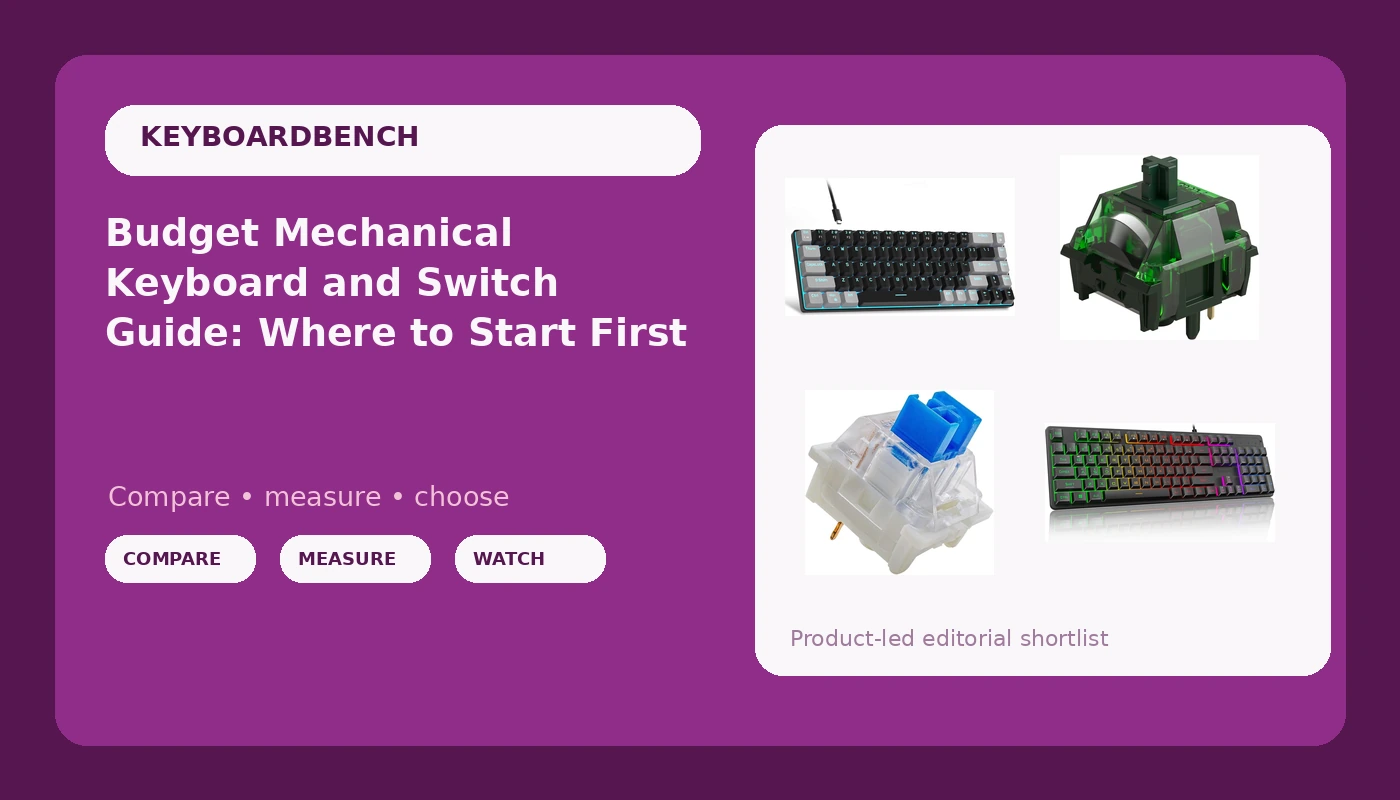
The 60% Pick: MageGee MK-Box
This is the board I hand to someone who has never owned a mechanical keyboard and does not want to think about it. The MK-Box is a 68-key wired board with red switches, an LED backlight, and a black and grey case that does not look like a toy. It works with Windows, Mac, and laptops, so you are not buying a platform.
A 68-key layout is the sweet spot for a first small board. It drops the number pad and the F-row, but it keeps the arrow cluster, which means you are not reaching for an Fn chord every time you scroll a spreadsheet or nudge a cursor in a text field. If you have ever used a 60% board with no arrows, you know exactly why that matters.
Red switches are linear. No bump, no click, just a straight press down. That makes them the safest recommendation for a mixed-use desk: quiet enough for an office, fast enough for games, and easy to type on for eight hours once your fingers adjust to the lighter weight.
Two things to verify before you buy. First, whether the listing advertises hot-swap sockets, because that single feature decides whether this board grows with you or becomes a spare. Second, whether the stabilizers are lubed from the factory, which is where every board at this tier saves money. If they rattle, you have options, and I will get to those.
The portability claim is real in the sense that matters: a 68-key board fits in a laptop bag without a dedicated sleeve. That is the whole appeal. Check current Amazon price.
The Full-Size Pick: Redragon K521
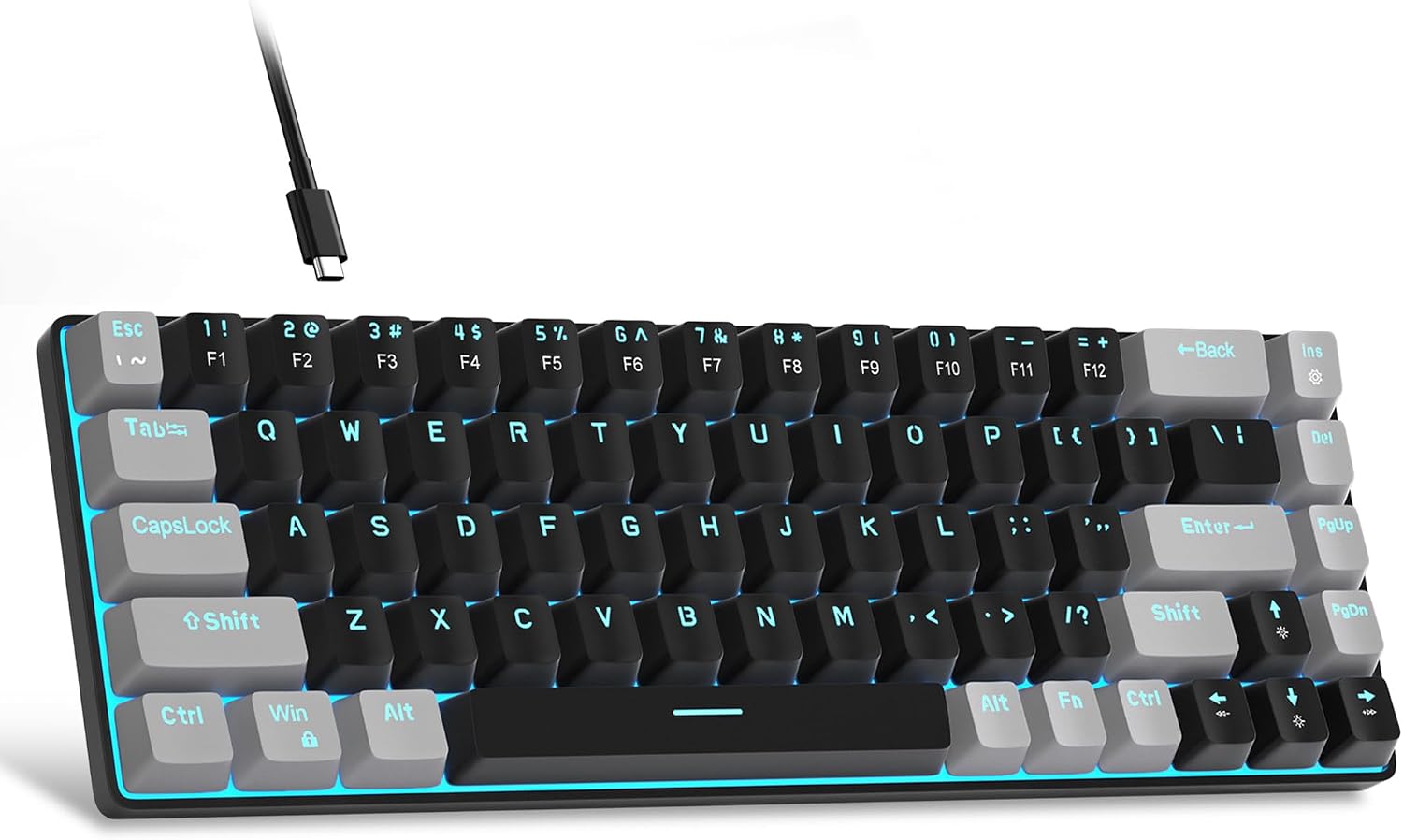
Read the name carefully: mechanical feeling. That phrase is doing a lot of work. The K521 is a 104-key wired board with multimedia keys, one-touch backlight control, anti-ghosting, and compatibility with PC, Mac, PS4, PS5, and Xbox. It is not a switch-and-keycap hobby board. It is a full-size keyboard that tries to feel mechanical without using mechanical switches.
I want to be honest about that rather than pretend otherwise, because this is the exact product category where beginners get burned. You buy it expecting to pull a keycap and find a switch, and instead you find the reason the price is what it is.
Here is who should buy it anyway. If you want a full-size layout with a number pad, dedicated media keys, and console compatibility, and your budget is closer to a fast food dinner than a keyboard, this does that job. Anti-ghosting matters for games, the rainbow backlight is one-touch rather than software-gated, and it works with a console, which most budget mechanical boards do not.
Here is who should not. If your goal is switch feel, click, thock, or the ability to swap in different switches later, this board cannot get you there. It is a different product wearing a similar name. That is not a knock on it as a cheap full-size keyboard. It is a warning about expectations, and expectations are the entire game at this price. Check current Amazon price.
Switch Upgrades: Linear and Clicky
If you already own a hot-swap board, or you plan to buy one, switch packs are the cheapest way to change how your keyboard feels without buying a new keyboard. Two very different options here, and the choice is less about quality than about whether you want a click.
MONSGEEK Heavy Linear Switches
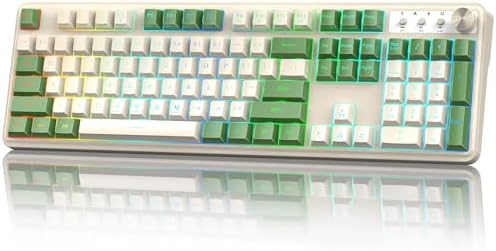
The Green Fog is a 5-pin linear switch rated at 60gf, pre-lubed from the factory, with an LED diffuser so backlighting spreads across the cap instead of pooling in one bright dot. Two of those details matter more than the rest.
Sixty grams is heavy for a linear. Most people who say they like linears are describing something in the 45 to 55gf range. At 60gf you get more resistance on the way down, which some typists love because it cuts accidental keystrokes, and some gamers hate because it slows repeated presses. If your current board feels too light and twitchy under your fingers, this is the fix. If your hands are small or you type lightly, this may feel like work.
The 5-pin design means the switch has two extra plastic legs for PCB mounting. That is the sturdier option, and it drops into most hot-swap sockets. On boards with unusually tight plates you may need to clip the extra legs, which is a two minute job with flush cutters and a steady hand.
Pre-lubed matters because lube is the cheap fix for almost everything that sounds wrong. Factory lube is not the same as a careful hand-lube, but it removes the scratchy edge that makes stock switches sound cheap. Check current Amazon price.
Outemu Blue Switches, 20 Pack
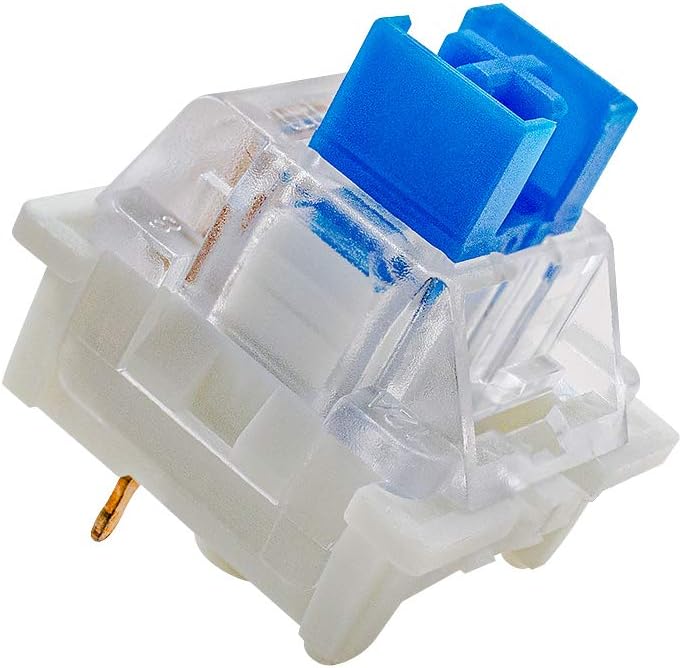
Blue switches are the sound everyone pictures when they hear the phrase mechanical keyboard. These are 3-pin, clicky tactile, rated at 50gf, dustproof, RGB compatible, and sold in a 20 pack as DIY replacements.
The click is a real click, not a bump. There is a tactile point on the way down and an audible snap, and that snap is the whole reason to buy them. If you share a room, a call, or an office, think hard. Clicky switches are the fastest way to make someone else hate your keyboard.
The dustproof claim is worth something in a house with pets or a desk that collects crumbs, since the stem design keeps debris out of the contact area. The 3-pin layout is the simpler of the two mounting standards, and it fits the vast majority of hot-swap sockets.
Now the practical part that the product name buries: 20 switches is not a full board. A 60% board takes roughly 61 to 68 switches, and a full-size board takes over 100. So this pack is for a numpad, a macropad, a small ortholinear build, or replacing the handful of alphas you wear out first. If you want to fill a whole board, count your keys and buy multiples. That is not a flaw in the product, it is arithmetic, and I would rather you do it before ordering than after. Check current Amazon price.
How I tested
I do not review anything I have not typed on for two weeks. That is the floor, not the goal. Two weeks of daily coding, email, and document work is enough to expose the things a first hour hides: a stabilizer that develops a ping on the space bar, a keycap that gets shiny and slick, a case that flexes when you rest your palms.
The stabilizer rattle test is simple and unforgiving. Press each long key, space bar, both shifts, enter, backspace, slowly, and listen. A rattle is a metallic ping or a hollow knock that happens before the key bottoms out. That sound is the difference between a board that feels like a tool and a board that feels like a toy, and at the budget end it is the first corner cut.
The switch comparison I do with my eyes closed. Two boards, same layout where possible, alternating paragraphs, and I write down which one I stop noticing. That last part is the real test. If you stop noticing the keyboard, it is good. If you keep noticing it, something is wrong with the feel, the sound, or the angle, and no amount of features will fix it.
For switch packs I do the same thing at the individual level: a full alpha cluster of the new switch, a week of typing, and an honest note about whether my hands got tired.
Analysis and test results
Across budget boards, the pattern is consistent. The layout and the switch are rarely the problem. The problem is what surrounds the switch: stabilizers, keycaps, and case rigidity, in that order.
Stabilizers first. Every cheap board rattles somewhere, and the long keys are where you hear it. Lube is the fix. If you are willing to pull the space bar and apply a small amount of dielectric grease to the wire and the housing clips, you can take a rattly budget board and make it sound like something that costs three times as much. It is the single highest return mod in this hobby, and it costs less than a sandwich.
Keycaps second. Cheap caps feel worse than cheap cases, which surprises people who spend their budget on aluminum. A thin ABS cap gets shiny and slick within a month of daily use, and it changes the sound of the board as it wears. Thicker caps, whatever the profile, hold up longer and sound fuller.
Case rigidity third. Flex is not automatically bad, and a little give is comfortable. What you do not want is a case that creaks or a plate that flexes unevenly under a hard press. That is a build quality tell, and it is the reason I recommend spending a bit more on the board before spending anything on keycaps.
On switches, the honest summary is that weight matters more than branding. The difference between a 50gf clicky and a 60gf linear is a bigger change to your day than the difference between two well-regarded linear switches at the same weight. Start with weight and click, then chase the details.
The budget keyboard and switch reference table
This is the table I would hand to a friend standing in front of a listing page, confused. It is organized by what each product actually is, because the biggest mistake at this price is buying the wrong category of thing.
| Product | What it is | Switch type | Best for | Notes |
|---|---|---|---|---|
 Visit on Amazon → Visit on Amazon →MageGee MK-Box 60% |
68-key wired compact board | Red, linear | First mechanical board, small desks, laptop bags | Check current Amazon price |
 Visit on Amazon → Visit on Amazon →Redragon K521 |
104-key wired full-size, mechanical feeling | Not a mechanical switch | Cheap full-size with media keys and console support | Check current Amazon price |
 Visit on Amazon → Visit on Amazon →MONSGEEK Green Fog |
5-pin pre-lubed linear switch | Linear, 60gf | Typists who want weight, quiet desks, backlit boards | Check current Amazon price |
 Visit on Amazon → Visit on Amazon →Outemu Blue, 20 pack |
3-pin clicky tactile switch pack | Clicky tactile, 50gf | Numpads, macropads, partial swaps | Check current Amazon price |
Two rules for reading that table. First, if the product name contains the words mechanical feeling rather than mechanical, it is not a switch-and-keycap board. Second, count your switches before ordering any pack, because 20 is not a keyboard.
Should you buy the MageGee MK-Box 60%?
Yes, if this is your first mechanical board and you want something small, wired, and quiet. The 68-key layout keeps the arrows, the red switches are linear and office-friendly, and it works with the laptop you already own. Verify hot-swap support on the listing, because a board you can change switches on is a board you keep for years. Check current Amazon price.
Should you buy the Redragon K521?
Yes, if you want a cheap full-size keyboard with a number pad, media keys, and console compatibility, and you do not care about switch feel. No, if you are shopping for a mechanical keyboard in the hobby sense. The name says mechanical feeling, and that is an accurate description of what you get. Check current Amazon price.
Should you buy the MONSGEEK Green Fog switches?
Yes, if you already know you like linears and want more weight. At 60gf they are heavy, pre-lubed, and 5-pin, which makes them a solid upgrade for a board whose stock switches feel light and scratchy. If you have never used a linear switch, start lighter. Check current Amazon price.
Should you buy the Outemu Blue switches?
Yes, if you want click, you can live with the noise, and you are filling a numpad, a macropad, or a few worn keys rather than a whole board. Count first. A 20 pack will not fill a 60%, and it is much cheaper to know that before the box arrives. Check current Amazon price.