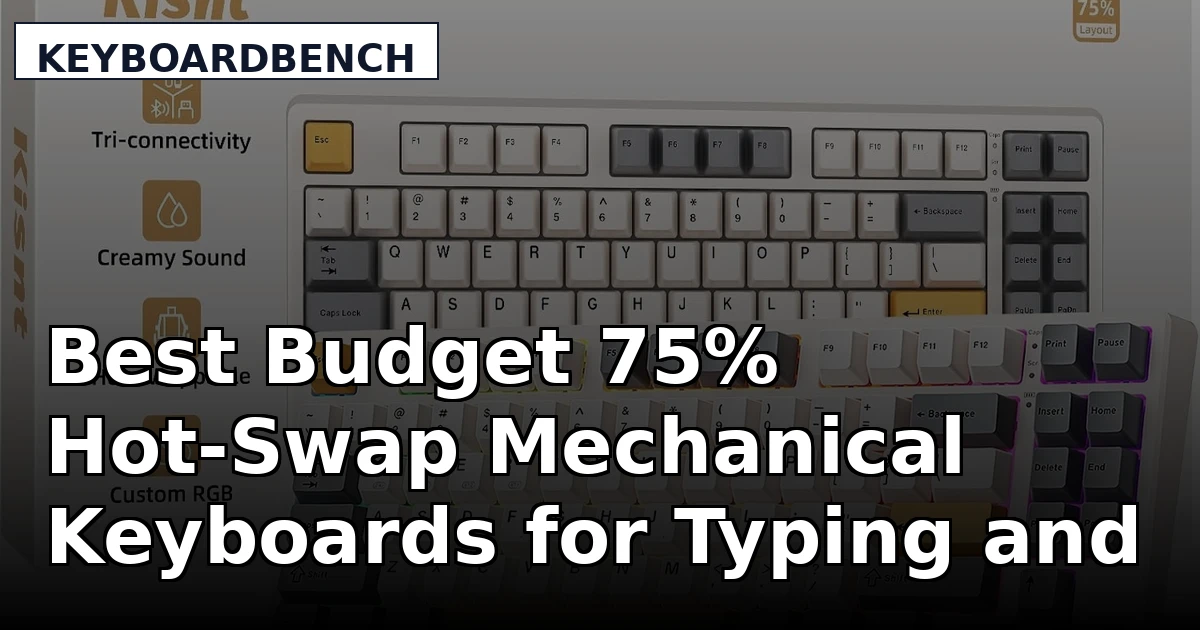
Shopping for a 75% hot-swap mechanical keyboard usually starts with the same frustration. You like the compact layout, you want to keep the arrow keys and the function row, and you want the freedom to change switches later without owning a soldering iron. The budget tier has caught up to that wish list, and the boards below are the ones worth putting side by side before you commit.
This guide covers four keyboards and one switch pack: two colorways of the Kisnt KN85, the E-YOOSO 75% wired board, the AULA F75 Pro, the TMKB 60%, and a ten-pack of BlingKingdom clicky Blue switches. Between them they cover the three decisions that actually change your day. How much desk space the layout takes, whether you need wireless, and whether you want a linear or a clicky switch under your fingers.
What this guide does not do is pretend every board suits every person. A 60% board and a 75% board are not interchangeable just because both are compact, and a wired board and a triple-mode board solve different problems. The sections below explain where each product fits, what the product listings actually confirm, and which trade-offs you are accepting when you pick one.
Related: How to Lube Mechanical Keyboard Stabilizers Without Desoldering
Quick answer
The Kisnt KN85 Wireless Mechanical Keyboard (Retro Beige) is the strongest fit for most people building a first compact board, because it combines a 75% layout, hot-swappable linear switches, and Bluetooth, 2.4GHz, and USB-C connectivity in one package. Choose the AULA F75 Pro instead when you want pre-lubed switches and side-printed PBT keycaps straight out of the box.
75% hot-swap mechanical keyboards worth comparing
The grid below lists every product covered in this guide, with the top pick first. Each card links to the exact product it describes.
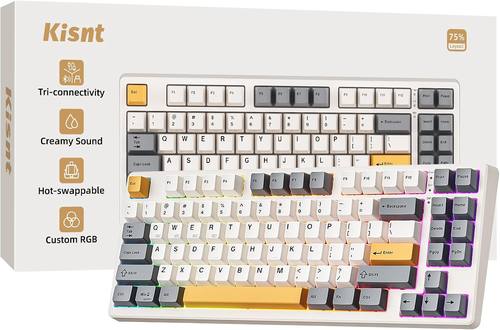
Kisnt KN85 Wireless Mechanical Keyboard, 75% Layout, Bluetooth/2.4GHz/USB-C, Custom RGB Backlit, Hot-Swappable Linear Switch, Creamy Sound for Gaming/Typing (Retro Beige)
A 75% board with Bluetooth, 2.4GHz wireless, and USB-C wired modes, hot-swappable linear switches, custom RGB backlighting, and a Retro Beige colorway.
Visit on Amazon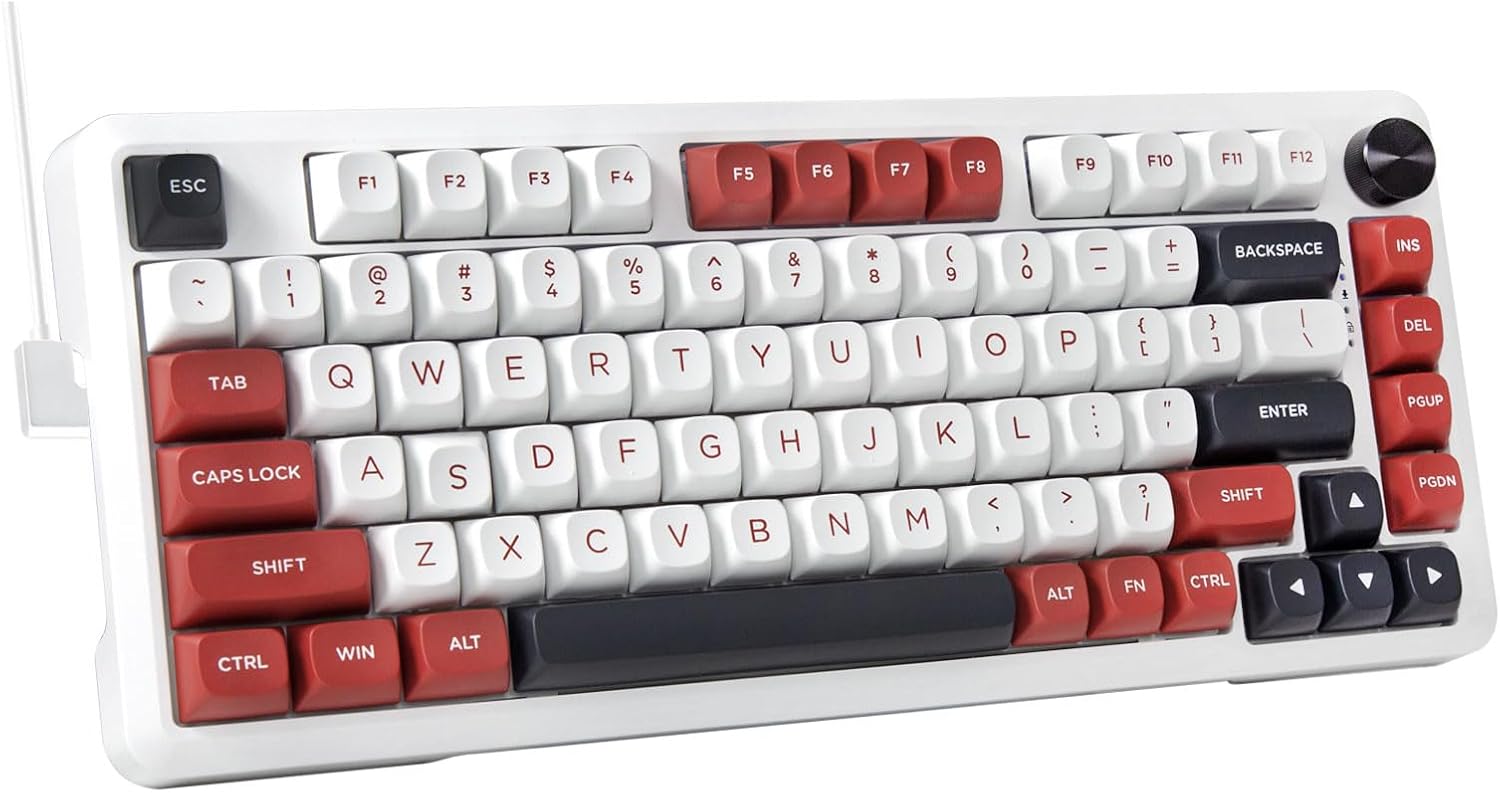
E-YOOSO 75% Wired Mechanical Gaming Keyboard, Creamy Sound, White/Red
A wired 75% board in a White and Red finish, described with a creamy sound profile and aimed at gaming and everyday typing.
Visit on Amazon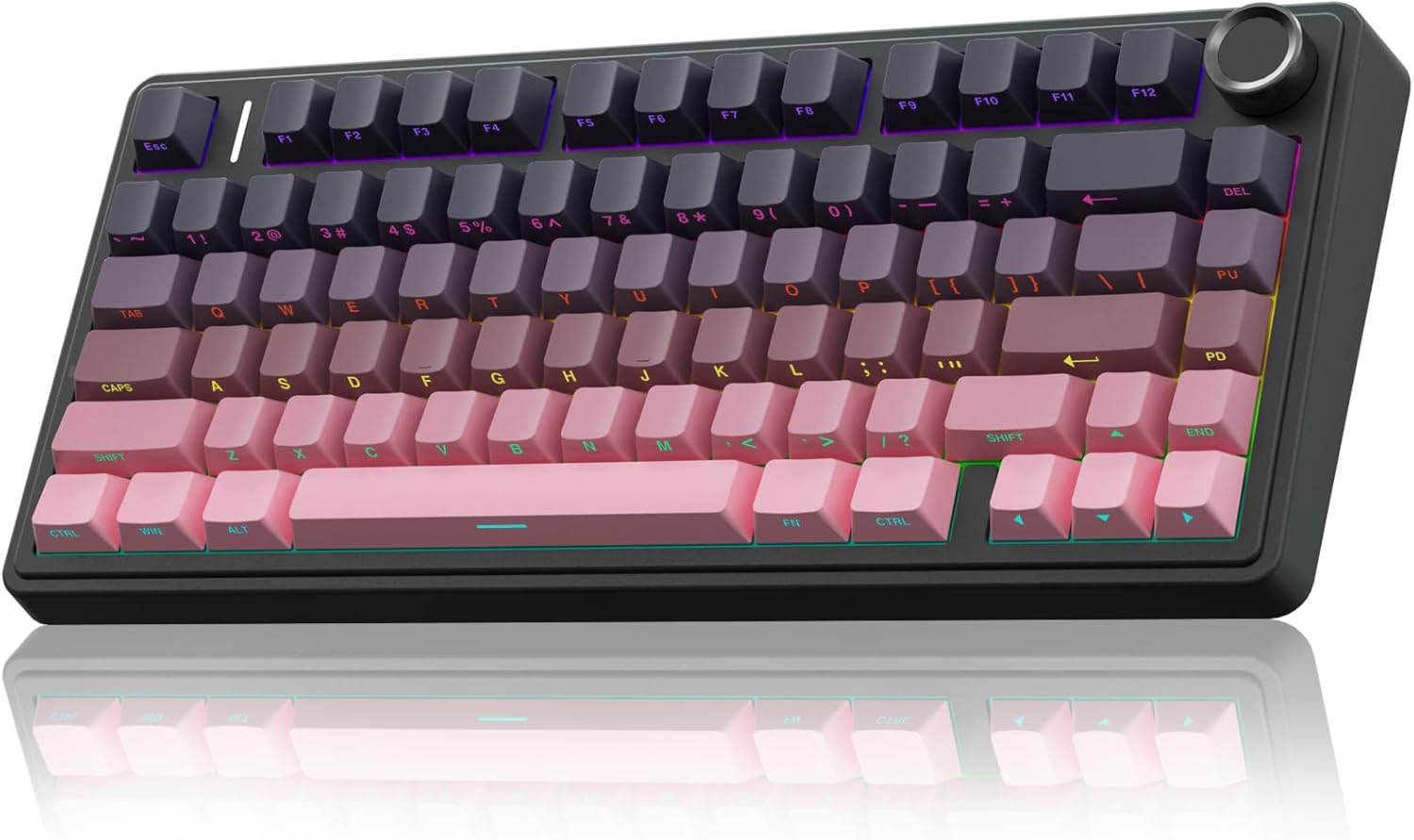
AULA F75 Pro Wireless Mechanical Keyboard,75% Hot Swappable Custom Keyboard,RGB Backlit,Pre-lubed Reaper Switches,Side Printed PBT Keycaps Mechanical Gaming Keyboards, Pink&Black
A 75% hot-swappable wireless board with pre-lubed Reaper switches, RGB backlighting, and side-printed PBT keycaps in a Pink and Black colorway.
Visit on Amazon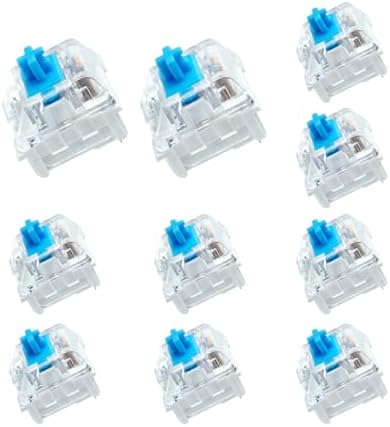
BlingKingdom 10 PCS Mechanical Keyboard Switches, MX Clicky Blue for Gaming
A ten-pack of MX-style clicky Blue switches for hot-swap boards, a low-commitment way to try a clicky switch type before buying a full set.
Visit on Amazon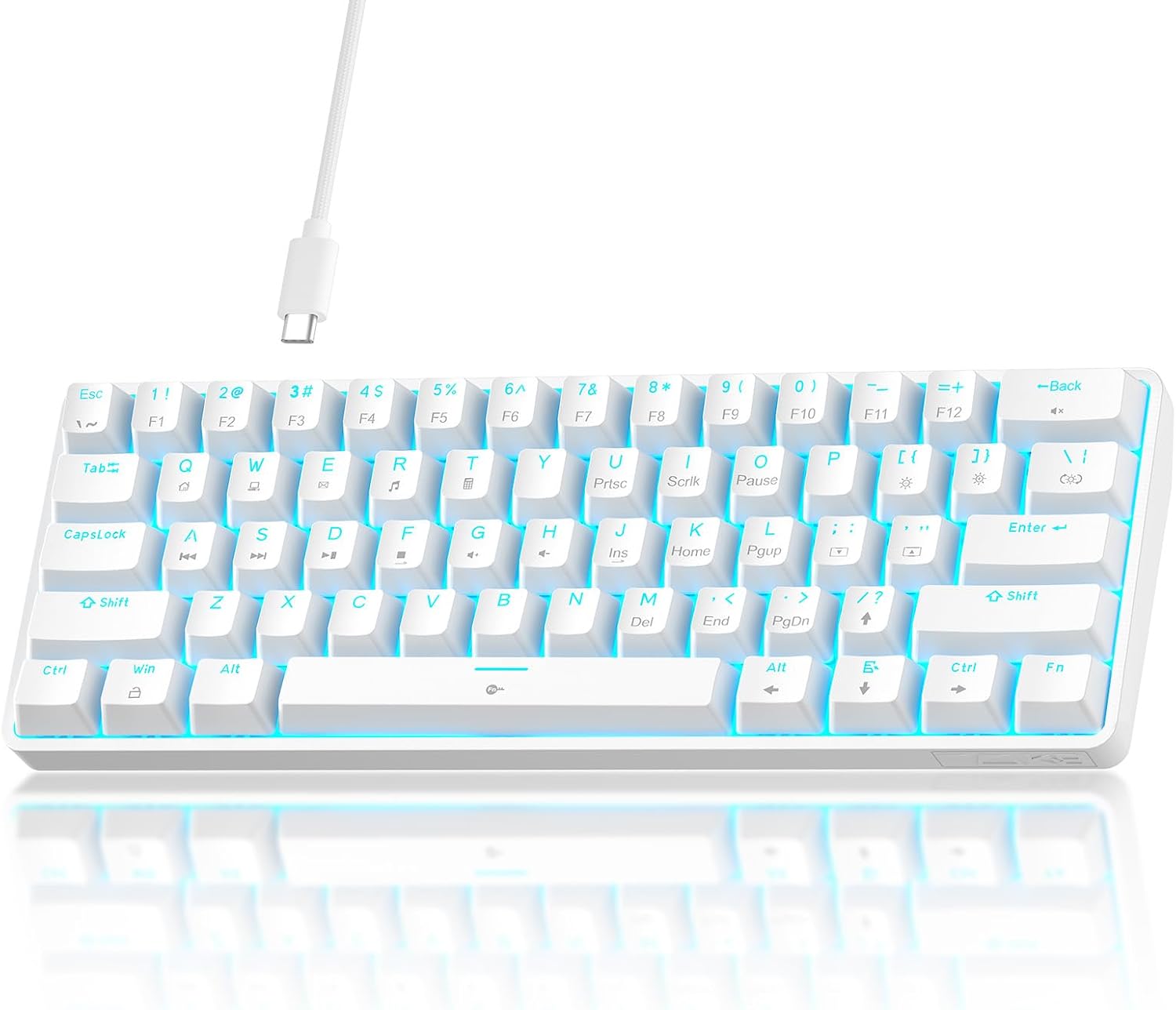
TMKB 60% Mechanical Gaming Keyboard, Red Linear Switch, Wired, White
A wired 60% board with Red linear switches in a White finish, for anyone who wants the smallest footprint in this group.
Visit on Amazon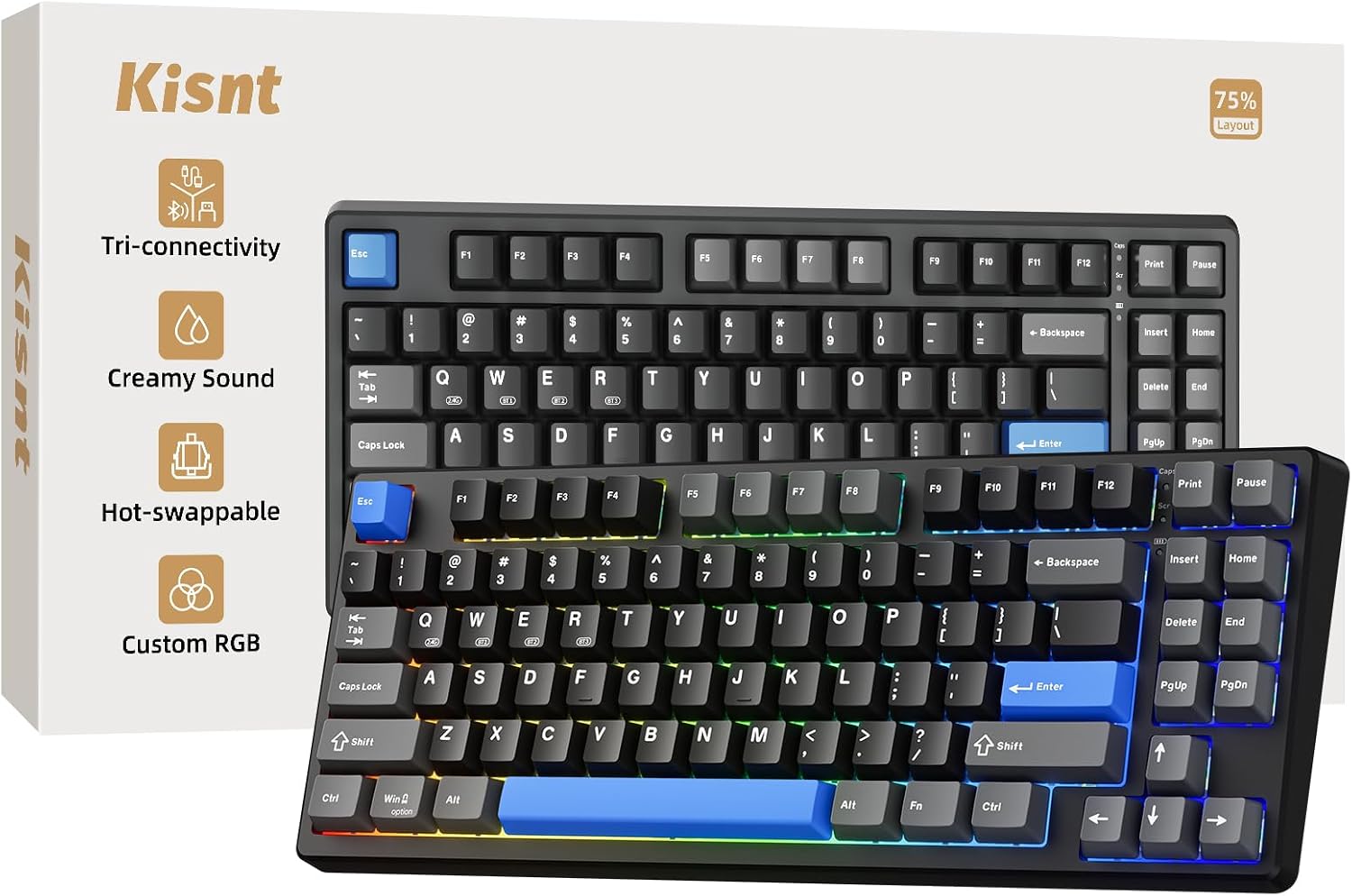
Kisnt KN85 Wireless Mechanical Keyboard, 75% Layout, Bluetooth/2.4GHz/USB-C, Custom RGB Backlit, Hot-Swappable Linear Switch, Creamy Sound for Gaming/Typing (Textured Black)
The same 75% wireless, hot-swappable KN85 platform in a Textured Black colorway, with Bluetooth, 2.4GHz, and USB-C connectivity.
Visit on AmazonPrices and availability may change. Check the retailer for current details.
How these products were compared
This guide compares layout and footprint, connectivity options, switch type and hot-swap support, keycap material and legend printing, and where each product sits in the budget tier relative to the features it lists. Product names, images, and retailer links are matched by product identifier so that every card points to the product shown.
Nothing here is presented as hands-on testing. The descriptions stick to what each listing states: the layout, the switch type, the connection methods, and the keycap material where the manufacturer names it. Where a listing does not specify something, such as the keycap material on a given board, this guide does not guess at it. Do not treat any statement here as a measured sound test, a battery runtime figure, or a durability result. For current pricing and availability, use the link on the card and confirm the details on the retailer page before ordering.
How to choose the right mechanical keyboard
Start with the layout, because that decision is the hardest to undo. A 75% board keeps the arrow keys and the function row while trimming the numpad and the gaps around the navigation cluster, which is why it is the most common recommendation for a first compact board. A 60% board drops the arrow keys and the function row entirely and moves those functions onto layers, which frees up real desk space but asks you to learn a new set of key combinations. If you use the arrow keys constantly for spreadsheets or code navigation, the 60% layout will feel like a downgrade for the first week. If you mostly type prose or play games with a mouse close to the board, the smaller footprint is worth the relearning.
Connectivity is the second fork. A wired board needs no charging and no pairing, and it will still work in ten years when the battery in a wireless board has given up. A board with Bluetooth, 2.4GHz, and USB-C gives you all three options, so you can run it wirelessly on a laptop and switch to the cable for a desktop. If you split your time between two machines, triple-mode connectivity is the feature that saves the most annoyance. If the board lives on one desk and never moves, wired is simpler and usually cheaper.
Switch type is the third fork, and it is the most personal. Linear switches travel smoothly with no bump and no click, which is why they dominate gaming recommendations. Clicky switches add an audible click and a tactile bump, which some typists find satisfying and coworkers find unbearable. Hot-swap support is what makes this decision reversible, and it is worth treating as non-negotiable: on a hot-swap board you can pull a switch with a puller and drop in a different one, so a wrong guess costs you a set of switches rather than a whole keyboard. If you want to sample a clicky feel before committing, a small pack of switches is a cheaper experiment than a second board. The stabilizer guide is worth reading too, since stabilizer noise is often the thing people actually dislike about a budget board.
Keycap material and printing round out the picture. PBT keycaps resist the shine that develops on ABS caps over months of typing, and side-printed legends keep the top face clean, which matters if you like the look of blank caps but still want a reference. Both are listed features on the AULA F75 Pro and neither is confirmed on the other boards here, so treat that as a real differentiator rather than a marketing detail.
Kisnt KN85 Wireless Mechanical Keyboard (Retro Beige)
The Kisnt KN85 in Retro Beige is the top pick because it covers the most common set of requirements in one product. It uses a 75% layout, so you keep the arrow keys and the function row. It supports Bluetooth, 2.4GHz wireless, and USB-C wired connections, so you can pair it with a laptop and a desktop and switch between them without unplugging anything. Its switches are hot-swappable linear switches, which means the smooth travel that suits gaming is also the starting point you can change later if you decide you want a tactile or clicky feel. It has custom RGB backlighting, and the listing describes a creamy sound profile.
The trade-off is the one that comes with any wireless board. A battery is a component that ages, and a board that runs on a charge asks you to think about charging in a way a wired board never does. The linear switches are also a default rather than a universal answer: if you already know you want a clicky click, you are buying this board for its chassis and connectivity and planning a switch swap on day one. And if you never move the board off a single desk, the wireless modes are features you paid for and will not use. The Textured Black version of the same board carries the identical feature set, so the colorway is the only thing separating them in this guide.
Alternatives to consider
The E-YOOSO 75% Wired Mechanical Gaming Keyboard is better suited to a single-desk setup where wireless is irrelevant, since it is a wired 75% board in White and Red described with a creamy sound. The AULA F75 Pro is a stronger fit when you want the switch and keycap work done before the board arrives, because it ships with pre-lubed Reaper switches and side-printed PBT keycaps in a Pink and Black colorway.
The TMKB 60% Mechanical Gaming Keyboard, the BlingKingdom 10 PCS Mechanical Keyboard Switches, and the Kisnt KN85 (Textured Black) cover the remaining cases. The TMKB is the pick when desk space is the priority and you accept a wired 60% layout with Red linear switches. The BlingKingdom pack is not a keyboard at all but a ten-pack of MX-style clicky Blue switches, which is the cheapest way here to find out whether you actually like clicky switches before you buy a full set for a hot-swap board. The Textured Black KN85 is for anyone who wants the top pick's feature set in a darker finish.
Day-to-day use and maintenance
A hot-swap board is easier to live with than a soldered one, but only if you handle it correctly. Remove switches with a proper switch puller rather than pliers, pull straight up rather than rocking side to side, and check that the pins are straight before you seat a switch back in. Bent pins are the most common way people damage a hot-swap socket. When you pull keycaps, use a wire keycap puller and support the cap from both sides so you do not stress the stem.
Keep the board clean with a soft brush or compressed air between the keys, and wipe the case with a barely damp cloth rather than a wet one, since liquid around the sockets and the controller is a real risk. If a board is wireless, follow the manufacturer's guidance on charging and store it with some charge rather than fully drained if it will sit unused for a long stretch. Hot-swap sockets are rated for a finite number of insertion cycles, so pick your switches deliberately rather than swapping weekly for fun. And if you plan to change switches, do it with the board unplugged and powered off, then reconnect and test a few keys before you reinstall every keycap.
Buying checklist
- Decide the layout first: a 75% board keeps the arrow keys and function row, a 60% board moves them to layers.
- Choose wired or wireless based on whether the board moves between machines, not on what sounds more modern.
- Confirm that the exact model you are ordering is hot-swappable if you ever want to change switch feel.
- Pick linear or clicky based on how much noise you can tolerate in the room you work in.
- Check whether the listing names the keycap material and the legend printing, since PBT and side printing are meaningful upgrades.
- Verify the current retailer price, availability, and return terms on the product page before you order.
Final recommendation
Choose the Kisnt KN85 Wireless Mechanical Keyboard (Retro Beige) when you want one board that handles wireless typing on a laptop and wired gaming on a desktop, with hot-swap sockets so the switch decision is not permanent. Choose the AULA F75 Pro when pre-lubed switches and side-printed PBT keycaps matter more to you than triple-mode connectivity. Choose the TMKB 60% when desk space wins, the E-YOOSO 75% when you want a simple wired board, and the BlingKingdom switch pack when you want to test a clicky switch type before committing to a full set. If none of those distinctions line up with how you actually type, the honest answer is to wait rather than buy a board whose main advantage is a feature you will never use.