Related: How to Tell Good Stabilizers From Bad
A mechanical gaming keyboard is really four different purchases wearing one label. A tri-mode wireless board with hot-swap sockets, a clicky full-size deck with macro keys, that same deck with linear switches, and a compact wired board with a metal top plate are not competitors. They are answers to different questions, and the question you are actually asking decides which one is right.
The four boards here cover those four answers. One is wireless and hot-swappable, two are the same chassis split by switch feel, and one is a compact wired board sold as a renewed unit. None of them is the best mechanical gaming keyboard in the abstract, because best without knowing whether you type or game is a lie. What I can do is tell you what each one is built to do, what to check the moment it lands on your desk, and who should skip it.
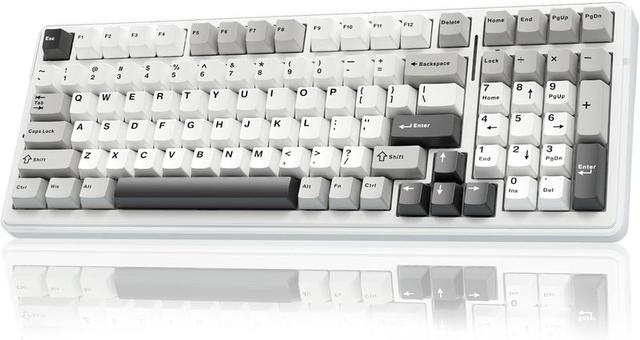
The Wireless Hot-Swap Pick: AULA F99
The F99 is the one here that covers the most ground at once. It runs in three modes, Bluetooth 5.0, 2.4GHz wireless, and wired USB-C, so it can follow you from a desktop to a tablet to a console without a cable swap. The switches are pre-lubed linears, which means no bump and no click, just a smooth press from top to bottom. The sockets are hot-swap, so you can pull the switches and try something else without touching a soldering iron.
That last part matters more than any number on a spec sheet. A hot-swap board is the difference between a keyboard you own for two years and a keyboard you own for ten, because the moment you decide you want heavier springs or a tactile bump, you buy switches instead of a new deck. In 2026, a board without hot-swap sockets is a board with an expiry date.
What to check when it arrives: tap the spacebar, both shift keys, enter, and backspace, and listen for a metallic ping after the key bottoms out. That ping is stabilizer rattle, and it is the fastest way to tell a cheap board from a good one. If you hear it, the fix is lube on the stabilizer stems and more patience than you think you need. Check the wireless too. Pair it over Bluetooth, then over the 2.4GHz dongle, and confirm both hold a connection across the room, because tri-mode is only worth paying for if all three modes actually work.
The RGB is there if you want it. I would rather have a board that types well in the dark than one that pulses in six colors, but that is a preference, not a verdict.
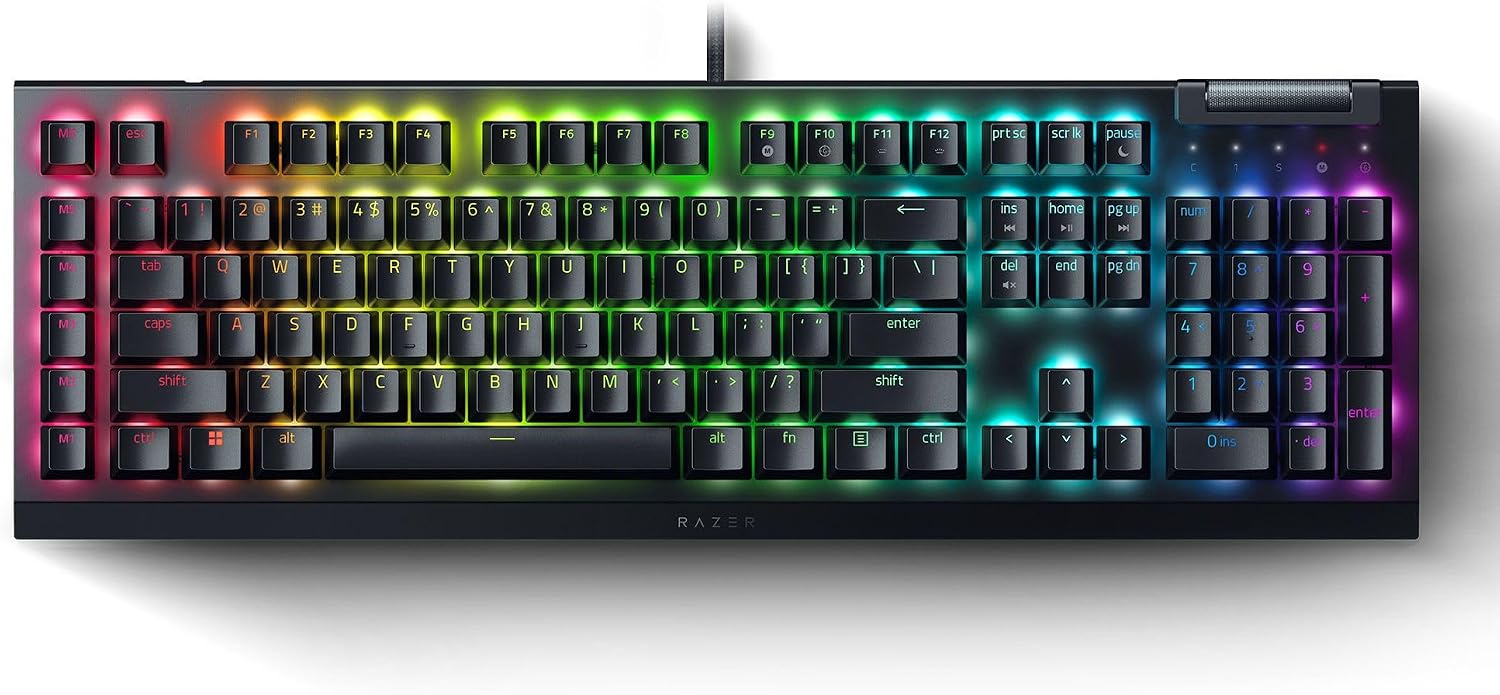
The Clicky Pick: Razer BlackWidow V4 X with Green Switches
Clicky switches are a commitment. The Green switches here are tactile and clicky, which means you feel the bump and you hear the click, and both of those happen before the key bottoms out. If you learned to type on a mechanical board from a decade ago, this is the feel you are chasing. If you share an office, take calls all day, or game with an open mic, this is the board everyone else on the call will hear.
The rest of the package is aimed at players who want controls on the deck: six dedicated macro keys down the left side, a roller and media keys at the top right, and Chroma RGB across the whole thing. The keycaps are doubleshot ABS, so the legends are molded through the cap and will not rub off, though ABS does develop a shine where your fingers rest. PBT resists that better, and swapping caps is the first upgrade most people make anyway.
Snap Tap is the feature worth looking up before you buy, because it changes how opposing movement inputs register and it matters if you play tactical shooters. It is not a reason to buy the board by itself, but it is a reason to pick this chassis over a plainer one if you are already spending in this range.
One thing to decide before you commit: how much you want the software. RGB and macro layers are the part of any gaming board that ages worst, so check what the onboard profiles cover. If you can set your macros and colors without keeping an app running, you will be happier in three years.
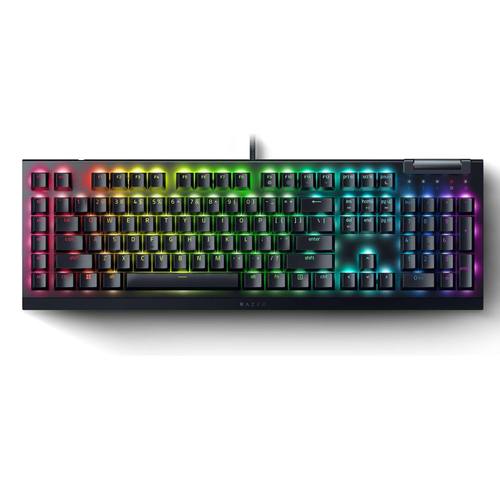
The Quiet Pick: Razer BlackWidow V4 X with Yellow Switches
Same board, different switch. The Yellow switches are linear, so the press is smooth from top to bottom with no bump and no click. That makes this the version to pick if you type in a shared room, game late with someone asleep down the hall, or record audio at the same desk where you play.
Everything else is identical to the Green version: six macro keys, the media roller, Chroma RGB, doubleshot ABS caps, and Snap Tap. The chassis does not change, the layout does not change, and the software does not change. The only question is whether you want your keyboard to talk back.
Linear does not mean mushy. A good linear switch returns fast and gives you a clean reset point, which is why so many competitive players prefer them. What it does mean is that you lose the tactile confirmation that you have actuated. Some people type more accurately with a bump to push against. Some people type faster without one. If you have never owned a mechanical board, this is the safer of the two to buy blind, simply because it is less likely to annoy everyone around you.
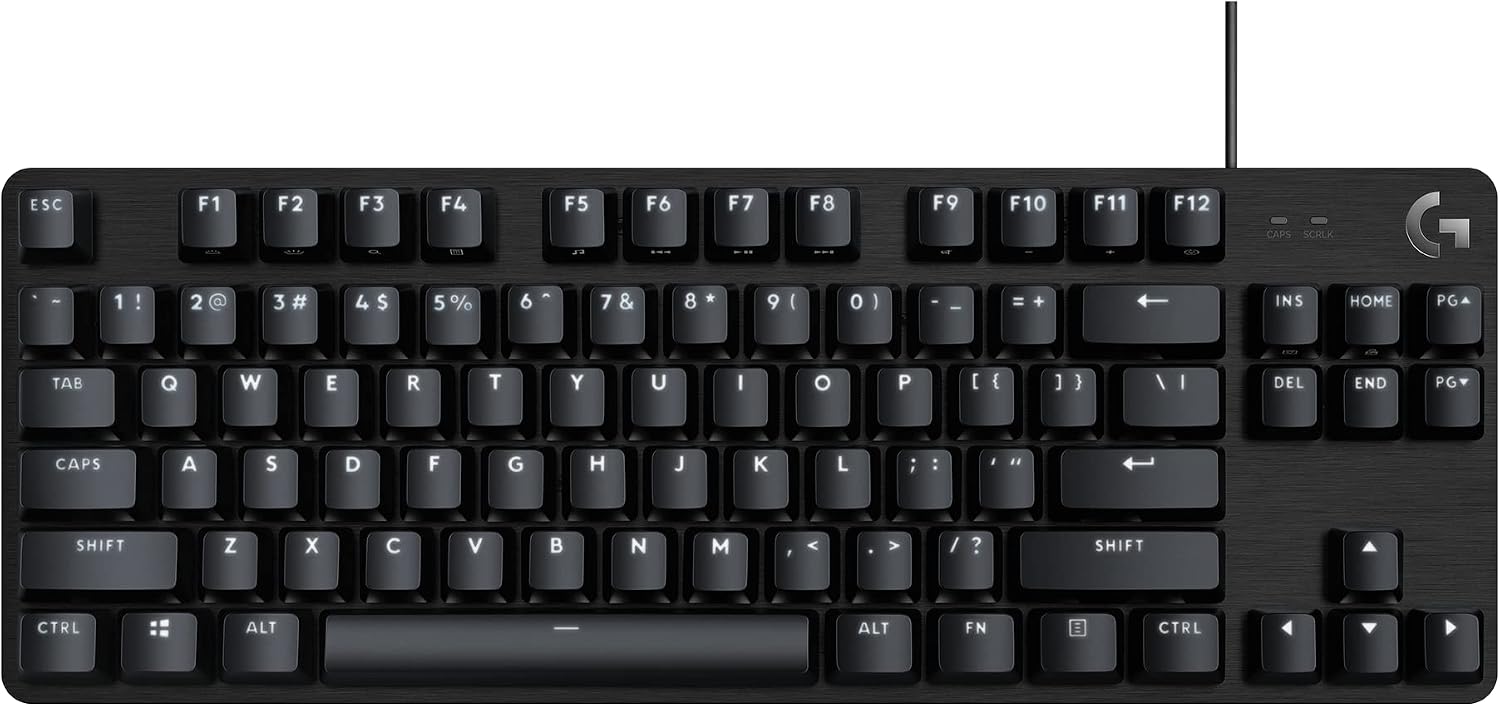
The Compact Wired Pick: Logitech G413 TKL SE (Renewed)
This is the compact, wired, no-nonsense option. Tenkeyless means the number pad is gone, which pulls your mouse hand closer to the center of the desk and gives you back several inches of mouse travel. If you play with low sensitivity or you work on a small desk, that is not a small thing.
The switches are tactile mechanical, so you get a bump without the click of the Razer Greens. The deck is black aluminum, the keys are backlit, and the board supports anti-ghosting so simultaneous keypresses register the way you expect during a game. It works with Windows and macOS, which matters if you switch machines between work and play.
The catch is in the listing: this is a renewed unit, not a new one. That is not automatically bad, and it is often how people get a metal-bodied board for less, but it changes what you do on day one. Check every key for consistent feel, look for shine or wear on the caps, confirm the cable and the feet are intact, and know your return window before you get attached to it. If a renewed board shows up with a dead key or a rattling spacebar, send it back. That is what the window is for.
For a first mechanical keyboard, a backup board, or a second setup, this is a sensible way in. Just do not expect the customization of a hot-swap deck, because the switches here are not meant to be pulled.
How I judge a mechanical keyboard
Four questions, in order.
Can I type on it for a full work week? Not an hour of gaming, a week of real work. Layout, keycap shape, and typing angle decide this, and none of them show up in a spec table. A board that fights your hands is a board you stop using.
Do the stabilizers rattle? Tap the spacebar, the shift keys, enter, and backspace, and listen for the metallic ping after the key bottoms out. Stabilizers are where budget boards save money, and rattle is the tell. It is also the cheapest thing to fix, which is why I check it first instead of returning the board.
Are the switches hot-swap? Non-negotiable in 2026. Sockets mean you can change the feel without buying a new keyboard.
Would I use it for a full week of work? That is the real test, and it is the one most reviews skip. Sound matters here too, because a board that sounds hollow or pingy on your desk will bother you more in month two than it did in hour one. Sound is half the keyboard and half the desk, so try it on the surface you actually use.
Switch feel is personal. Best means nothing without knowing whether you type for a living or game for a living, and plenty of people do both. The honest answer is to pick the switch family first, then the board, then the extras. Everything else is decoration.
The comparison table
Here is how the four boards line up on the things that decide whether you keep using them. Switch type, how they connect, and who they are actually for.
| Product | Switches | Connectivity | Best for |
|---|---|---|---|
 Visit on Amazon → Visit on Amazon →AULA F99 |
Pre-lubed linear, hot-swap | Bluetooth 5.0, 2.4GHz, USB-C | Wireless desks, tablets and consoles, anyone who wants to swap switches later |
 Visit on Amazon → Visit on Amazon →Razer BlackWidow V4 X, Green switches |
Tactile and clicky | Wired USB | Typists who want feedback, macro users, solo rooms |
 Visit on Amazon → Visit on Amazon →Razer BlackWidow V4 X, Yellow switches |
Linear | Wired USB | Shared spaces, late-night gaming, streamers |
 Visit on Amazon → Visit on Amazon →Logitech G413 TKL SE, Renewed |
Tactile | Wired USB | Small desks, first mechanical board, second setups |
The table will not tell you which switch you will love. It tells you which board matches the desk you already have, and that is the part you can actually plan for.
Should you buy the AULA F99?
Yes, if you want one board that moves between a desktop, a tablet, and a console, and you want the option to change switches later without buying a new keyboard. The tri-mode connection and the hot-swap sockets are the two features that keep a board useful for years, and this is the only one here that offers both.
The catch is that wireless and hot-swap together mean more things to check. Tap the stabilizers first, then confirm all three connection modes hold up, then decide whether the pre-lubed linears are the feel you want. If they are not, that is fine. You bought sockets, not a permanent switch decision.
Should you buy the Razer BlackWidow V4 X with Green switches?
Yes, if you want a keyboard that announces itself. Tactile and clicky feedback is satisfying in a way that no spec sheet explains, and the six macro keys, media roller, and doubleshot ABS caps make this a genuinely useful full-size deck for gaming and long typing sessions.
Be honest about your room first. The click is loud, and that is the feature, not a defect. If you work in an open office or keep a mic live, this is the wrong pick and the Yellow version is the right one. Everything else about the board is the same.
Should you buy the Razer BlackWidow V4 X with Yellow switches?
Yes, if you want the controls and the build of the Green version without the noise. Linear switches are smooth and quiet, which makes this the version to choose for shared rooms, late sessions, and desks where you also record audio.
You give up the tactile bump, and that is the whole trade. Some people type more accurately with feedback to push against. If you are not sure which camp you are in, this is the safer first mechanical keyboard of the two, because it is far less likely to bother anyone within earshot.
Should you buy the Logitech G413 TKL SE?
Yes, if you want a compact wired board with a metal top plate and you are comfortable with a renewed unit. The tenkeyless layout buys back desk space, the anti-ghosting matters in games, and the tactile switches sit between the Razer options in feel.
Just treat the renewed label as a checklist. Inspect every key, look for cap shine, check the cable and feet, and confirm the return window. Do that, and this is one of the more sensible ways to get onto a mechanical keyboard without committing to the full hobby.