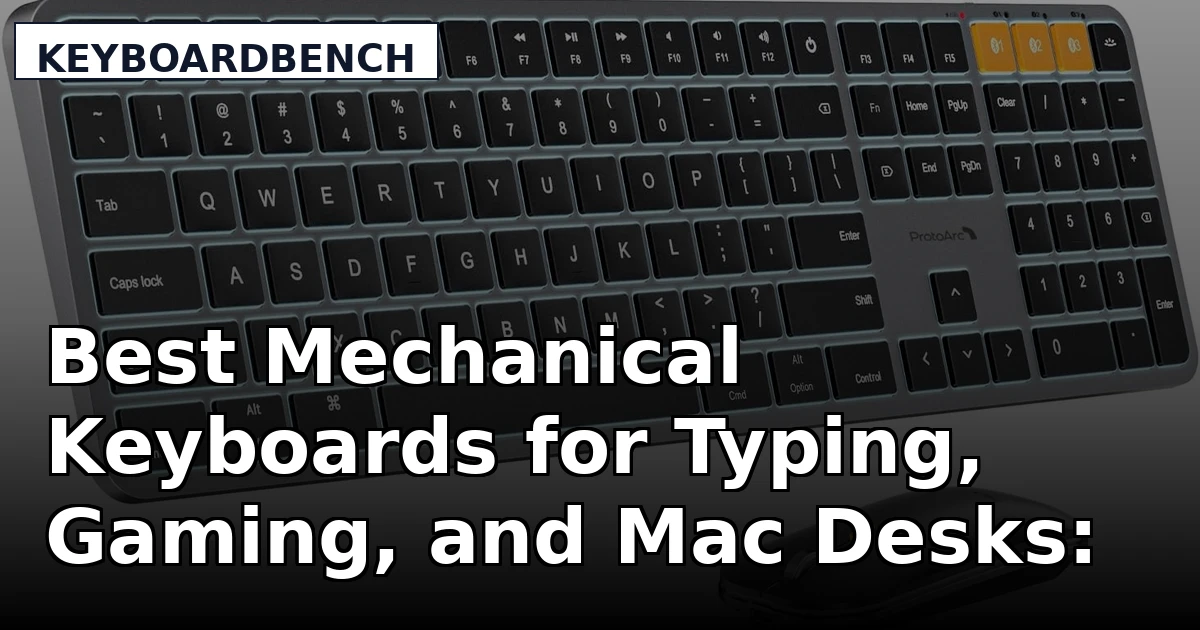
Buying a mechanical keyboard in 2026 means choosing between layouts that barely overlap. A 60% tray board, a 75% gasket mount, a 96% board with a number pad, and a low-profile Bluetooth combo for a Mac desk all solve different problems, and none of them is automatically better than the others. That is why a generic "best keyboard" list tends to be useless. This guide looks at six products that cover the realistic range: full boards in three different footprints, a Mac-oriented wireless combo, a compact clicky gaming board, and a set of linear switches for anyone who already owns a hot-swappable mechanical keyboard and wants to change how it feels. Each one is here because it does a specific job, not to fill a slot.
Related: Linear vs Tactile Switches: How to Pick a Feel
Quick answer
The RK ROYAL KLUDGE R98 Pro Wired Mechanical Keyboard is the strongest fit for daily typing that involves numbers because it combines a 96% layout with a number pad and volume knob, a gasket mount, MDA profile PBT keycaps, and hot-swappable pre-lubed linear switches. Choose the KEEBMONKEY WOBKEY Rainy 75 instead when you want a CNC aluminum case, triple-mode connectivity, and a large onboard battery.
Mechanical keyboards worth comparing
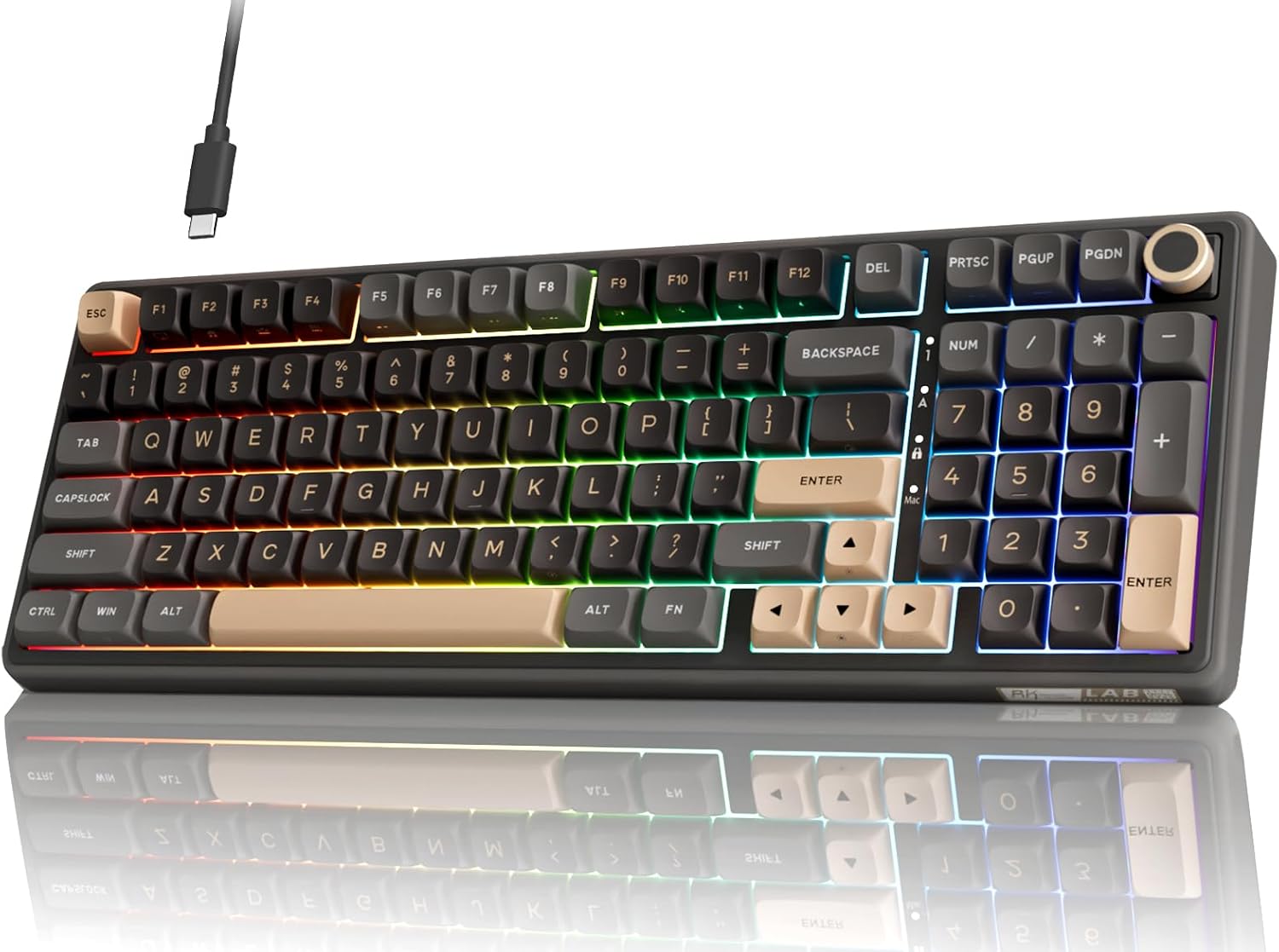
RK ROYAL KLUDGE R98 Pro Wired Mechanical Keyboard, 96% Creamy Gaming Keyboard RGB Backlit with Number Pad and Volume Knob, Gasket Mount, MDA Profile PBT Keycaps, Hot Swappable Pre-lubed Linear Switch
A 96% wired board that keeps the number pad and adds a volume knob, built on a gasket mount with MDA profile PBT keycaps and hot-swappable pre-lubed linear switches. RGB backlighting is included.
Visit on Amazon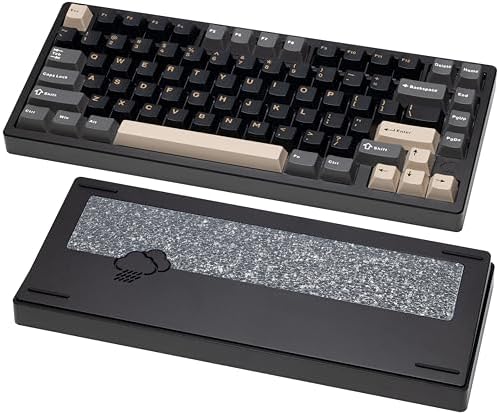
KEEBMONKEY WOBKEY Rainy 75 CNC Aluminum HMX/JWK/Cocoa Switches Triple-Mode Connectivity Mechanical Keyboard with Superior Acoustics, RGB/FR4/Silver SUS304/7000mAh/Cocoa Switch (Pro - Black)
A 75% board with a CNC aluminum case, triple-mode connectivity, RGB backlighting, an FR4 plate, a 7000 mAh battery, and Cocoa switches in the Pro Black configuration.
Visit on Amazon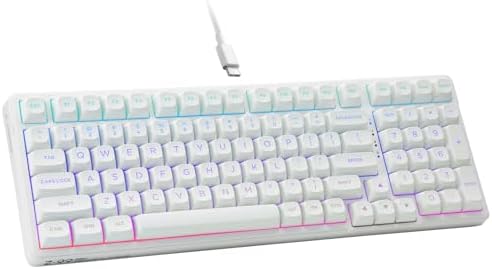
HUO JI E-Yooso Creamy Mechanical Keyboard Wired, RGB Backlit, White
A wired RGB mechanical keyboard in white, positioned as an inexpensive starting point that leaves budget room for keycaps or a switch swap later.
Visit on Amazon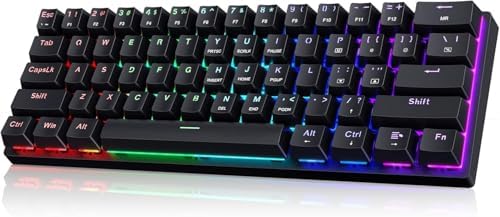
60% Wired Mechanical Gaming Keyboard with Blue Switches, LED Backlit
Check current Amazon price
A compact 60% wired board with clicky blue switches and LED backlighting, aimed at gamers who want the smallest possible footprint on the desk.
Visit on Amazon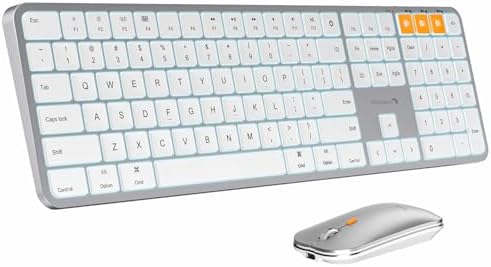
ProtoArc KM100-A Backlit Bluetooth Keyboard and Mouse for Mac, Space Gray
A backlit Bluetooth keyboard and mouse combo built for Mac, in space gray, for desks where a cable-free setup matters more than mechanical switches.
Visit on Amazon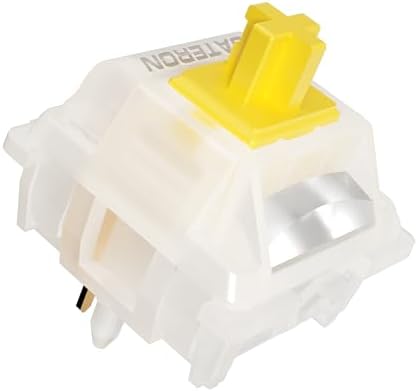
Gateron Milky Yellow Pro V2 Linear Switches,90PCS
A 90-piece set of linear switches sold as an upgrade part rather than a complete keyboard, for hot-swap boards that need a different feel.
Visit on AmazonPrices and availability may change. Check the retailer for current details.
How these products were compared
This guide compares layout and footprint, case material and mounting style, switch type and hot-swap support, keycap material and profile, and connectivity, including battery capacity where a board runs wirelessly. Those five criteria cover most of the decision a buyer actually faces, because together they determine how much desk space a board occupies, how it is likely to sound, whether the switches can be changed later without soldering, and whether a cable is part of the plan.
Product names, images, and retailer links are matched by ASIN so that every card points to the product shown. The details below come from the product listings themselves, not from measurements or lab results, and the judgments are about which product fits which job rather than which one "wins" outright.
How to choose the right mechanical keyboard
Start with layout, because it is the hardest thing to change later. A 60% board drops the number pad, the arrow cluster, and often the function row, which makes it the smallest option on a desk but pushes those keys onto layers you reach with a modifier. A 75% board adds the function row back and usually keeps arrows, which is the sweet spot for most people who type all day. A 96% board, like the top pick here, keeps the number pad and squeezes the gaps out of a full-size layout, so you get the numpad without the full width. Full-size boards remain the simplest choice if you never want to think about layers.
Next, decide on switch feel and whether you need hot-swap. Linear switches travel smoothly with no bump, tactile switches have a bump you can feel at the actuation point, and clicky switches like the blue ones add an audible click on top of that bump. Feel is personal, which is exactly why hot-swap matters: on a hot-swap board you pull the switch with a tool and push in a replacement, no soldering iron involved. If you are unsure what you like, buying a hot-swap board plus a separate set of switches is a cheaper way to experiment than buying a second keyboard. Our guide to linear versus tactile switches walks through the difference in more detail.
Then look at the case and the keycaps, because those drive both sound and long-term feel. A CNC aluminum case is denser and generally less hollow than a plastic one, while a gasket mount decouples the plate from the case and tends to produce a softer, less pingy result than a tray mount. On keycaps, PBT plastic resists the shine that ABS develops with heavy use, and profile matters too: MDA is a taller, sculpted profile with a spherical top, which changes how your fingers land on each key. Finally, settle connectivity. Wired boards never need charging and never drop a connection. Bluetooth and 2.4 GHz modes free up the desk but add a battery to manage and a dongle to keep track of. Triple-mode boards give you all three and let you decide per device.
Why the RK ROYAL KLUDGE R98 Pro is the top pick
The RK ROYAL KLUDGE R98 Pro Wired Mechanical Keyboard is a 96% board, so it keeps the number pad and adds a volume knob while trimming the empty space that makes a full-size keyboard feel wide. It uses a gasket mount, the mounting style that usually produces a softer and less hollow typing feel than a tray mount, and it ships with MDA profile PBT keycaps, a taller sculpted profile with spherical tops that resists the shine cheaper caps develop. The switches are pre-lubed linears, and the board is hot-swappable, so they can be pulled and replaced without soldering. RGB backlighting rounds out the feature list.
The trade-off is connectivity. This is a wired board, so there is no Bluetooth or 2.4 GHz option and no battery to think about, but also no cable-free desk. If you move between a laptop and a desktop machine, or you want to clear the desk entirely, wired-only is a real limitation. It is also a wide board: 96% saves room compared with a full-size layout, but not compared with a 75% or a 60%. And the pre-lubed linear switches are a starting point rather than a final answer. If you prefer a tactile bump or a click, budget for a switch swap alongside the board.
Alternatives to consider
The KEEBMONKEY WOBKEY Rainy 75 CNC Aluminum is better suited to someone who wants a smaller 75% footprint without giving up a premium case, since it pairs a CNC aluminum chassis with triple-mode connectivity and a 7000 mAh battery. The HUO JI E-Yooso Creamy Mechanical Keyboard Wired is a stronger fit when the priority is spending as little as possible on a wired RGB board in white, leaving room in the budget for keycaps or a set of switches down the line.
The 60% Wired Mechanical Gaming Keyboard with Blue Switches, the ProtoArc KM100-A Backlit Bluetooth Keyboard and Mouse, and the Gateron Milky Yellow Pro V2 Linear Switches cover the remaining jobs. The first is the smallest and most click-forward option for a gaming setup where mouse room matters. The second is a wireless keyboard and mouse pairing built for Mac desks rather than a mechanical board. The third is not a keyboard at all: it is a 90-piece set of linear switches for anyone who already owns a hot-swap board and wants to change its feel for the price of a switch set.
Day-to-day use and maintenance
Most of what goes wrong with a mechanical keyboard is fixable at the desk. Keycaps collect oil and grit, and pulling them with a wire keycap puller for a soak in warm water with a drop of dish soap brings back the texture on PBT. Let them dry completely before pressing them back on. Dust that settles between switches is best handled with a soft brush or a can of compressed air held at an angle, not sprayed directly into the switch stems.
If a board rattles, the usual culprit is the stabilizers under the long keys rather than the switches themselves. That rattle is the clearest build-quality tell on a budget board, and it is also one of the easiest things to improve: a small amount of dielectric grease on the stabilizer wire and housing quiets most of it. Sound is roughly half keyboard and half desk, so a desk mat changes the result as much as a case swap does.
On hot-swap boards, swap switches with the board unplugged and use a proper switch puller. Pull straight up rather than at an angle, and support the socket from behind if the plate allows it. Wireless boards need battery care: charge before the battery is fully drained, avoid leaving a board plugged in permanently if it is primarily used in Bluetooth mode, and expect capacity to fade over years of daily cycles. If a board has companion software, install it once to set your layout and lighting, then close it, because background configuration apps are the most common reason a wireless board reports shorter battery life than expected.
Buying checklist
- Measure the desk space you are willing to give up, then pick the layout that fits: 60%, 75%, 96%, or full-size.
- Choose switch feel based on how you normally type or play, not on one unusual use case.
- Confirm that the exact model you are buying is hot-swappable if you plan to change switches later.
- Check the keycap material and profile, since PBT and a sculpted profile age differently from thin ABS caps.
- Decide whether you need wireless before you fall for a board that only ships wired.
- Read the cleaning and switch-swapping instructions for your specific model.
- Verify the current retailer price, availability, and return terms before ordering.
Final recommendation
Choose the RK ROYAL KLUDGE R98 Pro Wired Mechanical Keyboard when you type with numbers all day, want a number pad and volume knob without a full-size footprint, and prefer a wired connection with a gasket mount and hot-swap switches. Choose the KEEBMONKEY WOBKEY Rainy 75 CNC Aluminum when a 75% layout, an aluminum case, triple-mode connectivity, and a large battery matter more than the number pad. Choose the HUO JI E-Yooso Creamy Mechanical Keyboard Wired if the goal is simply to get onto a mechanical board with RGB on a small budget, and choose the Gateron Milky Yellow Pro V2 Linear Switches if you already have a hot-swap board and only want to change how it feels. Where two products do not differ in any way that affects daily use, there is no reason to push one over the other.