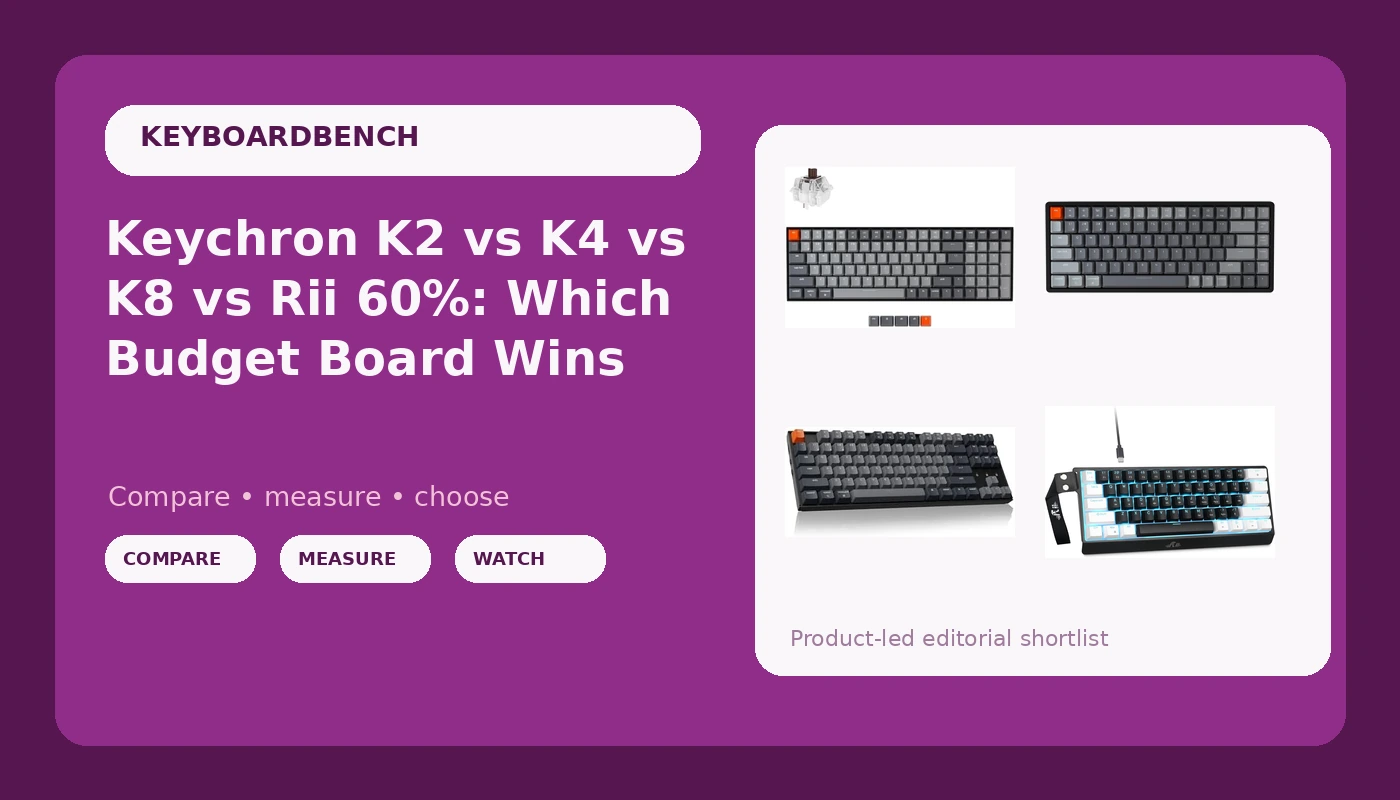
I get the same message about twice a week: someone wants one keyboard for eight hours of work, a little gaming at night, and they want it to behave on both a Mac and a Windows machine. That is the exact question this wireless mechanical keyboard comparison tries to answer. Four boards show up in my inbox more than any others right now, and three of them are Keychron: the K2 Version 2, the K8, and the K4, plus the Rii 60% wired board that keeps landing in entry-level threads because it costs less than a set of keycaps.
Related: 60% vs TKL vs Full Size Keyboards Compared
If you want one answer and you are not going to read the rest: the Keychron K2 Version 2 is the board I point most people to. The 84-key layout keeps the arrow keys and the function row, the Gateron G Pro Brown switches are the safest middle ground between typing and gaming, and it runs on Bluetooth or USB so it fits whatever desk you have. The other three win specific arguments, and I will make each of them below.
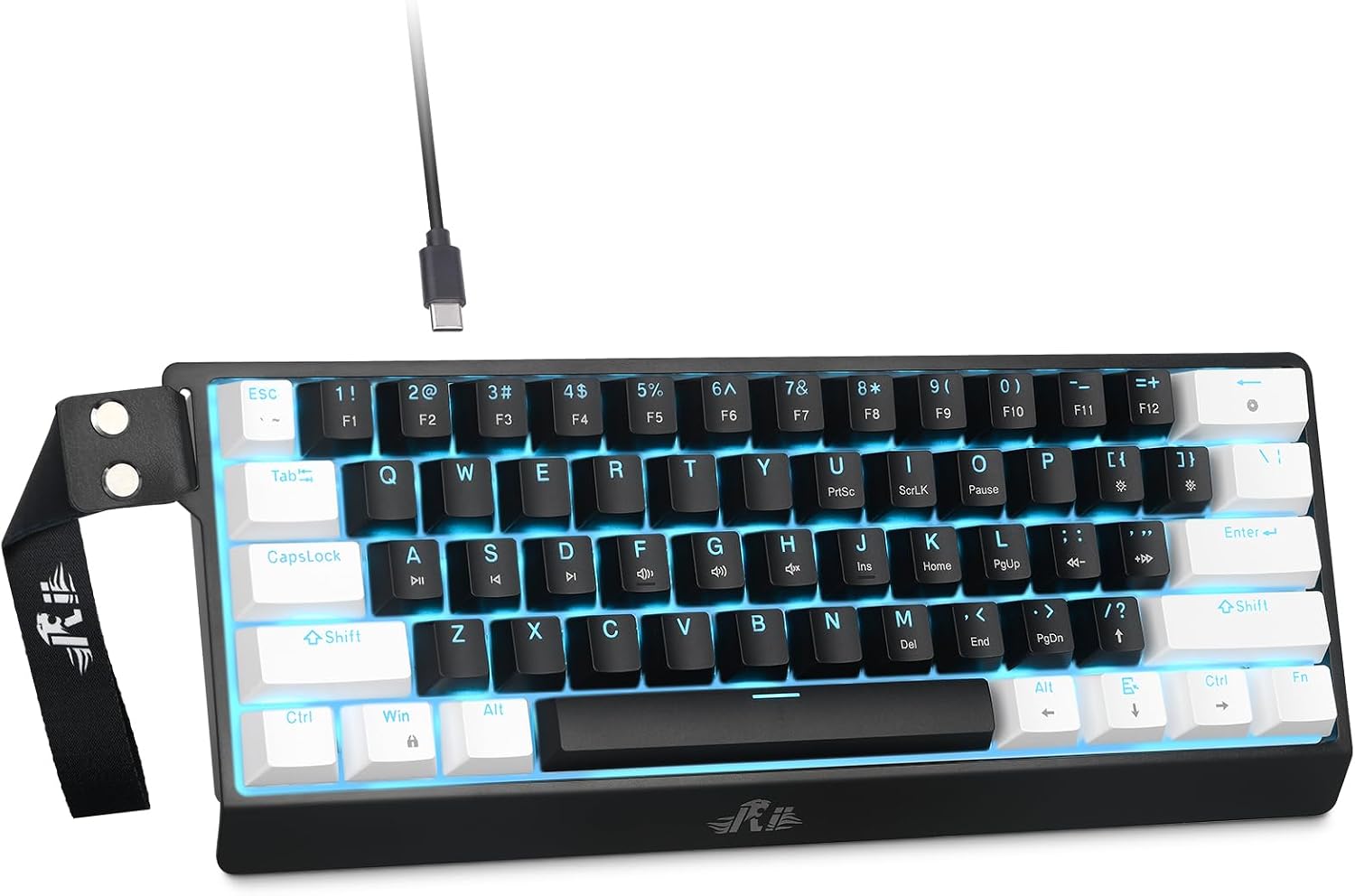
Rii 60% Wired Mechanical Keyboard
The smallest footprint in this group, linear Red switches, wired so there is nothing to charge
The 60% layout removes the arrow keys and number pad, and it is wired only
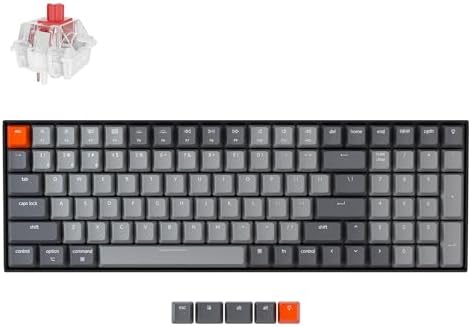
Keychron K4 96% Layout 100 Keys
A full number pad in a body barely wider than a tenkeyless, wireless or wired
100 keys means the biggest desk footprint of the four
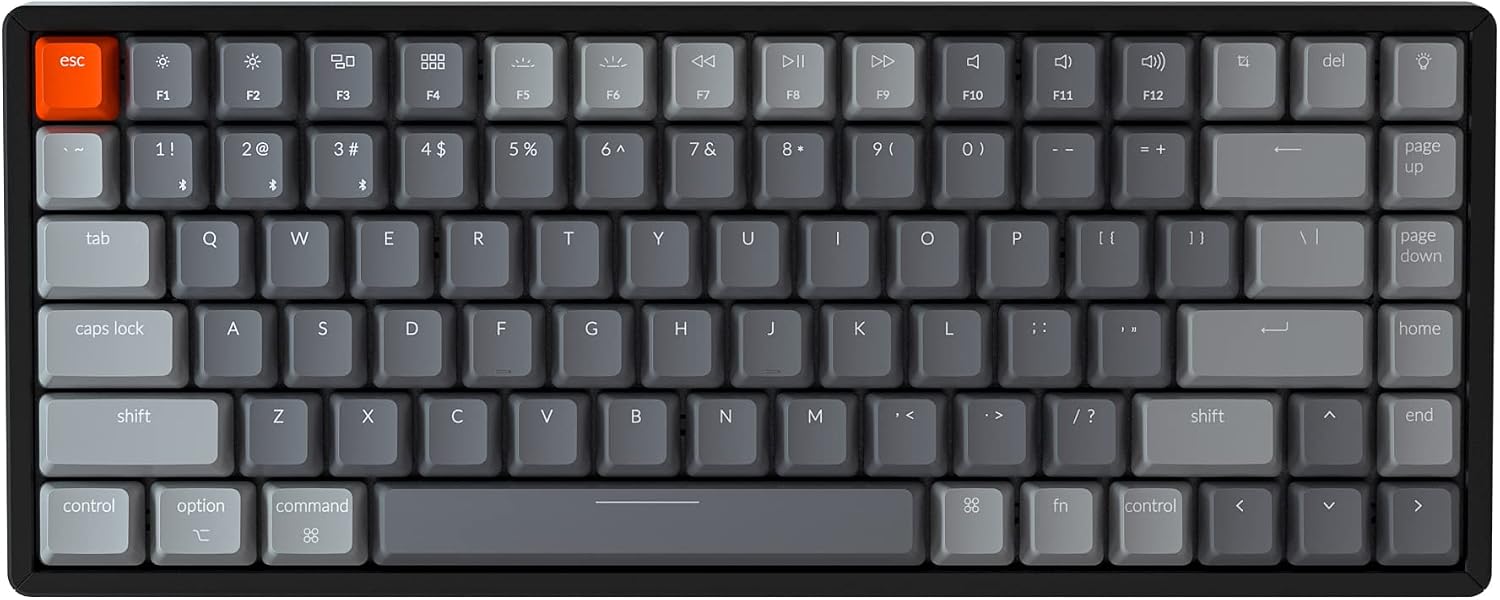
Keychron K2 Version 2, 84 Keys
84 keys keeps arrows and the function row, aluminum frame, RGB, wireless or wired
No number pad, and the compact case sits tighter than a full-size board
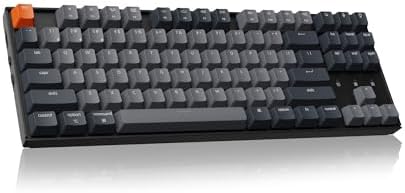
Keychron K8 Tenkeyless
Tenkeyless is the safest first layout, Bluetooth plus Type-C wired
No number pad, and the backlight is white only
Prices and availability were captured from Amazon Creators API and may change.
How I judge a board in this band
Every board I recommend has to survive the same checklist. Two weeks of daily typing, not an afternoon. A stabilizer rattle test, which means pressing every long key slowly and listening for the metallic ping that tells you where the money was saved. A switch feel comparison with my eyes closed, because marketing names lie and fingers do not. And a full work week on the thing, because a keyboard that is fun for an hour and annoying by Thursday is not a recommendation.
I do not have review units of all four of these on the bench at the same time, so treat this as a framework built from what each listing actually confirms, plus the patterns I see across the category. Where a listing does not tell you something, I say so instead of guessing.
Layout is the decision you cannot undo
Switch feel is personal and you can adapt. Layout you are stuck with. Here is the honest trade:
- A 60% board like the Rii removes the arrow keys, the function row, and the number pad. You get them back through layers, which is fine if you will learn the muscle memory and miserable if you will not.
- An 84-key compact board like the K2 keeps arrows and the function row but drops the number pad. This is the sweet spot for most people.
- Tenkeyless like the K8 is the safest first mechanical keyboard, because nothing is missing except the number pad and nothing is layered.
- A 96% board like the K4 keeps the number pad and folds everything else in tight, so it is barely wider than a tenkeyless.
Rii 60% Wired Mechanical Keyboard
The Rii is the outlier and it earns its place by being the only board here that is wired only and 60% only. Linear Red switches are the default recommendation for gaming because there is no bump to fight, and they are perfectly fine for typing once you stop expecting feedback from your fingers. If you work in a small space, share a desk, or move the keyboard between a laptop and a monitor, the footprint is the entire pitch.
What you give up is everything else. No wireless, no number pad, and no arrow keys without a layer. The listing does not confirm hot-swap sockets either, so plan on living with the Red switches unless you verify that on the product page before ordering. For a first mechanical keyboard for someone who mostly games, that is a defensible trade. For someone who types all day and lives in spreadsheets, it is not.
Keychron K2 Version 2
The K2 Version 2 is the board I recommend to the largest number of people, and the reason is boring: 84 keys is the layout most humans actually want. Arrows, function row, delete, everything you reach for without thinking, in a case that leaves room for a mouse. The aluminum frame matters more than people expect, because a heavier case does not slide around and does not sound hollow under your hands.
The Gateron G Pro Brown switches are the safe tactile choice. Brown is the switch almost everyone buys first and a fair number of people move away from later, because the bump is gentle. Gentle is exactly what you want when you split your time between typing and gaming. The K2 also gives you RGB, which I do not care about and a lot of people do, plus Bluetooth and USB wired, so you can leave it plugged in on a desktop and go wireless on a laptop.
The catch is the compact case. Key spacing on an 84-key board is tighter than a full-size board, and if you have large hands or type on a heavy wrist rest, give yourself a week to adjust. No number pad, obviously.
Check the Keychron K2 Version 2 on Amazon
Keychron K8 Tenkeyless
The K8 is the conservative pick. Tenkeyless means you keep every key that matters except the number pad, at the standard spacing you already know. It runs Bluetooth for wireless or Type-C for wired, and it carries a white backlight rather than RGB. If you are the person who turns the RGB off on day one, that is a feature and not a downgrade.
Where the K8 beats the K2 is desk space and muscle memory. If you have used a full-size keyboard for fifteen years and you do not want to relearn anything, TKL is the least disruptive step into mechanical keyboards. The switch here is Brown, the same tactile family as the K2, so the typing feel will be familiar.
Where it loses: no number pad, and a white backlight is white. If you want per-key color, that is the K2, not this.
Check the Keychron K8 on Amazon
Keychron K4 96% Layout
The K4 is the one for people who type numbers. It is a 100-key 96% layout, so the number pad survives and the navigation cluster folds in tight, which keeps the whole board barely wider than a tenkeyless. If you do bookkeeping, CAD, or heavy data entry, this is the layout that will not make you angry in month three. It runs Bluetooth 5.1 or USB wired, has white LED backlighting, and includes N-key rollover for the people who care about simultaneous keypresses.
It ships with Keychron Super Brown switches, a tactile switch in the same family as the Gateron Browns on the K2. What you trade is desk real estate. A 96% board is a big object, and if your desk is small, or you use low mouse sensitivity and sweep your arm, the K4 will be in the way.
Check the Keychron K4 on Amazon
Brown versus Red, in plain language
Tactile Brown switches have a small bump partway down the press. Linear Red switches do not. That is the whole difference that matters day to day.
Brown is the safer first switch because the bump tells you the key registered, which helps when you type fast and do not bottom out every press. Red is the safer first switch for gaming because nothing sits between your finger and the actuation point, and in competitive play that matters. Most people who type for a living and game casually should start with Brown. Most people who game seriously and type occasionally should start with Red.
The Rii is the only Red board in this group. The K2, K8, and K4 are all tactile Brown. That is not an accident: Keychron builds wireless boards for people who do a bit of everything, and Brown offends the fewest people.
Wireless is a feature until it is not
Three of these four boards are wireless. That is genuinely useful if you move between a laptop and a desktop, or if you hate cables on principle. It matters less than the marketing suggests if the board lives on one desk forever, because you are paying for a battery and a radio you will never think about again.
Here is the rule I use: buy wireless if the keyboard moves, buy wired if it does not. The Rii is wired only, and for a board that stays on a gaming desk that is not a limitation. The Keychron trio all give you both, so you can decide later, which is the real reason to pay for Bluetooth. I will not quote battery runtime for any of these, because the listings do not give consistent figures and I do not repeat numbers I cannot stand behind. Check the product page if runtime is your deciding factor.
Mac, Windows, and the small stuff
The K2, K4, and K8 listings all mention Mac and Windows support, and that matters if you switch between a work laptop and a personal machine. The Rii listing does not, so check that before you buy if you are on macOS.
The K4 and K2 also list N-key rollover, which is worth knowing about if you play games that demand multiple simultaneous presses. The K8 and the Rii do not advertise it. None of these listings confirm hot-swap sockets, so if swapping switches later is part of your plan, verify it on the product page rather than assuming.
Stabilizers and the first ten minutes
Stabilizer rattle is the difference between a board that feels expensive and one that feels cheap, and it is the first thing I listen for when a board arrives. Press the space bar, both shift keys, and backspace slowly, all the way down, and listen. A clean board is quiet. A cheap board pings.
If yours rattles, the fix is a lube job on the stabilizer stems, and it is a twenty minute job that changes how the board sounds forever. That is the one mod I would do on any of these four before I judged it.
What I would actually buy
For one keyboard that does work and play and has to last, the Keychron K2 Version 2 is the pick. The layout is the one most people want, the switches are the ones most people keep, and the aluminum frame gives it a solidity the category does not usually offer at this level. If you need a number pad, go K4 and accept the desk footprint. If you want the least disruptive upgrade from a full-size board, go K8. If you want the smallest possible object on your desk and you are fine with a cable, the Rii earns its spot.
The one thing I would not do is buy a 60% board as your first mechanical keyboard because it looked cool in a photo. Layout regret is the most common email I get, and it is the one problem no switch swap can fix.