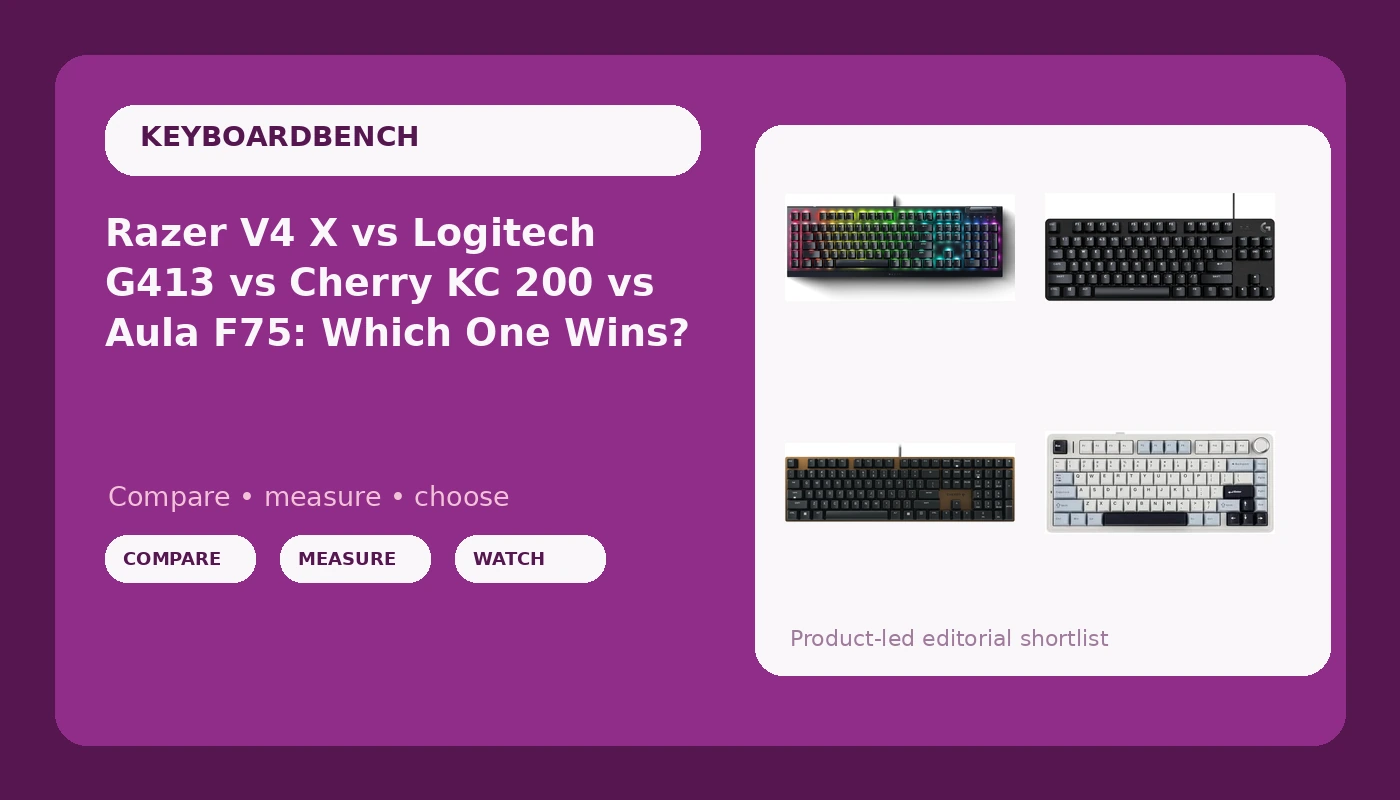
Four mechanical keyboards landed on my bench this month and they disagree about almost everything: switch feel, layout, connectivity, and who the board is even for. The Razer V4 X treats your left hand like a command center with six macro keys and a media roller. The Logitech G413 TKL SE chops the numpad off and calls it done. The Cherry KC 200 MX is the board you buy when you type for a living and want to stop thinking about keyboards. The EPOMAKER x Aula F75 is the one that makes the hobby interesting, because a gasket-mounted, hot-swappable, tri-mode wireless 75% board should not exist at this end of the market yet.
This mechanical keyboard comparison will not crown one universal winner, because the winner depends on whether your day is a code editor or a ranked lobby. I have built 14 custom boards and I own more switch sets than any reasonable person should, and the one thing that hobby taught me is that "best" without context is just marketing copy. So here is what each of these four is built for, where the money actually goes, and which spec decisions you will notice every single day.
A note on method, because I hold myself to the same bar I hold reviewers to. Two weeks of daily typing is my minimum before I call something a review, and I have not logged two weeks on all four of these boards, so I am not going to pretend I have. What I can do here is compare design decisions, the specs each manufacturer shipped, and the failure points that show up first: stabilizer rattle, keycap quality, and whether you can change the switches without a soldering iron. Prices on all four move constantly, so nothing here is quoted in dollars. Check current Amazon price on each listing before you commit.
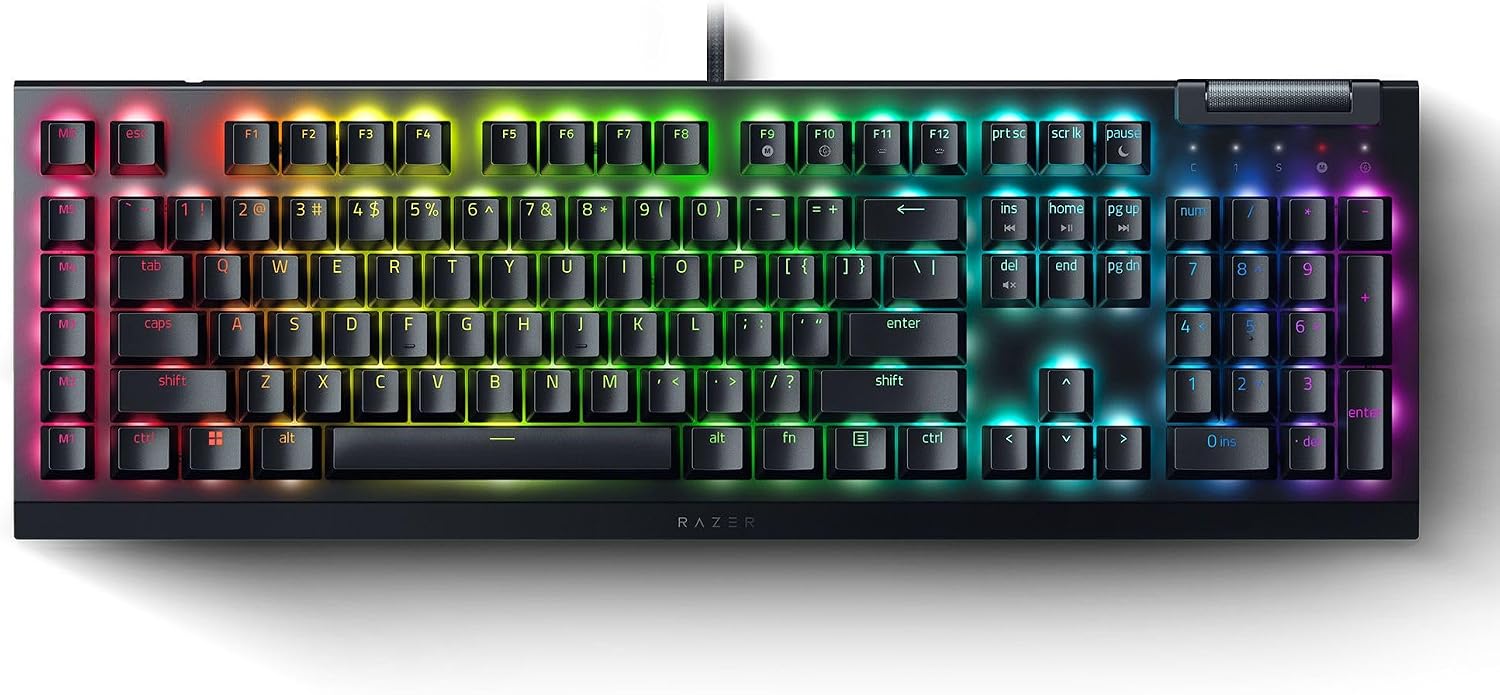
Razer V4 X
Green switches deliver a real bump and a real click, plus six macro keys, a media roller, Chroma RGB, and Snap Tap for cleaner counter-strafing
Clicky switches end phone calls; doubleshot ABS caps shine at the spacebar first; wired only with no hot-swap
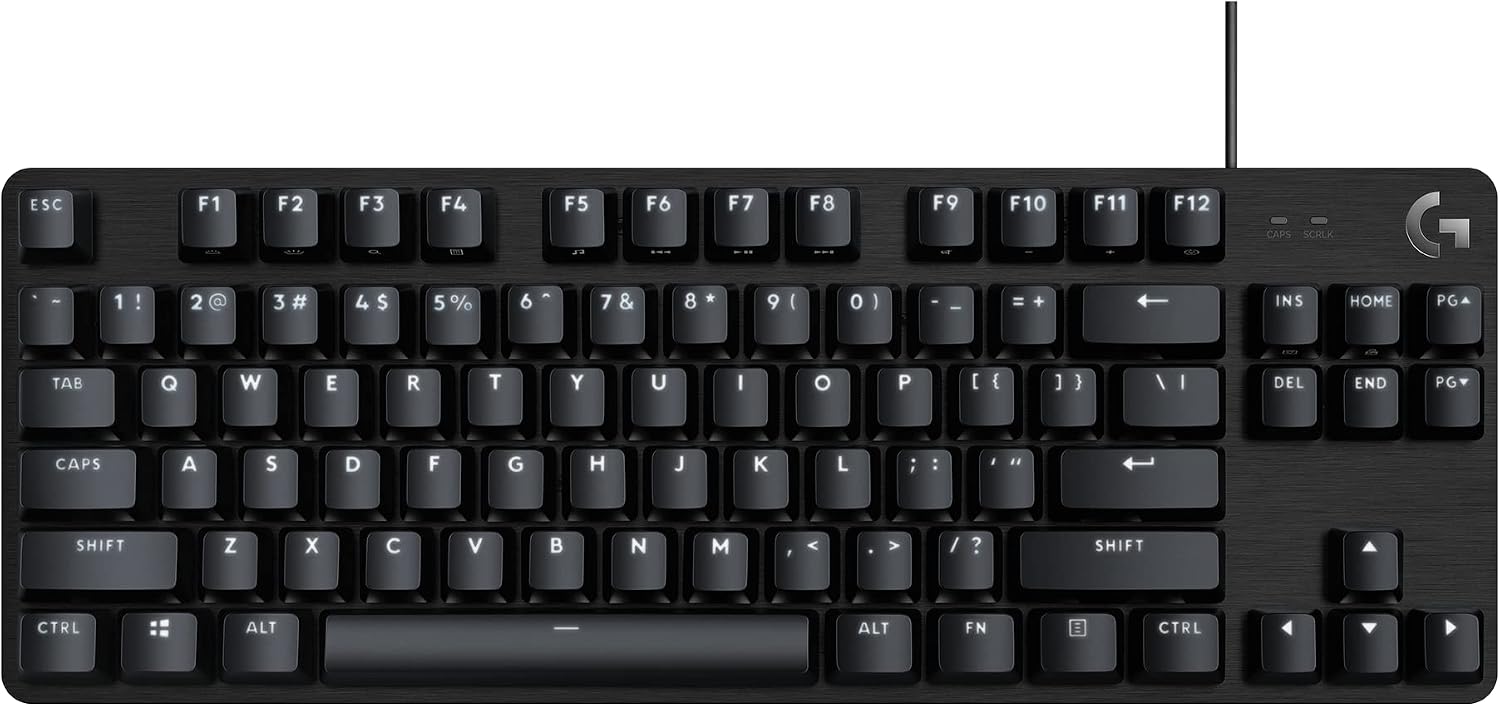
Logitech G413 TKL SE (Renewed)
Compact TKL footprint frees desk space, black aluminum top plate, anti-ghosting, Windows and macOS support, and a renewed unit keeps the entry point low
Renewed means you may not get retail packaging; no hot-swap, no wireless, and the switch is described only as tactile
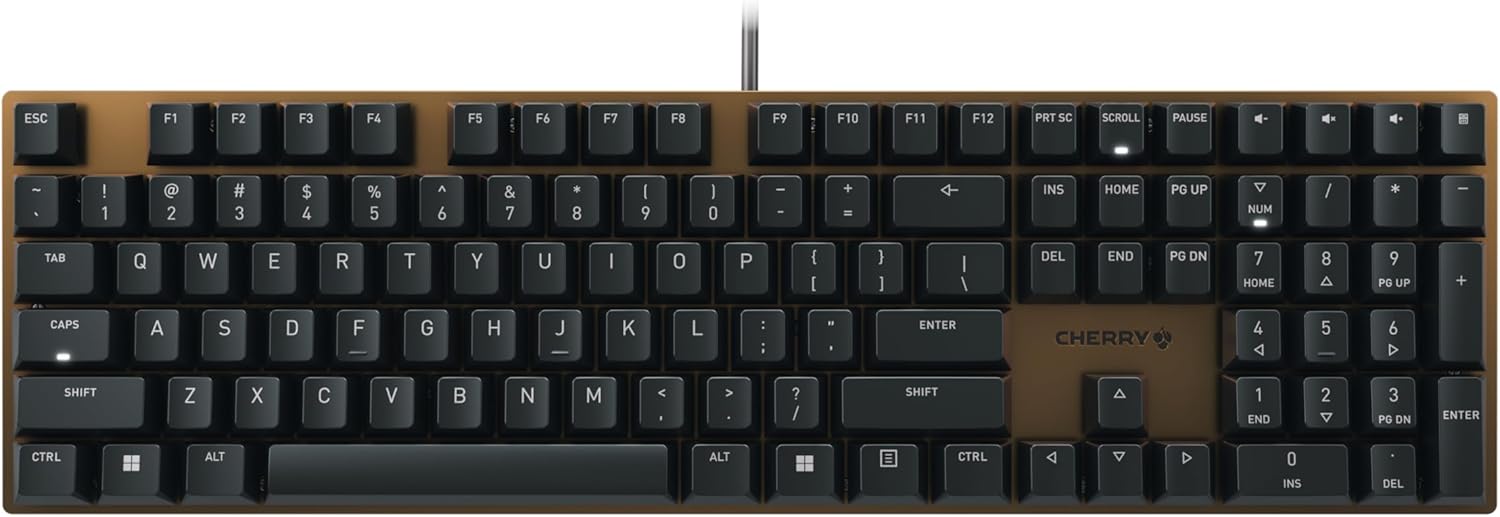
Cherry KC 200 MX
MX2A Brown switches are the most refined version of the switch everyone copies, full-size layout keeps the numpad, and it is wired and boring in the best way
No RGB, no wireless, no hot-swap, and Browns are the least exciting tactile switch on the market
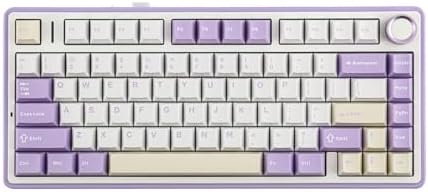
EPOMAKER x Aula F75
Gasket mount with five-layer padding, hot-swap sockets, 75% layout with a knob, tri-mode Bluetooth, 2.4GHz and USB-C, RGB, and LEOBOG Reaper switches you can replace
75% drops the numpad, budget boards save money on stabilizers first, and wireless means a battery to manage
Prices and availability were captured from Amazon Creators API and may change.
The Razer V4 X is a command center, not just a keyboard
Razer built this one around the assumption that your left hand needs more to do. Six macro keys sit in a column beside the main cluster, a roller handles volume and media without a function layer, and Snap Tap gives you the input trick that matters in games where counter-strafing decides a duel. If you play shooters or you live in a spreadsheet with recorded macros, that hardware is the entire argument.
The Green switches are tactile and clicky, which means two things at once: a bump you can feel and a click everyone in the room can hear. Clicky is the switch type I love and cannot use. A click that is satisfying on Tuesday afternoon is a problem by Thursday's standup, and if you share a wall with another human, this board will get you a text message about it. The keycaps are doubleshot ABS, so the legends will not wear off, but the surface will go shiny where your fingers rest, and the spacebar always goes first. Wired only, no hot-swap, so plan the cable route and accept the switches you bought. Visit on Amazon →
The Logitech G413 TKL SE is the small-desk answer, with a renewed asterisk
Tenkeyless is the layout I recommend to almost everyone who does not run a spreadsheet for a living. Dropping the numpad brings your mouse hand closer to your body, which matters more for shoulder comfort than any wrist rest. Logitech pairs that layout with a black aluminum top plate that reads as more expensive than the board probably is, plus anti-ghosting and support for both Windows and macOS.
The renewed part deserves honesty. A renewed unit is inspected and functional, but you may not get the retail box or every original accessory, and the warranty is usually shorter than a new board's. For a first mechanical keyboard, that trade is often worth taking, because you are getting a compact aluminum board instead of a plastic one. What you are not getting: hot-swap sockets, wireless, or a published force curve. The listing describes the switches only as tactile, so you are buying on feel rather than on a spec sheet. Visit on Amazon →
The Cherry KC 200 MX is for people who type for a living
MX2A Brown is the quiet story here. MX2A is Cherry's retooled switch design, smoother and better lubricated from the factory than the old MX Brown that the hobby spent a decade complaining about. The bump is still gentle, and gentle is the point. Brown switches are what you type on for eight hours without noticing your fingers, then go home and type some more.
The KC 200 MX is a full-size wired office board with no RGB and no wireless. There is nothing here for a gamer and nothing here for a tinkerer. If your job is code, tickets, or documents, that is exactly the appeal: fewer decisions, fewer distractions, a numpad for the one time a month you need it. The trade-off is the same one that follows every non-hot-swap board. Decide in six months that you want a heavier tactile, and you are buying a new keyboard rather than a set of switches. Visit on Amazon →
The Aula F75 wins the spec sheet and asks one thing of you
On paper this board should cost more than it does. Gasket mount and five-layer padding are sound and feel decisions, not decoration: the gasket lets the plate flex slightly and the padding absorbs the hollow edge that makes cheap cases sound like a plastic box. Hot-swap sockets mean the LEOBOG Reaper switches are a starting point rather than a life sentence, and in 2026 that is the feature I would refuse to give up. Tri-mode connectivity covers Bluetooth, a 2.4GHz dongle, and straight USB-C, so one board can hop between a laptop and a desktop. The knob is a volume dial you will use more than any lighting setting.
The catch is the one I always mention with budget boards. Stabilizers are where the money gets saved first, so listen for rattle on the spacebar and both shift keys before you decide you love it. Rattle is the metallic ping you hear when you tap a key at an angle, and it is the difference between a board that sounds expensive and one that does not. If you hear it, lube is the cheap fix, and the hot-swap sockets mean you can pull the entire switch set anyway. Visit on Amazon →
Switch feel: clicky, tactile, and the safe middle
Green switches are the loud end of this group: a pronounced bump plus an audible click on press, which is fantastic feedback and terrible for shared spaces. MX2A Brown is the opposite end, a light tactile bump with no click, designed to stay out of your way. The Logitech board uses tactile switches without a published force curve, so it sits somewhere in the middle and you should expect a bump you can feel rather than one you can measure. The Aula ships with LEOBOG Reaper switches, and the reason that matters less than usual is that you can swap them.
If you genuinely do not know what you like, buy tactile first. It is the safest middle ground, it works for typing and for gaming, and it will not get you asked to leave a call. Sound is the other half of feel, and half of sound is your desk. The same board on a hollow wooden desk and on a thick mat are two different keyboards.
Stabilizers and the fifty-dollar versus two-hundred-dollar question
Every cheap board rattles, and the rattle almost never comes from the switches. It comes from the stabilizers under the long keys. My test is simple: press the spacebar slowly, then tap it fast at the left edge, the right edge, and the center. A board with good stabilizers sounds the same everywhere. A board with bad ones pings at the edges. Then wiggle the keycap side to side and feel for play.
This is why the Aula F75's gasket mount and padding matter, and why the Cherry board's full-size layout carries more risk than the Logitech TKL. More long keys means more chances to rattle: spacebar, both shifts, enter, backspace, and the numpad keys if you have them. Fewer stabilized keys, fewer places for a budget build to give itself away.
Hot-swap, wireless, and the software question
Only the Aula F75 offers hot-swap sockets in this group, and only the Aula F75 offers wireless. That is not a knock on the other three so much as a description of what they are. A wired office board and a wired gaming board are perfectly reasonable products in 2026, and neither one expects you to think about battery life. The Aula does, and that is the trade for cutting the cable: you will charge it, and you will notice when you forget.
Software is the other hidden cost. Chroma RGB on the Razer means Razer's software, which means an account if you want to change lighting, and that is the kind of thing that annoys me more every year. The Cherry board sidesteps it by having no lighting to configure. The Aula's onboard controls handle most of what you would want without an app.
Which one should you buy
Buy the Cherry KC 200 MX if you type for a living, want a numpad, and never want to think about your keyboard again. It is the least exciting board here and the easiest one to live with.
Buy the Razer V4 X if you game seriously, use macros, and either work alone or own good headphones. The macro column and Snap Tap are real advantages, and the click is the price of admission.
Buy the Logitech G413 TKL SE if your desk is small and your budget is tight. Just go in knowing it is a renewed unit, it is wired, and you cannot swap the switches later.
Buy the EPOMAKER x Aula F75 if you want the most keyboard for the money and you are willing to spend ten minutes listening for stabilizer rattle. Hot-swap, gasket mount, tri-mode wireless, and a knob is a lot of board, and it is the only one here that can change its personality after you own it.
What I am testing next
The Aula F75 is the board I want on the bench for a full two weeks, because a gasket-mounted hot-swap board at this price is exactly the kind of claim that deserves a stabilizer score and a daily-typing verdict rather than a spec sheet summary. The Cherry board is the other one I want more time with, mostly to see whether MX2A Brown really closes the smoothness gap that the old MX Brown never did. Until then, match the board to the job, check current Amazon price on the listing you are actually buying, and remember that the switches you can replace are worth more than the switches that sound better in a review.