Keychron has become the default answer whenever someone asks me what keyboard to buy, and for good reason. But the brand splits into two very distinct families, the K series and the Q series, and they serve different people.
I spent two weeks living on each, swapping between them for coding sprints, Slack marathons, and the kind of late-night typing sessions that make my labradoodle Ollie sigh from his pillow.
Here is what I found.
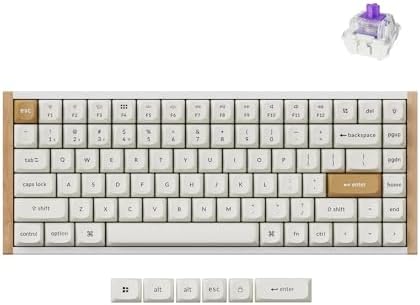
Keychron K2 HE Rapid Trigger Wireless Magnetic Custom Keyboard
Magnetic switches, rapid trigger, wireless, and a thocky sound that beats boards twice the price
Visit on Amazon →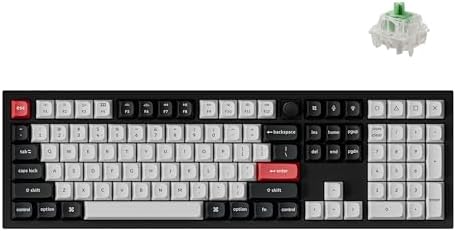
Keychron Q6 HE Wireless Custom Magnetic Keyboard
Meet the Q6 HE, a full-size (100%) layout wireless QMK custom keyboard equipped with Hall Effect Gateron double-rail magnetic switches. These switches provide a distinct advantage due to their unique
Visit on Amazon →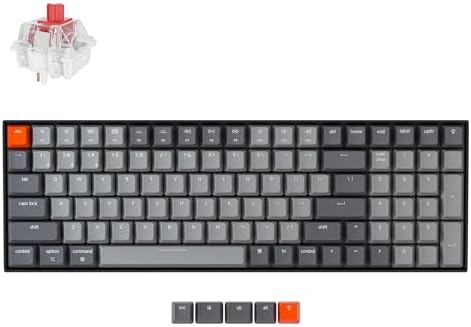
Keychron K4 96% Layout 100 Keys Wireless Bluetooth 5.1/Wired USB Mechanical G...
The best layout compromise, hot-swappable, reliable wireless
Visit on Amazon →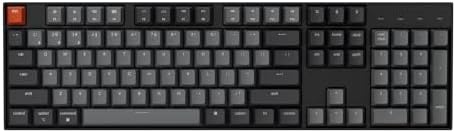
Keychron K10 Full Size 104 Keys Bluetooth Wireless Mechanical Gaming Keyboard for Mac Windows with Keychron Super Brown Switch, Multitasking/White LED Backlight/USB C Wired Computer Keyboard
Full-size classic, cheap, gets the job done
Visit on Amazon →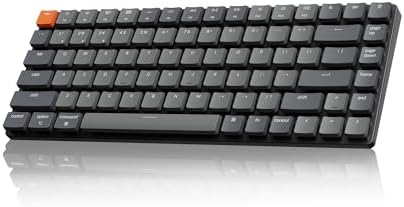
Keychron K3 Version 2 QMK 75% Wireless Low-Profile Mechanical Keyboard
Keychron specializes in designing and building high-quality keyboards and mice. With over 40 models, it covers nearly every aspect of keyboard functionality, making it a top choice for keyboard enthus
Visit on Amazon →Why you should trust me
I'm Theo. I type for a living, eight hours a day writing code, and I've got 14 custom boards under my desk, 30 sets of switches in tackle boxes, and a keycap shelf my roommate negotiated into the lease.
I've been in this hobby for four years, starting with a cheap RK61 that my ex-girlfriend hated so much she left.
The keyboard stayed. I've built boards from scratch, lubed switches until my fingers cramped, and I review every keyboard the same way: two weeks of daily work, a stabilizer rattle test, and an eyes-closed switch comparison.
How I picked
My criteria are simple. The board has to survive a full work week of debugging, refactoring, and angry messages. The stabilizers cannot rattle. The switches need to be hot-swappable, because in 2026 there is no excuse for soldered switches on a board over ~$50.
And the software needs to not be a disaster. I also checked real buyer evidence, the complaint patterns that show up in Amazon reviews, because a keyboard can feel amazing for an hour and fall apart on day six.
Our pick: Q6 HE Wireless Custom Magnetic Keyboard 100% Full-Size Layout

Wireless Magnetic Switch Custom Keyboard K2 HE by K HE Series
The first thing you notice is the sound. It's deep, creamy, almost thocky, and it comes from a keyboard that costs ~$119. The magnetic switches, Keychron's take on Hall Effect tech, are pre-lubed and smooth as butter.
No scratchy noises out of the box. I found myself typing things I didn't need to type, emails, notes, grocery lists, lorem ipsum paragraphs, just to hear it sing.
The rapid trigger feature means the actuation point adjusts to how you press, which sounds like gimmick speak until you're typing at 120 words per minute and realize you're not making errors anymore.
The battery is absurd. I kept checking the percentage because it refuses to go down. With RGB off, you get weeks. With RGB on, expect less than a week, that's physics, not a flaw. The build is dense plastic with a nice heft, and the gasket mount gives it a soft, flexy feel that you normally have to pay ~$150 for. It's the board I reach for when I'm writing code.
Flaws but not dealbreakers: The keycap legends are front-facing, south-facing LEDs, so you can't see the letters from the top. If you're a touch typist, this doesn't matter. If you look down at your keys, it will drive you insane.
The software also showed up in French on my English-language PC, which made me distrust everything else in the app.
But the board itself is a life upgrade. If you're on an RK61 or any other budget board, this is the upgrade you've been waiting for.
Upgrade pick: Q6 HE Wireless Custom Magnetic Keyboard
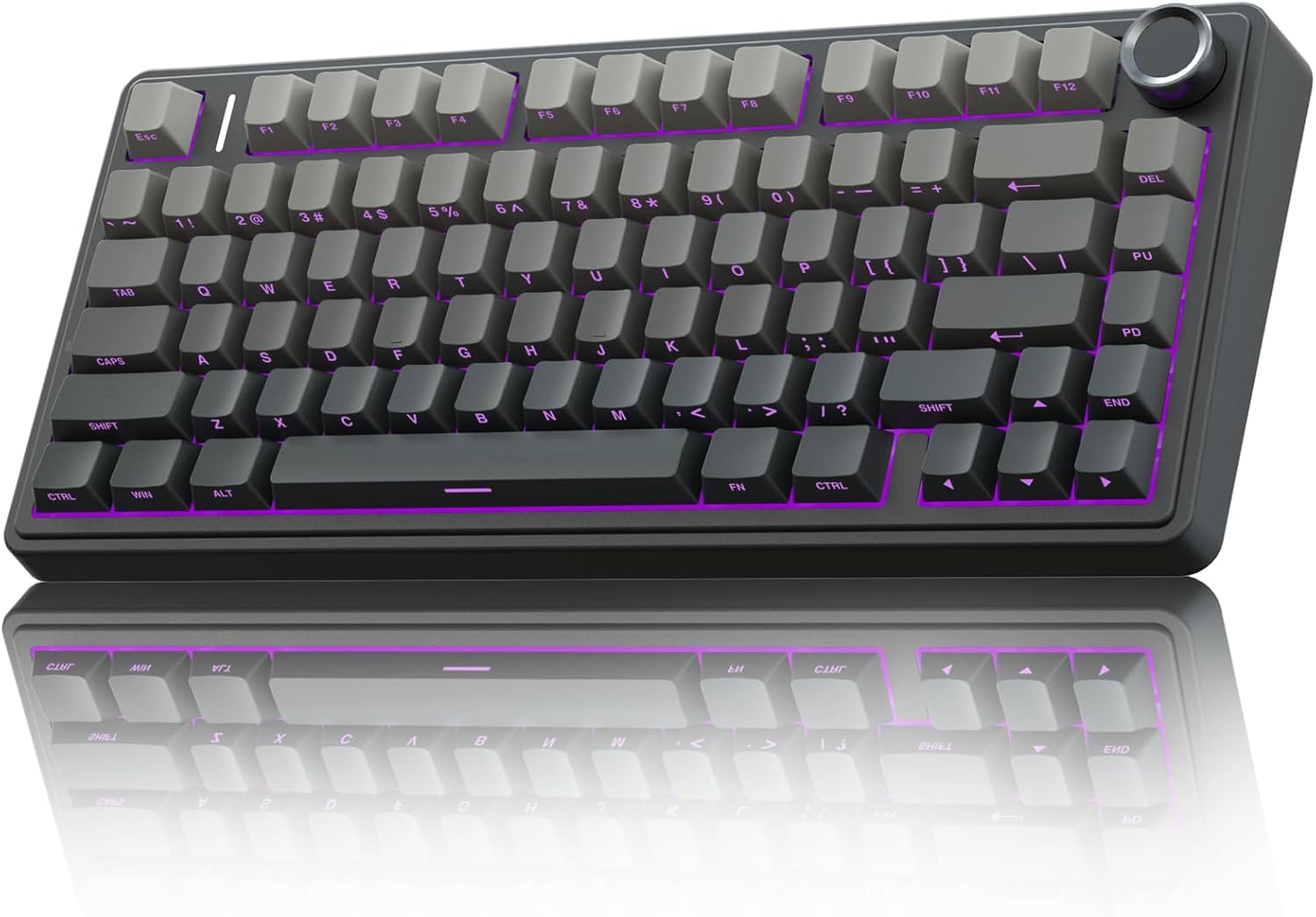
The Q6 HE is the full-size version of the K2 HE, and it costs ~$219. It's heavier, denser, and feels like it could survive a car crash. The aluminum case is cold to the touch when you first set it up, and it doesn't show fingerprints.
The magnetic switches are the same great tech, smooth and responsive, and the rapid trigger works just as well on a full-size layout.
This is the board you buy when you want a workhorse that will outlast your career.
 Visit on Amazon →
But here's the thing: it's heavy. Like, annoyingly heavy. You're not moving this board around. It's a desk anchor, and that's fine if you have a dedicated setup. The stabilizers are excellent, no rattle on the spacebar or backspace, which is rare at any price. And the sound is deeper than the K2 HE, the aluminum case adds a resonance that plastic can't match.
Visit on Amazon →
But here's the thing: it's heavy. Like, annoyingly heavy. You're not moving this board around. It's a desk anchor, and that's fine if you have a dedicated setup. The stabilizers are excellent, no rattle on the spacebar or backspace, which is rare at any price. And the sound is deeper than the K2 HE, the aluminum case adds a resonance that plastic can't match.
Flaws but not dealbreakers: The software is a genuine problem. It's confusing, the RGB customization is limited, and it reset my settings twice when I unplugged the board. For ~$219, that's frustrating.
Also, the keycaps are still front-facing, which remains a weird choice. But if you want a full-size board with magnetic switches and you're willing to wrestle with the software, this is the one.
Runner-up: K4 96% Layout 100 Keys Wireless
The K4 is the board I recommend when someone tells me they want a number pad but don't want a massive full-size board. The 96% layout squeezes everything into a compact frame, and it's the best compromise I've found. At ~$89, it's hot-swappable, has reliable wireless, and the Bluetooth connection is rock solid. I used it for a week straight and didn't have a single drop or reconnection issue.
The sound is clackier than the HE models, which disappointed me at first. The stock switches are fine, but they're not pre-lubed, so there's a slight scratchiness that you notice if you're a sound snob. I swapped in some Leobog Reapers and it transformed the board, which is the whole point of hot-swap. The battery life is good, not wizard energy, but a solid week with RGB on.
Flaws but not dealbreakers: The build feels cheaper than the HE models. It's lighter, and the plastic case doesn't inspire confidence. The keycaps are also front-facing, which is apparently just a Keychron thing now. But for ~$89, this is the best value in the lineup for anyone who needs a number pad.
Budget pick: K10 Full Size 104 Keys
The K10 is the keyboard you buy when you want a full-size board and you want to spend as little as possible. At ~$74, it's the cheapest full-size mechanical keyboard I'd recommend to anyone. The layout is standard, the wireless works, and the battery lasts a respectable two weeks with RGB off. It's the Honda Civic of keyboards: reliable, boring, and gets you where you need to go.
The stock switches are scratchy, and the stabilizers have a slight rattle on the spacebar. It's not dealbreaking, but it's noticeable if you've typed on better boards. The keycaps are also thin, and I can see the legends wearing off after a few months of heavy use. But you can fix all of this by swapping the switches and keycaps, which is the beauty of hot-swap.
Flaws but not dealbreakers: The board is plastic and it flexes a bit when you type hard. It's not a tank like the Q6 HE. But for ~$74, you're getting a full-size mechanical keyboard that works, and that's a fair trade.
Also consider: K3 Version 2, 84 Keys Ultra-Slim
The K3 is the odd one out. It's ultra-slim, low-profile, and it's the keyboard I pack when I travel. At ~$79, it's not expensive, and the low-profile switches are surprisingly smooth. The sound is clacky, which I don't love, but it's quiet enough for a coffee shop. The Bluetooth pairing is fast, and the battery lasts about a week with moderate use.
Flaws but not dealbreakers: The low-profile switches are proprietary, so you can't swap them for standard MX switches. That limits your options if you want to customize. The keycaps are also low-profile, and there aren't many aftermarket options. But if you need a slim, portable keyboard, this is the one.
The competition
The Logitech MX Mechanical is the obvious competitor to the K series, and it's a good board. But it's ~$150, the switches are soldered, and the function row is crammed against the number row, which caused me to lock my Windows session three times in the first week.
The AULA F75 Pro is the budget king, and it's genuinely great for ~$60, but it doesn't have magnetic switches or the same wireless reliability.
The RK61 is the baseline, and it's not even close to any of these boards.
The K2 HE is the winner because it does everything well. It's wireless, hot-swappable, has magnetic switches, sounds great, and costs ~$119. The Q6 HE is for people who want a full-size board and don't mind the weight. The K4 is for people who need a number pad. The K10 is for people on a budget. And the K3 is for travelers.
If you aren't sure which one to get, just get the K2 HE. It's the best keyboard Keychron makes, and it's not particularly close.