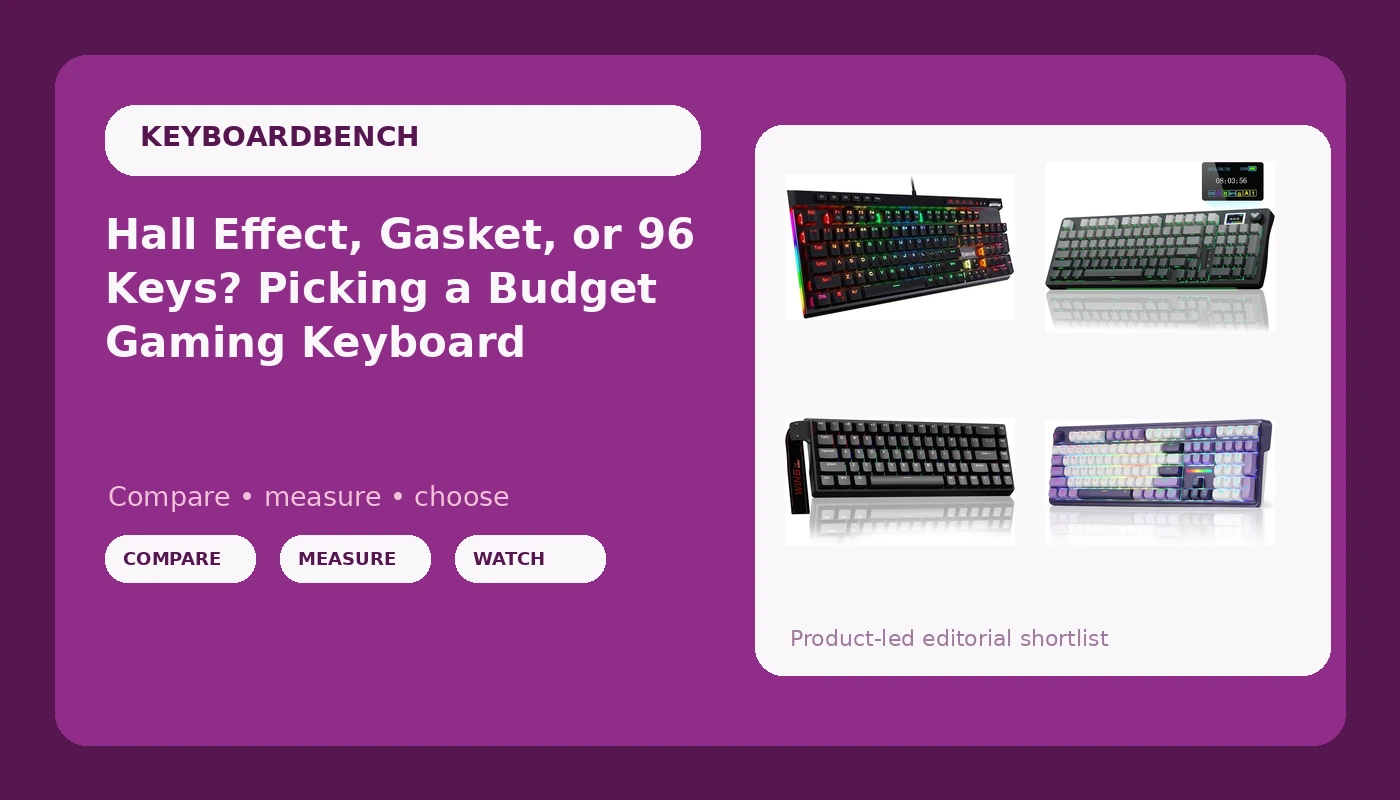
Shopping for a budget mechanical gaming keyboard in 2026 is less about finding the cheapest listing and more about picking a design that matches how you actually use your desk. Four boards in roughly the same spending band can behave nothing alike. One is a 60% wired board built around magnetic Hall Effect switches. One is a 96-key wireless model with a screen and a knob. One is a full-size 108-key wireless board with a gasket mount. One is a classic wired full-size with a macro key and a media wheel. Budget mechanical gaming keyboards are not interchangeable, and a spec sheet will not tell you which compromise you are accepting.
This guide walks through those four options, what each one is actually built to do, and the questions worth answering before you spend anything. It does not crown a single winner, because layout and switch type are personal in a way that a ranking cannot capture.
Related: Hot-Swap vs Soldered: What Actually Matters in 2026 →
Quick answer
Start with the layout, because that is the decision you cannot change later. If you need a number pad and want to sit back from the desk without a cable, the Redragon K745 PRO is the full-size wireless option here. If you want most of that function in a narrower footprint and like having a screen and a knob on the board itself, the AULA S98 Pro is the compact wireless pick. If your priority is competitive response and you can live with a 60% layout and a cable, the AULA WIN68 HE brings Hall Effect switches with adjustable actuation and a fast trigger mode. If you want a plain wired full-size board with a dedicated macro key and a media wheel, the Redragon K580 is the straightforward choice.
None of these is universally the best board, and none is the right answer for every desk. The differences that matter are form factor, switch type, and connection, in that order.
Four useful options
| Model | Best fit | What stands out |
|---|---|---|
| Redragon K745 PRO Wireless 108-Key Gasket RGB Gaming Keyboard, 4 Hotkeys | Full-size wireless desk setup | 108-key layout, gasket mount, wireless connection, four dedicated hotkeys |
| AULA S98 Pro Wireless Mechanical Gaming Keyboard with Screen, Knob, 96 Keys | Compact wireless with on-board controls | 96-key layout, wireless connection, built-in screen, rotary knob |
| AULA WIN68 HE Mechanical Gaming Keyboard 60%, Hall Effect Magnetic Switch, Fast Trigger Mode Adjustable Actuation, 8000Hz Polling Rate, RGB Backlit, Wired Black Keyboard for Laptop/PC Gamer | Competitive gaming on a small layout | Hall Effect magnetic switches, adjustable actuation, fast trigger mode, 8000Hz polling rate |
| Redragon K580 Wired RGB Mechanical Gaming Keyboard, Macro Key & Media Wheel | Wired full-size with quick controls | Wired connection, RGB backlighting, dedicated macro key, media wheel |
Full-size wireless: Redragon K745 PRO Wireless 108-Key Gasket RGB Gaming Keyboard, 4 Hotkeys
The trade with any wireless full-size board is that you are paying for the radio and the mount instead of for extras. There is no screen and no knob here, and the hotkeys take the place of a rotary control. What you get in return is the layout most people already know how to use, with a softer case feel than a rigid tray-mount design usually delivers. If you spend your day in spreadsheets or on a numpad, that trade tends to be the right one.
Compact wireless: AULA S98 Pro Wireless Mechanical Gaming Keyboard with Screen, Knob, 96 Keys
The screen and knob are the reason to consider this over the K745 PRO, and they are also the reason it costs more thought. On-board controls are genuinely useful, but they add a layer of configuration that a plain board does not have, and how much you enjoy them depends on how often you fiddle with lighting, volume, or profiles. The 96-key layout also asks for a short adjustment period if you have only ever typed on a full-size board, since the clusters sit closer together.
Small and fast: AULA WIN68 HE Mechanical Gaming Keyboard 60%, Hall Effect Magnetic Switch, Fast Trigger Mode Adjustable Actuation, 8000Hz Polling Rate, RGB Backlit, Wired Black Keyboard for Laptop/PC Gamer
The obvious trade is the layout. A 60% board means layers and shortcuts for anything you used to press as a single key, and that is a real cost if you also write code or documents on the same desk. The second trade is the cable. Hall Effect boards generally lean wired because the sensing and polling demand it, so if wireless is a hard requirement, this is not the pick. If it is not, this is the only board here that lets you move the actuation point instead of living with a fixed one.
Wired full-size: Redragon K580 Wired RGB Mechanical Gaming Keyboard, Macro Key & Media Wheel
The media wheel is the small thing you end up using every day, and the macro key is worth more than it sounds if you repeat the same sequence constantly. The trade is that this is a wired board with a standard full-size footprint, so it takes the most desk space of the four and gives you no option to unplug and move to the couch. If those do not matter to you, it is the most predictable choice in the group.
Prices and availability may change. Product images, names, and retailer links are matched to verified listings. No current price, rating, stock status, or measured result is stated here without current evidence.
What Hall Effect switches actually change
A standard mechanical switch is a physical contact. You press the stem down, two metal pieces meet at a fixed point, and the key registers. That point is set at the factory, and the reset point sits somewhere above it, which means you have to lift the key a certain distance before it can register again.
Hall Effect switches replace the contact with a magnetic field and a sensor. The stem carries a magnet, the board reads how far it has traveled, and the actuation point becomes a number in software rather than a physical fact. That is what "adjustable actuation" means in practice. You can set a key to register with a very shallow press for gaming, or a deeper one for typing where you do not want accidental inputs.
Fast trigger mode, sometimes called rapid trigger, builds on the same idea. Instead of a fixed reset point, the switch resets the moment you begin releasing, so repeated taps register faster than they would on a contact-based switch. This is the part that is not marketing. It is measurable, and it changes how a board feels in a fast game.
The cost is that Hall Effect boards behave differently from the mechanical switches most people know. The feel tends to be smooth and linear, the sound profile is different, and configuration lives in software. They also tend to be wired, which is why the WIN68 HE in this group is a cabled board.
How to compare budget boards fairly
Budget boards are where manufacturers cut corners, and the cuts are rarely visible on the spec sheet. The features that get advertised are the ones that photograph well: RGB, a screen, a knob, a polling number. The things that decide whether you enjoy typing on a board for two years are the ones nobody lists.
The most reliable approach is to compare boards on the things you cannot change later, and accept that the rest is preference. Layout is first because it is permanent. Switch type is second because it determines feel and, on Hall Effect boards, whether you can tune it at all. Connection is third, and it is a genuine trade rather than a strict upgrade. Extras like screens, knobs, macro keys, and media wheels come last, because they are nice to have but rarely decide whether a board is worth keeping.
A useful habit is to think about the board you already own and name the two things that annoy you most. If the answer is "it rattles" or "it feels hollow," that is a build quality problem and no feature list will fix it. If the answer is "I keep reaching for a volume dial" or "I want a number pad," you are choosing between the boards above on features, which is the easier problem.
- Decide whether you need a number pad, because that eliminates half the options immediately.
- Decide whether you need wireless, and accept that Hall Effect boards usually mean a cable.
- Pick the switch behavior you want: a fixed mechanical feel, or an adjustable magnetic one.
- Rank the extras honestly: a screen and a knob are worth more to some people than to others.
- Plan to check the stabilizers first when the board arrives, since that is where budget boards most often show their cost.
Practical guidance that applies to all four
- Give any new board a full week before judging it. Layout and switch feel both take time to stop feeling wrong.
- Set your lighting and profiles once, then leave them. Boards that require an account-based app to change the RGB are the ones people stop configuring.
- If a key sounds metallic or hollow when you press it near the edges, that is stabilizer noise, and it is the first thing worth addressing on a budget board.
- Keep the original packaging for the first month. It makes a return straightforward if the layout turns out not to suit you.
- If you game on a Hall Effect board, start with a moderate actuation setting rather than the shallowest one, and move it only when you know why you are moving it.
Which option should you choose?
Choose the Redragon K745 PRO when you want a number pad, a wireless connection, and a gasket-mounted full-size board without extra on-board controls. Choose the AULA S98 Pro when you want a narrower wireless board and you will actually use the screen and the knob. Choose the AULA WIN68 HE when competitive response matters more than layout comfort and you are willing to work on layers instead of a numpad. Choose the Redragon K580 when you want a wired full-size board with a macro key and a media wheel and no battery to think about.
The caveat worth repeating: the details above come from the product listings, not from a lab. Actuation range, polling behavior, and mount design all describe how a board is built, but none of them tells you whether you personally will like typing on it. Switch feel is personal, and the only reliable test is a week of daily use.
The bottom line
There is no single best budget mechanical gaming keyboard in this group, because the four boards are answering four different questions. The K745 PRO answers "full-size and wireless." The S98 Pro answers "compact and wireless with controls on the board." The WIN68 HE answers "small, wired, and tunable at the switch level." The K580 answers "wired, full-size, and uncomplicated."
Pick the layout first. Then pick the switch type you want to live with. Everything else, the screen, the knob, the macro key, the media wheel, is a detail you can rank once those two decisions are made.