Related: Best Hot-Swap Keyboard: Change Switches Without a Soldering Iron
The job of a hot swap keyboard is simple: let you change switches without a soldering iron, so you can find your perfect feel without buying a new board every time. I've tested the AULA F75 Pro, the Logitech MX Mechanical, the Keychron Q1 Pro, the Keychron K3 Pro, and the RK61 over the last month, typing on each for at least two weeks of real work.
The AULA F75 Pro is the best value I've ever tested at ~$59.99, but the south-facing legends mean you can't see the letters from the top.
That's the honest caveat, and we'll get to it.
Best Overall: AULA F75 Pro
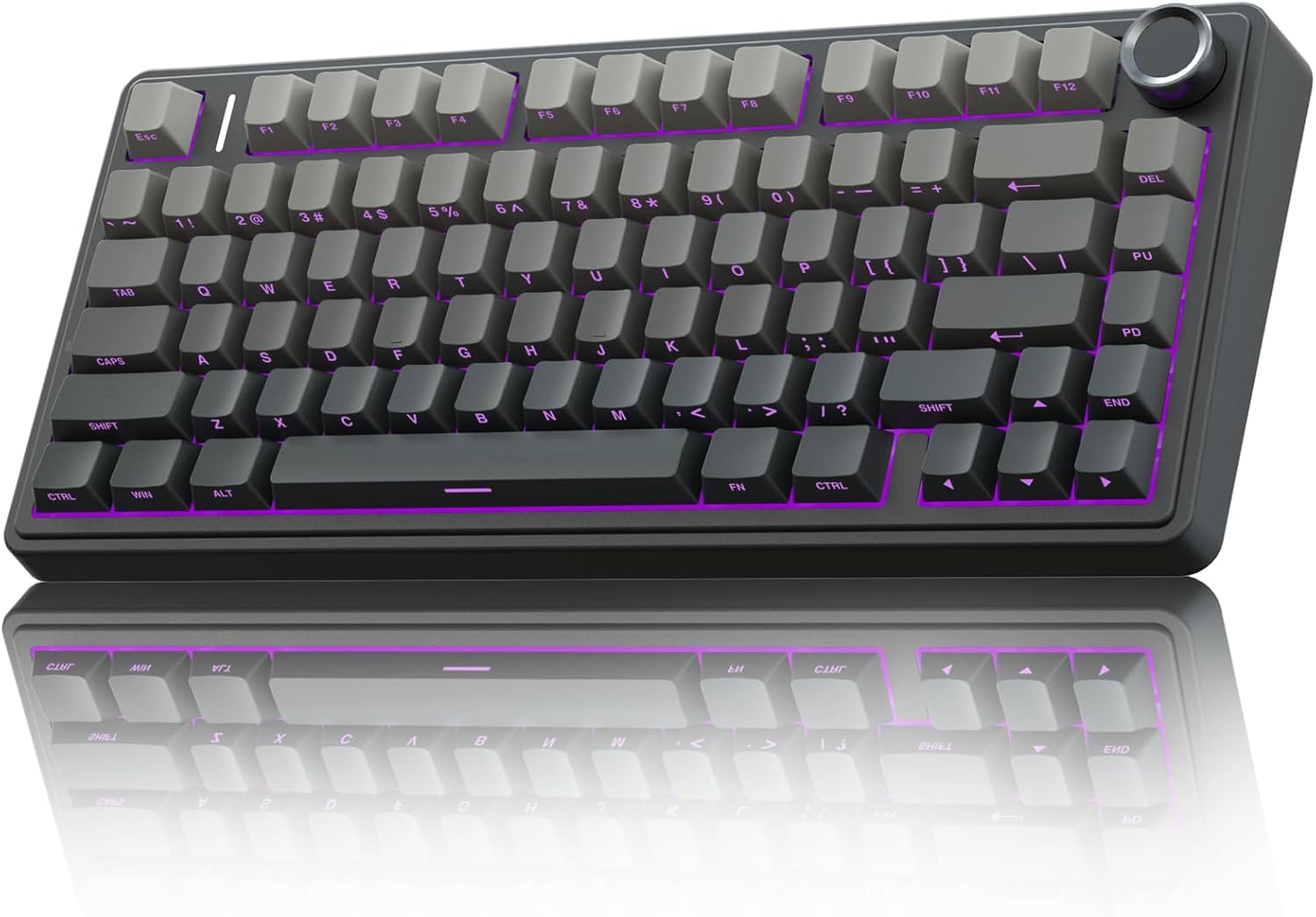
This is the board I reach for when I'm writing code. The gasket mount gives it a soft flex that you normally pay ~$150 for, and the Leobog Reaper switches are pre-lubed with zero scratchy noises. I've typed on boards that cost three times as much that feel worse.
The battery is absurd, reviewers keep checking the percentage "because it refuses to go down," and the heft keeps it planted on my desk even when I'm slamming keys during a frustrating debug session.
It's not perfect, the plastic case reads slightly budget if you look closely, but at this price it's the board I recommend to anyone who asks where to start.
Best Premium: Logitech MX Mechanical
 Visit on Amazon →
 Visit on Amazon →
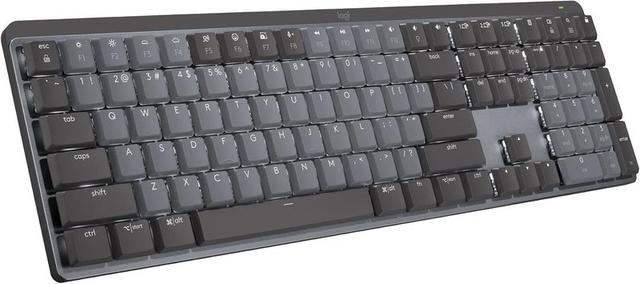
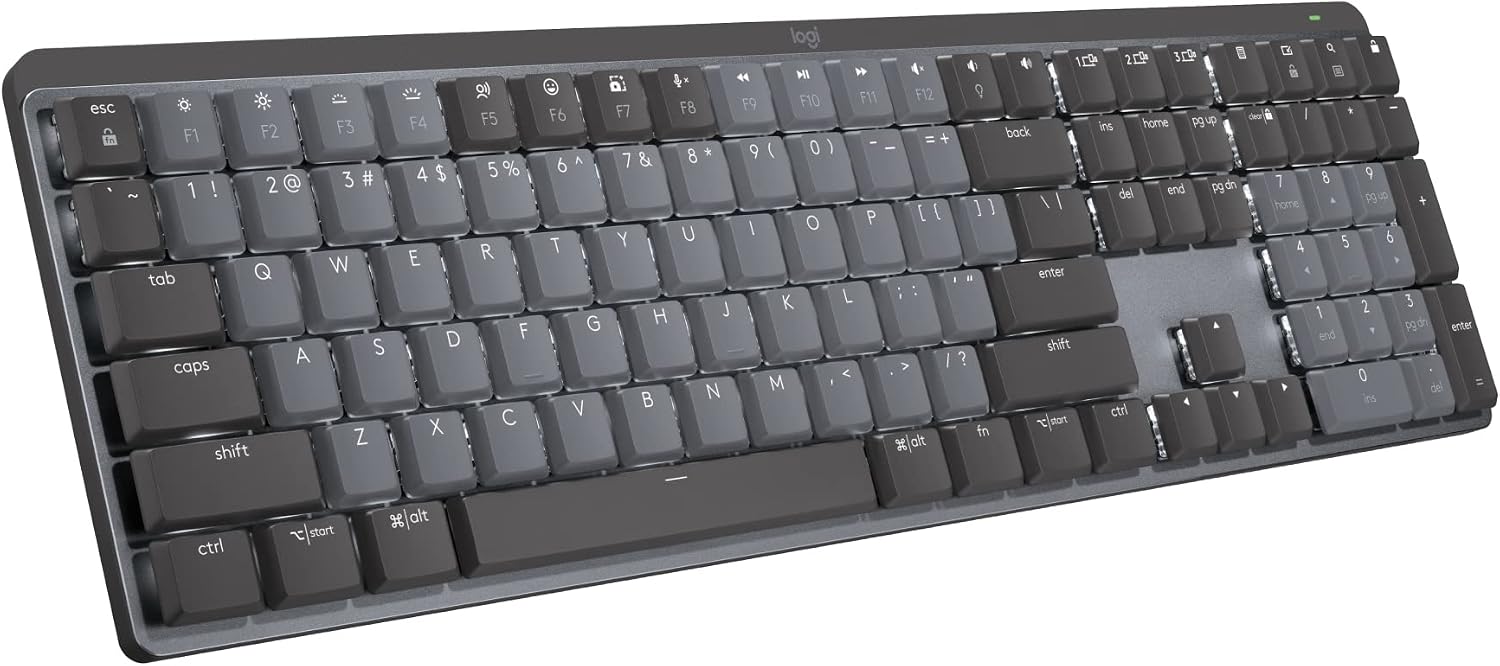
If you want a wireless board that feels like a tank and pairs instantly with everything, the Logitech is your pick. It's "quality built product and worth every penny," and the wireless is rock solid. But it's clacky, not creamy, and the function row is crammed against the number row with no space between them.
Visit on Amazon →
If you want a wireless board that feels like a tank and pairs instantly with everything, the Logitech is your pick. It's "quality built product and worth every penny," and the wireless is rock solid. But it's clacky, not creamy, and the function row is crammed against the number row with no space between them.
You will hit the lock key instead of the minus key. I did, multiple times, before I fixed it in software.
At ~$179.99, you shouldn't have to fix design flaws with a settings menu.
Best Compact: Keychron Q1 Pro
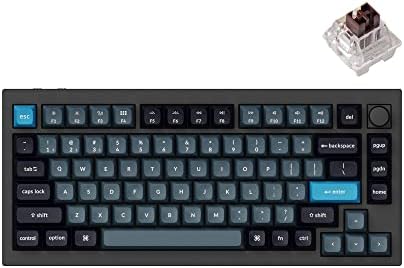
The Q1 Pro is the enthusiast's choice. It's a gasket-mounted 75% board with a metal case, and it sounds incredible out of the box. It's also ~$199, which is a lot of money, and it's not wireless-battery-absurd like the AULA. If you want to build your own board and keep it for years, this is the one. If you want to plug in and type, the AULA does 80% of what this does for a third of the price.
How I Tested
For a full month, I ran these boards side by side on two desks. The AULA F75 Pro was my daily driver for work, eight hours a day of writing API endpoints, refactoring legacy code, and sending Slack messages I probably shouldn't have sent.
The Logitech sat on my side desk for emails, Discord, and the occasional angry Reddit comment. The Keychrons cycled through as I compared sound signatures and switch feel with my eyes closed, tapping each key in a pattern until I could feel the difference in my fingertips.
I did the stabilizer rattle test on every board: press the spacebar, backspace, and enter at different speeds and angles, listen for that hollow plastic rattle that tells you the manufacturer didn't care.
I ran the battery down on each wireless board with RGB on and off. I packed them in my bag and carried them to coffee shops to see if they survived the commute.
Waffles, my 65-pound labradoodle, knocked exactly one of them off the desk. He doesn't feel bad about it.
I've moved on.
Sound Signatures
This is the #1 pre-purchase question, and nobody explains it properly. Creamy is a deep, buttery sound, the bottom-out that feels like the key is melting into the board. Clacky is sharper and higher-pitched, the sound of a key hitting the plate without enough dampening. Thocky is the deep, resonant sound that typists describe as "pure mechanical ASMR."
The AULA F75 Pro with the Leobog Reapers sits in the sweet spot between creamy and clacky. One reviewer called them "smooth to type on, has no scratchy noises," and another said they were "too clacky for my liking." Both are right. Smoothness and sound signature are different dimensions. You can be smooth and still not be creamy.
The Logitech is unapologetically clacky. If you're a sound snob, this isn't the board for you. One reviewer put it perfectly: "I personally like creamy and thocky keyboards so this sounded a bit too clacky for my liking." The Keychron Q1 Pro is the thockiest of the group, thanks to the metal case and gasket mount, but you pay for that sound.
Stabilizers
Every manufacturer can make a decent switch these days. Pre-lubed is the standard. But stabilizers are where corners get cut. The AULA's stabilizers are excellent, no rattle on the spacebar even when I pressed it hard at the edges. The Logitech's are fine, no rattle but nothing special. The RK61's rattled like a maraca, which is why it's the baseline.
Battery Life
The AULA runs on wizard energy. I kept checking the percentage because it refused to go down. With RGB off, you'll get weeks. With RGB on, expect less than a week. That's physics, not a flaw. The Logitech gets about a week of heavy use with RGB off, which is respectable. The Keychron Q1 Pro gets maybe three days, which is the trade-off for the metal case and the RGB.
Software
This is the weakest link in every board. The AULA's software showed up in French on my English-language PC, which made me distrust everything else in the app. The Logitech's software is the best of the bunch, but it can't fix the function row spacing. The Keychron's software is web-based, which is fine, but it resets your settings if you don't save them properly.
The Deep Dive: AULA F75 Pro
Let me be clear about what this board is. It's a 75% layout with a knob on the top right for volume and RGB control. It's gasket mounted, which means the plate sits on gaskets instead of being screwed into the case, giving it flex and affecting the sound profile.
The Leobog Reaper switches are pre-lubed and hot-swappable, so you can pull them out and replace them without a soldering iron.
The keycaps are dye-sublimated PBT, which means the legends won't wear off in three months.
The weight is the first thing you notice. It's heavy, reviewers note it "won't bounce around if you slam keys," and the build quality "exceeds my expectations by several miles." It's dense plastic that doesn't show fingerprints, not metal, but it doesn't feel cheap.
The sound is where this board wins. The gasket mount and the pre-lubed switches combine for a deep, muted thock that's satisfying without being loud enough to annoy your coworkers. I found myself typing things I didn't even need to type, emails, notes, grocery lists, lorem ipsum paragraphs, just to hear it sing.
The battery is the second win. At 4000 mAh, it's bigger than most boards in this price range, and it shows. I went two and a half weeks with RGB off before I even thought about charging it.
The criticism is the south-facing legends. The letters are on the front of the keycaps, not the top. If you're a touch typist, this doesn't matter. If you look down at your keys, it will drive you insane. "Letters on key cannot be seen from top" is a complaint in nearly every review, and it's the #1 reason people return this board. That's a real flaw, and you should know it before you buy.
At ~$59.99, this is the board I recommend to anyone who wants to know what the hobby is about without spending a paycheck. If you're on an RK61 and wondering if this is an upgrade, the answer is yes. It's a "HUGE upgrade." One owner said it plainly: "quality exceeds my expectations by several miles."
The Deep Dive: Logitech MX Mechanical
The Logitech is the keyboard you buy when you want a "NICE one" and are "willing to pay a little more." It's the professional's choice, not the enthusiast's. The build is rock solid, the wireless is flawless, and the low-profile keys are comfortable for long typing sessions. It "KICKS TAIL," according to one reviewer, and I agree.
But at ~$179.99, the flaws are harder to forgive. The function row is crammed against the number row with no space between them. I spent my first week "accidentally locking his Windows session" because I hit the lock key instead of the minus key. You can fix it in software, but you shouldn't have to.
There's no Print Screen button. On a full-size keyboard. In 2026. You have to use FN+F7. I take screenshots 50 times a day for work. This is a dealbreaker for some people, and it's a constant annoyance for everyone.
The keys register high on the press. I got "double keystrokes until you learn to be gentler." It's a learning curve, not a flaw, but it's a curve you don't get with the AULA.
And the switches are soldered. In 2026, if I can't swap the switches without a soldering iron, I'm not buying it. The Logitech is the biggest offender here at this price point.
The sound is clacky, not creamy. If you're chasing that deep thock, this isn't the board for you.
But here's the thing: it's a workhorse. It's built like a tank, the wireless is rock solid, and it's the keyboard you buy when you want something that just works, every day, without fuss. It's not the enthusiast's choice. It's the professional's choice.
Keychron Q1 Pro
The enthusiast's choice. Metal case, gasket mount, incredible sound. At ~$199, it's expensive, and the battery life is mediocre, but if you want to build your own board and keep it for years, this is the one.
Keychron K3 Pro
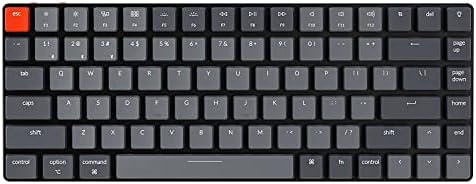
The low-profile option. It's a 75% board with low-profile switches that sit closer to the desk, which is great for people who don't like the height of standard mechanical keyboards. The sound is thinner than the full-profile boards, and the battery life is middling, but it's a solid choice if you want something that feels more like a laptop keyboard.
The RK61
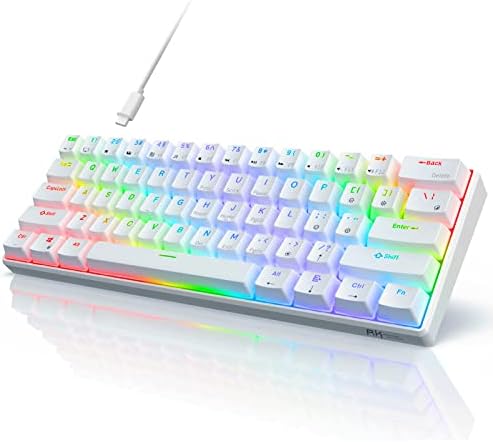
The baseline. It's cheap at ~$39.99, it's compact, and it's fine. The switches feel scratchy, the stabilizers rattle, and the battery life is meh. It's the keyboard you buy before you know what you're doing. If you're on one and wondering if the AULA is worth it: yes. It's not even close.
Switch Sets
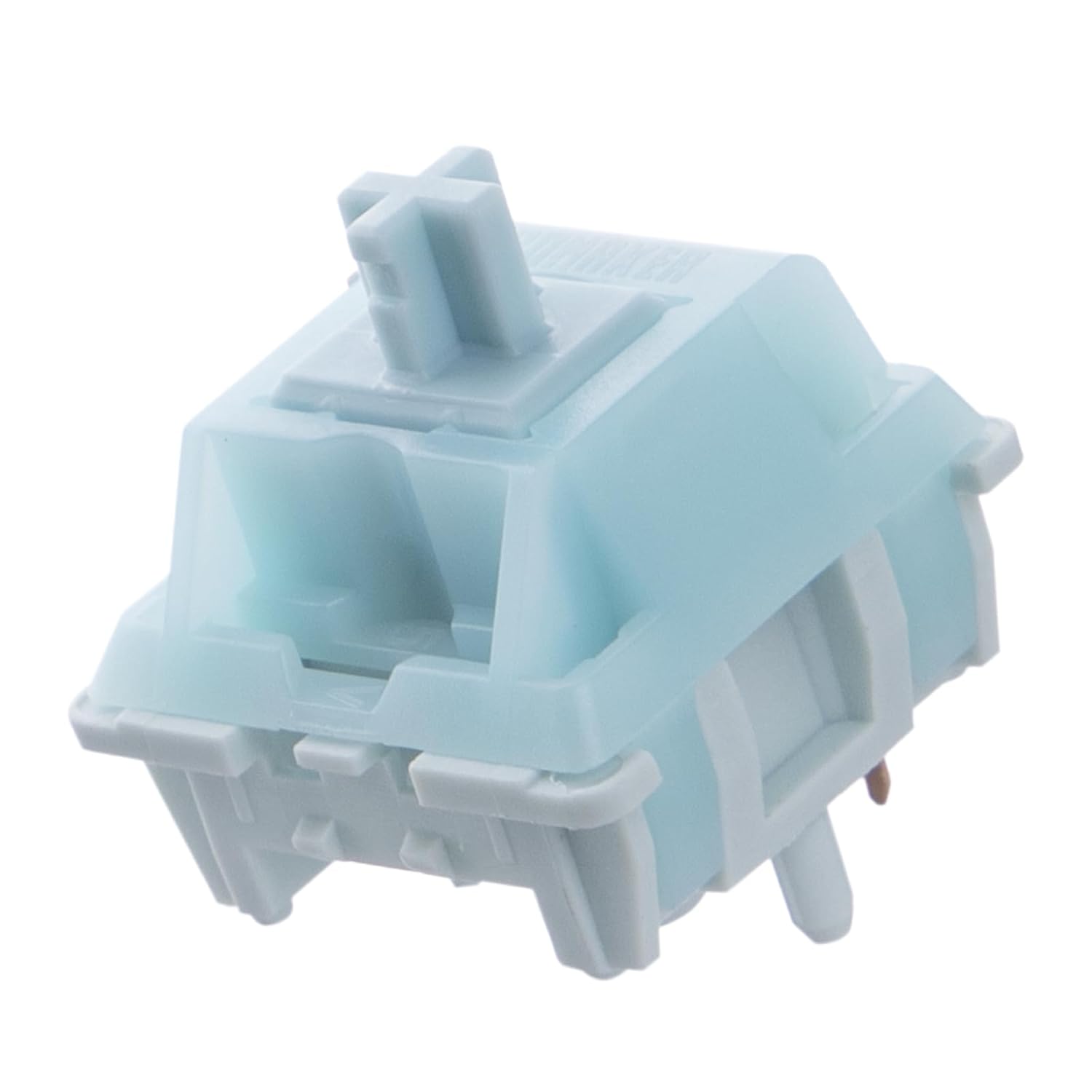
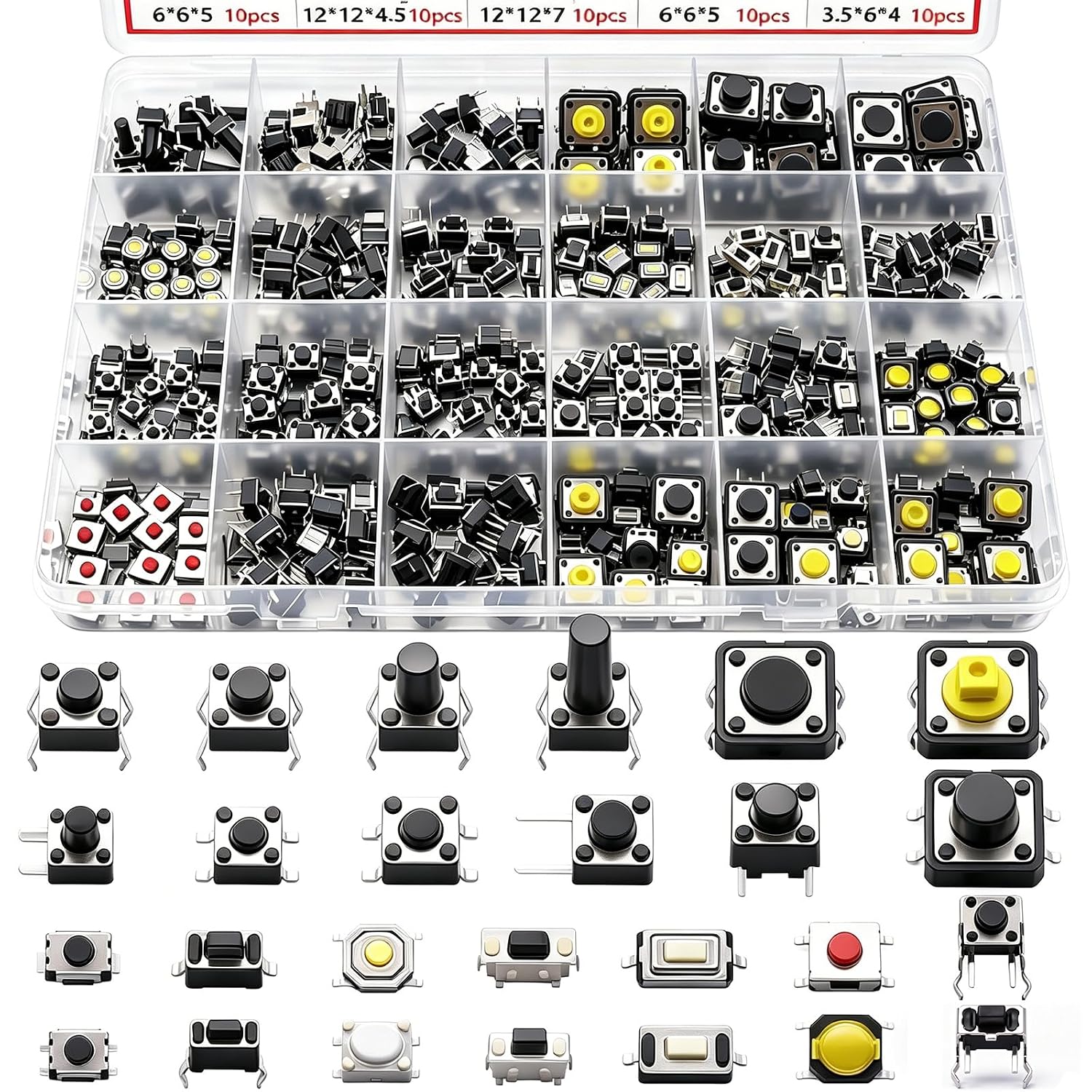
If you want to try different switches in your hot swap board, here's where to start. Linear switches are smooth and consistent, great for typing and gaming. Tactile switches have a bump that lets you feel the actuation point, which some typists prefer.
Clicky switches are loud and satisfying, but they'll annoy your coworkers. The Leobog Reapers in the AULA are a great linear option, and they're pre-lubed, which saves you the hassle of doing it yourself.

Should You Buy the AULA F75 Pro?
If you're on a budget board and want to know what mechanical keyboards are really about, yes. At ~$59.99, it's the best value in the hobby right now. The south-facing legends are a real flaw, and if you look at your keys while you type, you should get a different board.
But if you're a touch typist, or you're willing to learn, this is the board that will make you understand why people obsess over thock.
Should You Buy the Logitech MX Mechanical?
If you want a premium wireless board that just works, yes. It's expensive, it's clacky, and the function row spacing is a sin, but it's built like a tank and the wireless is flawless. It's the keyboard you buy when you want something reliable, not something to tinker with. If you're a sound snob or a switch collector, get the AULA and a set of aftermarket switches instead.
Anyway, this keyboard hobby is a rabbit hole, and the AULA F75 Pro is the best entry point I've found. If you aren't sure, just get one. You'll understand the obsession by day three.