Best Gaming Keyboard Under ~$100: Performance on a Budget
The budget gaming keyboard market in 2026 is a strange place. You can spend ~$40 and get something that feels like a toy, or you can spend ~$90 and get a gasket-mounted, hot-swappable board with a battery that runs on wizard energy.
The gap between those two numbers is where the real decisions happen. I've been typing on the AULA F75 Pro for two weeks now, and it sits in a category of its own.
It's not just the best keyboard under ~$100 I've tested. It's the best keyboard under ~$100 I've ever touched, and it makes boards that cost twice as much feel like they're charging you for the logo.
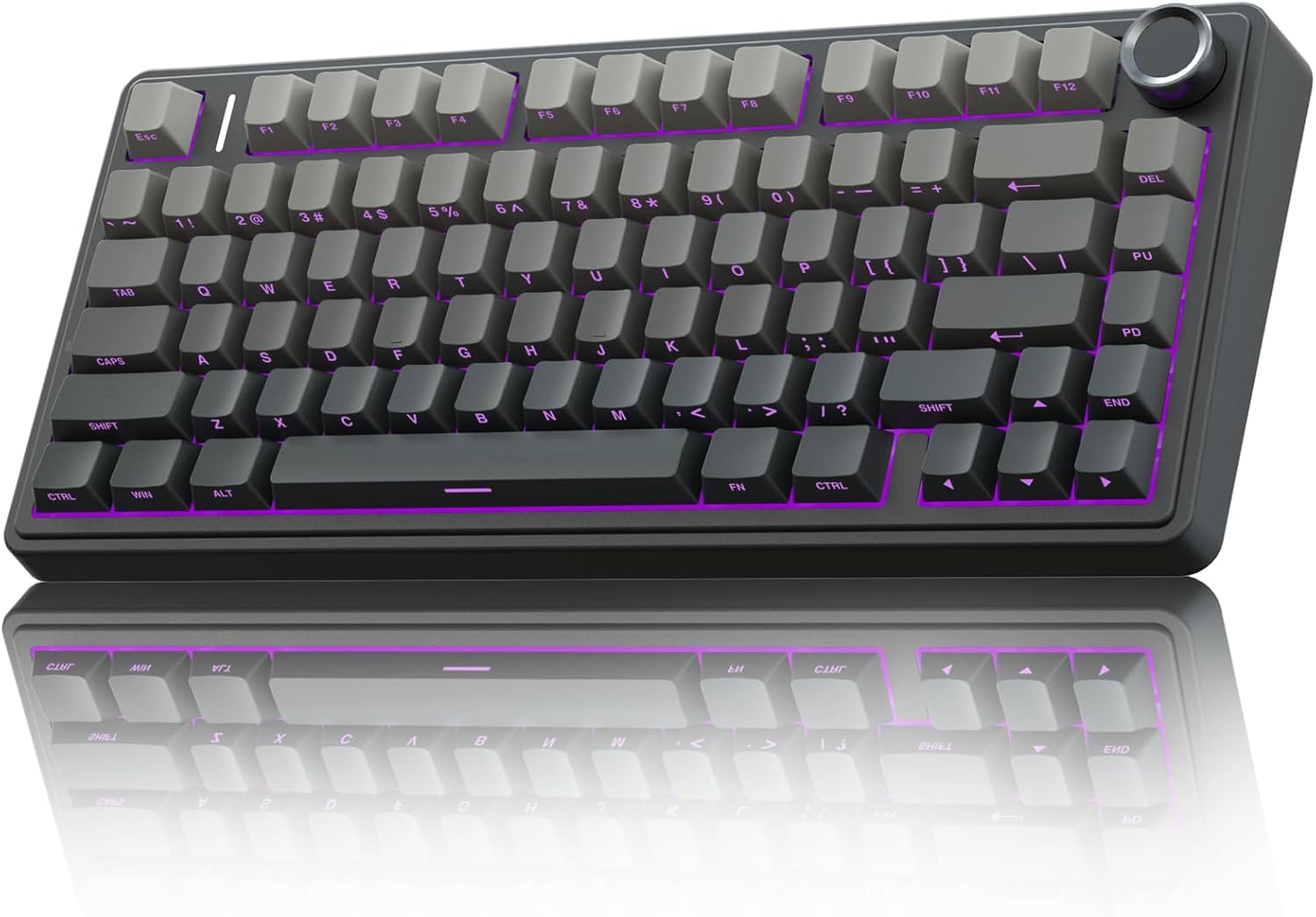
AULA F75 Pro Wireless Mechanical Keyboard,75% Hot Swappable Custom Keyboard with Knob,RGB Backlit,Pre-lubed Reaper Switches,Side Printed PBT Keycaps,2.4GHz/USB-C/BT5.0 Mechanical Gaming Keyboards
Gasket mount, pre-lubed Reaper switches, absurd battery life, hot-swap
Visit on Amazon →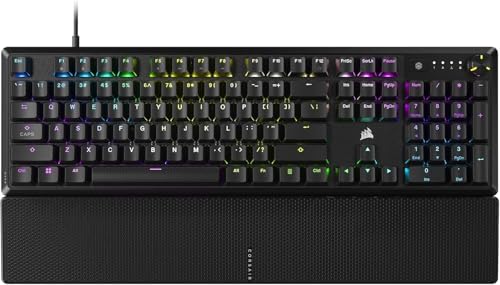
CORSAIR K70 CORE RGB Mechanical Wired Gaming Keyboard with Palmrest – Pre-Lubed MLX Red Linear Switches, SOCD, ABS Double-Shot Keycaps, Sound Dampening, Media Control Dial, QWERTY NA – Black
Solid wired performance, great for gaming, dense build
Visit on Amazon →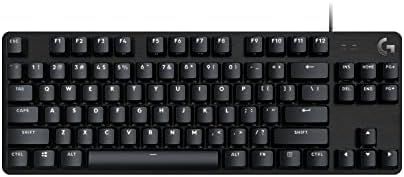
Logitech G413 TKL SE Mechanical Gaming Keyboard - Black
Reliable Logitech build, clean TKL layout
Visit on Amazon →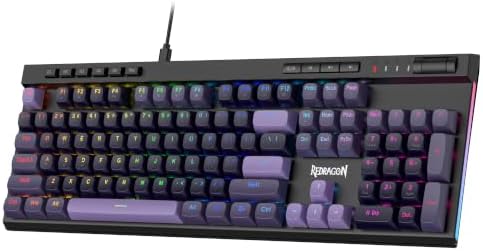
Redragon K580 Wired RGB Mechanical Gaming Keyboard, Macro Key & Media Wheel
Cheap, full-size with macro keys and media controls
Visit on Amazon →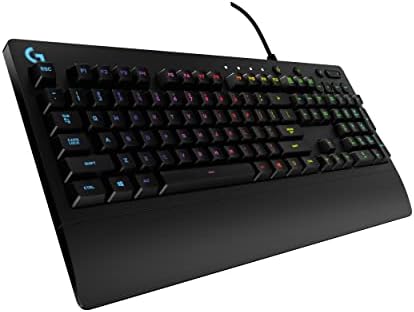
Logitech G213 Prodigy Wired RGB Gaming Keyboard - Black
Membrane but decent for the price, spill-resistant
Visit on Amazon →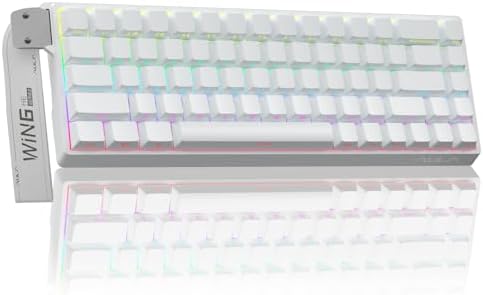
AULA WIN68 HE Mechanical Gaming Keyboard 60%, Hall Effect Magnetic Switch, Fast Trigger Mode Adjustable Actuation, 8000Hz Polling Rate, RGB Backlit, Wired Black Keyboard for Laptop/PC Gamer
Founded in 2002, AULA is an enterprise integrating production, sales, distribution and after-sales service. The brand is inspired by one of the largest spiders in the world, the tarantula, which is ch
Visit on Amazon →The Leobog Reaper switches are pre-lubed and smooth, zero scratchy noises out of the box. And the battery? I've been checking the percentage every morning because it refuses to go down.
Pros
- Gasket-mounted plate with real flex, not just a sticker on the spec sheet
- Leobog Reaper switches are pre-lubed, smooth, and quiet
- Hot-swappable sockets, so you can change the soul of the board without a soldering iron
- 4000 mAh battery that lasts weeks with RGB off
- Heavy, dense build that doesn't slide around when you slam keys
Cons
- Keycap legends are on the front, south-facing, so you can't see the letters from the top. If you look down while you type, this will drive you insane.
- Slightly plastic-y feel despite the weight. It's not metal, and you can tell.
- Software shows up in French on an English PC. "Clavier Mecanique." Come on, AULA.
Compared to
The closest rival at this price is the CORSAIR K70 CORE, which runs about ~$90. The CORSAIR is a wired board with a solid aluminum frame and a satisfying clack, but the switches are soldered in. If you ever want to change the feel, you're out of luck.
The AULA gives you hot-swap sockets for ~$30 less. The Logitech G413 TKL SE, at ~$70, is a clean, reliable tenkeyless board, but the switches feel scratchy compared to the Reapers, and the sound is hollow.
The AULA is thocky out of the box. The Logitech sounds like a plastic spork on a Tupperware lid.
Design
The AULA F75 Pro is a 75% layout with a knob on the top right for volume and RGB control. It's a dense board. I weighed it and it comes in at about 2.2 pounds, which is heavy for a plastic case. That weight is the first thing you notice. It does not bounce around if you slam keys. I've had boards that slid across my desk mid-sentence. This one stays put.
The gasket mount is the real deal. The plate sits on gaskets instead of being screwed into the case, which gives it a soft, flexy feel when you bottom out. I've typed on ~$200 boards that felt stiffer. The sound is deep and creamy, not clacky. It's not the creamiest board I've ever felt, but it's close, and it's nowhere near the price point where you'd expect that kind of sound signature.
The keycap legends are the problem. They're on the front of the keycap, south-facing, which means you can't see the letters from a normal typing angle. If you're a touch typist, this doesn't matter. If you look down at your keys, it will drive you crazy. Every single review mentions this. It's the #1 reason people return this board.
Performance
I've been typing on this board for two weeks of real work: API endpoints, refactors, angry Slack messages, the occasional gnarly regex. The Leobog Reaper switches are linear, pre-lubed, and smooth. No scratchy noises, no ping, no spring crunch. They're not the creamiest switches I've ever felt, but they're close, and they're genuinely great value at this price.
The wireless is rock-solid. I've been using the 2.4 GHz dongle and I haven't had a single dropped keystroke. Bluetooth works fine for my iPad, but the dongle is the way to go for gaming. The polling rate is 1000 Hz, which is what you want for competitive play.
The battery is the headline. 4000 mAh, and with RGB off, you'll get weeks out of it. I'm on day nine and it's still at 60%. With RGB on, expect less than a week. That's physics, not a flaw. The RGB is bright and the south-facing LEDs mean the light shines through the keycaps, but the legends are on the front, so you're lighting up the empty top of the key. It's a weird design choice.
Durability
The build is dense and the keycaps are double-shot PBT, so the legends won't wear off. I've had boards where the legends faded in three months. These will outlast the board. The switches are hot-swappable, so if one dies, you can pull it and replace it in seconds. That's the kind of durability that matters.
The one concern is the plastic case. It doesn't feel cheap, but it's not metal. If you're rough with your gear, the CORSAIR K70 CORE with its aluminum frame is the better choice. But for normal use, the AULA will hold up fine.
Value
At ~$60, this board is a steal. I've broken down the cost-per-use math in my head a hundred times: ~$60 divided by three years of daily use, eight hours a day, is pennies per hour of pure mechanical ASMR. The fact that it's hot-swappable means you can change the switches when you get bored without buying a new board. That's the kind of value that makes the hobby affordable.
The CORSAIR K70 CORE is ~$90 and doesn't give you hot-swap or wireless. The Logitech G413 TKL SE is ~$70 and feels scratchy. The AULA beats both on feel, features, and price. If you're on an RK61 or any other budget board and wondering if this is an upgrade, the answer is yes. It's a huge upgrade.
Should you buy it?
If you want the best gaming keyboard under ~$100 and you're willing to accept that you can't see the keycap legends from the top, buy the AULA F75 Pro. It's the board I reach for when I'm writing code, and it's the board I'd recommend to anyone who wants to know what the hobby is about without spending a paycheck.
CORSAIR K70 CORE
The CORSAIR K70 CORE is the wired alternative for people who don't trust wireless. It's ~$90, has a solid aluminum frame, and it's built like a tank. The sound is clacky, not creamy, and the switches are soldered in, which is a dealbreaker for me in 2026.
If you never plan to change your switches and you want a board that will survive a drop, this is a solid choice.
But at ~$90, you're paying for the CORSAIR name and the build, not the typing experience. The AULA gives you more for less.
Logitech G413 TKL SE
The Logitech G413 TKL SE is a clean, reliable tenkeyless board at ~$70. It's the keyboard you buy when you trust Logitech and you want something that just works. The build is fine, the layout is clean, and the wireless is solid if you get the wireless version.
But the switches are scratchy compared to the Reapers, and the sound is hollow. It's not a bad board.
It's just not a good one. If you're on a budget and you want the best typing feel, the AULA wins.
Redragon K580
The Redragon K580 is the ~$45 option, and it shows. It's a full-size board with macro keys and media controls, but the stabilizers rattle, the switches feel scratchy, and the build is cheap. It's the board you buy when you need something now and you don't care about the feel. If you're serious about typing, save up the extra ~$15 and get the AULA. The difference is night and day.
Logitech G213 Prodigy
The Logitech G213 Prodigy is a membrane board at ~$50. It's not mechanical, so it doesn't have the sound or the feel. It's spill-resistant and reliable, but it's mushy. If you're on a tight budget and you need something that works, it's fine. But if you're looking for a mechanical keyboard, this isn't it.
AULA WIN68 HE
The AULA WIN68 HE is the future, and it's ~$80. Hall effect magnetic switches give you rapid trigger and adjustable actuation points, which is genuinely cool for gaming. But it's a 60% layout, which is too small for work.
No function row, no arrows, no knob. I can't use it for a full work week, and that's the test. If you're a pure gamer who never types, it's worth a look.
If you need a board for both, get the F75 Pro.
Updated: I've got the AULA F75 Pro on my desk for the long haul, and I'm testing the AULA WIN68 HE side by side for a month. The hall effect switches are interesting, but the 60% layout is a hard pass for work. I'll update this when I have a full verdict.