Related: Hot-Swap vs Soldered Keyboards: What Actually Matters in 2026
There is no best keyboard. There is only the one that fits how you type, which is an annoying thing to read at the top of a buying guide, and it is still the truth. So this is not a ranking. It is a path through budget mechanical keyboards: the small board for a small desk, the full size board for anyone who lives in a spreadsheet, the switch set for people who already own a board they like, and the mainstream option for people who just want a keyboard that works.
The way I judge anything in this tier is the same every time. Type on it for two weeks of real work, not a day of novelty. Listen to the stabilizers on the spacebar, the shift keys, the backspace. Check whether the switches come out without a soldering iron. Then decide whether I would use it for a full week of coding without reaching for something else.
At this price, the money gets saved in three places: the case, the keycaps, and the stabilizers. The switches, the cable, and the layout are usually fine. That is why the two things I care about most on a cheap board are a hot-swap socket and stabilizers that do not ping.
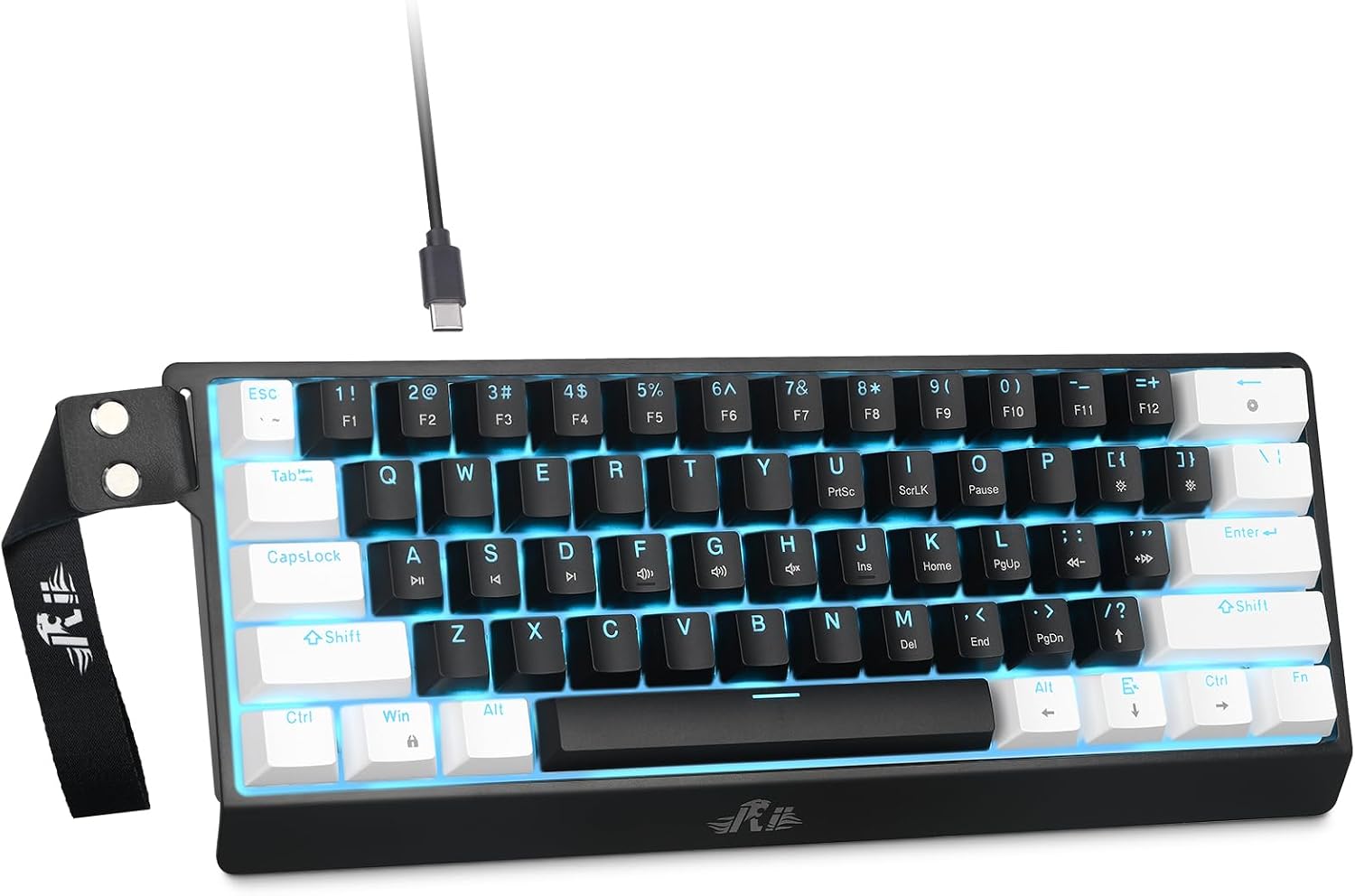
The Small Desk Pick: Rii 60% Wired Mechanical Keyboard
This is the board I would hand someone with a narrow desk and no interest in a number pad. It is a 60% layout with linear red switches and a cable, which means no battery to die mid sentence, no pairing dance, and roughly two thirds of your desk back compared to a full size board.
Linear red switches are the default for people who do not want to think about switches. They are light, they are smooth, they do not click, and they bottom out quietly enough for an open office. If you have only ever typed on a laptop or a rubber dome office keyboard, the first hour will feel fast and slightly out of control. That goes away.
The 60% part is the real decision. No number pad, no arrow cluster, no dedicated function row. Arrows and F keys live on an Fn layer, and for the first two weeks you will hit the wrong thing constantly. If you spend your day in spreadsheets or in a CAD tool, this is the wrong layout and no amount of practice fixes it. If you spend your day in a terminal and a text editor, it disappears after a while, which is the highest compliment I can give a keyboard.
The part to check on arrival is the stabilizers. On every board in this price range, the spacebar is where the budget shows up first. If it rattles, and there is a decent chance it will, a small amount of dielectric grease on the stabilizer wire turns a hollow, metallic spacebar into something that sounds deliberate. That is a twenty minute job and it is the single best upgrade you can make to a cheap board.
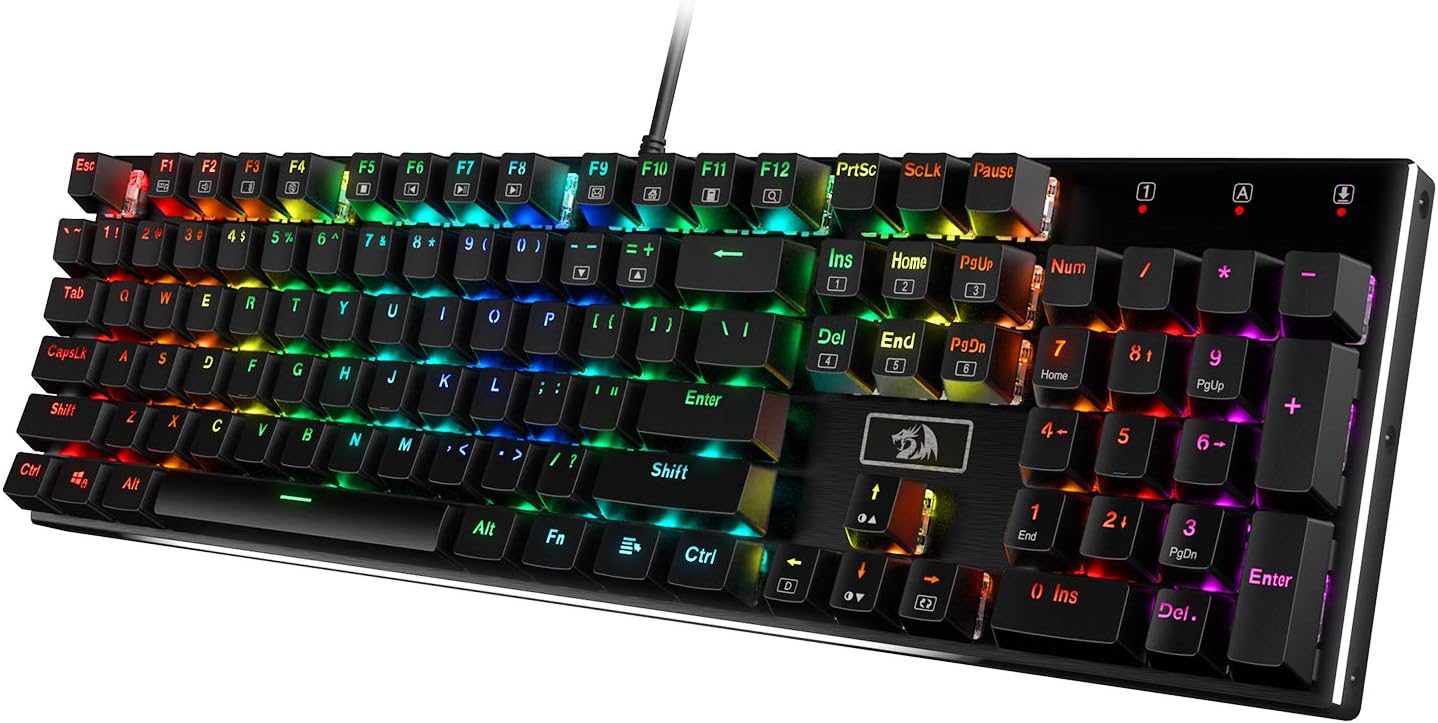
The Full Size Workhorse: Redragon K556 Wired RGB Mechanical Gaming Keyboard
The aluminum top plate is the reason to look at this one instead of another plastic full size board. Metal adds weight, weight stops the board from sliding around during a fast typing session, and it changes the sound from a hollow plastic knock into something with a little more body. It is the one upgrade in this tier that you can feel immediately, before you notice anything about the switches.
This is a 104 key board, so you get the number pad and a proper arrow cluster. For anyone who codes, does bookkeeping, or plays anything that uses the numpad for camera controls, that is not nostalgia, it is a tool.
More keys also means more stabilized keys, and more stabilized keys means more places for rattle. Spacebar, both shifts, backspace, enter, and the numpad zero all have stabilizers under them. On a board like this I listen to the spacebar first, then the right shift, because those two get hit hardest. If one of them pings, it is the same fix as always: pull the keycap, add a small amount of grease to the wire, reseat it, and stop thinking about it.
RGB is here, and it is fine. My honest position on backlighting is that it is useful at night and distracting the rest of the time. The good news is that a wired board with onboard lighting does not need an account, a cloud profile, or a background service to remember your settings. That matters more to me every year.
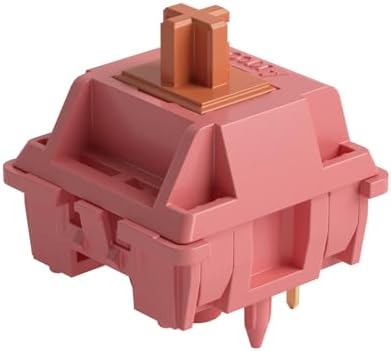
The Switch Upgrade: Akko Rosewood Keyboard Switch
If you already own a hot-swap board and you are bored of it, this is the cheapest way to make it feel new again. Forty five switches, five pin, 40 gram linear, pre-lubed from the factory.
Forty grams is light. If you are coming from a standard 45 to 55 gram linear, the first ten minutes will feel almost weightless and you will probably mistype more. Give it a week. Light linears are genuinely faster for long typing sessions because your fingers are doing less work per keystroke, and they are the switch type I would recommend to anyone who writes or codes for a living and does not want a tactile bump interrupting them.
Pre-lubed is the real value here. Factory lube at this price saves you an evening with a brush, a switch opener, and a tray of tiny springs. The difference between a dry budget linear and a lubed one is the difference between a scratchy slide and a smooth one, and it is more noticeable than the difference between most switch brands.
The count matters, so do the math before you buy. Forty five switches will not fill a 60% board, which has 61 keys, and it will not come close to filling a full size board. This is a set for a small board, a macropad, or for replacing a section of a larger board, like the alphas you actually type on. If you are building out a full size board, you need multiple sets.
The five pin part is about mounting. The two extra plastic legs on the bottom keep the switch from wobbling in a board that has no plate, and they hold alignment during installation. Some sockets and plates only accept three pin switches, and in that case you clip the two extra legs off with flush cutters. It takes a minute with a pair of cutters and it does not hurt anything.
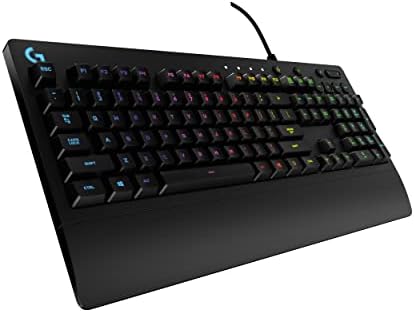
The Mainstream Pick: Logitech G213 Prodigy
I am including this one because it is the keyboard that keeps showing up on office desks, and because it is the honest answer to a question people ask me constantly: what if I do not care about the hobby and I just want a full size wired RGB board from a brand I recognize.
The important thing to say out loud is that this is not a mechanical switch board in the sense that the rest of this guide means. You cannot pull the switches out, you cannot lube them, you cannot swap them for something heavier or lighter. If your goal is to eventually build a board that feels exactly the way you want, this is not the starting point.
What it is: a full size wired keyboard with backlighting, from a brand with a long warranty record and software that most people already have installed. For someone who wants a keyboard to be an appliance, that is a perfectly reasonable purchase.
How I evaluate a budget board
Four checks, in this order.
Can I type on it daily? Two weeks of real work, not a weekend. Most keyboards feel fine on day one and reveal their problems around day ten, when the spacebar has developed a tick and the keycaps have started to shine.
Do the stabilizers rattle? This is the build quality tell. Cases can be plastic and keycaps can be thin, but if the spacebar sounds solid, the board was assembled by someone who cared.
Are the switches hot-swap? In 2026 this is non-negotiable for me. Soldering is a hobby, not a requirement, and a hot-swap socket means a switch you do not like is a twenty dollar problem instead of a new keyboard.
Would I use it for a full work week? That is the only test that matters. If I catch myself reaching for a different board on Wednesday, it failed.
What the specs actually tell you
Layout is the biggest decision and the least discussed. A 60% board saves desk space and costs you arrow keys. A full size board gives you everything and eats the space. Most people who buy a 60% board for the aesthetic end up back on a 75% or a TKL within a year.
Switch weight is the second. Forty grams is light, 45 to 50 is standard, 55 and up is heavy. If you type all day, lighter is usually better. If you game and rest your fingers on the keys, heavier prevents accidental presses. There is no correct answer, only the one that matches your hands.
Factory lube is the third. It is the cheapest quality upgrade in the hobby and it is now available at budget prices. A lubed linear and a dry linear can be the same switch internally and feel like two different products.
Keycap quality is the fourth, and it is the one people skip. Thin, shiny ABS caps make a good board feel cheap. If the board you buy feels fine but sounds hollow, caps are often the fix.
The comparison table
| Keyboard or switch | Layout and type | Switch | Best for |
|---|---|---|---|
 Visit on Amazon → Rii 60% Wired Mechanical Keyboard |
60%, wired | Linear red | Small desks, terminal work, light touch typing |
 Visit on Amazon → Redragon K556 Wired RGB Mechanical Gaming Keyboard |
Full size, 104 keys, aluminum top plate, wired | Mechanical, RGB | Spreadsheets, numpad users, first aluminum board |
 Visit on Amazon → Akko Rosewood Keyboard Switch |
Switch set, 45 pieces, 5-pin | Linear, 40gf, pre-lubed | Refreshing a hot-swap board you already own |
 Visit on Amazon → Logitech G213 Prodigy Wired RGB Gaming Keyboard |
Full size, wired | Not a swappable mechanical switch board | Buyers who want a brand name appliance |
What the table does not tell you
Two boards can share a layout and a switch type and feel nothing alike, because the case, the plate, and the stabilizer tuning do most of the work. That is why the sound test matters as much as the spec sheet. Listen to the spacebar, listen to the backspace, and listen to whether the whole board rings when you type on it. Sound is half the board and half the desk, so test on the surface you actually use.
What I would skip
Keycap sets that cost more than the board. Software that requires an account to change your lighting. And any board where the listing hides the switch type, because if the manufacturer will not tell you what is under the keycaps, nobody tuned the stabilizers either.
Should you buy the Rii 60%?
Yes, if you want a small wired board and you never touch a number pad. It is a 60% layout with linear red switches, which means a light, smooth keypress and a lot of desk back. The catch is the Fn layer, and it takes about two weeks before arrows stop feeling like a scavenger hunt.
Check the stabilizers on the spacebar when it arrives, because that is the one part of any cheap board that makes it sound cheap. A little grease fixes it. If you can live with the layout, this is the cheapest way into a board that feels like a real keyboard instead of a laptop accessory.
Should you buy the Redragon K556?
Yes, if you use a number pad and want an aluminum top plate at a plastic board price. The metal frame is the reason to choose it, and it is the upgrade you notice before you notice anything about the switches.
The full size layout means more stabilized keys and more surface area for rattle, so listen to the spacebar and the right shift on arrival. If one pings, lube and reseat it. If you never touch a number pad, the smaller Rii is the better use of the same money.
Should you buy the Akko Rosewood switches?
Yes, if you already own a hot-swap board and you want it to feel new without buying another keyboard. Forty grams is light, the factory lube is the value, and the difference between these and a dry budget linear is obvious on the first sentence you type. Just count your keys first, because 45 switches covers a small board, not a full size one.
Should you buy the Logitech G213 Prodigy?
Only if you want a keyboard to be an appliance. It is a full size wired RGB board from a familiar brand, and for a lot of people that is exactly right. It is not a board you can mod, swap switches on, or tune, and if any of those words made you curious, buy one of the mechanical options above instead.