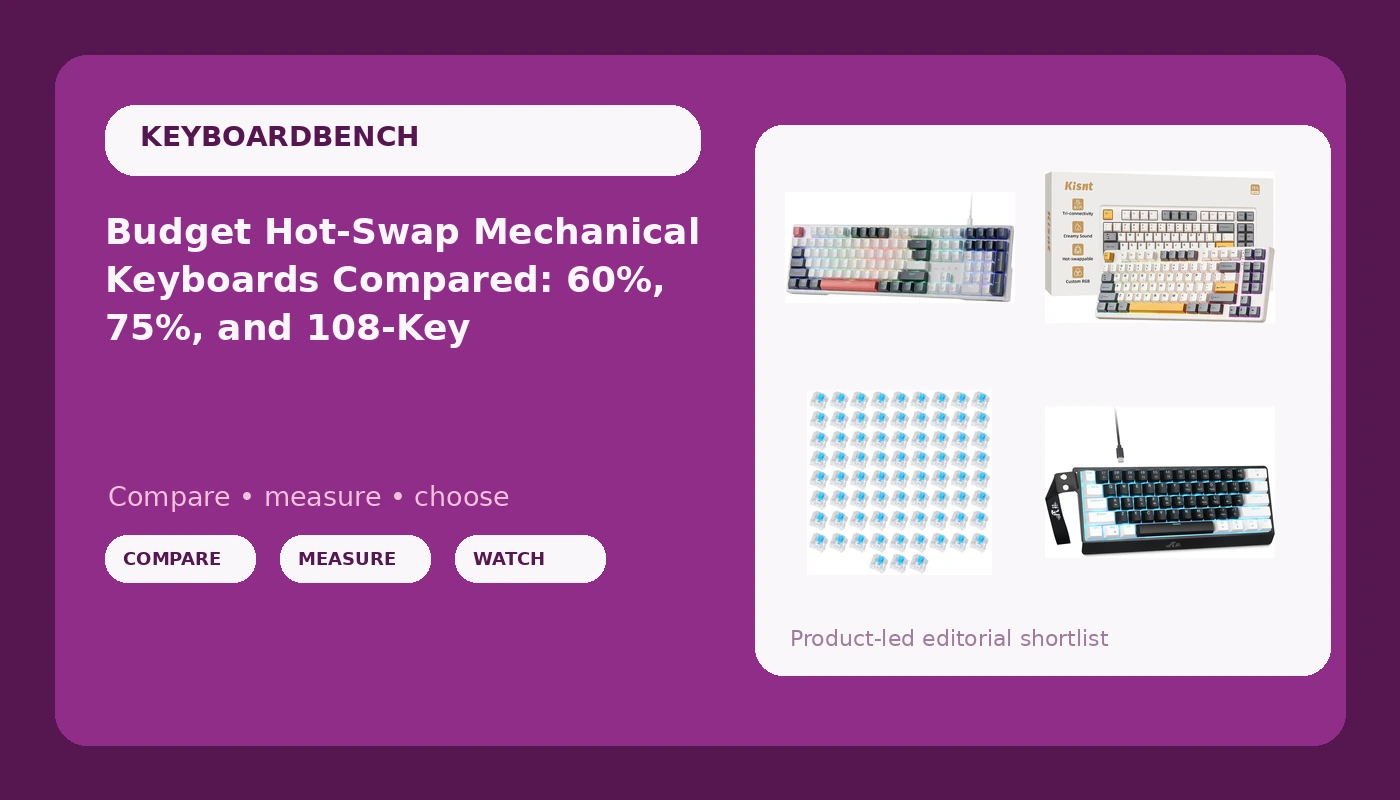
I have one rule for cheap boards: the thing has to survive a full work week before I form an opinion about it. That rule is why I keep recommending budget hot-swap mechanical keyboards to friends who ask what to buy, and why I keep steering them away from flashy gaming boards with rattly stabilizers. This comparison covers four products in the cheap tier of the hobby: a 60% wired board, a 75% wireless board, a 108-key full-size, and a 72-piece pack of clicky switches. Three of them are keyboards. The fourth is an upgrade for a keyboard you already own, and it is the cheapest way to change how a board feels without buying a new one.
Here is the short version before the details. If you want one board that does everything and you type for a living, the 75% wireless board is the pick. If you want the cheapest possible entry into mechanical switches, the 60% wired board wins. The 108-key is for people who use a numpad and refuse to give it up. The switch pack is for people who already own a hot-swap board and want to find out what clicky actually sounds like on their desk.
Related: Hot Swap Sockets Explained 3 Pin Vs 5 Pin
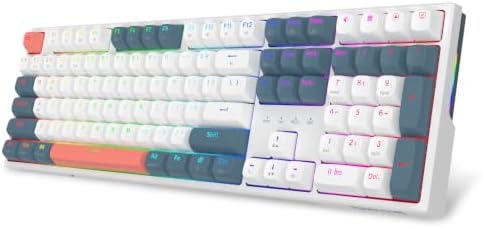
Redragon K668 108-Key Hot-Swap Wired RGB Gaming Keyboard, Extra 4 Hotkeys
Hot-swap sockets on a full-size board, four extra hotkeys, and wired reliability with no battery to manage
Full-size footprint eats desk space, it is wired only, and the stock switches are the usual budget linears you will probably want to replace
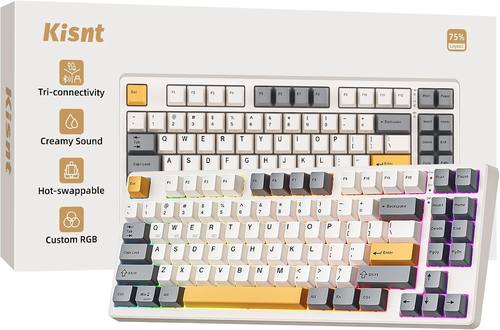
Kisnt KN85 Wireless Mechanical Keyboard, 75% Layout, Bluetooth/2.4GHz/USB-C, Custom RGB Backlit, Hot-Swappable Linear Switch, Creamy Sound for Gaming/Typing (Retro Beige)
Three connection modes in one board, a 75% layout that keeps arrows and the function row, and hot-swappable linear switches
Battery life is the open question, the numpad is gone, and retro beige is a polarizing colorway
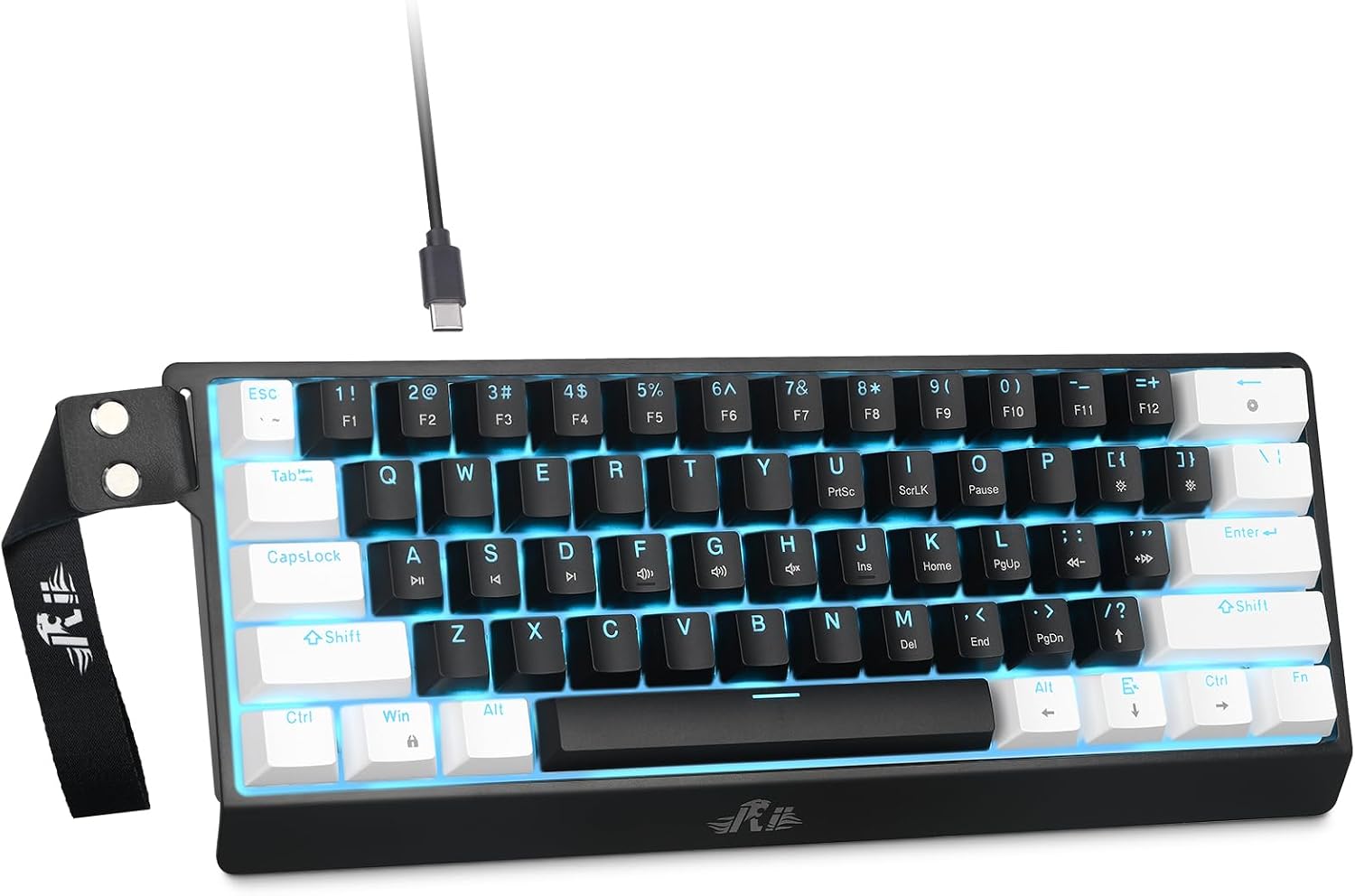
Rii 60% Wired Mechanical Keyboard, Linear Red Switch for Office, Gaming
The lowest-cost entry into linear mechanical switches, with a tiny footprint that leaves room for your mouse
Wired only, a 60% layout drops arrows and the function row, and there is no hot-swap in the spec, so the stock switches are what you get

72 Pieces Blue Mechanical Keyboard Switches, 3 Pin Pre-Lubricated Clicky Key Switches, Dustproof and Waterproof Keyboard Accessories
The cheapest way to convert a small board to clicky, pre-lubricated out of the box, with a dustproof and waterproof housing
72 pieces will not fill a full-size or most 75% boards, the 3-pin design has no guide pins, and clicky noise is a commitment
Prices and availability were captured from Amazon Creators API and may change.
Layout decides more than the switch does
Before you compare switches, compare footprints. A 108-key board gives you a numpad, a function row, and every key you can name, and in exchange it takes up most of the width of your desk. A 75% board keeps the function row and the arrow keys and drops the numpad, which is the compromise most people eventually land on. A 60% board drops the function row, the arrow keys, and the numpad, and hands all of those functions back through layers on the keys that remain.
If your day is spreadsheets, the full-size is the honest answer, because numpad muscle memory is real and layers will not replace it. If your day is a code editor and a browser, a 60% will do everything you need once you learn two or three layer shortcuts. If you want arrows without thinking about layers, buy the 75%. This is the decision that actually affects how you feel about a keyboard six months in. Switch choice is second.
Redragon K668: the full-size do-everything board
The Redragon K668 is the board I would point a spreadsheet user at first. It is a 108-key wired board with RGB and hot-swap sockets, plus four extra hotkeys along the top that you can bind to whatever you actually use: media controls, a screenshot tool, a push-to-talk key, or a macro you keep forgetting.
The hot-swap sockets are the part that matters to me. A full-size board with hot-swap means you can buy it, live with the stock linears for a month, decide you want tactiles, and swap them yourself with a puller. No soldering iron, no shipping a board back. That single feature is the difference between a keyboard you own and a keyboard you keep.
The trade-offs are honest ones. It is wired only, which for a board that lives on a desk is a feature rather than a flaw, since you never think about charging. It is full-size, so if you have a small desk and a big mouse pad, measure before you buy. And the stock switches are the usual budget linears, which are fine and completely unremarkable.
What to check first when it arrives: press the spacebar and the shift keys slowly with the board on a hard desk. Stabilizer rattle is the tell for where a budget board saved money, and it is also the easiest thing to fix. A little lube on the stabilizer wires turns a hollow, metallic spacebar into something that sounds deliberate. If you want the full-size option, Visit on Amazon →.
Kisnt KN85: the 75% wireless board
The Kisnt KN85 is the most flexible product in this group because it is effectively three keyboards. It runs Bluetooth for a laptop, 2.4GHz for a low-latency desk setup, and USB-C wired when the battery is empty or when you want zero wireless variables. It is a 75% layout, so you keep the function row and the arrow keys, and it ships with hot-swappable linear switches and per-key RGB in a retro beige colorway.
That combination is what I would hand to someone who wants one board for a work laptop and a desktop. The 75% layout is the sweet spot for typing, because you stop reaching for keys that are not there. The hot-swap sockets mean the linear switches are a starting point, not a life sentence. The beige colorway is genuinely nice against a wood desk and genuinely wrong next to a black and RGB setup, so know which desk you have.
The open question is battery life, and it is the one thing you cannot judge from a spec sheet. Wireless is a feature until the battery dies in the middle of a sentence, and RGB is the fastest way to drain it. My advice: run it wired for the first week to get a feel for the switches, then go 2.4GHz with the backlight low and see how many workdays you get. That test tells you more than any marketing claim. If the layout and the three modes appeal, Visit on Amazon →.
Rii 60%: the cheapest way into the hobby
The Rii 60% is the entry point. It is a wired 60% board with linear red switches, which means it is small, simple, and cheap enough to be a low-stakes experiment. If you have never owned a mechanical keyboard, this is the least expensive way to find out whether you like the feel of a linear switch, and linear is the right place to start because it is the least distracting.
The honest trade-offs: no numpad, no arrow keys, no function row, and no hot-swap mentioned in the spec, which makes it the least upgrade-friendly board in this comparison. Whatever switches it ships with are the switches you live with. For a first board that is fine. You are paying to learn whether you like mechanical switches at all, not to build a platform you will modify for years.
Two things to know before you buy a 60%. First, you will spend a week reaching for arrow keys that are not there, and then you will stop. Second, you need a keyboard that supports layers, which this one does through its function key. If you use arrow keys constantly in your work, skip this and buy the 75% instead. If you want the smallest possible footprint and the lowest possible risk, Visit on Amazon →.
The 72-piece blue switch pack: an upgrade, not a keyboard
The 72-piece blue switch set is a different kind of purchase. These are 3-pin, pre-lubricated, clicky switches with a dustproof and waterproof housing, sold as keyboard accessories rather than as a board. If you already own a hot-swap keyboard, this is the cheapest way to change how it feels and sounds without buying anything else.
Do the math before you order, because 72 is a specific number. A full-size board needs well over a hundred switches, so this pack will not cover it. Most 75% boards need somewhere in the low eighties. A 60% or 65% board is the target here, and you will have a few spares left over for the keys you wear out first or for a switch tester. Buy this pack for a small board, or buy it as a sampler to find out whether you like clicky before committing to a bigger set.
Two warnings. Clicky is loud, and it is loud in a way that carries through walls and into every call you take without a headset. It is the most fun switch to type on alone and the most annoying switch to type on near another human. Second, these are 3-pin switches, so they have no plastic guide pins. They will drop into 5-pin hot-swap sockets without a problem, since those sockets accept both. The reverse is not true. If your board only takes 3-pin switches, you are already fine here. If you want to try clicky on a small board, Visit on Amazon →.
Hot-swap is the feature that matters in 2026
Two of the three boards here have hot-swap sockets. One does not. That difference is worth more than any spec on this page, because it decides whether your first keyboard is also your last one.
Hot-swap means the switches pull out and push in by hand. You can buy a board, type on it for a month, and then change your mind about linears versus tactiles versus clicky without a soldering iron or a return label. It turns a permanent decision into a ten-minute experiment, and experiments are how you learn what you actually like. Nobody knows their switch preference from a spec sheet. You learn it by typing.
The other half of the story is socket compatibility. Five-pin switches have two extra plastic legs that keep the switch from wobbling. Three-pin switches do not. A 5-pin socket accepts both kinds. A 3-pin-only socket accepts only the three-pin kind, which quietly limits your options. None of that is a dealbreaker on a budget board, but it is the first spec I look at after the layout, and it is the reason the two hot-swap boards here rank above the wired 60% for anyone planning to keep a board for years.
Stabilizers and keycaps: where budget boards hide the cost
Every cheap keyboard saves money somewhere. It is almost never the case. It is the stabilizers and the keycaps, in that order.
Stabilizers sit under the spacebar, shift, enter, and backspace keys, and they are the parts that rattle. A rattly spacebar is the single clearest signal that a board was assembled to a price rather than designed to a feel, and it is also the easiest thing to fix with a screwdriver, a bit of lube, and twenty minutes. I have heard boards that cost three times as much as anything here rattle on the spacebar, so this is not a budget-only problem. It is just more common on budget boards.
Keycaps are the second place money disappears. Thin, shiny ABS caps make a good board feel cheap and a cheap board feel worse. If a board sounds hollow or clacky in a way you cannot place, the caps are usually half the answer, and a modest PBT set fixes more of the sound than a switch swap does. My rule: fix the stabilizers first, live with it a week, then decide about caps. Most people stop after step one.
Trade-offs: matching the board to the person
Buy the Redragon K668 if you use a numpad daily, want everything on one board, and never want to think about charging. Accept that it is big and that you will probably swap the switches eventually, which is exactly what the hot-swap sockets are for.
Buy the Kisnt KN85 if you split your time between a laptop and a desktop, want arrows without layers, and like the idea of one board that does wired and wireless. Budget a week of wired use to learn the switches before you judge the battery.
Buy the Rii 60% if you want the smallest possible footprint and the cheapest possible introduction to mechanical switches, and you are comfortable losing arrows and the function row. Do not buy it expecting to modify it later.
Buy the 72-piece blue switch pack if you already own a hot-swap 60% or 65% board and want to hear what clicky sounds like on your own desk, with your own caps, in your own room. That is the only place the answer lives.
The bottom line
None of these four products is the best keyboard in the world, and none of them needs to be. They cover four different jobs: a full-size desk board you can upgrade, a 75% wireless board you can carry between machines, a 60% wired board that costs almost nothing to try, and a switch pack that changes the sound of a board you already own. Pick the job, then pick the product. The layout you choose will outlast every switch you ever put in it, so get that right first and let the switches be the fun part afterward.