Shopping for mechanical keyboards for typing and gaming in 2026 means choosing between three fairly different philosophies. One camp leans on magnetic switches with rapid trigger support for competitive play. Another builds the whole product around an aluminum case and acoustics. A third tries to cover everything with a hybrid switch, per-key lighting, and a small display. The six boards below represent all three approaches, and they range from a full-size USB deck to a 75 percent wireless gamer, a tenkeyless Hall-effect board, and an ergonomic 98-key build with a split layout.
Because this is a comparison and not a lab report, the guide sticks to differences you can confirm before spending money: layout and footprint, switch type and how actuation is controlled, wired versus wireless connectivity, case materials, and what each board is designed to do. Where a product's appeal comes down to how it feels on a desk, that is described as design intent rather than a measured result. Pricing moves constantly, so every card sends you to the retailer to confirm the number yourself.
Related: Best Budget Hot-Swap Mechanical Keyboards Under $100
Quick answer
The Keychron K2 HE Rapid Trigger Wireless Magnetic Custom Keyboard is the strongest fit for mixed typing and gaming because it pairs wireless operation with magnetic switches and rapid trigger support in a compact custom-style package. Choose the Logitech G PRO X TKL Rapid Tenkeyless Gaming Keyboard (Hall-Effect) instead when you want a dedicated tenkeyless gaming board built around Hall-effect switches.
Mechanical keyboards worth comparing
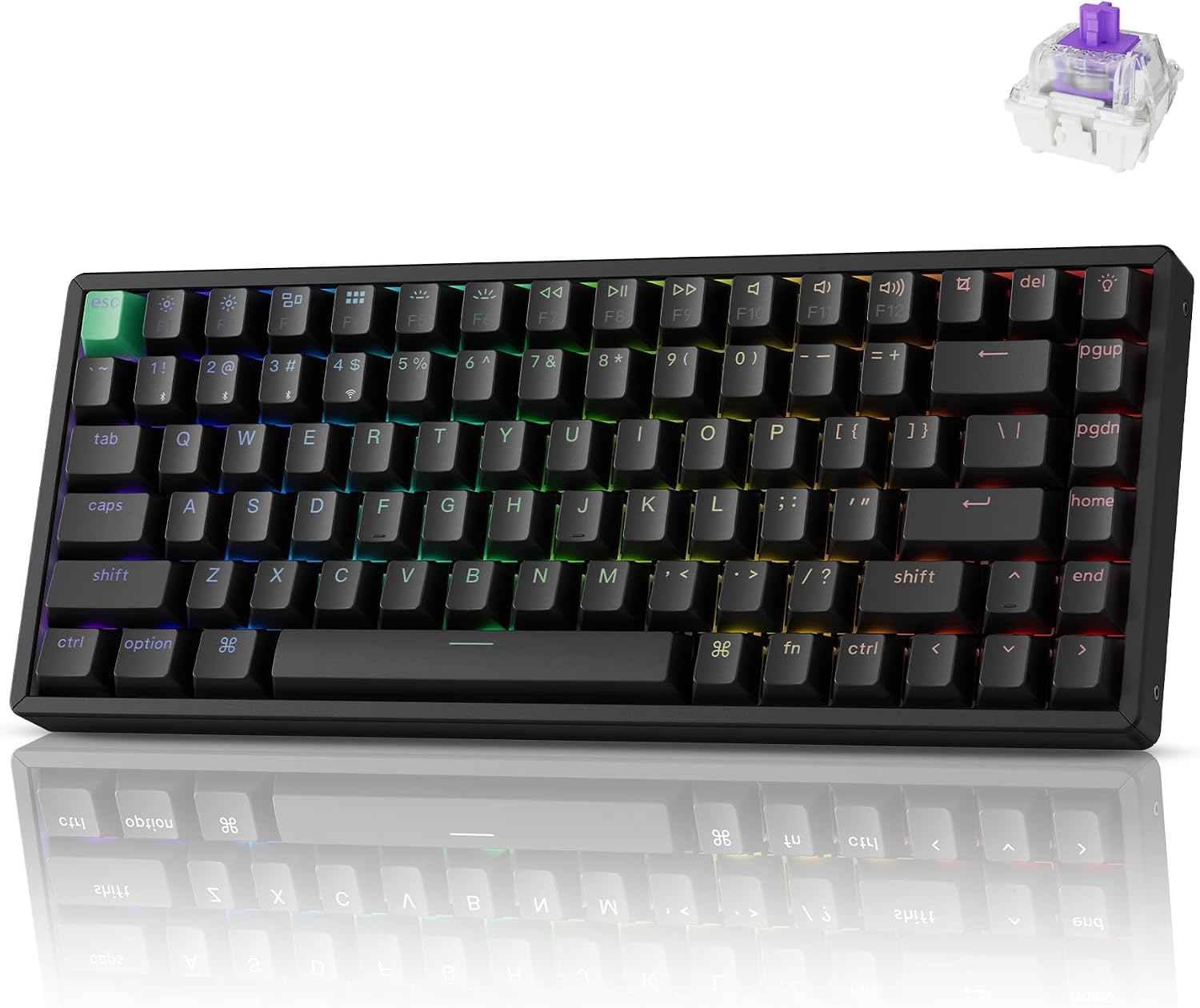
Keychron K2 HE Rapid Trigger Wireless Magnetic Custom Keyboard
A compact wireless magnetic keyboard with rapid trigger support, aimed at people who want one board for coding during the day and gaming at night.
Visit on Amazon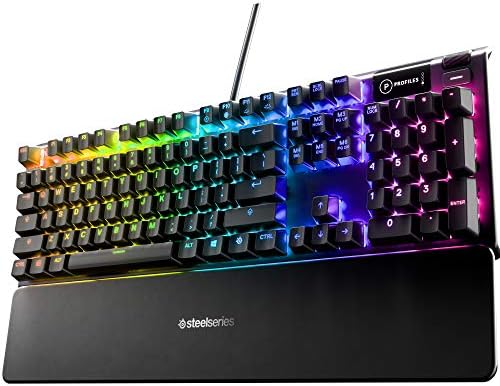
SteelSeries USB Apex 5 Hybrid Mechanical Gaming Keyboard, Per-Key RGB Illumination, Aircraft Grade Aluminum Alloy Frame, OLED Smart Display (Hybrid Blue Switch)
A full-size USB board with a hybrid mechanical switch, per-key RGB illumination, an aircraft grade aluminum alloy frame, and an OLED smart display.
Visit on Amazon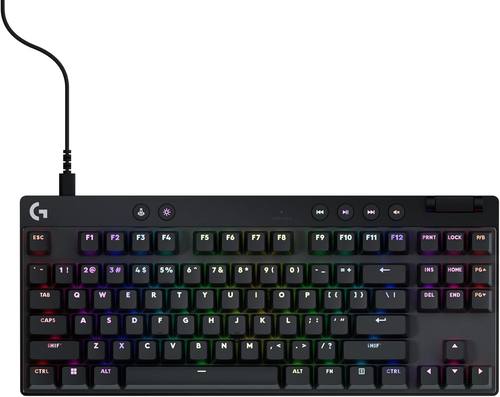
Logitech G PRO X TKL Rapid Tenkeyless Gaming Keyboard (Hall-Effect) - Black
A tenkeyless Hall-effect gaming keyboard in black, built around rapid trigger style actuation for competitive play.
Visit on Amazon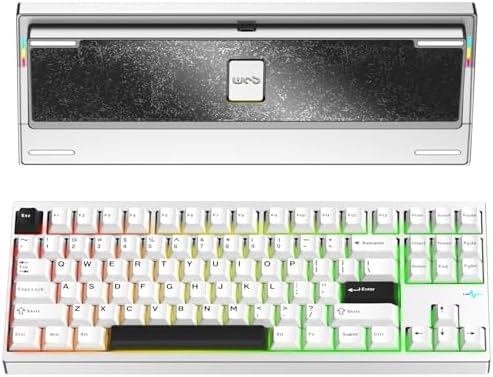
KEEBMONKEY WOBKEY Crush 80 Reboot CNC Aluminum 5-Second Quick-Release Triple-Mode Connectivity Mechanical Keyboard with Superior Acoustics (Pro Silver)
A CNC aluminum board with triple-mode connectivity, a five-second quick-release design, and acoustics as the headline feature.
Visit on Amazon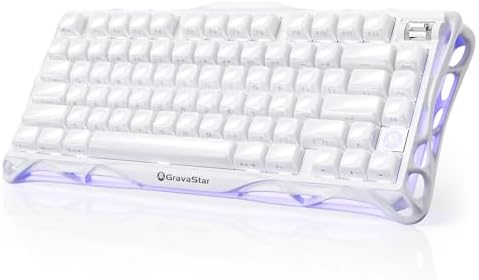
GravaStar Mercury K1 75% Wireless Mechanical Gaming Keyboard RGB Backlit
A 75 percent wireless mechanical gaming keyboard with RGB backlighting and a compact footprint that leaves room for a mouse.
Visit on Amazon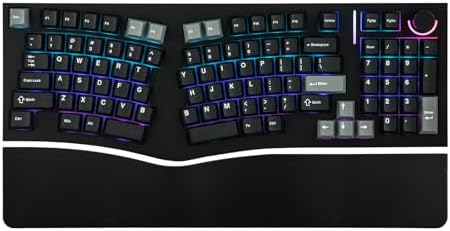
MechLands Feker Alice98 Ergonomic 98 Keys Custom Mechanical Keyboard
Check current Amazon price
An ergonomic 98-key custom mechanical keyboard with an Alice-style layout that angles the two halves of the typing area for a more natural wrist position.
Visit on AmazonPrices and availability may change. Check the retailer for current details.
How these products were compared
This guide compares layout and footprint, switch type and actuation behavior, connectivity options, case materials and construction, and the ergonomics of each layout. Product names, images, and retailer links are matched to the same product record so that every card points to the product shown.
A comparison like this only works if the criteria are things a buyer can verify. So the differences below are drawn from how each board is described and positioned by its manufacturer: whether it is full-size, tenkeyless, 75 percent, or an ergonomic 98-key arrangement; whether it uses a hybrid mechanical switch, a magnetic switch, or a Hall-effect switch; whether it connects over USB, wireless, or triple-mode; and whether the case is a conventional frame or a machined aluminum shell.
Two things are deliberately left out. The first is price, because listings move and a stale number is worse than no number. Use the retailer link on each card to check the current figure. The second is any claim of long-term durability or measured sound output, since those depend on how a board is used and what it sits on. Where sound or feel is central to a product's identity, that is described as the manufacturer's stated design goal, not as a test result.
How to choose the right mechanical keyboard
Start with layout, because it is the hardest thing to change later. The SteelSeries Apex 5 is a full-size board, so it includes a number pad and takes up the most desk width. The Logitech G PRO X TKL Rapid drops the number pad for a narrower tenkeyless footprint that leaves more room for mouse movement. The GravaStar Mercury K1 goes smaller still at 75 percent, which keeps the arrow keys and function row while trimming the rest. The MechLands Feker Alice98 takes a different route: 98 keys, but arranged in an ergonomic Alice-style layout that angles the two halves of the typing area.
Switch type is the second decision. Hybrid mechanical switches, like the one in the SteelSeries Apex 5, behave like a traditional mechanical switch with a defined actuation point. Magnetic and Hall-effect switches, used in the Keychron K2 HE and the Logitech G PRO X TKL Rapid, are contactless designs that support adjustable actuation and rapid trigger behavior in the manufacturer's software. That matters most for competitive games where releasing a key as fast as possible is the point. For writing and everyday typing, the practical difference is smaller than the marketing suggests, and it comes down to whether you actually use the adjustable settings.
Connectivity and build come next. A wired USB board never needs charging and never drops a connection, which is why full-size gaming decks still ship that way. Wireless and triple-mode boards trade that certainty for a cleaner desk and the ability to move between devices. On the build side, a machined aluminum case like the one on the KEEBMONKEY WOBKEY Crush 80 Reboot is a different product category from a standard plastic shell, and the five-second quick-release design is aimed at people who swap plates, foam, or switches rather than set the board once and forget it. If you are new to the hobby, the details that separate a budget board from a good one are mostly in the stabilizers, which is worth reading up on before you commit.
Keychron K2 HE Rapid Trigger Wireless Magnetic Custom Keyboard
The Keychron K2 HE is the top pick here because it sits at the intersection of the two things most people actually want from one board: wireless freedom and gaming-grade actuation. It is a compact custom-style keyboard with magnetic switches and rapid trigger support, which means actuation behavior can be adjusted in software rather than fixed at the factory. Wireless operation keeps the desk clear, and the compact layout keeps the mouse close.
The trade-offs are straightforward. It is not a full-size board, so anyone who lives in a spreadsheet with a number pad will miss the extra keys. Wireless always introduces a battery to think about, and the rapid trigger features only matter if you play games that reward them. If you want an OLED display, dedicated media controls, or a full-size aluminum frame, the SteelSeries Apex 5 covers those instead.
Alternatives to consider
The Logitech G PRO X TKL Rapid Tenkeyless Gaming Keyboard (Hall-Effect) is better suited to a competitive player who wants a narrower tenkeyless deck and does not need a number pad, while the SteelSeries USB Apex 5 is a stronger fit when you want a full-size wired board with per-key RGB, an aluminum alloy frame, and an OLED smart display.
The KEEBMONKEY WOBKEY Crush 80 Reboot, the GravaStar Mercury K1, and the MechLands Feker Alice98 cover the rest of the field. The Crush 80 Reboot is the acoustics-first choice with a CNC aluminum body, triple-mode connectivity, and a quick-release design for people who open their boards. The Mercury K1 is the compact wireless gamer at 75 percent with RGB backlighting. The Feker Alice98 is the ergonomic pick, using its 98-key Alice-style layout to change the wrist angle rather than the feature list.
Day-to-day use and maintenance
Mechanical keyboards are low-maintenance, but a few habits keep them in good shape. Dust is the main long-term enemy, so a soft brush or a can of compressed air across the keycaps and between the switches every few months prevents grit from working its way into the switch housings. Keycaps can be pulled and washed in warm water with a mild soap, then left to dry completely before going back on. Avoid spraying liquid cleaner directly onto the board, and keep drinks away from the case, since liquid reaching the PCB is the one failure that is usually permanent.
For wireless boards, treat the battery the way you treat a laptop battery. Recharge before it hits empty rather than leaving it discharged for weeks, and keep the charging cable somewhere you can reach it. For aluminum boards, be aware that the finish can pick up scuffs from keys, cables, and desk edges, so a mat underneath helps. If your board supports firmware or configuration software, check for updates occasionally, since adjustable actuation and lighting features often improve after launch. Always follow the manufacturer's care instructions for your specific model, and check the retailer's return terms before you start pulling keycaps off a new board.
Buying checklist
- Measure your desk space and decide whether you need a number pad, arrow keys, or a function row.
- Choose the switch type based on your normal use rather than an occasional edge case: hybrid mechanical for general typing, magnetic or Hall-effect if you want adjustable actuation and rapid trigger.
- Confirm that the exact model you are buying includes the connectivity you need, whether that is wired USB, wireless, or triple-mode.
- Check whether the case material and construction match how you plan to use the board, especially if you intend to open it for mods.
- Read the cleaning and maintenance instructions, and keep the original packaging for the first few weeks.
- Verify the current retailer price, availability, and return terms before ordering.
Final recommendation
Choose the Keychron K2 HE Rapid Trigger Wireless Magnetic Custom Keyboard when you want one wireless board that handles a workday of typing and still supports rapid trigger for gaming. Choose the Logitech G PRO X TKL Rapid Tenkeyless Gaming Keyboard (Hall-Effect) when gaming comes first and a tenkeyless Hall-effect deck is the priority, or the SteelSeries USB Apex 5 when you want a full-size wired board with a display and per-key lighting. If acoustics and an aluminum case are the whole point for you, the KEEBMONKEY WOBKEY Crush 80 Reboot is the one to look at, and if wrist comfort is the deciding factor, the MechLands Feker Alice98 changes the layout in a way the others do not.