Finding the best mechanical keyboards in 2026 means sorting through more layout options, switch types, and connection modes than ever before. This roundup covers six products: a wireless 75% hot-swap board with pre-lubed switches, two Logitech wired options in full-size and tenkeyless, a compact 60% hot-swap board, a budget 60% with clicky blue switches, and a switch lube for taming rattly stabilizers. Whether you type code all day or game into the night, the right board comes down to layout, switch feel, and how much you want to customize later.
Related: Best Budget Hot-Swap Keyboards
Quick answer
The AULA F75 75% Wireless Mechanical Keyboard is the strongest fit for most people because it combines a compact 75% layout, wireless and wired connectivity, and hot-swap sockets with pre-lubed linear switches straight from the factory. Choose the Logitech G413 SE Full-Size Mechanical Gaming Keyboard instead when you need a full-size wired board with a numpad and a no-fuss setup.
Mechanical keyboards worth comparing
The products here differ in layout size, switch type, hot-swap support, and connectivity. Layout ranges from full-size with a numpad down to 60% with no function row or arrows. Switch type spans pre-lubed linears and clicky blues. Hot-swap sockets let you change switches without soldering, and wireless options add flexibility at the cost of charging habits. Stabilizer quality is the quiet variable, and that is where the included switch lube becomes relevant.
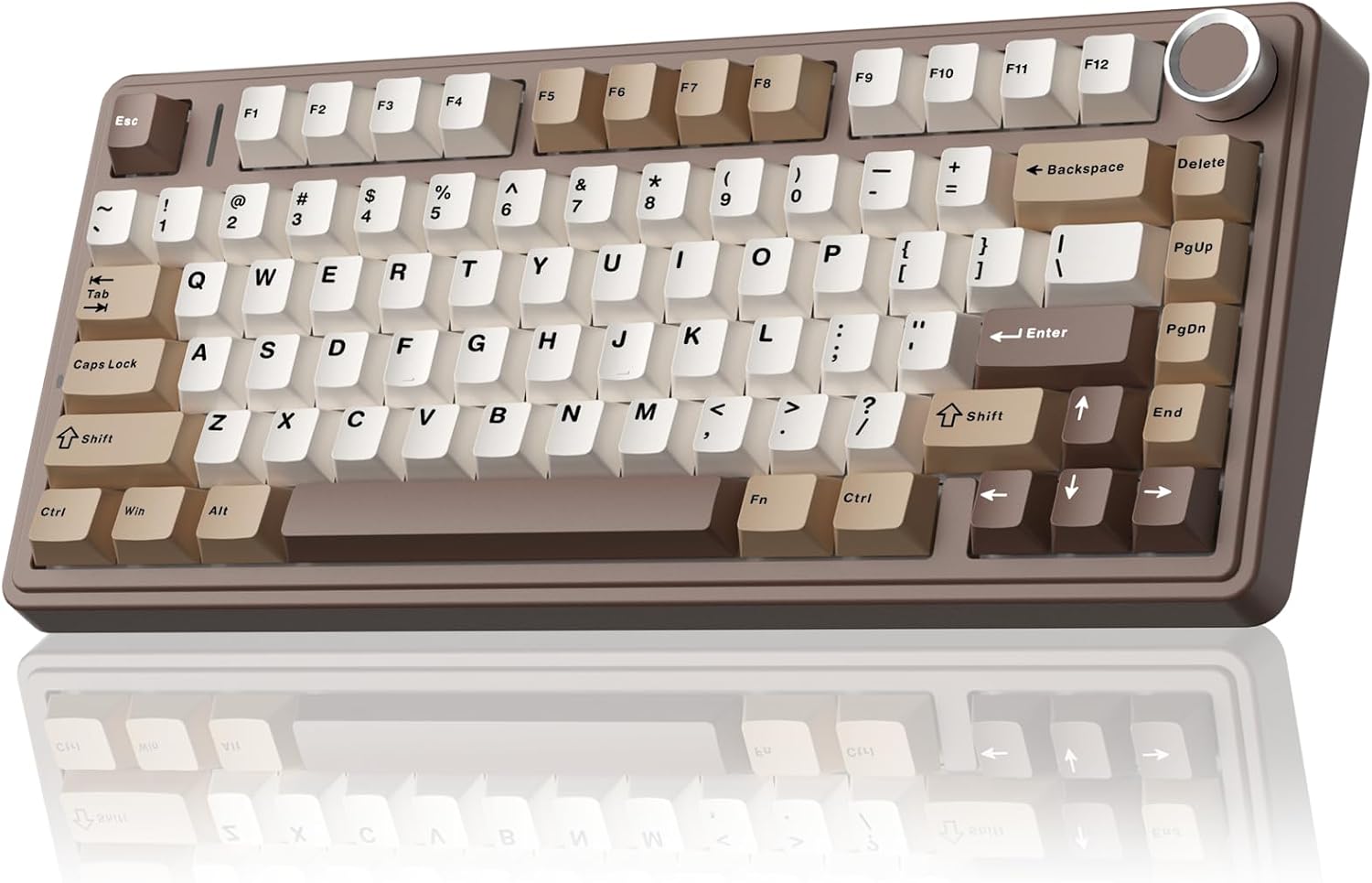
AULA F75 75% Wireless Mechanical Keyboard
75% layout with hot-swap sockets, pre-lubed linear switches, and 2.4GHz, Bluetooth 5.0, and Type-C connectivity in a white and brown colorway.
Visit on Amazon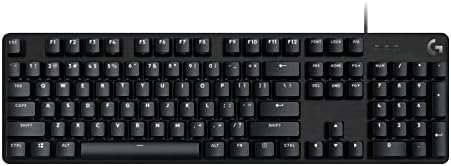
Logitech G413 SE Full-Size Mechanical Gaming Keyboard
Full-size wired mechanical keyboard in black with a complete layout including numpad, built for straightforward plug-and-play use.
Visit on Amazon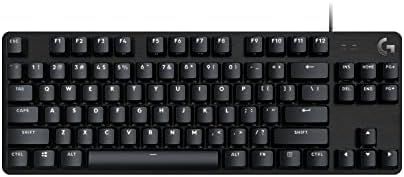
Logitech G413 TKL SE Mechanical Gaming Keyboard
Tenkeyless wired mechanical keyboard in black that keeps the function row while dropping the numpad for a more compact desktop footprint.
Visit on Amazon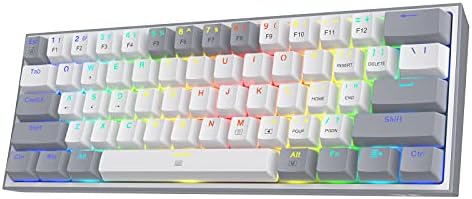
Redragon K617 Wired 60% Compact Hot-Swap RGB Gaming Mechanical Keyboard
Wired 60% compact board with hot-swap sockets and RGB backlighting, built for small desks and switch experimentation.
Visit on Amazon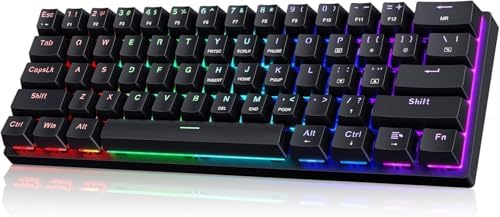
60% Wired Mechanical Gaming Keyboard with Blue Switches
Wired 60% keyboard with clicky blue switches and LED backlighting, offering a compact layout and a tactile sound profile.
Visit on Amazon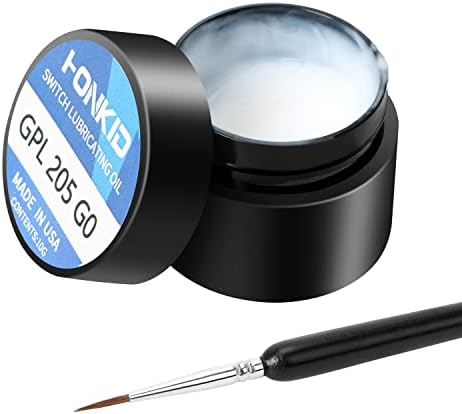
HONKID Keyboard Switch Lube GPL 205G0
Switch lube in a 0.35 oz container for lubricating switches, keycaps, and stabilizers to reduce noise and smooth out feel.
Visit on AmazonPrices and availability may change. Check the retailer for current details.
How these products were compared
This guide compares layout size, switch type, hot-swap support, connectivity, and included extras like pre-lubing and lube for maintenance. Product names, images, and retailer links are matched by ASIN so that every card points to the product shown. The summaries reflect the verified product listings, not hands-on testing. I did not spend two weeks typing on every unit, so I am not claiming personal experience where none exists. What I can verify from the listings is the layout, switch type, connection options, and whether hot-swap sockets are present.
Do not treat the descriptions as measured results. The AULA F75 lists pre-lubed linear switches and creamy sound as selling points, but sound is subjective and depends on your desk and keycaps. The Logitech boards are wired only, which removes battery concerns but limits placement. The Redragon and the generic 60% both target the compact end of the market with different switch personalities. The HONKID lube is an accessory, not a keyboard, and it belongs in the maintenance conversation rather than the layout comparison.
How to choose the right mechanical keyboard
Start with layout size because it shapes everything else. Full-size boards like the Logitech G413 SE keep the numpad, which matters if you enter numbers all day or play games that bind actions to the arrow cluster. Tenkeyless boards like the G413 TKL SE drop the numpad but keep the function row and arrows, which balances desktop space with usability. The 75% layout of the AULA F75 squeezes the arrows and function row into a tighter frame, while 60% boards sacrifice both to shrink the footprint to the essentials.
Switch type is the second decision. Pre-lubed linear switches, as listed on the AULA F75, give a smooth, quiet press with no tactile bump. Clicky blue switches, as listed on the generic 60% board, add an audible click and a tactile bump that some typists love and some offices hate. If you share a desk or record audio, linears are the safer pick. If you want feedback on every keystroke, clicky switches deliver it loudly.
Hot-swap support is non-negotiable for anyone who plans to customize. The AULA F75 and the Redragon K617 both list hot-swap sockets, which means you can pull the switches out and install different ones without soldering. That turns a $70 keyboard into a platform you can tune over years. The Logitech boards do not list hot-swap, so what you buy is what you keep unless you are comfortable with a soldering iron.
Connectivity comes last. The AULA F75 offers 2.4GHz wireless, Bluetooth 5.0, and Type-C wired, which covers desk setups and travel. The Logitech and Redragon boards are wired only, which is simpler and never runs out of battery. If you value a clean desk and the ability to switch between devices, wireless wins. If you want zero charging habits, wired is the reliable choice.
AULA F75 75% Wireless Mechanical Keyboard
The AULA F75 is the top pick because it packs the features most buyers want into one board. The 75% layout keeps the arrow keys and function row while trimming the numpad, so it fits on smaller desks without forcing you to relearn key positions. It lists hot-swap sockets, which means you can replace the pre-lubed linear switches with any compatible switch later. The pre-lubing is a factory touch that usually reduces scratch and rattle out of the box, and the creamy description points at a deeper, softer sound profile.
Connectivity is the other headline feature. The board lists 2.4GHz wireless for low-latency gaming, Bluetooth 5.0 for pairing with laptops and tablets, and Type-C for wired use and charging. That range of options covers a desktop setup, a couch session, and a travel bag without needing a second keyboard. The white and brown colorway is a deliberate break from the all-black gaming aesthetic, which might or might not match your setup.
The trade-off is the layout itself. If you need a numpad for data entry or spreadsheet work, the 75% layout will not give it to you. Wireless also means you have to remember to charge the battery, and the pre-lubed switches are a starting point rather than a final tuning. If you want to go deeper, the included switch lube in this roundup can refine stabilizers and switches further.
Alternatives to consider
The Logitech G413 SE Full-Size Mechanical Gaming Keyboard is better suited to numpad-dependent work and gamers who want a wired board that never needs charging, while the Logitech G413 TKL SE Mechanical Gaming Keyboard is a stronger fit when you want the same Logitech reliability in a smaller footprint without the numpad.
The Redragon K617 Wired 60% Compact Hot-Swap RGB Gaming Mechanical Keyboard, the 60% Wired Mechanical Gaming Keyboard with Blue Switches, and the HONKID Keyboard Switch Lube GPL 205G0 cover the budget and maintenance ends of the spectrum. The Redragon offers hot-swap sockets in a 60% frame for those who want maximum customization in minimum space. The generic 60% board delivers clicky blue switches and LED backlighting at a budget price, though without hot-swap support. The HONKID lube is the maintenance piece, useful for smoothing out switches and stabilizers on any board in this roundup.
Day-to-day use and maintenance
Mechanical keyboards need occasional cleaning to stay pleasant. Dust and crumbs collect between keycaps, and the easiest fix is to remove the keycaps and blow out the debris with compressed air. For deeper cleaning, a soft brush and a slightly damp cloth work on the case, but keep liquids away from the switches and PCB. The AULA F75 and Redragon K617 both support hot-swap, so you can remove switches for cleaning or replacement, which is a real advantage over the soldered Logitech boards.
Switch lube is a maintenance tool, not a one-time fix. The HONKID GPL 205G0 is meant for switches, keycaps, and stabilizers, and a small amount goes a long way. Applying lube to stabilizers can reduce the metallic rattle that plagues budget boards, and lubing switch stems can smooth out scratchy presses. Use it sparingly, because over-lubing can make switches feel mushy or collect dust over time. For wireless boards like the AULA F75, charge the battery before it dies completely, since lithium cells last longer when they are not drained to zero repeatedly.
Buying checklist
- Measure your desk space and decide between full-size, tenkeyless, 75%, and 60% layouts.
- Choose switch type based on normal use rather than an occasional edge case, and remember that clicky switches are loud in shared spaces.
- Confirm that the exact model includes hot-swap sockets if you plan to change switches later.
- Read the cleaning and maintenance instructions before applying any lube.
- Verify the current retailer price, availability, and return terms.
Final recommendation
Choose the AULA F75 75% Wireless Mechanical Keyboard when you want a compact layout with hot-swap sockets, pre-lubed linear switches, and the flexibility of wireless and wired connections. Choose the Logitech G413 SE Full-Size Mechanical Gaming Keyboard when you need a numpad and a wired board with no battery to manage. For everyone else, the Redragon K617 covers budget hot-swap needs, the generic 60% board satisfies clicky switch fans, and the HONKID lube is the right addition when you want to quiet down stabilizers and smooth out switches on whatever board you pick.