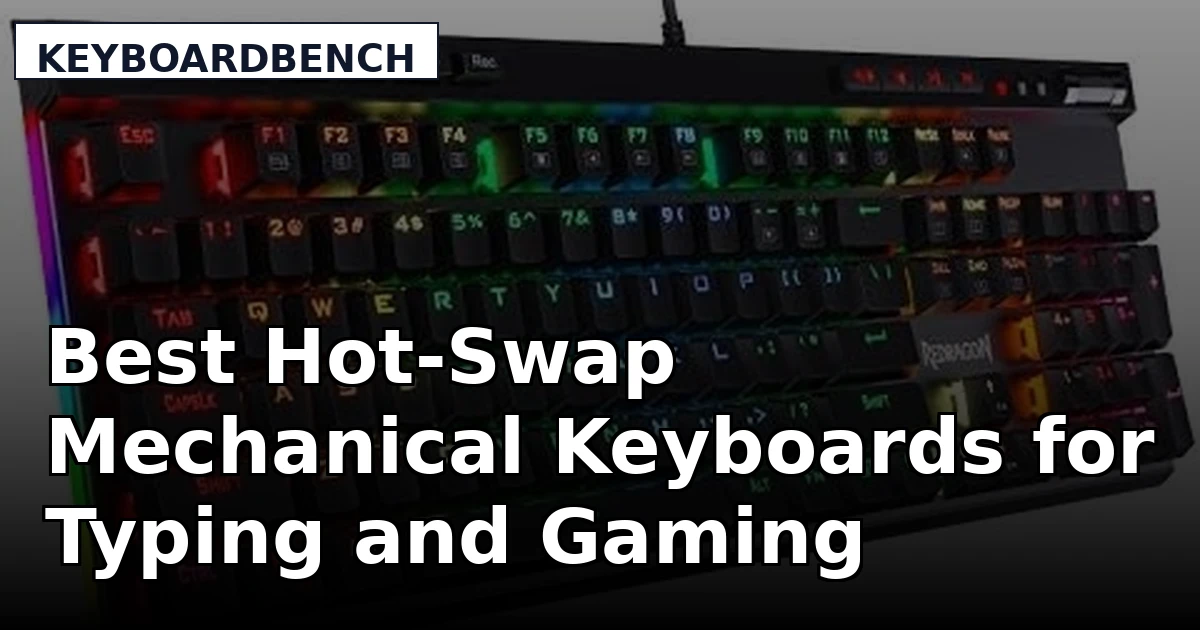
Buying a mechanical keyboard is easy. Living with the wrong one is the annoying part. The feature that decides whether a board stays on your desk for five years or gets sold in six months is not the case material, and it is not the lighting. It is the socket under the keycaps. A hot-swap mechanical keyboard lets you pull a switch with a small tool and drop in something different, which means the feel you buy today is not the feel you are stuck with. This guide compares six products that approach that idea from different angles: a full-size wired board with hot-swap sockets, a compact wireless model with a screen and a knob, a 60 percent analog gaming board, a media-heavy wired option, a low-profile wireless keyboard for quiet offices, and a set of tactile switches for anyone who already owns a compatible board.
Related: How to Lube Stabilizers Without Desoldering Anything
Quick answer
The Redragon K668 108-Key Hot-Swap Wired RGB Gaming Keyboard, Extra 4 Hotkeys is the strongest fit for a full-size desk setup because it pairs a 108-key layout with hot-swap sockets and four extra hotkeys for shortcuts. Choose the AULA S98 Pro Wireless Mechanical Gaming Keyboard with Screen, Knob, 96 Keys instead when you want a wireless connection, a slightly smaller 96-key footprint, and controls that live on the board itself.
Hot-swap mechanical keyboards worth comparing
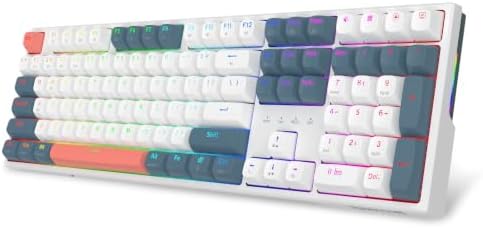
Redragon K668 108-Key Hot-Swap Wired RGB Gaming Keyboard, Extra 4 Hotkeys
A 108-key full-size wired board with hot-swap sockets, RGB lighting, and four extra hotkeys for macros and shortcuts.
Visit on Amazon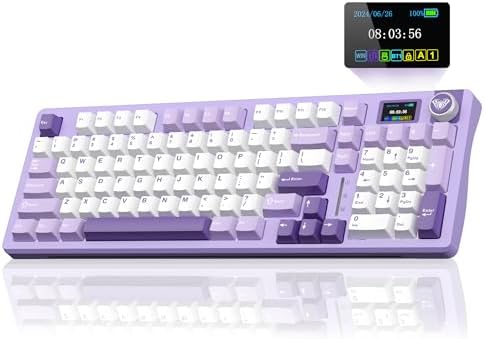
AULA S98 Pro Wireless Mechanical Gaming Keyboard with Screen, Knob, 96 Keys
A 96-key wireless mechanical board with an on-board screen and a rotary knob, aimed at people who want fewer cables and more physical controls.
Visit on Amazon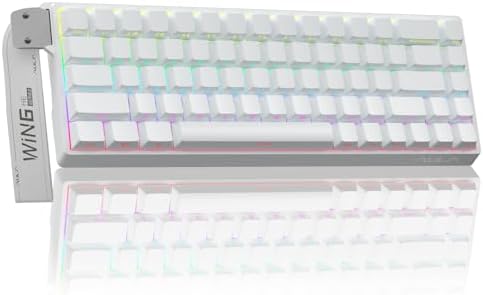
AULA WIN68 HE Mechanical Gaming Keyboard 60%, Hall Effect Magnetic Switch, Fast Trigger Mode Adjustable Actuation, 8000Hz Polling Rate, RGB Backlit, Wired Black Keyboard for Laptop/PC Gamer
A compact 60 percent wired board built around Hall Effect magnetic switches, with adjustable actuation, a fast trigger mode, and an 8000Hz polling rate.
Visit on Amazon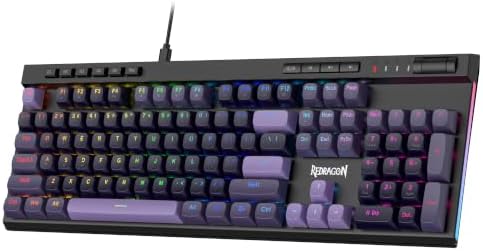
Redragon K580 Wired RGB Mechanical Gaming Keyboard, Macro Key & Media Wheel
A wired RGB mechanical board with a dedicated macro key and a media wheel for volume and playback without leaving the keyboard.
Visit on Amazon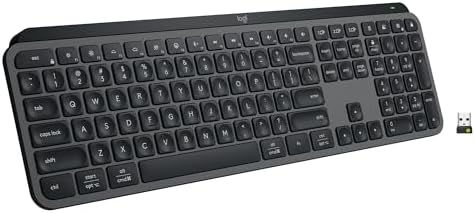
Logitech MX Keys S Wireless Keyboard Low Profile Fluid Precise - Graphite
A low-profile wireless keyboard in graphite, included here as the quiet, shallow-travel option for people who type all day in shared spaces.
Visit on Amazon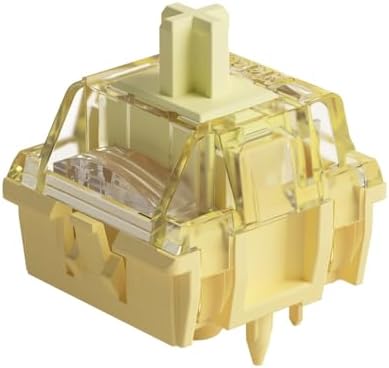
Akko V3 Creamy Blue Pro Keyboard Switch with Dustproof Stem for Mechanical Gaming Keyboard, 5-Pin 45gf Pre Lubed Tactile Key Switches (45pcs)
A 45-piece set of 5-pin tactile switches rated at 45gf, pre-lubed and fitted with a dustproof stem, for upgrading a board that already accepts hot-swap switches.
Visit on AmazonPrices and availability may change. Check the retailer for current details.
How these products were compared
This guide compares layout and footprint, connection type, switch platform and hot-swap support, on-board controls, and what actually ships in the box. Every product name, image, and retailer link is matched to the same listing, so a card never points at the wrong item.
The details below come from what each listing documents: key count, wired or wireless operation, switch type, extra controls, and included accessories. Nothing here should be read as a bench measurement or a long-term durability result, and stock moves constantly, so each card links out to the retailer for current pricing and availability.
How to choose the right keyboard
Start with layout, because it is the one decision you cannot undo later. A 108-key board like the Redragon K668 gives you a number pad, a function row, and arrow keys, which suits spreadsheet work, coding, and anything where you punch numbers all day. A 96-key board like the AULA S98 Pro squeezes the number pad and arrows into a narrower frame, which buys back mouse room on a small desk. A 60 percent board like the AULA WIN68 HE drops the number pad, the function row, and often the arrow cluster, so every one of those keys moves onto a function layer. That is a great trade for gaming and a bad trade for anyone who lives in a spreadsheet. Measure your desk before you decide, and be honest about whether you will actually learn the layers.
Connection type is the second split. The K668, the K580, and the WIN68 HE are wired, which means no charging, no dongle, and no battery to think about. The S98 Pro and the MX Keys S are wireless, which clears the cable clutter and lets you move the board between a laptop and a desktop. Wireless boards trade that convenience for a battery you have to keep an eye on.
Switch platform is where these six products genuinely diverge, and it is the part worth reading carefully. Hot-swap sockets, as found on the K668, let you pull a switch and press in a different one, so the board outlives your taste in switches. Hall Effect magnetic switches, as found on the WIN68 HE, are a different approach entirely: actuation is adjustable in software and a fast trigger mode is available, and the 8000Hz polling rate targets competitive play rather than switch swapping. The Akko V3 Creamy Blue Pro set is not a keyboard at all. It is a 45-piece pack of 5-pin, 45gf tactile switches with a dustproof stem, pre-lubed from the factory, intended for a board that already has compatible hot-swap sockets. A 45-piece pack covers a small board, so plan on more than one pack for a 60 percent layout.
Finally, count the controls you want on the board rather than in software. The S98 Pro has a knob and a screen. The K580 has a macro key and a media wheel. The K668 has four extra hotkeys. If you change volume, skip tracks, or trigger shortcuts constantly, hardware controls save you a trip into an app. If you never touch them, they are just things that can break.
Redragon K668 108-Key Hot-Swap Wired RGB Gaming Keyboard, Extra 4 Hotkeys
The K668 is the most conventional board in this group, and that is the argument for it. It is a 108-key full-size wired keyboard with RGB lighting, hot-swap sockets, and four extra hotkeys sitting outside the standard layout. For a first mechanical keyboard, that combination removes the two most common sources of regret: a layout that turns out to be missing keys you use every day, and a switch choice you cannot change without a soldering iron.
The trade-offs are straightforward. It is wired, so there is a cable running to your machine and no option to carry it to the couch. It is full-size, so it takes real desk width, and it leaves less room for a wide mouse mat than a 96-key or 60 percent board would. The gaming styling is also very much present, which matters if this board is going to sit in an open office. What you get in return is a complete layout, sockets that accept replacement switches, and shortcut keys you can assign instead of reaching for a keyboard shortcut.
Alternatives to consider
The AULA S98 Pro Wireless Mechanical Gaming Keyboard with Screen, Knob, 96 Keys is better suited to a desk where cables are the enemy and you want physical controls without software. It keeps a number pad and arrow keys in a 96-key frame, and the screen and knob put volume, profiles, and settings a twist away. If you split your time between a laptop and a desktop, this is the one that moves with you.
The AULA WIN68 HE Mechanical Gaming Keyboard 60%, Hall Effect Magnetic Switch, Fast Trigger Mode Adjustable Actuation, 8000Hz Polling Rate, RGB Backlit, Wired Black Keyboard for Laptop/PC Gamer is a stronger fit when gaming response is the whole point. Hall Effect magnetic switches, adjustable actuation, fast trigger mode, and an 8000Hz polling rate are aimed at players who want to tune how far a key travels before it registers. It is small, wired, and built around a different switch technology, so it is not the board for someone who wants to swap in a set of standard mechanical switches later.
The Redragon K580 Wired RGB Mechanical Gaming Keyboard, Macro Key & Media Wheel, the Logitech MX Keys S Wireless Keyboard Low Profile Fluid Precise - Graphite, and the Akko V3 Creamy Blue Pro Keyboard Switch with Dustproof Stem for Mechanical Gaming Keyboard, 5-Pin 45gf Pre Lubed Tactile Key Switches (45pcs) cover the remaining ground. The K580 is for people who want a media wheel and a macro key in a wired RGB board. The MX Keys S is the low-profile wireless choice for quiet rooms and shallow-travel typing, and it is not a mechanical board. The Akko set is for a reader who already owns a compatible hot-swap keyboard and wants a 45gf tactile switch with a factory lube and a dustproof stem.
Day-to-day use and maintenance
Hot-swap boards are forgiving, but they are not indestructible. Pull switches straight up with a proper switch puller rather than a screwdriver, and look at the pins before you press a new switch in. A bent pin forced into a socket can damage the socket, and that is the one repair most people cannot do at home. If a switch will not seat, take it out and check the alignment instead of pushing harder.
Cleaning matters more than most people expect. Keycaps collect oil and dust, and a board that feels gritty after a year usually just needs the caps pulled and washed in warm water with a little dish soap, fully dried before they go back on. Compressed air handles the case and the gaps between switches. Keep drinks away from the board, and if something spills, unplug it first and let it dry completely before testing it.
The Akko switches arrive pre-lubed, so there is no reason to open them. If you do swap switches, keep the originals in a bag. You may want them back, and a mixed set is easier to troubleshoot when you know which switches came with the board.
Wireless boards need one habit: charge them before they die rather than after. Running a wireless keyboard to zero mid-sentence is the most predictable failure mode in this entire category, and the fix is a charging cable within reach or a routine of plugging in at the end of the workday. On the software side, install the configuration tool once, set your lighting and key mapping, and then decide whether you need it running in the background at all.
Buying checklist
- Measure your desk and decide between a full-size 108-key, a 96-key, and a 60 percent layout before anything else.
- Choose wired or wireless based on whether you will actually keep a battery charged.
- Confirm the exact model has hot-swap sockets if switch swapping matters to you, and check whether those sockets accept 5-pin switches.
- Decide whether you need on-board controls such as a knob, a screen, a media wheel, or extra hotkeys.
- Check what is in the box, since one product here is a switch set rather than a complete keyboard.
- Verify the current retailer price, availability, and return terms before ordering.
Final recommendation
Choose the Redragon K668 108-Key Hot-Swap Wired RGB Gaming Keyboard, Extra 4 Hotkeys when you want a complete full-size layout, hot-swap sockets, and shortcut keys, and you do not mind a cable. Choose the AULA S98 Pro Wireless Mechanical Gaming Keyboard with Screen, Knob, 96 Keys when wireless freedom, a 96-key footprint, and physical controls matter more than the number pad. Choose the AULA WIN68 HE Mechanical Gaming Keyboard 60%, Hall Effect Magnetic Switch, Fast Trigger Mode Adjustable Actuation, 8000Hz Polling Rate, RGB Backlit, Wired Black Keyboard for Laptop/PC Gamer if competitive gaming is the priority and you are ready for a compact layout. The K580, the MX Keys S, and the Akko switch set exist for narrower jobs: media controls, quiet low-profile typing, and upgrading a board you already own. Match the board to the work you do, and the rest of the decision gets much simpler.