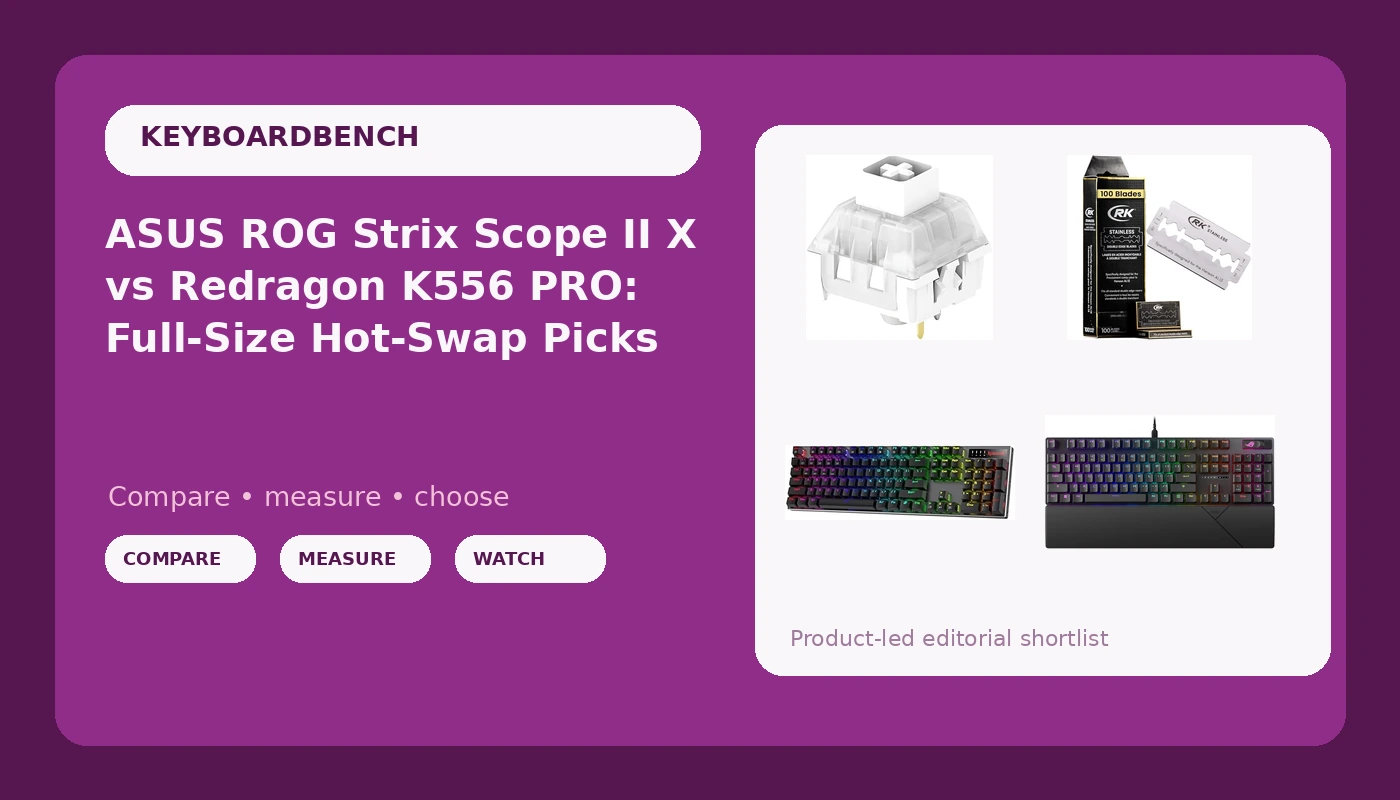
Two full-size boards, one 72-piece switch set, and a 100-pack of razor blades landed on my bench for this comparison, and only three of those four things belong on a keyboard desk. That is the honest framing. The two boards target the same buyer: someone who wants a full-size layout, a numpad, and the ability to change switches later without owning a soldering iron. They get there with different budgets and different compromises. The switch set is the cheapest way to change how either board sounds and feels. The razor blades are a story I will get to briefly, because pretending they are a keyboard accessory would insult both of us. This hot-swap mechanical keyboard comparison is built around the one test I trust: after two weeks of daily typing, do I stop noticing the board at all?
Related: How I Test A Keyboard: Two Weeks, One Stabilizer Rattle Score
The ASUS ROG Strix Scope II X is the board I would hand to most people, because it is the only full-size keyboard in this comparison that arrives with hot-swap sockets, pre-lubed linear switches, and PBT keycaps already installed. The Redragon K556 PRO is the wireless budget play. The Kailh Box Whites are a switch upgrade for a smaller board, not a full-size one. And the razor blades, again, are razor blades.
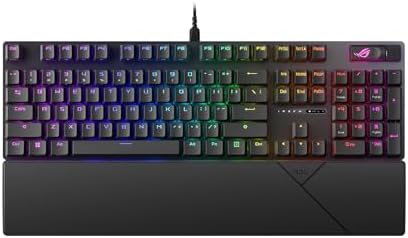
ASUS ROG Strix Scope II X
Hot-swap sockets plus factory pre-lubed linear switches and PBT keycaps out of the box, so the two things I would normally fix are already done
Wired only, and full-size means it owns a lot of desk
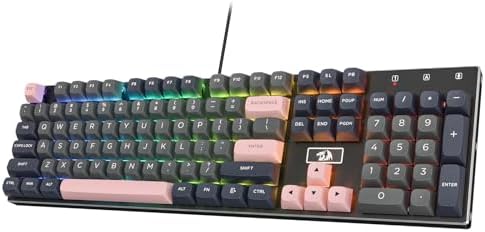
Redragon K556 PRO
Wireless, 104 keys, and an aluminum frame at the budget end of the full-size tier
Budget boards save money somewhere, and stabilizers are usually the first place
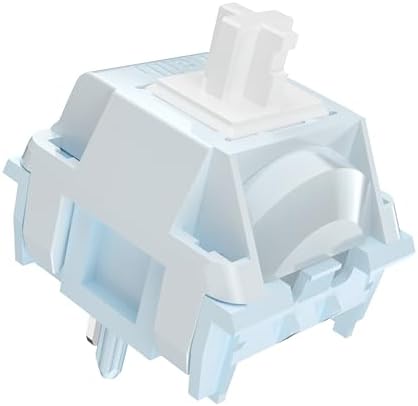
Kailh Box White Clicky Switches, 72 pieces
A crisp click with a dust-resistant Box stem, and it fits both 3-pin and 5-pin hot-swap sockets
72 switches will not fill a full-size or TKL board, and clicky is a room-dependent choice
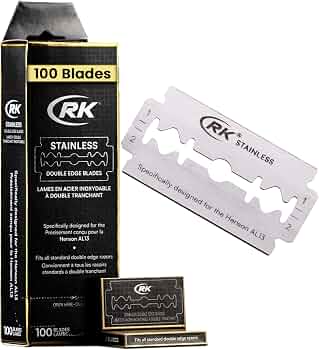
RK Shaving Double Edge Razor Blades, 100 pack
A 100-pack of double edge blades made for the Henson AL13, if that is the razor on your shelf
It is not a keyboard, not a switch, and not part of this hobby
Prices and availability were captured from Amazon Creators API and may change.
How I test a board
Every keyboard that reaches my desk gets the same treatment. Two weeks of daily use, which for me means eight hours of writing code, plus whatever evening drafts I am working on. I type on it for real work before I form an opinion, because a board that feels clever in the first hour can feel tiresome by day nine. I listen for stabilizer rattle on the spacebar, the shift keys, and the backspace, since those are the keys that expose a cheap stabilizer first. I check whether the switches are hot-swap, because a board without hot-swap sockets is obsolete the day you unbox it. And I ask whether I would happily use it for a full work week without swapping it out.
That routine is why this comparison looks the way it does. I care less about the shape of the case and more about what is already installed under the keycaps, because that is what you live with every day.
ASUS ROG Strix Scope II X: the full-size board to beat here
The case for this one is straightforward. It is a 100% full-size wired board with hot-swap sockets, ROG NX Snow V2 linear switches that come pre-lubed from the factory, PBT keycaps, RGB, and support for both PC and Mac layouts. Read that list again against the things I complain about constantly.
Hot-swap is non-negotiable in 2026. If you decide six months from now that you want tactile switches, a $5 puller and a set of switches is a ten-minute experiment instead of a soldering project. PBT keycaps matter more than most people admit, because keycap quality tells you more about a board than the case material does. Cheap ABS caps go shiny and slick within months. PBT holds its texture and its sound. When a manufacturer includes PBT at this tier, it is a signal that they spent money where your fingers actually touch.
Linear switches are the part that is genuinely personal. A pre-lubed linear has no bump and no click, just a smooth press from top to bottom, and it is the safest recommendation for someone who types all day and games at night. It is also the switch type most likely to feel lifeless to a person coming from tactile or clicky boards. If you have never used a linear, give it a full week before you decide. The adjustment is real, and it usually resolves.
The trade-offs are honest ones. It is wired, so if you move between a desk and a couch, this is not your board. It is full-size, which means the numpad eats desk space you might want for a mouse. And the RGB is controlled by desktop software, so before you buy any RGB board, check whether the lighting app lets you set a static color without creating an account. Software that needs a login to change a color is one of my standing pet peeves, and it is worth five minutes of research up front.
Redragon K556 PRO: the wireless budget option
The K556 PRO is a 104-key wireless RGB mechanical keyboard with an aluminum frame. For a buyer who wants a full-size layout, a wireless connection, and a price that does not require a conversation with a partner, this is the obvious candidate in this group. The aluminum frame is a nice touch at the budget end, since plastic cases are where cheap boards usually announce themselves.
Here is where I slow down. Budget boards are not bad boards, but they are built to a number, and something has to give. In my experience the first thing to give is the stabilizers, which is why I tell every beginner the same thing: the day the board arrives, tap the spacebar and listen. If it pings or rattles, that is not a defect you have to live with. Lube the stabilizers. It is the single cheapest fix in this hobby and it turns a rattly board into a quiet one. I have not torn this specific unit down, so I will not tell you its stabilizers are perfect or terrible. I will tell you to check, because that is where the money was saved.
Wireless is a feature until the battery dies mid-sentence. That is not a knock on this board specifically, it is how I think about every wireless keyboard. Treat battery life as a spec you verify rather than a promise you accept, and decide whether you want RGB lighting competing with your typing time for the same battery. If you keep a cable at the desk as a fallback, wireless is a genuine convenience. If you do not, it is a countdown.
Kailh Box White switches: an upgrade, not a keyboard
This listing is 72 clicky switches, hot-swappable, dustproof, and compatible with both 3-pin and 5-pin sockets. If you own a hot-swap board and you want to know what clicky actually feels like, this is a low-risk way to find out. Box White is the clicky switch I recommend first, because the click is crisp rather than rattly, and the Box stem design keeps dust and moisture out of the contact area in a way that standard stems do not.
Two things to know before you order. First, the count. Seventy-two switches will fill a 60% or 65% board with spares left over. It will not fill an 87-key TKL and it will not fill a 104-key full-size board like either keyboard in this comparison. If you are buying these to populate a full-size board, buy two sets or accept that you are short.
Second, the noise. Clicky switches are the most satisfying thing to type on in an empty room and the most annoying thing in a shared one. I love them with my whole heart and I cannot use them in an open office. If you take calls, share a wall, or live with someone who has ever asked you to type more quietly, clicky is not for you. If you work alone and want a board that feels like a machine, this is the cheapest way to get there. Five-pin compatibility matters here too: a board that only accepts 3-pin switches limits your options for no good reason, and these will drop into either socket type.
The razor blades: an honest outlier
The RK Shaving double edge razor blade 100-pack is designed for the Henson AL13 razor. It is a shaving product. There is no keyboard angle, no switch angle, and no desk angle that I can invent without lying to you. I am including it because it was part of this product set, and the honest move is to tell you what it is rather than dress it up as a peripheral. If you shave with a Henson AL13 and you want a hundred blades, this is a sensible bulk buy. If you came here for keyboards, skip this row and keep reading.
What actually decides this comparison
Four things separate these products, and none of them are the marketing copy.
Hot-swap sockets. This is the feature that decides whether a board lasts you three years or ten. Sockets mean you can change your mind about switches without tools. Both keyboards here are full-size and hot-swappable, which is the modern baseline. If a board in 2026 does not have sockets, I do not care how good its stock switches are.
Keycap material. PBT resists shine and holds its texture. ABS gets slick and shiny, usually within the first year of heavy use, and it sounds thinner. This is why the PBT keycaps on the ASUS board carry more weight in my verdict than the case design.
Stabilizers. The difference between a $50 board and a $200 board is usually the stabilizers, and cheap ones rattle. The good news is that rattle is fixable with lube and patience. The bad news is that you have to do it yourself, because it is not a spec that appears on any product page.
Wireless versus wired. Wired means no battery anxiety and no charging cable to lose. Wireless means a cleaner desk and one more thing to remember. Neither is wrong, but you should pick deliberately rather than by default.
Who should buy what
Buy the ASUS ROG Strix Scope II X if you type for a living, want a full-size layout, and would rather not think about switch swapping, keycap upgrades, or stabilizer tuning for a while. It arrives with the three things I would otherwise fix, and it is the board in this comparison I would hand to a friend without a list of caveats.
Buy the Redragon K556 PRO if wireless matters to you, the budget is tighter, and you are willing to spend twenty minutes checking the stabilizers when it arrives. It is the value play at the full-size tier, and the aluminum frame gives it a better first impression than the price suggests.
Buy the Kailh Box Whites if you already own a hot-swap board that is 60% or 65%, you want to try clicky switches, and nobody shares your workspace. Pair them with a smaller board and a switch puller.
Buy the razor blades if you own a Henson AL13. Otherwise, this is not the article you need.
The pattern I keep finding holds here. The board that spends its money on sockets, keycaps, and pre-lubed switches is the board that disappears under your hands, and a board that disappears is the highest compliment I can give. Type on it for a week. If you stop noticing it, it is good.