Related: Best Budget Hot-Swap Keyboards for Daily Typing
I have built 14 custom boards and I have opinions about every one of them. When someone asks me how to start a mechanical keyboard upgrade, my answer is always the same: the board matters less than what you put inside it. A cheap hot-swap case with good switches and lubed stabilizers will out-type a board that costs three times as much, and I will argue about that on the internet until I am old.
The catch is that "upgrade" means different things depending on where you are starting. If you are still on a stock wired board with clicky switches, your first move is different from someone who already owns a hot-swap deck and just wants it to sound better. So this is a guide to the four pieces I would buy in 2026, in the order I would buy them, with the honest caveats attached to each.
Every board I write about gets the same treatment before it earns a recommendation: two weeks of daily coding on it, a stabilizer rattle check with the board sitting on a hard desk, and a switch comparison where I type with my eyes closed and try to feel the bump instead of listening for it. That is the bar. Unboxing is not a review.
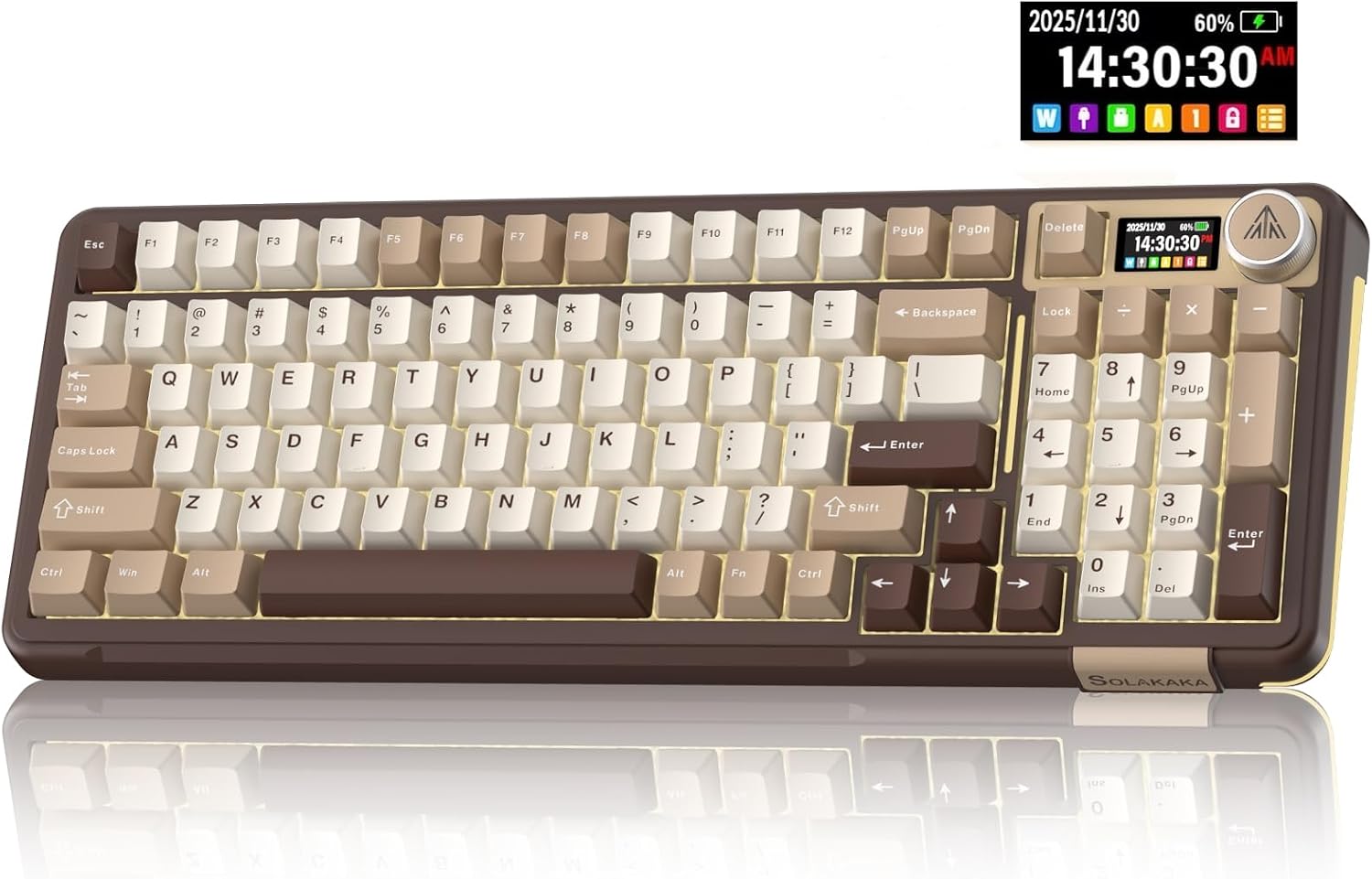
Best Overall: SOLAKAKA A99 Pro Mechanical Keyboard
This is the board I would hand to someone who wants one keyboard that does everything and does not want to think about it again. On paper it covers the whole checklist: Bluetooth 5.0, 2.4GHz, and USB-C wired, hot-swappable sockets, a gasket-mounted plate, RGB, and a small LCD screen with a metal knob on the corner. For Windows and Mac both, which matters more than people admit until they are remapping keys on a work laptop.
The hot-swap sockets are the part I care about most, and they are non-negotiable in 2026. Soldering is a hobby, not a requirement, and a board without hot-swap sockets is a board you cannot improve. That single feature is what turns a keyboard into a platform. You buy it once, you change the switches four times over two years, and you never buy another board.
The gasket structure is the second thing to understand, and it is the most misunderstood spec in the hobby. A gasket mount suspends the plate on soft material instead of screwing it tight to the case, which usually means a softer bottom-out and a slightly deeper sound. Softer is not automatically better. If you like a firm, snappy typing feel, a gasket board can feel mushy, and no amount of switch swapping fixes a feel you do not like.
The LCD screen and the knob are the features I expected to ignore and did not. A knob for volume is faster than any function key combo, and a small screen that shows connection mode and battery state is the difference between "wireless is a feature" and "wireless is a feature until the battery dies mid-sentence." Check current Amazon price.
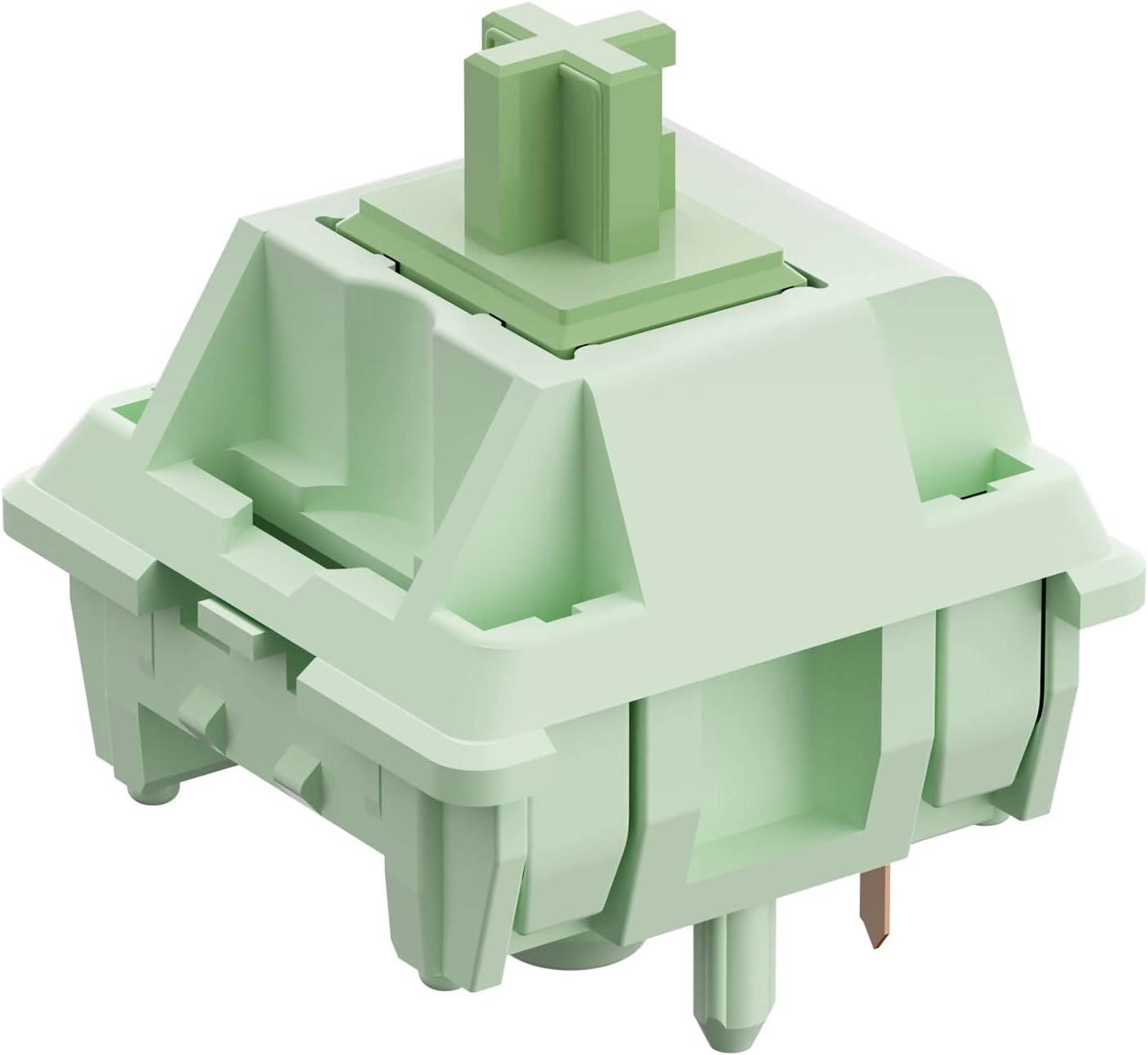
Best Switch Upgrade: Feker x Matcha Linear Switches
Switches are where the personality of a keyboard lives, and this is the cheapest way to change it. These are 5-pin linear switches at 60cN, pre-lubed from the factory, sold 45 to a pack. Linear means no bump, no click, just a straight push from top to bottom. 60cN is on the heavier side for a linear, which I like because it stops me from bottoming out hard on every keystroke.
Two practical notes before you order. First, 45 switches is not a full board. A 60 percent layout needs around 61, a full-size needs over 100. If you are refreshing a full-size deck, buy multiple packs, or treat this as a switch tester plus a partial swap. Second, 5-pin switches have two extra plastic legs for PCB-mounted stability. They drop straight into a 5-pin or universal hot-swap socket. In a 3-pin socket you clip the legs with flush cutters, which takes about a minute per switch and is not a big deal.
Pre-lubed does not mean perfectly lubed. Factory lube is usually applied to the stem and rails and it is inconsistent, switch to switch. That inconsistency is exactly what you notice when you type with your eyes closed: three keys feel smooth, one feels scratchy, and you cannot stop noticing it. This is why the fourth item in this guide exists. Check current Amazon price.
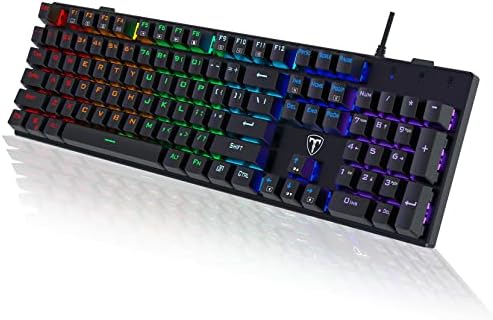
Best Budget Full-Size: RisoPhy Mechanical Gaming Keyboard
Here is the honest version of the budget conversation. This is a wired, 104-key, ultra-slim board with clicky blue switches, ABS keycaps, anti-ghosting, and a spill-resistant body. If you need a number pad, you want wired, and you want something loud and cheap, this does that job.
It is also not hot-swap, and that is the whole story. Nothing you learn about switch feel later can be applied to this board. You cannot swap the blues for linears when the noise starts bothering you, and the clicky blue switch is the loudest thing in the hobby. On a call, everyone knows when you are typing. That is either the point or a dealbreaker.
ABS keycaps are the other tell. They feel fine on day one and they develop a shine where your fingers rest, usually within a few months. It is cosmetic, but keycap quality tells you more about a board than the case material does. Cheap caps feel worse than cheap cases, and that is the trade this board makes to hit its price.
So where does it fit? A first mechanical keyboard, a spare for the office, or a board for a kid who is going to spill something on it. What it is not is a platform. Buy it knowing it is a closed system and you will be happy with it. Check current Amazon price.
Best Lube Kit: RUNJRX Keyboard Lube Kit and Switch Lube
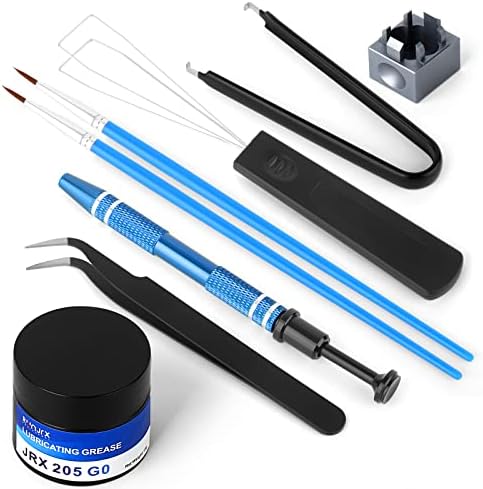
Rattle is the metallic ping of cheap stabilizers, and it is the first thing I listen for on any board. Lube is the cheap fix for everything that sounds wrong, and this kit is the entry point: a tub of JRX-205 G0 grease, a switch opener, and tweezers, in one box.
205g0 is the thick stuff. It is what most people use on stabilizers because it stays where you put it and it kills the rattle without killing the travel. It is also popular for lubing switch housings on linears. If you are going to open switches, you need a proper opener, and the plastic two-prong kind in this kit is far better than prying at a housing with a screwdriver and cracking the clips.
The tweezers matter more than you would think. Once a switch is open you are handling a tiny stem, a spring, and two housing halves, and dropping a spring on the floor is how a 30-minute job becomes an evening. There is no measurement in this hobby more useful than a clean work surface and a pair of tweezers.
One warning, and it comes from the modder side of my brain. Lube is not a magic wand. Over-lube a switch and it goes quiet and sluggish, which is worse than scratchy. Thin coats. If a stabilizer still rattles after lubing, the problem is usually the wire balance, not the amount of grease. Check current Amazon price.
The upgrade reference table
This is the same table I keep open while I plan a build. Start at the top, work down, and buy in this order if you are upgrading one piece at a time. Prices move constantly, so check each listing before you commit.
| Product | What it is | Who it is for | Price |
|---|---|---|---|
 Visit on Amazon → SOLAKAKA A99 Pro |
Wireless hot-swap board, gasket mount, LCD and knob | One board for everything | $73.99 |
 Visit on Amazon → Feker x Matcha switches |
5-pin pre-lubed linear, 60cN, 45 pack | Changing how the board feels | Check current Amazon price |
 Visit on Amazon → RisoPhy gaming keyboard |
Wired 104-key, blue switches, ABS caps, not hot-swap | First board or a spare | $28.99 |
 Visit on Amazon → RUNJRX lube kit |
205g0 grease, switch opener, tweezers | Fixing rattle and scratch | $16.99 |
How I test
Every board gets two weeks of daily coding, because a keyboard is a tool you use for eight hours, not a thing you admire for eight minutes. Day one tells you nothing except whether the box arrived. Week two tells you whether the stabilizers rattle, whether the space bar sounds different from the shift keys, and whether you stopped noticing the board at all. If you stop noticing it, it is good.
The rattle test is simple. Put the board on a hard desk, not a desk mat, and press the space bar, the left shift, and the enter key, one at a time, with the same force. Cheap stabilizers ping. Good ones thud. There is no firmware setting that fixes a ping, and that is why I rank stabilizer quality above almost every other spec on a spec sheet.
Then the switch comparison, eyes closed. Same sentence, typed on each switch, paying attention to the start of the press, the middle, and the bottom-out. Linears should feel like one motion. Tactiles should have one clean bump. Clicky switches should click for a reason, not just because they can. If you cannot feel a difference between two switches, buy the cheaper one and spend the money on lube.
Battery life on wireless boards gets tested like everything else: I unplug the cable, use it normally, and see how long it takes before the low-battery warning interrupts a sentence. Wireless is a feature until that moment.
Analysis and test results
The four items here are not competing with each other. They are a sequence, and the sequence matters more than any single review score.
If you own nothing yet, the RisoPhy is the cheapest way to find out whether you like mechanical keyboards at all, and it is honest about being a closed system. If you own nothing and you already know you like them, skip straight to the SOLAKAKA A99 Pro and never think about the entry tier again. The hot-swap sockets are the whole reason.
If you already own a hot-swap board, your money goes to switches and lube, in that order. The Feker Matcha set is the fastest way to feel what a linear switch does differently from whatever came in your board, and the RUNJRX kit is what makes those switches feel consistent instead of merely new. Factory lube varies. Your lube does not have to.
The thing I would tell you to skip: buying switches before you own a hot-swap board. It is the most common mistake in the hobby, and it ends with a soldering iron and regret. Hot-swap first. Everything else is easy after that.
A word on sound, since half the hobby is chasing thock. Sound is 50 percent keyboard and 50 percent desk. The same board on a hardwood desk and on a thick mat are two different keyboards. Before you buy anything to change how your board sounds, put a towel under it. It is free, and it works better than most of what people sell you.
Should you buy the SOLAKAKA A99 Pro?
Yes, if you want one board that covers wireless, hot-swap, and a softer gasket typing feel, and you would rather buy once than upgrade in three steps. The LCD screen and metal knob are the rare extras that stay useful past week one, and the triple connection mode means it works on a work laptop and a personal desktop without a dongle swap.
Be honest with yourself about the gasket mount, though. It is softer than a stiff tray-mount board, and if you type hard you may not like it. That is a preference, not a defect, and it is the one thing you cannot change later.
Should you buy the Feker x Matcha switches?
Yes, if you already own a hot-swap board and want to know what a pre-lubed linear feels like. 60cN is heavier than the light linears most beginners start with, so it is a good middle ground if you are not sure whether you prefer light or heavy.
Buy enough packs for your layout. Forty-five switches is a small board or a partial refresh, not a full-size swap, and running out mid-build is a special kind of annoying.
Should you buy the RisoPhy keyboard?
Buy it as a first board, a spare, or a board you do not mind losing to a spilled drink. The clicky blue switches are loud and satisfying, the anti-ghosting is there, and it is wired so there is no battery to worry about.
Do not buy it expecting to mod it. No hot-swap, no switch changes, and ABS keycaps that will shine. If you think you will want to tinker, save up and start with a hot-swap board instead.
Should you buy the RUNJRX lube kit?
Yes. If you are opening switches or tuning stabilizers at all, this kit covers the two jobs that make the biggest difference, and it is the cheapest meaningful upgrade in the hobby. Thin coats, clean work surface, and do not over-lube. That is the whole technique.