The Mechanical Keyboard Layout Guide That Should Have Come With Your First Board
Related: Mechanical Keyboard Switch Guide For Beginners
The AULA F75 Pro is advertised as the best budget keyboard of the year, but is it really the right layout for you? I've been typing eight hours a day for a living for over a decade, and I've spent the last four years collecting boards, lubing switches, and living with the consequences of bad layout decisions.
Here's the truth: layout is the first thing you should choose, and the last thing most people consider.
I've owned the RK61, the AULA F75 Pro, and the Logitech MX Mechanical for months, and I'm here to tell you what actually works when you're trying to get work done.
The Layout Spectrum: From 60% to Full Size
Before we talk about specific boards, you need to understand the landscape. Layouts are measured by percentage, and it's a weird mix of math and tradition. A 100% board has everything: number pad, function row, arrow keys, navigation cluster.
A 75% board keeps the function row and arrows but ditches the number pad. A 60% board like the RK61 strips away everything except the alphanumeric block, forcing you to use layers for arrows, function keys, and anything else you might need.
I've owned all of them, and I can tell you the trade-offs are real. The 60% board is tiny and portable, but I spent my first month with the RK61 pressing the wrong keys and hunting for arrows. The full-size board is comfortable but eats desk space like a hungry labradoodle. The 75% layout is the Goldilocks option, which is why the AULA F75 Pro has become my daily driver.
The RK61: Where Layouts Go to Die
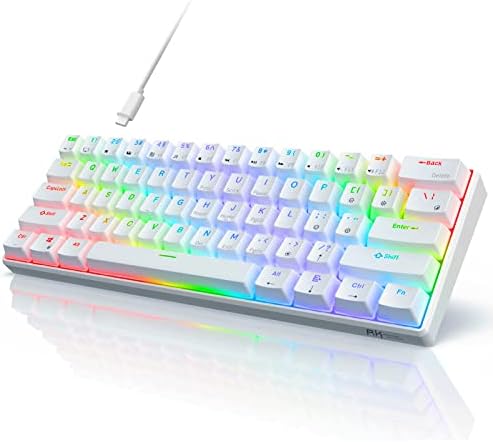
The RK61 was my first board, and it taught me everything about what I don't want. The 60% layout means no arrow keys, no function row, no navigation cluster. I had to memorize layers to do basic tasks, and I never fully did. I'd reach for the arrow keys and hit the wrong thing every single time.
The switches were scratchy, the stabilizers rattled, and the battery life was mediocre. After two years with my RK61, I can tell you the only thing it's good for is deciding whether you want to be in this hobby at all. It's a ~$35 board that gets you hooked, but it's not a board you want to live with.
If you're on a 60% board and wondering if a layout change matters, it does. It's the difference between fighting your keyboard all day and forgetting it exists. The AULA F75 Pro is a huge upgrade, and it's not even close.
The AULA F75 Pro: The 75% Layout Done Right
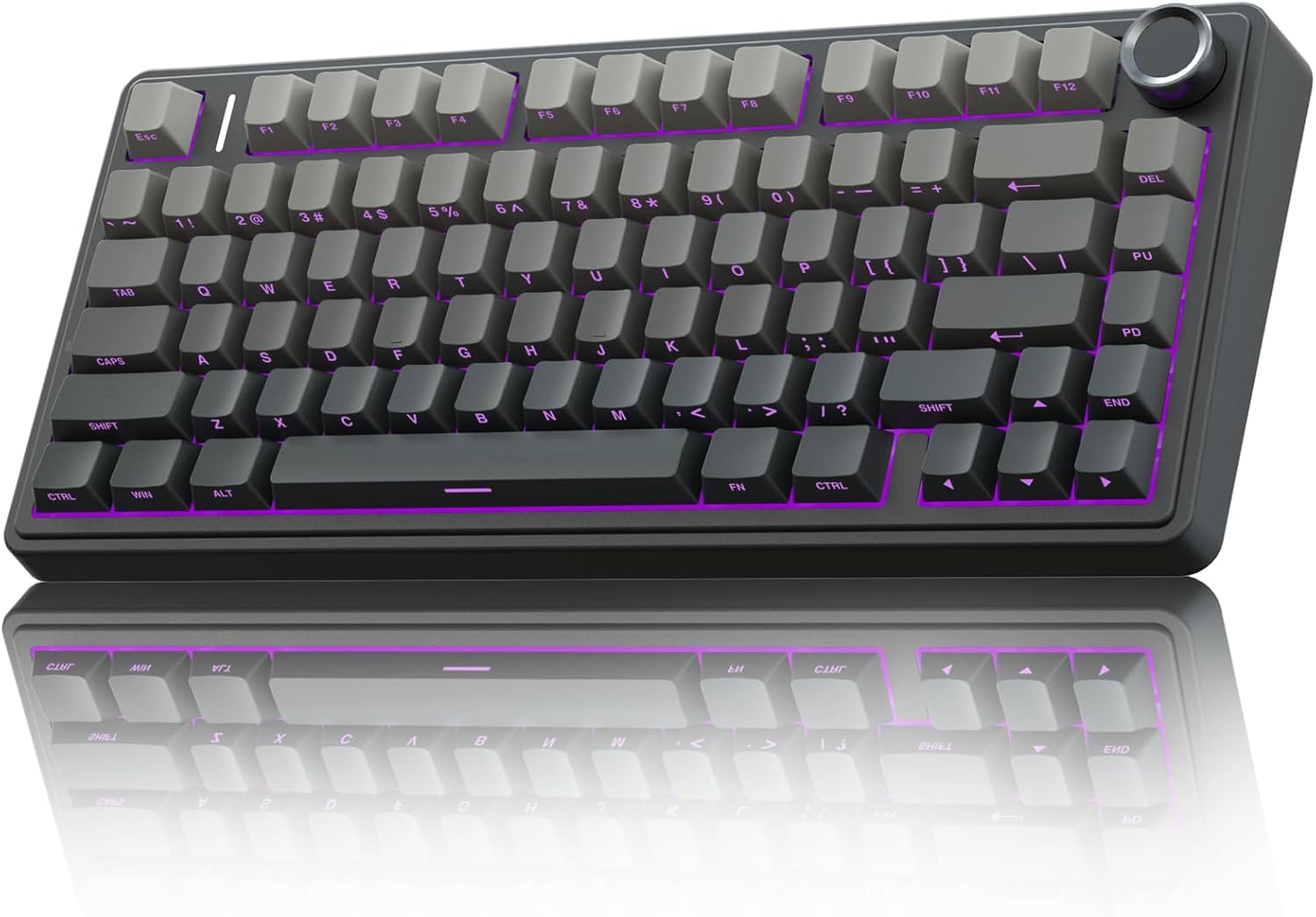
The first thing I noticed about the AULA F75 Pro was the sound. It's thocky out of the box, which is absurd for a ~$60 board. The Leobog Reaper switches are pre-lubed, and they're smooth to type on with no scratchy noises. The gasket mount gives it a soft, flexy feel that I normally expect from boards costing three times as much.
But let's start with the flaw, because that's what you'll notice first. The keycap legends are on the front, south-facing, so the letters can't be seen from the top. If you're a touch typist, this doesn't matter. If you look down at your keys, it will drive you insane for the first week. I got over it, but I know people who returned the board for this exact reason.
The battery is the real story here. I kept checking the percentage because it refuses to go down. With RGB off, I got weeks out of a single charge. With RGB on, expect less than a week, that's physics, not a flaw.
The board is heavy, dense plastic that doesn't slide around when I slam keys during a frustrating debugging session.
My 65-pound labradoodle Waffles has knocked it off the desk once, and it survived.
The 75% layout is perfect for my workflow. I get the function row for debugging shortcuts, arrow keys for navigating code, and I don't have a number pad taking up space I don't have. At ~$59.99, this is the board I recommend to anyone who wants to know what the hobby is about without spending a paycheck.
The Logitech MX Mechanical: The Premium Workhorse With a Layout Sin
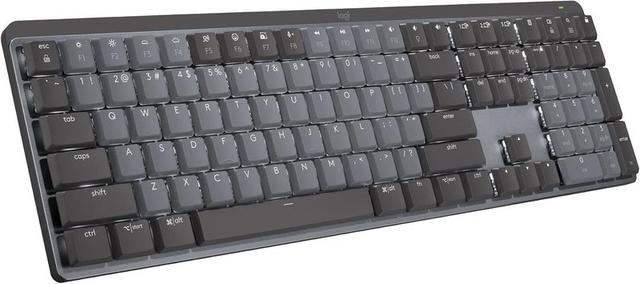
The Logitech MX Mechanical is a ~$180 board that KICKS TAIL. The build quality is excellent, the wireless is rock-solid, and it's the keyboard I reach for when I want to feel like I'm using a premium tool. I've had it for six months, and it's been through hell, and it still looks and feels new.
But here's the flaw that makes me want to throw it across the room: the function row is crammed against the number row with no space between them. I spent my first week accidentally locking my Windows session because I hit the lock key instead of the minus key. It's a design sin at this price point, and you can fix it in software, but you shouldn't have to.
There's also no Print Screen button. On a full-size keyboard. In 2026. I take screenshots 50 times a day for work, and I have to use FN+F7 every single time. It's a constant annoyance that I've never gotten used to.
The switches are soldered, which means no hot-swapping. In 2026, that's unacceptable at this price. The keys register high on the press, so I got double keystrokes until I learned to be gentler. And the sound is clacky, not creamy or thocky. If you're a sound snob, this board will disappoint you.
Choose the MX Mechanical if you want a workhorse that feels premium and you're willing to deal with the function row spacing and the missing Print Screen. Choose the AULA if you want the best typing feel for the money and you don't need the Logitech ecosystem.
The Keychron Q1 Pro: When You Want to Build Your Own
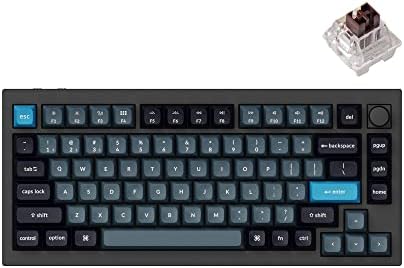
The Keychron Q1 Pro is the board I recommend when someone wants to go deeper into the hobby. It's a 75% layout like the AULA, but it's a ~$200 aluminum beast that you can fully customize. I've built mine with lubed switches and tape modded the case, and it sounds like a dream.
The gasket mount is done right, and the south-facing RGB means I can use any keycaps I want. The battery life is solid, and the wireless is reliable. But it's not a board for beginners. You need to know what switches you like, what keycaps you want, and how to lube stabilizers. If you're not ready for that, stick with the AULA.
The Keychron K3 Pro: Low Profile, High Compromise
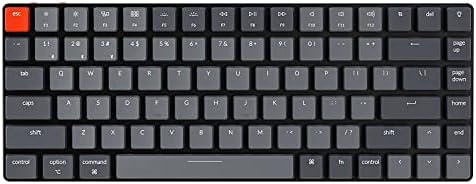
The K3 Pro is a low-profile 75% board that's thin and light. I've used it for travel, and it's fine. The low-profile switches are quieter and require less travel, which is good for shared spaces. But the sound is clacky, and the keycaps are hard to find replacements for.
Choose the K3 Pro if you need a low-profile board for an office or a small desk. Choose the AULA if you want a full-height board that sounds better and costs less.
Switches: The Soul of the Layout
Once you've picked a layout, you need to pick your switches. I've got 30+ sets in tackle boxes, and I've learned that linear switches are the best for typing because they're smooth and consistent. Tactile switches give you a bump that helps with accuracy, but they can feel heavy after eight hours. Clicky switches are loud and satisfy the ASMR cravings, but they'll drive your coworkers insane.

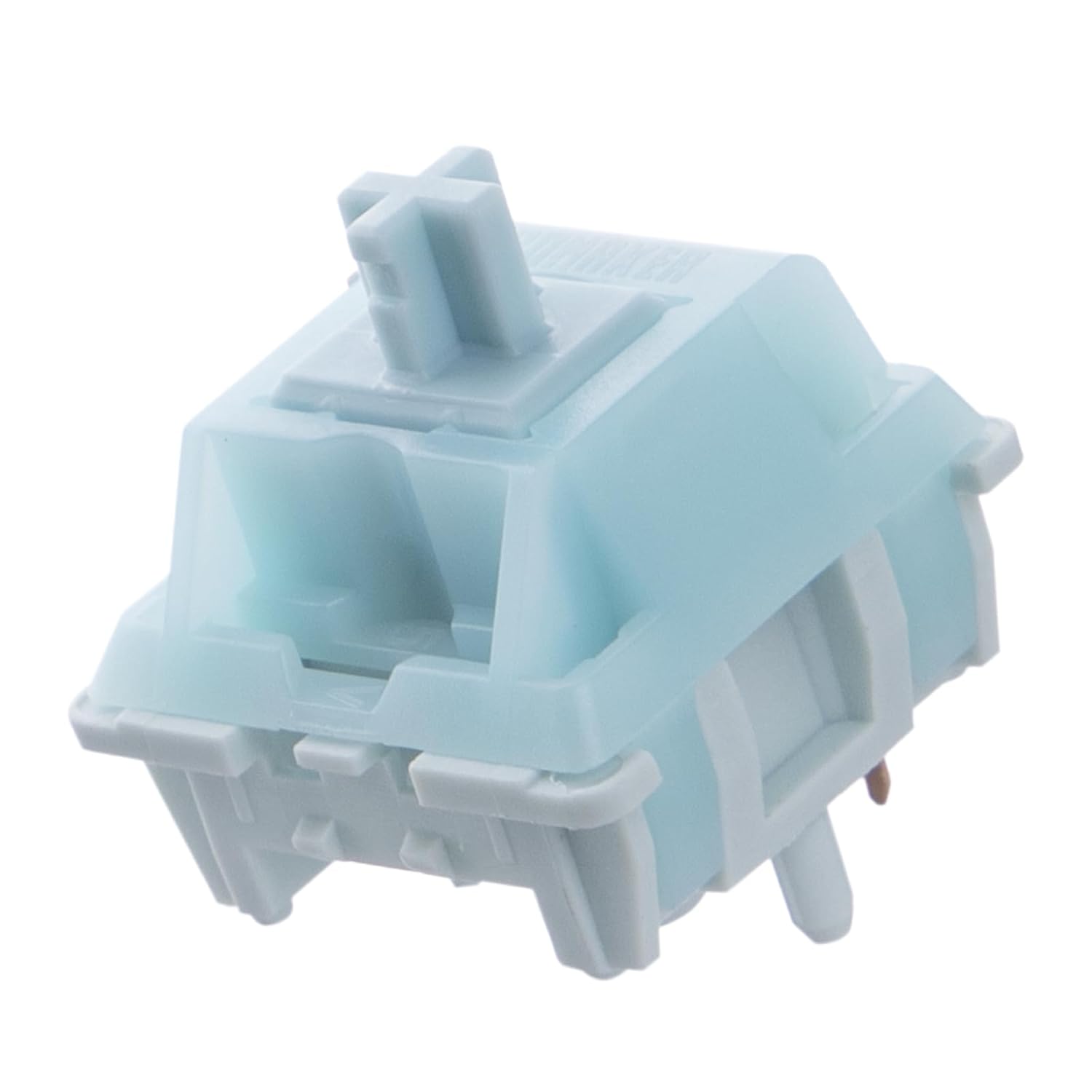
The Leobog Reapers in the AULA are linear and pre-lubed, and they're the best stock switches I've used under ~$100. They're not quite creamy, but they're close.
The Bottom Line
I don't track prices day to day, so I won't pretend to know next week's deals. What I know is this: layout matters more than any other spec, and the 75% form factor is the sweet spot for most people. The AULA F75 Pro is the best entry point into that layout at any price, and the Logitech MX Mechanical is the premium option if you can live with its quirks.
If you aren't sure, just get the AULA. Two weeks in, you'll wonder why you ever typed on anything else.