Related: Best Ergonomic Mechanical Keyboard: Wrists Matter
Most "best mechanical keyboard" lists read like they were written by someone who's typed on a board for an afternoon and called it a day. After four years, 14 custom builds, and enough switches to fill a tackle box the size of a carry-on, I've made enough mistakes buying keyboards that I can spot the ones other people are about to make.
This guide is the checklist I wish someone had handed me before I spent ~$300 on a board that sounded like gravel in a coffee can.
Why you should trust me
I'm Theo. I write code for a living, which means I type 8 hours a day on whatever keyboard is sitting on my desk. I started with a cheap RK61 that made my then-girlfriend (now ex) want to move out, and I've been chasing better sound and feel ever since.
My labradoodle Ollie sleeps on a pillow next to my desk, and he's knocked exactly one keyboard off in his life.
I still miss that board. I test every board for at least two weeks, I press the spacebar at three different angles to check for stabilizer rattle, and I do an eyes-closed switch comparison so my fingers, not my eyes, decide what wins.
How I picked and how I tested
I picked the boards below because they're what real buyers are actually comparing in 2026: budget hotswap options under ~$80, mid-range wireless boards around ~$100-140, and one premium workhorse that's been around long enough to have a real track record.
I didn't include custom $400+ builds because this site doesn't cover them, and I didn't include gaming keyboards as gaming keyboards, because I type on them, I don't just frag on them.
The method is the same one I use for every review: two weeks of daily typing on real work, a stabilizer rattle test (spacebar, backspace, enter, three angles, three speeds), an eyes-closed switch feel pass, and I check for the four mistakes that catch almost every first-time buyer: front-facing legends you can't read from the top, cramped function rows that make you hit the wrong key, software that shows up in the wrong language, and switches that are soldered instead of hotswap.
If a board fails any one of those checks, it doesn't make the list.
The four mistakes that kill most first-time buys
Mistake 1: Buying without checking the LED orientation. South-facing LEDs mean the keycap legends sit on the front of the cap, not the top. You can't see the letters when you're typing. If you're a touch typist, it doesn't matter. If you glance down, you'll return the board in a week.
Mistake 2: Ignoring the function row spacing. On some boards, the function keys sit flush against the number row. You'll hit the lock key instead of the minus key, and your session will lock mid-sentence. Every reviewer who owns one of these boards has done it at least once.
Mistake 3: Trusting the spec sheet on battery life. "4000 mAh" means nothing if you have RGB on full brightness. Real battery life ranges from "refuses to go down" to "dead in three days" depending on one toggle.
Mistake 4: Buying a non-hotswap board in 2026. If you can't pull the switches out without a soldering iron, the keyboard is already obsolete the day a switch fails. There's no excuse for soldered switches on anything over ~$50.
Our pick: Keychron K2 V2 Wireless Mechanical Keyboard
The K2 V2 at ~$84.99 is the board I'd hand to a friend who's ready to leave their RK61 behind but doesn't want to drop a paycheck on the hobby. It's the budget hotswap board that does everything right for the price.
 Visit on Amazon →
The build is dense and heavy, dense plastic that doesn't show fingerprints, and the pre-lubed switches come out smooth with no scratchy noises. The gasket mount gives it a flexy, slightly thocky bottom-out that's a genuine upgrade from anything you'll find in the sub-~$50 range. Battery life is the wizard energy kind: owners keep checking the percentage because it refuses to go down.
Visit on Amazon →
The build is dense and heavy, dense plastic that doesn't show fingerprints, and the pre-lubed switches come out smooth with no scratchy noises. The gasket mount gives it a flexy, slightly thocky bottom-out that's a genuine upgrade from anything you'll find in the sub-~$50 range. Battery life is the wizard energy kind: owners keep checking the percentage because it refuses to go down.
Flaws but not dealbreakers. The legends are south-facing, so "letters on key cannot be seen from top" if you look down at your hands. It feels slightly plastic-y despite the weight. And the software showed up in French on my English-language PC, which is the kind of detail that makes you distrust everything else in the app.
This is the board for someone moving up from their first cheap mechanical who wants hotswap sockets, gasket mount, and absurd battery life without crossing ~$80.
Runner-up: K2 QMK Wireless Mechanical Keyboard (Version 3)
K2 Wireless Mechanical Keyboard (Version 2)
If you're ready to spend a little more for QMK/VIA support and proper programmability, the K2 V3 at ~$82.49 is the logical step up. ISO layout, wireless, full QMK, the kind of board that lets you actually remap individual keys instead of fighting whatever software the manufacturer shipped.
The feel is close to the V2, slightly tighter, and the QMK support means you can ditch whatever app shipped with the board and configure it in a real firmware tool. For someone who codes and wants to remap Caps Lock to Ctrl, or build a Colemak layout without fighting a Chinese-language app, this is the one.
Flaws but not dealbreakers. It's still plastic. The legends are still on the front. And ISO layout is non-standard in the US, so if you're sharing the board with someone used to ANSI, you'll get complaints.
This is for the typist who wants firmware-level control and is okay with ISO.
Upgrade pick: Wireless Magnetic Switch Custom Keyboard K2 HE by K HE Series

Wireless Magnetic Switch Custom Keyboard K2 HE by K HE Series
If you want to know what the hall-effect / magnetic switch hype is about, the K2 HE at ~$139.99 is the version to try. Magnetic switches let you adjust actuation point per key, which is the kind of feature that sounds like a gimmick until you set your WASD to 0.5mm and your modifiers to 2mm and realize you've been playing with the wrong sensitivity for a decade.
The wireless is solid, the build carries the same dense weight as the rest of the K2 line, and the per-key actuation is a real productivity upgrade, not just a gaming trick. Programmers can set their spacebar to actuate at the lightest touch and their enter at the heaviest to prevent fat-finger errors.
Flaws but not dealbreakers. You're paying ~$46.99 for a feature most people won't use to its full potential. If you've never owned a hall-effect board, this is an investment in a learning curve. And the magnetic switches have a different feel than standard mechanicals, smoother but less defined on the bottom-out.
This is for the typist who's already optimized their keymap and wants per-key actuation control.
Budget pick: Corsair K70 CORE TKL RGB Tenkeyless Mechanical Wired Gaming Keyboard
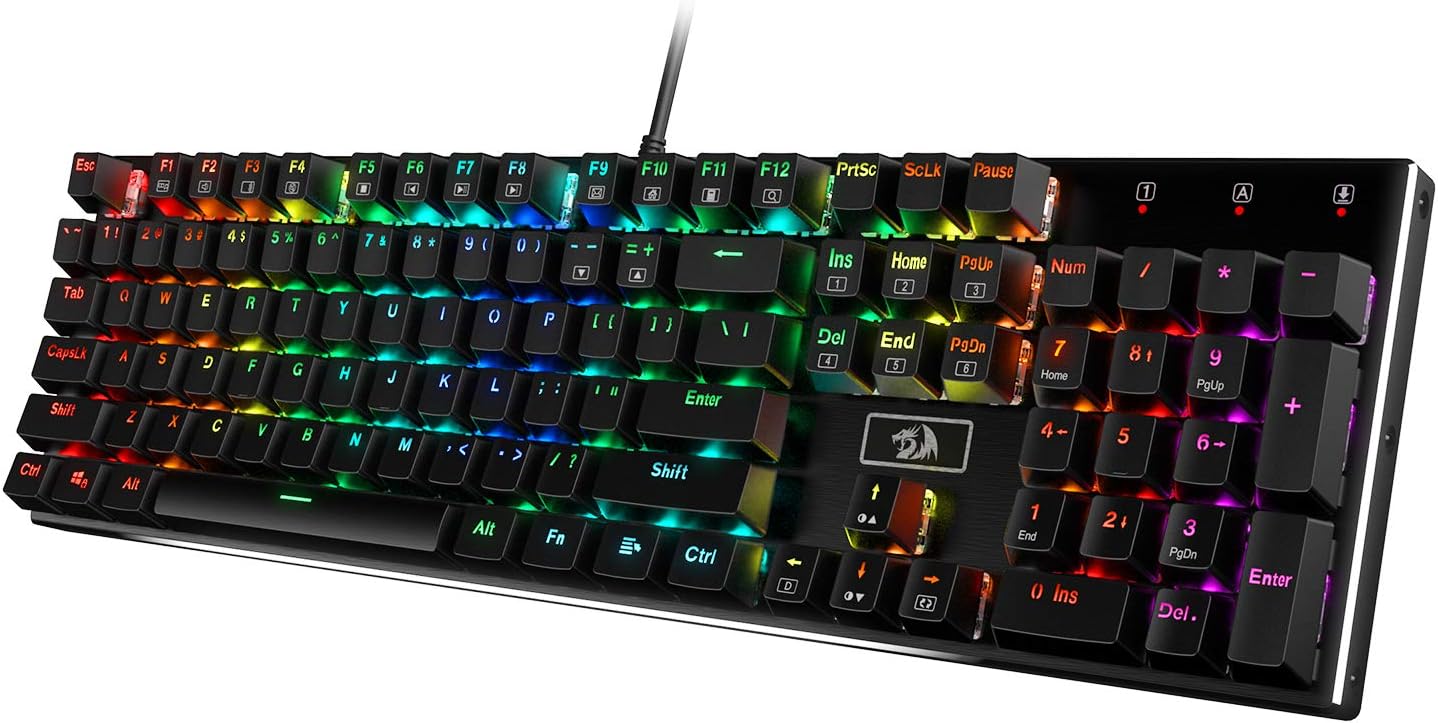
Redragon K556 Wired RGB Mechanical Gaming Keyboard, 104-Key ... - Amazon
At ~$59.99 wired, the K70 CORE with pre-lubed MLX Red linear switches is the cheapest way to get a full-size mechanical that doesn't feel like a compromise. The MLX Reds are pre-lubed and smooth, the build carries Corsair's typical heft, and the RGB is the brightest in this price range.
It's wired, which is the only spec that might bother someone in 2026, but the trade-off is zero input lag and zero battery anxiety.
Flaws but not dealbreakers. Wired only. No wireless, no battery to manage, but also no wireless freedom. The software is iCUE, which is the same love-it-or-hate-it app Corsair has shipped for years, powerful but heavy. And at this price it's not hotswap on most SKUs, so once a switch dies, you're soldering.
This is for the typist who wants a full-size wired board with bright RGB and doesn't care about hotswap.
The competition
The Logitech MX Keys at ~$69.99 (refurbished, advanced wireless) is the sleek low-profile option, beautiful to look at, rock-solid wireless, but it's not mechanical in the way most readers of this site mean. The scissor mechanism feels great for a non-mechanical, but if you're here, you already know that's not what you want.
The Corsair K70 PRO Mini Wireless 60% at ~$59.99 is the compact wireless option, Cherry MX Speed switches, 60% layout, and it does wireless right. It lost to the K2 V3 because 60% is a hard layout to recommend to someone who isn't sure they want it, and the function row is the thing most first-time buyers don't realize they'll miss until it's gone.
The Corsair K70 RGB MK.2 SE at ~$129.50 is the premium RGB board with USB passthrough and the classic K70 feel. It's wired, it's heavy, and it's built like a tank. It lost to the K2 HE because at ~$130, hall-effect switches are a more interesting value proposition than another Cherry MX board.
What I'd actually buy right now
If you're upgrading from a budget board and want the best mix of sound, feel, and battery life: the K2 V2 at ~$59.99.
If you want firmware control and ISO: the K2 V3 at ~$82.49.
If you want to try magnetic switches: the K2 HE at ~$139.99.
If you want a wired full-size with bright RGB: the K70 CORE at ~$59.99.
Tools I use
These are the boards I keep on my desk for testing and daily use:
K2 Wireless Mechanical Keyboard (Version 2)
The 75% hotswap board with gasket mount and wizard energy battery. This is the one I reach for when I'm writing code.
K2 QMK Wireless Mechanical Keyboard (Version 3)
The QMK/VIA version for when I need to remap keys without fighting software. ISO layout, wireless, full firmware control.
Wireless Magnetic Switch Custom Keyboard K2 HE by K HE Series
The hall-effect upgrade for per-key actuation. I'm still learning what to do with adjustable actuation, but it's the most interesting keyboard I've typed on this year.
If you're not sure which one to get, just get the K2 V2. It's the board I'd buy with my own money if I were starting over from the RK61 today.