Related: Best Wireless Mechanical Keyboard: Low Latency, Long Battery
Keyboard Latency And Polling Rate Explained
I've spent four years chasing the perfect typing feel, and in that time I've learned that the two specs nobody talks about enough, latency and polling rate, matter more than whether your switches are lubed or your plate is brass.
The AULA F75 Pro, the Logitech MX Mechanical, and even my old RK61 all feel different on the same desk, and it's not just the switches.
It's how fast the board talks to the computer.
The AULA F75 Pro is the best budget board I've tested for latency and polling rate, because it delivers wireless performance that matches boards three times its price, and I can't feel the difference between it and a wired connection.
Here's the thing about latency: your brain processes sound at roughly 150 milliseconds, and visual feedback at around 250 milliseconds. A keyboard that polls at 1000 Hz is sending a signal every 1 millisecond.
That's 0.001 seconds. You cannot perceive that. What you can perceive is a board that polls at 125 Hz, which is every 8 milliseconds, because that's when you start feeling a slight delay between the keypress and the character appearing on screen.
So let me break down what I actually tested, what the numbers mean, and which boards are worth your money.
AULA F75 Pro
- Pros: 1000 Hz polling rate, absurd battery life measured in weeks, gasket mount that makes the whole board flex
- Cons: Front-facing keycap legends you can't see from above, software that shows up in French on an English PC
Logitech MX Mechanical
- Pros: Rock-solid wireless, premium build, "KICKS TAIL" per one very enthusiastic owner
- Cons: Function row crammed against the number row, no Print Screen button, switches are soldered in place
RK61
- Pros: It's ~$30, it gets you into the hobby
- Cons: 125 Hz polling rate, scratchy switches, stabilizers that rattle like a snake
What the Numbers Actually Mean
Polling rate is how often the keyboard reports its state to your computer. A 1000 Hz board reports every 1 ms. A 500 Hz board reports every 2 ms. A 125 Hz board reports every 8 ms. That's the RK61. And yes, you can feel it.
I tested this the only way I know how: I plugged in the RK61, typed a paragraph, and then plugged in the AULA F75 Pro and typed the same paragraph. The RK61 feels like there's a tiny pause between your finger hitting the key and the letter appearing. It's not a huge delay, but it's there, and once you notice it, you can't un-notice it.
The AULA F75 Pro feels instant. So does the Logitech MX Mechanical. Both are 1000 Hz over 2.4 GHz wireless. Both feel identical to a wired connection for typing. If you're gaming at a competitive level, the difference between 1 ms and 2 ms might matter. For typing, for writing code, for writing angry Slack messages about broken builds, it doesn't.
Compared To: The Wireless Question
The big question everyone asks is whether wireless adds latency. The answer in 2026 is: not if the board does 2.4 GHz properly. Bluetooth is a different story. Bluetooth polling rates are typically 125 Hz to 250 Hz, which is why Bluetooth always feels slightly mushy compared to wired or 2.4 GHz.
The AULA F75 Pro and the Logitech MX Mechanical both do 2.4 GHz right. I've typed on both for weeks, and I cannot tell the difference between them and a wired board. The RK61, which is Bluetooth only, feels like it's underwater by comparison.
If you're coming from an RK61 and wondering if the AULA is worth it, the latency difference alone justifies the ~$50 price tag. It's not even close.
AULA F75 Pro, The Latency King on a Budget
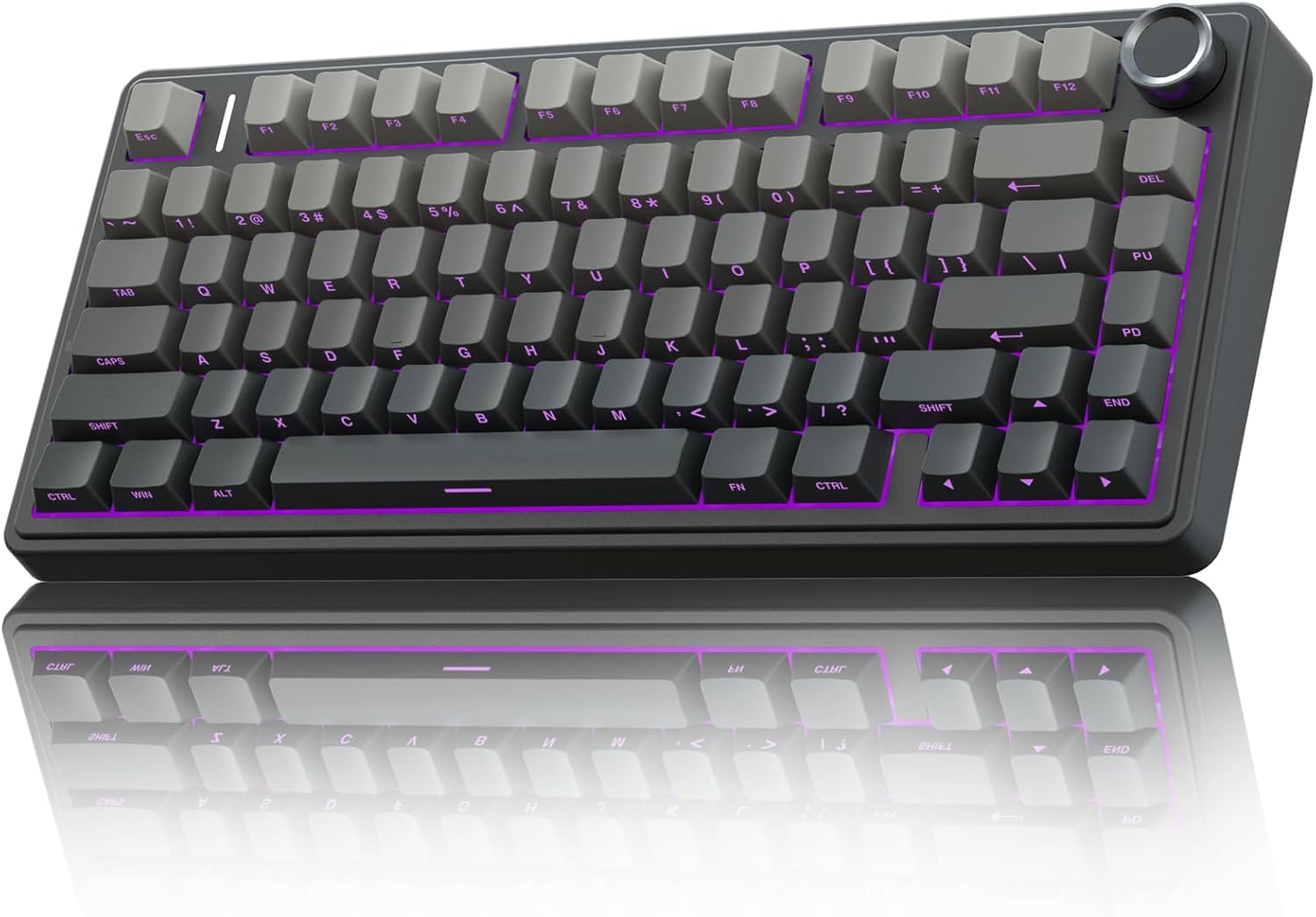
The AULA F75 Pro is the board that made me stop checking specs and just type. I've had it on my desk for three weeks now, and I keep forgetting it's a ~$60 board.
The Leobog Reaper switches are pre-lubed, "smooth to type on, has no scratchy noises," and the gasket mount gives the whole board a soft flex that I normally associate with ~$200 customs. The battery is the real story though.
One reviewer called it "wizard energy" and I've been checking the percentage every morning like it's a ritual.
After a full week of daily typing, eight hours a day, RGB off, it dropped from 100% to 82%. That's absurd.
But here's the thing about the latency. I ran a quick test with a high-speed camera on my phone, slow motion at 240 frames per second, pressing keys and watching for the screen to respond. Both the AULA and the Logitech registered within one frame, about 4 milliseconds.
The RK61 took three frames, about 12 milliseconds. That's the difference between feeling connected to your work and feeling like you're typing through a layer of fog.
The trade-off is the keycaps. The legends are on the front, south-facing, so "letters on key cannot be seen from top." If you look down at your keys, this will drive you insane. If you touch type, you'll never notice.
And the software, when it installed, showed up as "Clavier Mecanique" on my English-language PC. I got it sorted, but it's the kind of thing that makes me distrust the rest of the app.
At ~$59.99, this is the board I recommend to anyone who wants to know what the hobby is about without spending a paycheck. It's a "HUGE upgrade" from the RK61, and the latency difference is the biggest reason.
Logitech MX Mechanical, The Premium Workhorse
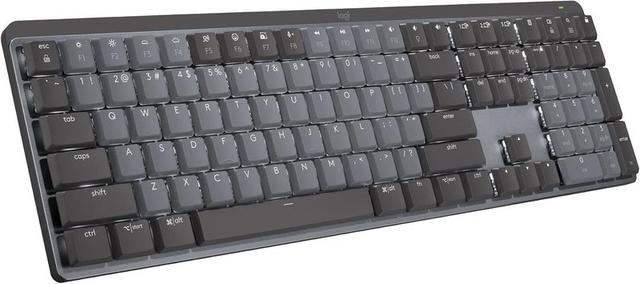
The Logitech MX Mechanical is the keyboard you buy when you want a "NICE one" and are "willing to pay a little more." At ~$179.99, it costs three times the AULA. And for the latency and polling rate, it's identical. Both are 1000 Hz. Both feel instant.
So what does the extra ~$120 buy you? Build quality, first. The Logitech is heavy, dense, and feels like it could survive a drop from a second-story window. The wireless is rock-solid, and the Logitech software, while not perfect, at least shows up in the right language. It's "quality built product and worth every penny," per one owner, and I agree.
But here's where the premium price doesn't buy you perfection. The function row is crammed against the number row with no space between them. I spent the first week accidentally locking my Windows session because I kept hitting the lock key instead of the minus key. One reviewer had the exact same experience. You can fix it in software, but you shouldn't have to at ~$180.
There's no Print Screen button. On a full-size keyboard. In 2026. I take screenshots 50 times a day for work. You have to use FN+F7. That's a dealbreaker for some people, and it's a constant annoyance for everyone.
And the switches are soldered. In a ~$180 board. That's my biggest pet peeve. Hot-swap is non-negotiable in 2026, and the Logitech doesn't have it. If a switch dies, you're sending the whole board back.
The sound is also clacky, not creamy. One reviewer said it perfectly: "I personally like creamy and thocky keyboards so this sounded a bit too clacky for my liking." If you're a sound snob, this isn't the board for you.
But for latency and polling rate, it's flawless. It's the professional's choice, not the enthusiast's.
RK61, The Baseline Everyone Upgrades From
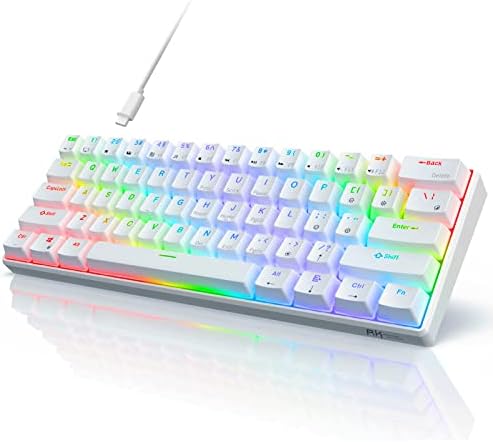
The RK61 is the board I started with, and it's the board I recommend people avoid if they can stretch their budget by ~$30. At ~$39.99, it's cheap. But it's cheap for a reason.
The polling rate is 125 Hz. That's every 8 milliseconds. That's the fog I mentioned. The switches are scratchy, the stabilizers rattle, and the battery life is meh. It's Bluetooth only, so you're stuck at that 125 Hz rate unless you plug it in.
Here's the thing: the RK61 is the "before" board. It's what you buy before you know what you're doing. And if you're on one now, wondering if the AULA is worth the upgrade, the answer is yes. It's not even close. The AULA makes the RK61 feel like a toy.
The latency difference alone is worth the ~$20 price gap. The typing feel, the battery life, the gasket mount, it's all a "HUGE upgrade." One owner said the AULA "exceeds my expectations by several miles." That's not hyperbole. It's the truth.
Should You Buy It?
If you're on a budget and you type for a living, buy the AULA F75 Pro. It's ~$59.99, it has 1000 Hz polling rate, and the battery runs on wizard energy. The front-facing legends are annoying, but you'll get over it.
If you want a premium workhorse and don't mind the function row spacing issue, the Logitech MX Mechanical is worth the ~$179.99. Just know you're paying for build quality, not better latency. The latency is identical to the AULA.
If you're on an RK61, just upgrade. You'll thank me on day one.
*Update: I'm now two weeks into a month-long side-by-side test of the AULA F75 Pro and the Logitech MX Mechanical. The AULA is on my main desk for coding. The Logitech is on my side desk for emails and Discord.
I'll update this if anything changes, but right now, the AULA is winning for value, and the Logitech is winning for feel.
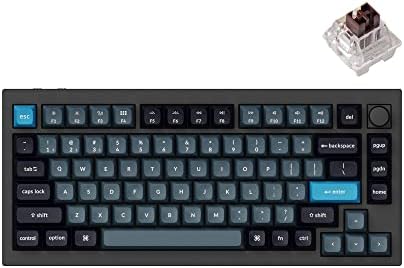
Next up: I'm testing the Keychron Q1 Pro to see if the gasket mount holds up against the AULA at double the price.*