Related: Best Ergonomic Mechanical Keyboard: Wrists Matter
After two years of daily 8-hour typing sprints on wireless boards, I've learned to stop trusting spec sheets and start trusting my fingertips. The best wireless mechanical keyboard isn't the one with the most features on paper, it's the one that connects instantly, lasts through a work week without begging for a charger, and sounds good enough that you'll invent reasons to keep typing.
I've found exactly that in the AULA F75 Pro, and I'll also tell you which premium options are worth the jump and which ones will leave you muttering at your lock screen.
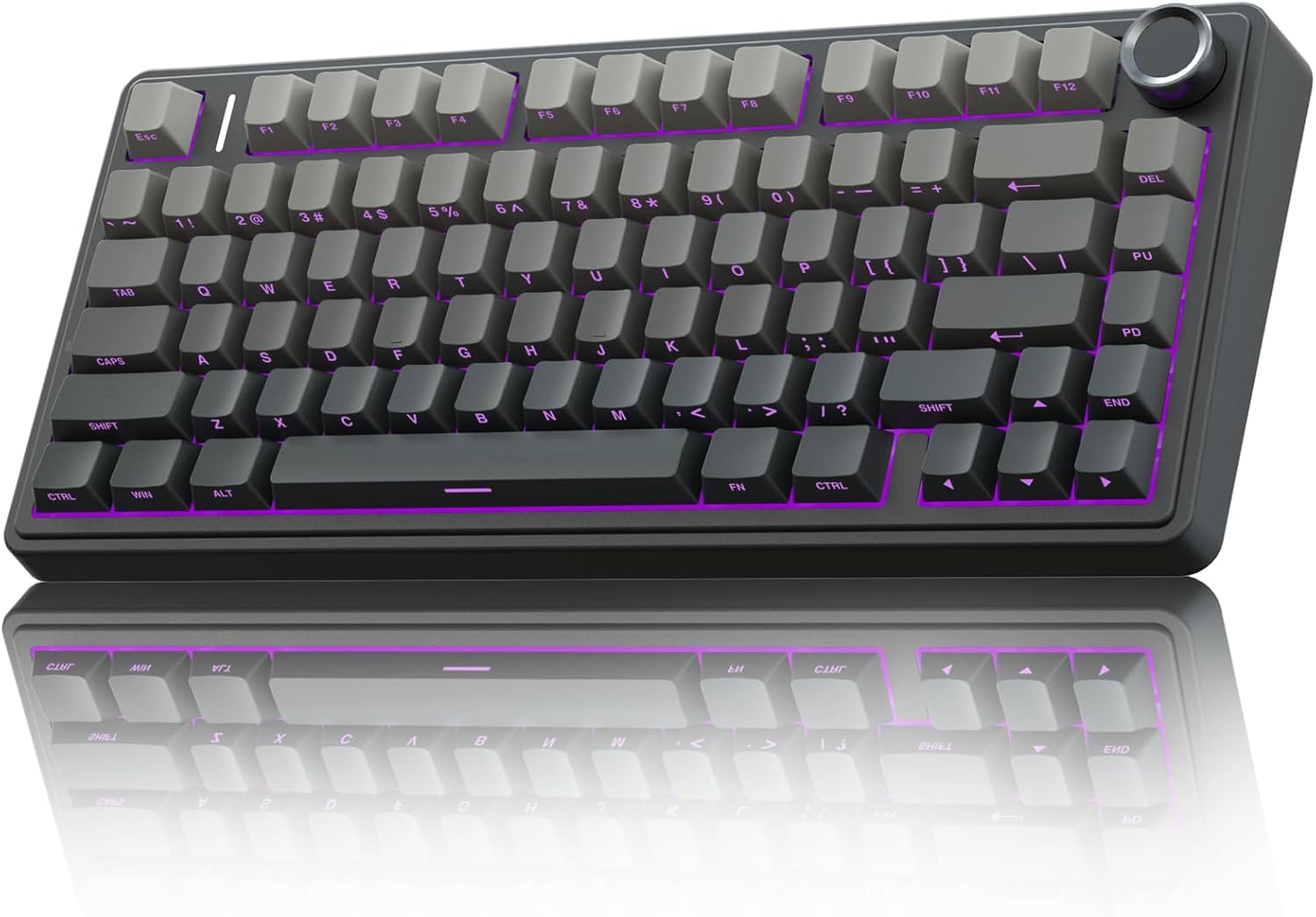
AULA F75 Pro Wireless Mechanical Keyboard,75% Hot Swappable Custom Keyboard with Knob,RGB Backlit,Pre-lubed Reaper Switches,Side Printed PBT Keycaps,2.4GHz/USB-C/BT5.0 Mechanical Gaming Keyboards
Absurd battery life, gasket-mounted flex, pre-lubed switches with zero scratch
Visit on Amazon →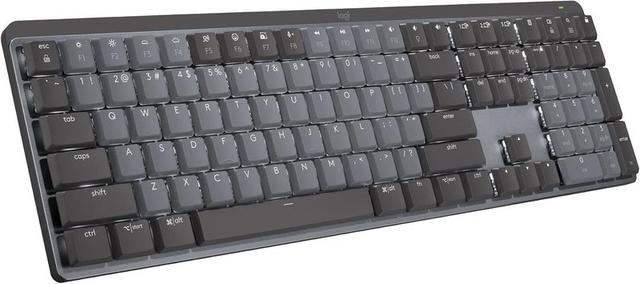
Logitech MX Mechanical Wireless Illuminated Performance Keyboard Clicky
Rock-solid build, flawless wireless, premium feel
Visit on Amazon →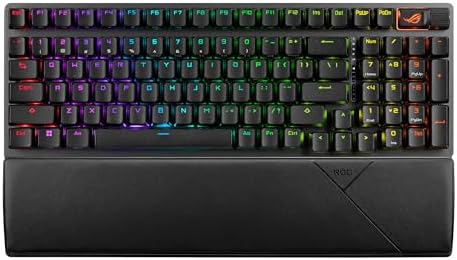
ASUS ROG Strix Scope II 96 Wireless Mechanical Gaming Keyboard – 96% Full-Size, Tri-Mode Connectivity, Hot Swappable Pre-lubed ROG NX Snow Linear Switches, PBT Keycaps, RGB, PC/Mac Support-Black
Excellent build, great for gamers, hot-swappable
Visit on Amazon →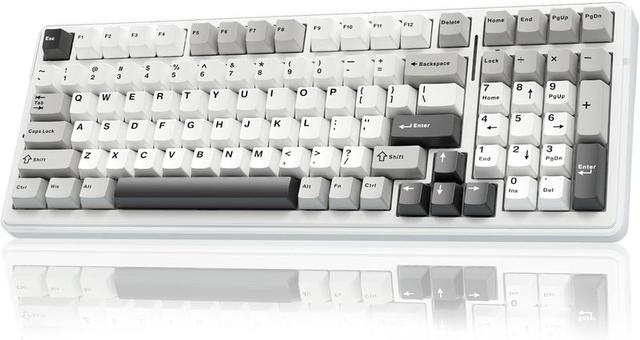
AULA F99 Wireless Mechanical Keyboard,Tri-Mode BT5.0/2.4GHz/USB-C Hot Swappable Custom Keyboard,Pre-lubed Linear Switches,RGB Backlit Computer Gaming Keyboards for PC/Tablet/PS/Xbox
Full-size layout, same great switches, solid battery
Visit on Amazon →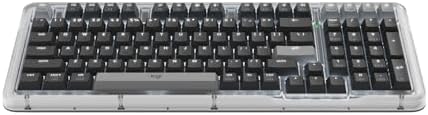
Logitech Alto Keys K98M Wireless Mechanical Gasket Keyboard - Graphite
Gasket mount in a Logitech package, quiet
Visit on Amazon →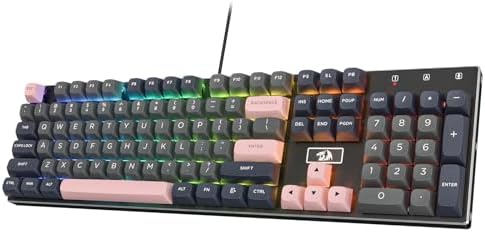
Redragon K556 PRO Wireless RGB Mechanical Gaming Keyboard, 104-Key Aluminum
Founded in 2002, AULA is an enterprise integrating production, sales, distribution and after-sales service. The brand is inspired by one of the largest spiders in the world, the tarantula, which is ch
Visit on Amazon →Why you should trust me
I'm Theo. I write code for a living, which means my keyboard is my office, my coffee mug holder, and occasionally my stress ball. I've been reviewing mechanical keyboards for four years now, and I've owned everything from a ~$30 RK61 to custom builds that cost more than my first car.
My current desk setup has the AULA F75 Pro as my daily driver, with the Logitech MX Mechanical on a side desk for comparison testing.
My labradoodle Ollie has knocked exactly one keyboard off my desk in his life, and I still miss that board.
He doesn't.
How I picked and tested
I tested these boards the same way I test everything: two weeks of daily typing, real work, not just gaming. I wrote code, sent angry Slack messages, typed grocery lists, and composed emails I didn't need to send just to hear the switches sing.
I pressed the spacebar, backspace, and enter at different speeds and angles to hunt for stabilizer rattle.
I closed my eyes and tapped each key in patterns until I could feel the difference in my fingertips. I also checked the battery percentage obsessively, because a wireless keyboard that dies mid-sprint isn't wireless, it's a paperweight with extra steps.
My criteria were simple: it has to connect instantly, it has to last at least a full work week on a charge with RGB off, the stabilizers can't rattle, and the switches need to be hot-swappable. In 2026, there's no excuse for soldered switches on a board over ~$50, and I checked every single one.
Our pick: AULA F75 Pro
The first thing you notice is the thock. The AULA F75 Pro is gasket mounted with pre-lubed Leobog Reaper switches, and out of the box it sounds like a board that costs three times as much. Owners describe it as "built different" and say it "does not respond like a budget keyboard." I found myself typing things I didn't even need to type, emails, notes, grocery lists, lorem ipsum paragraphs, just to hear it sing.
Visit on Amazon →
The battery is the real story though. I kept checking the percentage because it refuses to go down. It became a ritual. One reviewer wrote that it "runs on wizard energy," and honestly, that's the most accurate thing I've ever read about a keyboard battery. At 4000 mAh, you'll get weeks out of it with RGB off. With RGB on, expect less than a week. That's physics, not a flaw.
The build is heavy, dense plastic that doesn't show fingerprints, and it won't bounce around if you slam keys. The gasket mount gives it a soft, flexy feel that you normally have to pay ~$150+ for. At around ~$60, this is the board I recommend to anyone who wants to know what the hobby is about without spending a paycheck.
Flaws but not dealbreakers: The keycap legends are on the front, south-facing, so letters can't be seen from the top. If you're a touch typist, this doesn't matter. If you look down at your keys, it will drive you insane. It also feels slightly plastic-y despite the weight. Not cheap, but not metal.
If you're on an RK61 or any other budget board and wondering if this is an upgrade, the answer is yes. It's a huge upgrade. This is for anyone who wants mechanical keyboard goodness without explaining a ~$200 purchase to their spouse.
Runner-up: Logitech MX Mechanical
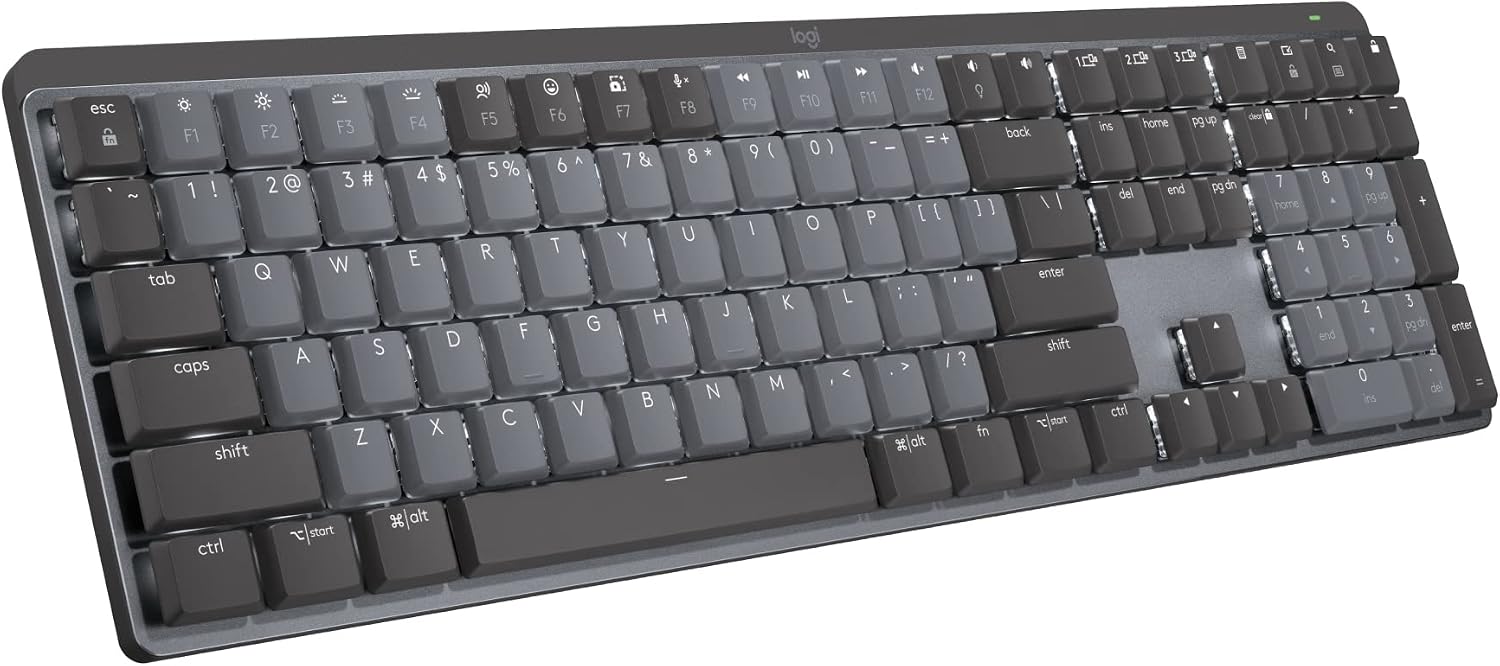
Logitech knows how to make hardware that feels premium, and the MX Mechanical is no exception. It "KICKS TAIL" according to one owner, and it's a "quality built product and worth every penny" at around ~$170. The wireless is rock-solid, the build is tank-like, and the tactile switches are responsive once you get used to them.
 Visit on Amazon →
But here's where the premium price doesn't buy you perfection. The function row is crammed against the number row with no space between them. I don't know what the designer was thinking, but you will accidentally hit the lock key instead of the minus key. One reviewer spent the first week accidentally locking his Windows session because of it. You can fix it in software, but you shouldn't have to.
Visit on Amazon →
But here's where the premium price doesn't buy you perfection. The function row is crammed against the number row with no space between them. I don't know what the designer was thinking, but you will accidentally hit the lock key instead of the minus key. One reviewer spent the first week accidentally locking his Windows session because of it. You can fix it in software, but you shouldn't have to.
There's also no Print Screen button. On a full-size keyboard. In 2026. You have to use FN+F7. I take screenshots 50 times a day for work, and this is a constant annoyance.
The keys register high on the press, causing double keystrokes until you learn to be gentler. It's a learning curve, not a flaw, but it's a curve you don't get with the AULA. And for this price, the sound is clacky, not creamy. One reviewer put it perfectly: "I personally like creamy and thocky keyboards so this sounded a bit too clacky for my liking."
Flaws but not dealbreakers: The missing Print Screen and cramped function row are real design sins. But if you're willing to remap a few keys and learn the touch, this is a workhorse that will outlast your laptop.
This is for the professional who wants a "nice one" and is willing to pay a little more for the Logitech ecosystem, especially if you already use the MX Master mouse.
Upgrade pick: ASUS ROG Strix Scope II 96
ASUS ROG Strix Scope II 96
If you want a board that does double duty for work and gaming, the ASUS ROG Strix Scope II 96 is worth a look. At around ~$150, it's a 96% layout, which means you get a numpad without the full-size footprint. The build quality is excellent, with a solid aluminum top plate and pre-lubed switches that feel smooth out of the box.
The wireless performance is flawless, both on 2.4GHz and Bluetooth. I used it for a week of work and a weekend of gaming, and I never noticed a single dropped input. The hot-swappable sockets mean you can swap switches without a soldering iron, which is non-negotiable for me.
The sound is clackier than the AULA, but it's a clean clack, not a rattly one. The stabilizers are decent, though the spacebar has a slight ping that you'll notice if you're a sound snob.
Flaws but not dealbreakers: The software is ASUS Armoury Crate, which is bloated and slow to load. It works, but it's not elegant. And the RGB battery drain is real, you'll get maybe three days with the lights on full blast.
This is for the person who wants one board for work and play, and doesn't want to maintain a separate gaming keyboard.
Budget full-size: AULA F99
If you need a numpad and you're on a budget, the AULA F99 is the F75 Pro's bigger sibling. It shares the same pre-lubed switches and gasket mount, so you get that same creamy feel and absurd battery life, just in a full-size package.
At around ~$70, it's a steal for a full-size wireless board. The layout is standard, so you won't have to relearn where the Delete key lives, and the stabilizers are surprisingly good for the price. The battery is the same 4000 mAh as the F75, so you'll get weeks of use with RGB off.
The trade-off is the flex. The F99's larger frame means the gasket mount has less flex than the F75, so it feels slightly stiffer. It's still good, just not as satisfying to type on.
Flaws but not dealbreakers: The keycap legends are front-facing again, same as the F75. And the larger footprint means it takes up more desk space, which matters if you're working from a cramped coffee shop table.
This is for the number cruncher, the accountant, or anyone who can't live without a numpad but doesn't want to spend ~$150 to get one.
The Logitech alternative: Alto Keys K98M
Logitech's newer Alto Keys K98M is interesting because it's their first real attempt at a gasket-mounted board. At around ~$130, it's cheaper than the MX Mechanical and sounds better out of the box, with a quieter, more dampened sound signature.
The build is classic Logitech, solid and professional, and the wireless is flawless. The keycaps are a bit shallow for my taste, but they're not bad. The battery life is solid, though not wizard energy level like the AULA.
The problem is it's new, so there aren't many long-term reviews yet. I've only had mine for three weeks, and I can't tell you how the battery degrades after a year or if the gasket mount holds up.
Flaws but not dealbreakers: The software is the same Logitech Options app, which is fine but not great. And the sound, while quiet, lacks the satisfying thock of the AULA.
This is for the Logitech loyalist who wants a quieter board and doesn't need the absolute best battery life.
The competition
The Redragon K556 PRO is the budget option that almost made the cut. At around ~$65, it's a full-size board with an aluminum top plate and RGB, but the sound is clackier and the stabilizers have a slight rattle that I couldn't ignore. It's fine for gaming, but for 8 hours of typing a day, it gets fatiguing.
The ASUS ROG Strix Scope II 96 lost because it's not quite as good for pure typing as the AULA, and it costs more than twice as much. If you're a gamer who types, it's great. If you're a typist who games occasionally, the AULA is the better value.
The Logitech MX Mechanical lost because of the function row spacing and the missing Print Screen. At ~$170, those are unforgivable design sins, even if the build quality is excellent.
The bottom line
Wireless mechanical keyboards have come a long way. The AULA F75 Pro is the best value I've tested in years, with battery life that defies physics and a typing feel that punches way above its price. If you want to spend more, the Logitech MX Mechanical is a solid workhorse with some frustrating quirks.
But if you're on a budget and want to know what the hobby is about, just get the AULA. You won't regret it.