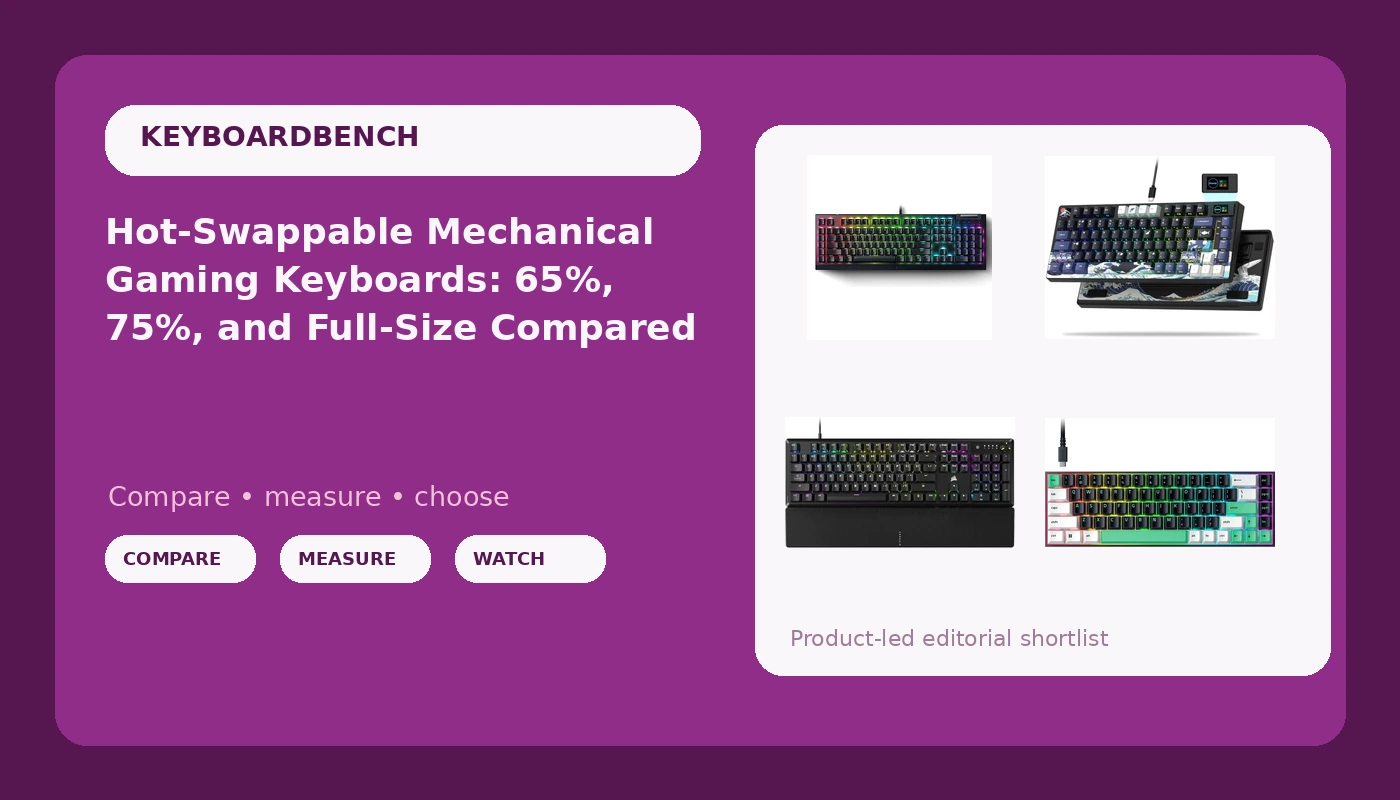
Hot-swappable mechanical gaming keyboards have become the default first recommendation for a simple reason: the switch you enjoy today is rarely the switch you want in six months. A hot-swap socket lets you pull a switch out with a small puller and press a different one in, no soldering iron and no dead PCB if you change your mind. That single feature changes how you shop, because it splits the decision in two: the board you buy, and the switches you put in it. The four keyboards below sit at different points on the compact-versus-full-size spectrum, and each makes a different trade among layout width, switch type, keycap material, and how much desk space you hand over.
Related: Linear vs Tactile Switches: How Feel Changes Your Pick →
Quick answer
Hot-swap is worth paying for if you expect to experiment with switches, and a 75% layout is the common middle ground that keeps the function row and arrow keys while trimming the number pad. A 65% board drops the function row as well, which is the trade to make when desk space matters more than dedicated keys. If you want a media dial, a palmrest, and a dampened case in a wired board, a feature-dense model covers all of it in one purchase. None of these four is right for every desk. Layout, switch feel, and the quality of the keycaps and stabilizers are what decide whether you keep typing on it.
4 useful options
| Model | Best fit | What stands out |
|---|---|---|
| Razer Reclusa X Mini 65% Hot-Swappable Mechanical Gaming Keyboard | Small desks and first-time switch swappers | 65% layout with hot-swap sockets |
| Razer V4 X Mechanical Gaming Keyboard, Yellow Switches, Black | Buyers who already know they want Razer's Yellow switch | The switch is named in the model |
| Womier SK80 75% Keyboard with Color Multimedia Display Gaming Keyboard | Compact layouts that want a screen | 75% layout plus a color multimedia display |
| CORSAIR K70 CORE RGB Mechanical Wired Gaming Keyboard with Palmrest | Wired setups that want a dial and dampened case | Pre-lubed linear switches, SOCD, media dial |
The hot-swap starter: Razer Reclusa X Mini 65% Hot-Swappable Mechanical Gaming Keyboard
Sixty-five percent is the layout people move to when they want the arrow keys and nothing else. The function row disappears, so volume, media, and F-key shortcuts move onto a layer you reach by holding a modifier. That is a real relearning cost, and it is the main reason anyone who lives in spreadsheets should think twice before committing. For everyone else the payoff is a narrower board and more room for mouse travel, and the hot-swap sockets mean the switch that arrives in the box is only the first of several you can try.
The switch-first pick: Razer V4 X Mechanical Gaming Keyboard, Yellow Switches, Black
The catch with a switch-first board is that the switch is not the only variable. Check the current product page for hot-swap wording before you assume you can change your mind later, because a board without hot-swap locks you into the switch it ships with. If you are still working out what you like, that is an argument for starting somewhere you can experiment and moving here once you know the Yellow feel is what you want.
The 75% with a display: Womier SK80 75% Keyboard with Color Multimedia Display Gaming Keyboard
Seventy-five percent asks for the fewest compromises of the compact layouts: you keep every key you probably press except the number pad, and the dedicated function row keeps F-keys and media shortcuts one press away instead of hiding them on a layer. The display is a preference rather than a necessity. Some people will use it for status information and never think about it again; others will ignore it and buy the board purely for the layout. Either way it is the feature that separates the SK80 from the rest of the compact field.
The feature-dense wired pick: CORSAIR K70 CORE RGB Mechanical Wired Gaming Keyboard with Palmrest, Pre-Lubed MLX Red Linear Switches, SOCD, ABS Double-Shot Keycaps, Sound Dampening, Media Control Dial, QWERTY NA, Black
Two details here matter more than they look. Pre-lubed switches skip the step where you open every switch and apply lubricant yourself, and case sound dampening is often the difference between a board that clacks hollow and one that sounds like it has some mass behind it. The ABS double-shot keycaps are the trade to understand: double-shot legends do not wear away, but ABS is the softer, glossier plastic and it tends to shine where your fingers rest. If shiny keycaps bother you, plan on a replacement set eventually. SOCD support targets players who need clean opposing-direction inputs, a niche benefit most typists will never touch.
Prices and availability may change. Product images, names, and retailer links are matched to verified listings. No current price, rating, stock status, or measured result is stated here without current evidence.
What 65%, 75%, and full-size layouts actually change
The percentage labels are shorthand for how much of a full-size keyboard survives. A full-size board includes everything: main typing cluster, function row, navigation cluster, and number pad. Drop the number pad and you have a tenkeyless, or 80%, board. Keep the number pad but compress the gaps around it and you get something closer to a 96% layout. At 75%, the function row and arrow keys survive in a tighter block, usually with the navigation keys squeezed into a right-hand column. At 65%, the function row is gone and the arrows remain. At 60%, the arrows go too.
What you lose is dedicated keys. What you gain is desk width and less travel between the keyboard and the mouse, which matters most if you play at low sensitivity. The cost shows up as layers: every missing key has to live somewhere else, usually behind a modifier you hold while pressing another key. That is fine for a media shortcut you press twice a week and annoying for a key you press forty times an hour. Before you buy compact, list the keys you actually hit during a normal workday, then check whether the layout keeps them.
Hot-swap, stabilizers, and keycaps: the details that decide daily feel
Hot-swap is the feature that lets a board change with you. Sockets accept switches without soldering, and most modern boards take both three-pin and five-pin switches, so the switch market stays open to you. If a board is not hot-swappable, the switch it ships with is the switch it keeps, and that is the whole decision.
Stabilizers sit under the long keys: spacebar, both shifts, enter, and backspace. A rattling stabilizer is the metallic ping you hear on the spacebar, and it is the fastest way to tell a cheap board from a well-built one, because the fix is either factory tuning or a disassembly and a bit of lubricant. Keycaps matter just as much. Double-shot legends do not fade, dye-sublimated legends do not fade either, and the profile, whether Cherry, OEM, SA, or XDA, changes how the tops of the keys meet your fingertips. None of this shows up in a spec sheet.
Switch feel is the last variable and the most personal one. Linear switches travel straight down, tactile switches have a bump you feel near the top of the press, and clicky switches add an audible click on top of that bump. Sound is part of feel, and it is roughly half keyboard and half desk, so a board that sounds hollow on one surface can sound fine on another.
Five steps to work through before you buy:
- List the keys you press in an average day, then mark which ones a compact layout would move onto a layer.
- Decide whether you need a number pad for spreadsheets, accounting, or data entry. If you do, a compact board is the wrong first purchase.
- Decide whether you need a dedicated function row for F-keys and media controls, or whether holding a modifier is acceptable.
- Decide whether you want to change switches later. If yes, hot-swap is the feature to filter on, not the brand.
- Pick a switch feel and confirm it matches your work: long typing sessions and competitive gaming often pull in different directions.
How to decide without buying twice
- Measure your desk and the width your mouse actually needs before you fall in love with a layout.
- Read the current product page for the words hot-swap or hot-swappable. If they are not there, assume the switch is permanent.
- Budget for a switch puller and a keycap puller if you plan to swap anything. They cost little and save the board.
- Test the long keys in the first week, while a return window is still open. Rattly stabilizers are easier to return than to fix.
- Give a new board two weeks of daily typing before you judge it. First impressions track novelty, not comfort.
Which option should you choose?
Choose the Razer Reclusa X Mini 65% Hot-Swappable Mechanical Gaming Keyboard when desk space is tight and you want the freedom to change switches without soldering. Choose the Razer V4 X Mechanical Gaming Keyboard, Yellow Switches, Black when you already know Yellow switches suit your hands and you would rather not think about switches again. Choose the Womier SK80 75% Keyboard with Color Multimedia Display Gaming Keyboard when you want the function row and arrows intact plus a display in the case. Choose the CORSAIR K70 CORE RGB Mechanical Wired Gaming Keyboard with Palmrest when you want a wired board with pre-lubed linear switches, a dampened case, a dial, and a palmrest in one purchase.
One caveat applies to all four: the specifications above come from the product listings, not from a bench test, and switch feel is subjective enough that no listing can settle it for you. Verify layout, switch type, and hot-swap support on the current product page before you order.
The bottom line
Layout comes first, because it decides which keys you press and which ones you hold a modifier to reach. Switch type comes second, because it decides how the board feels under your fingers all day. Hot-swap comes third, and it is the feature that keeps the first two decisions reversible. A compact board with sockets you can change beats a locked board with the perfect switch, because the perfect switch today is rarely the one you want a year from now.