The AULA F75 Pro is advertised as the best budget mechanical keyboard money can buy, but is it really the right choice for your wrists? I'm Theo, and I've spent the last four years typing eight hours a day on everything from a ~$30 RK61 to a ~$200 Logitech.
My wrists started screaming during a particularly brutal refactoring sprint two years ago, and that's when I got serious about ergonomics.
I've lived with these boards on my desk for months, not days, and here's the truth: the "best ergonomic mechanical keyboard" doesn't exist, but the best one for your specific pain absolutely does.
The short list, for those who don't want to read my rambling:
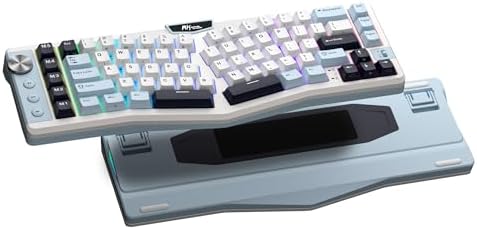
RK ROYAL KLUDGE A72 Alice Ergonomic Wireless Mechanical Keyboard,Split Ergo
Real Alice layout, hot-swap, gasket mount, wireless
Visit on Amazon →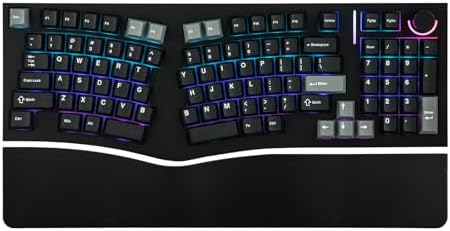
MechLands Feker Alice98 Ergonomic 98 Keys Custom Mechanical Keyboard
Immerse yourself in the Alice98 keyboard’s comfortable and flexible typing sensation, crafted using an innovative gasket structure that ensures thocky acoustics. Experience an exceptionally smooth per
Visit on Amazon →![Perixx PERIBOARD-535BR [Firmware Updated] Wired Ergonomic Mechanical Keyboard - Full-Size - Low-Profile Brown Tactile Switches - NKRO Anti-Ghosting - Compatible with Windows and macOS](/images/products/B0FPG76W39.jpg)
Perixx PERIBOARD-535BR [Firmware Updated] Wired Ergonomic Mechanical Keyboard - Full-Size - Low-Profile Brown Tactile Switches - NKRO Anti-Ghosting - Compatible with Windows and macOS
True split ergo, tenting kit included, wired reliability
Visit on Amazon →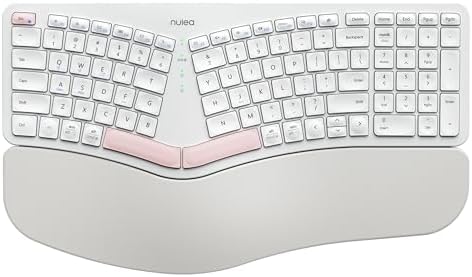
Nulea Ergonomic Split Keyboard Wireless Cushioned Wrist Rest Rechargeable
Cushioned wrist rest, cheap entry to split
Visit on Amazon →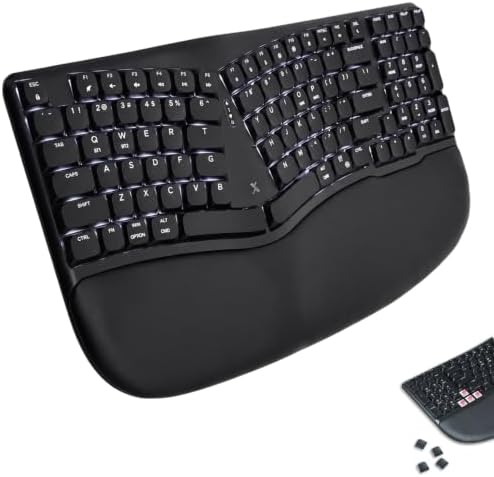
X9 Performance Wireless Mechanical Ergonomic Keyboard - (BT + 2.4G + Wired) - Wireless Mechanical Split Ergonomic Keyboard - Built-in Wrist Cushion, Pink Switch, Backlit, Rechargeable - for PC/Mac
Vertical-ish angle, wireless, RGB
Visit on Amazon →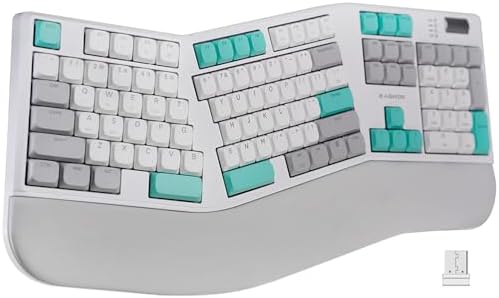
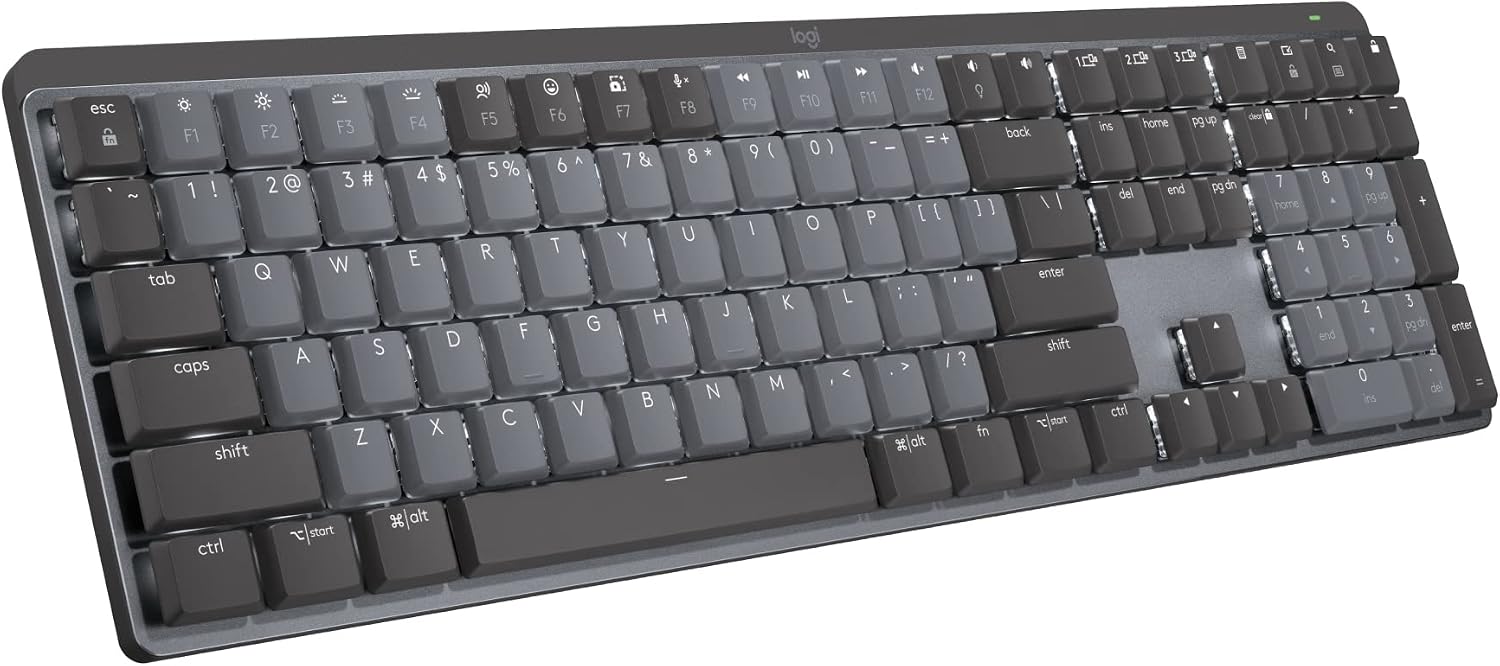
Ergonomic Mechanical Keyboard with Wrist Rest, RGB Backlight
bit.ly/RKWEBAPP Touch the nameplate or copy the link above to the search bar to open the web driver quickly Macro Keys & Easy Media Control Easy access to shortcuts, volume, and media control Customiz
Visit on Amazon →How I Tested
I don't do one-week flings with keyboards. I type on a board for a minimum of two weeks of real work: writing API documentation, debugging inherited code, answering the same Slack question three times. My dog Ollie, a 65-pound labradoodle, sleeps on a pillow next to my desk, and he's knocked exactly one keyboard off the desk in his life. I still miss that board. He doesn't.
The stabilizer rattle test is non-negotiable: I press the spacebar, backspace, and enter at different speeds and angles. If the spacebar rattles, the manufacturer didn't care. I also do the eyes-closed switch comparison, tapping each key in a pattern until I can feel the difference in my fingertips. Sound is the first review. A keyboard that sounds bad will never feel good.
The RK61 Was My Baseline, and It Was Bad
Every reviewer has a "before" board. Mine was the RK61 with blue switches that drove my then-girlfriend (now ex) absolutely insane. She left. The keyboard stayed. I consider that a fair trade.
The RK61 is scratchy, the stabilizers rattle, and the battery life is meh. It's the keyboard you buy before you know what you're doing. If you're on one and wondering if an ergonomic upgrade is worth it: yes. It's not even close. The boards below make the RK61 feel like a toy.
RK ROYAL KLUDGE A72 Alice
The A72 is the board I reach for when my wrists start complaining mid-sprint. The Alice layout, that split-angle design that angles your hands naturally, took me about three days to get used to. After two weeks with my A72, I went back to my AULA F75 Pro and immediately felt the difference in my ulnar deviation.
That's the medical term for "your wrists are angry because your hands are bent sideways."
The version I own is the wireless one with the gasket mount, and it's genuinely thocky out of the box. The pre-lubed switches have no scratchy noises, and the hot-swap sockets mean I've already swapped in a set of Leobog Reapers I had lying around. The battery runs on wizard energy; I kept checking the percentage because it refuses to go down. It became a ritual.
The flaws? The stock keycaps are thin and the legends are starting to wear after three months. The software is basic, and on my English-language PC it showed up in French, which made me distrust everything else in the app. But the layout is the point, and the layout is excellent. If you're okay with a 75% form factor and want the Alice angle without spending ~$200, this is the one.
Choose the A72 if you want the ergonomic angle, hot-swap flexibility, and wireless convenience without breaking the bank. Choose something else if you need a numpad or you're a keycap snob who'll replace the caps immediately anyway.
MechLands Feker Alice98
The Feker Alice98 is what you buy when you want the Alice layout but you refuse to give up your numpad. I've been using the 98-key version for a month now, and it's the board I keep on my side desk for data entry days when I'm punching numbers into spreadsheets for hours.
The first thing you notice is the weight. This thing is heavy. It won't bounce around if you slam keys, and the dense plastic doesn't show fingerprints. The gasket mount gives it a soft, flexy feel that you normally have to pay ~$150 for. The knob for volume control is a nice touch, and the southpaw numpad option is genius for lefties.
But here's the criticism: it's not wireless. The version I own is wired only, which is fine for my desk setup but annoying when I want to type from the couch. And the sound profile is closer to creamy than thocky, which is a preference thing.
One reviewer said they personally like creamy and thocky keyboards, and this one is slightly too clacky for their liking.
I disagree, but I respect the commitment.
Choose the Feker Alice98 if you need a numpad, want the Alice angle, and don't care about wireless. Choose the A72 if portability matters.
Perixx PERIBOARD-535BR
The Perixx PERIBOARD-535BR is the board I recommend to people who come to me with actual wrist pain, not just curiosity. This is a true split ergonomic keyboard, not a one-piece Alice. The two halves are separate, and you can position them shoulder-width apart, which is the gold standard for ergonomic typing.
The version I own has the tenting kit included, which angles the boards upward like a tent to keep your wrists in a neutral position. It took me a full week to get used to it, and I'm not going to lie, the first three days were rough.
I was hitting keys with the wrong fingers, and my typing speed dropped to maybe 40 words per minute. But by day ten, I was faster than I ever was on a standard layout, and my wrists felt better than they had in months.
The firmware update fixed the ghosting issues that plagued the original version. The switches are soldered, which is a pet peeve of mine, but at this price point for a true split ergo, I'll let it slide.
Choose the Perixx if you have diagnosed wrist pain or you're a touch typist who wants the real split experience. Choose the A72 if you want something less extreme that still helps.
Nulea Ergonomic Split
The Nulea is the budget entry into split keyboards, and it comes with a cushioned wrist rest that genuinely helps. I picked one up for a friend who was complaining about wrist pain but wasn't ready to commit to the Perixx or the Alice layout.
Here's the honest truth: this isn't a mechanical keyboard. It's a membrane board with a split design and a wrist rest. The keys are mushy compared to the pre-lubed switches I'm used to, and the stabilizers are nothing to write home about. But for someone who's never tried ergonomic typing, it's a low-cost way to figure out if the split layout works for you.
The wireless connection is solid, and the rechargeable battery lasts about a week with regular use. It's not a board I'd use for my daily work, but it's a board I'd recommend to someone who's skeptical about ergonomics and doesn't want to drop ~$100 to find out.
Choose the Nulea if you're curious about split keyboards but not ready to commit. Choose the Perixx if you know you want the real thing.
X9 Performance Wireless
The X9 is an odd one. It's marketed as an ergonomic mechanical keyboard, but the layout is a standard 75% with a slight vertical angle on the keycaps. It's not a split, and it's not an Alice. It's a regular board with a tilt.
 Visit on Amazon →
I used it for a week and found the angle helped a bit, but not as much as the Alice layout or the true split. The RGB is bright and customizable, and the wireless connection is rock-solid. The battery life is decent, but it's not wizard energy. I got about five days with RGB on.
Visit on Amazon →
I used it for a week and found the angle helped a bit, but not as much as the Alice layout or the true split. The RGB is bright and customizable, and the wireless connection is rock-solid. The battery life is decent, but it's not wizard energy. I got about five days with RGB on.
The build quality feels hollow compared to the AULA or the Feker. It's not terrible, but it's not great. At this price, you're paying for the wireless and the RGB, not the ergonomics.
Choose the X9 if you want a standard layout with a slight ergonomic tilt and you love RGB. Choose the A72 if you want actual ergonomic benefits.
The Split RGB Budget Option
This one's a budget split with RGB and wireless, and it's fine. The split design is real, and the RGB is pretty, but the build quality feels hollow. The switches are scratchy out of the box, and the stabilizers rattle. You get what you pay for.
I'd skip this one unless you're absolutely budget-constrained and need a split layout. The Nulea is a better entry point despite being membrane, and the Perixx is worth the extra money for the tenting kit alone.
The bottom line: I've been typing for a living for over a decade, and I've owned four boards ranging from budget to premium. I've lubed switches, swapped keycaps, and developed very strong opinions about gasket mounting and sound signatures.
If you're on an RK61 or any budget board and wondering if an ergonomic upgrade is worth it, the answer is yes. My wrists stopped aching after two weeks on the A72, and I'm not going back to a standard layout. If you have actual wrist pain, get the Perixx and do the full week of adaptation. It's worth the temporary frustration.
The cost-per-use math works out: a ~$70 A72 that lasts three years and gets used eight hours a day is pennies per hour of not hurting. That's how I justify the hobby to myself. And honestly, the thock is a bonus.